


You’re watching a YouTube video and there’s no sound coming from your iPhone’s speakers. You turn up the volume and nothing happens. You check that the video isn’t muted, but it’s not. Next you check to see if the earphones are still connected to your phone, but they’re not, so what’s going on? Yes, your iPhone is stuck in headphone mode. How to solve this? We’re here to tell you.
What should I do if my iPhone is stuck in headphone mode?
iPhone stuck in headphone mode is a known and well-documented glitch, it’s weird, but it happens from time to time, and the good news is, it’s easy to fix, so there’s no reason for you to worry too much. However, the causes of this problem vary, so before you can fix the problem, you’ll want to find the cause first. Before you rush to take your phone to an Apple Store to have it looked at by a professional, try our suggested fixes.
Connect and detach headphones
Apple conveniently removed the traditional 3.5mm headphone port when it launched the iPhone 7 in 2016, a move that was highly controversial at the time and is still debated in some circles today. More convenient times aside, if your iPhone is stuck in headphone mode, it’s possible that the phone’s headphone detection mechanism may be malfunctioning for some reason. If you’re using the Lightning connector, plug in and then unplug your headphones to see if this works.
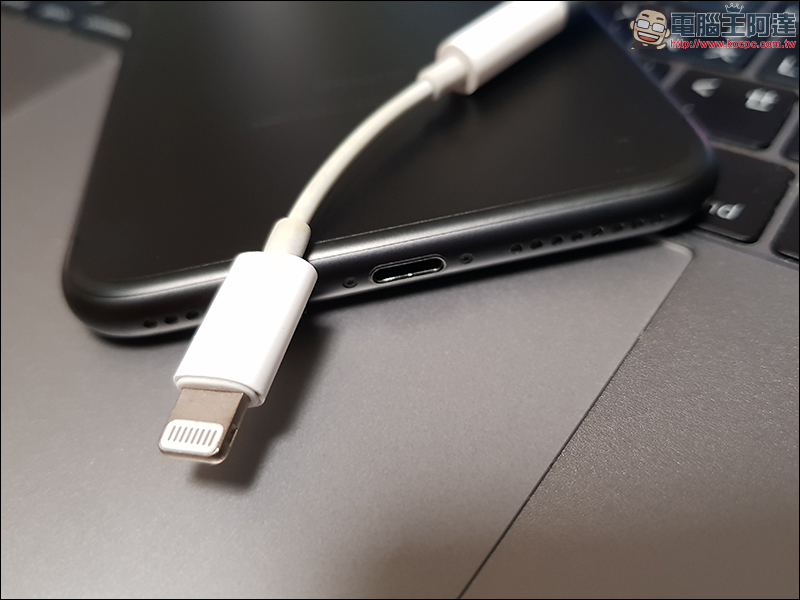
If you are using Bluetooth headphones, you should unpair them first. You can easily do this through the Settings app, go to Bluetooth and click “Forget this device”. However, keep in mind that if you own AirPods and do this, they will unpair from other Apple devices you own, provided of course you are logged in with the same Apple ID, which in many cases can fix the problem and take your iPhone out of headphone mode. Finally, you can re-pair the headphones with your iPhone again.
Clean port
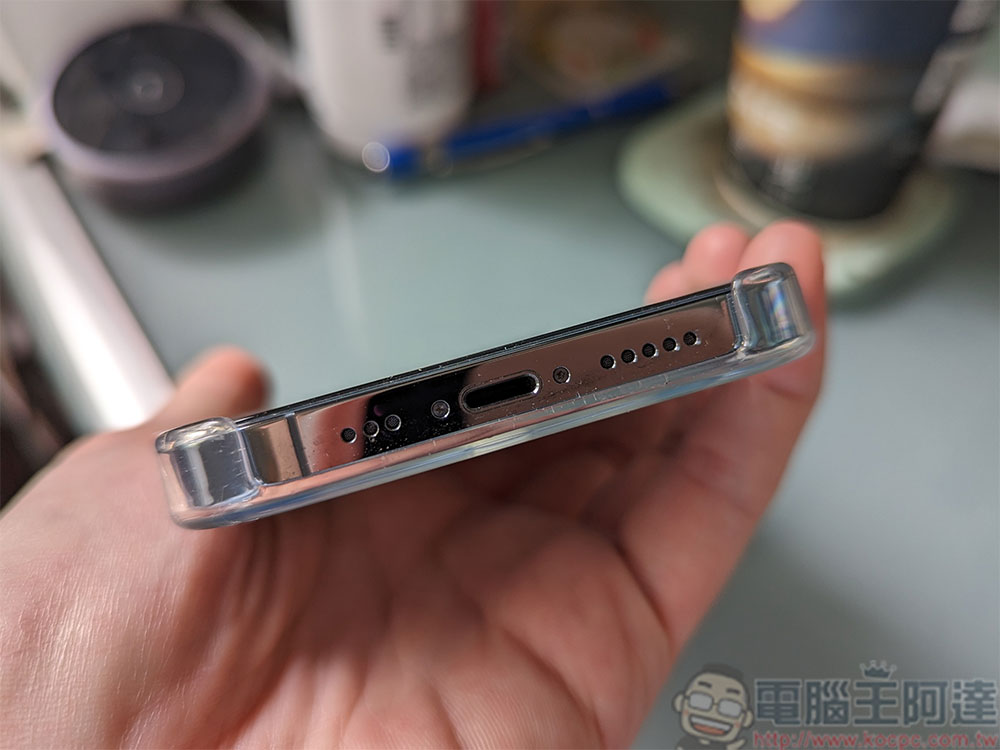
如果连接与卸除耳机不起作用,你应该清洁一下 iPhone 的连接埠,包含耳机插孔、Lightning 或 USB-C 埠,具体取决于机型。 Dust and debris can accumulate there over time, which can cause your phone to think the headphones are connected, causing it to get stuck in headphone mode.
If you’ve ever Googled how to clean your phone’s charging port, you’ll find a lot of conflicting information online. Some recommend using cotton swabs, others claim compressed air works best, and you may have come across tutorials and YouTube videos that suggest using paper clips, but this is a bad idea as the metal may damage the port. Apple, meanwhile, advises against using compressed air and says it’s crucial to avoid getting moisture in any openings. If you really need to clean, I recommend using a bamboo toothpick, so turn off your iPhone, grab a flashlight, a paper towel, and a toothpick. Use the flashlight to check the inside of the port first, then use the bamboo toothpick to carefully and gently scratch, but only if it’s really clogged.
Install updates or restart iPhone
A software issue may be causing your iPhone to get stuck in headphone mode. If this is the case, your best bet is to restart your iPhone, which often helps resolve minor software issues, so it’s worth your while.
Operating system updates can sometimes solve stubborn software issues. You may not have automatic updates enabled, but you can enable it through the Settings app. Open the Settings app, scroll down to “General” and select “Software Update” to check if there are any available updates. Please note that if you have an older iPhone, it may not be compatible with the latest operating system, but you should update it to the app versions it can install.
Restore iPhone to factory settings
If you have tried everything to get your iPhone out of headphone mode but nothing works, the last option you need to consider is to factory reset your iPhone. Factory reset will restore your iPhone to its original state, erasing all data and settings, and is a last resort option, so think twice before doing so.
Having said that, if you want to factory reset your iPhone, you should be able to do it in a few minutes as the process is fairly simple.
- Open the Settings application and enter “General”.
- Scroll to the bottom and click “Move or Reset iPhone”.
- Click “Reset” below.
- Then select “Reset all settings”. Then enter the password to confirm.
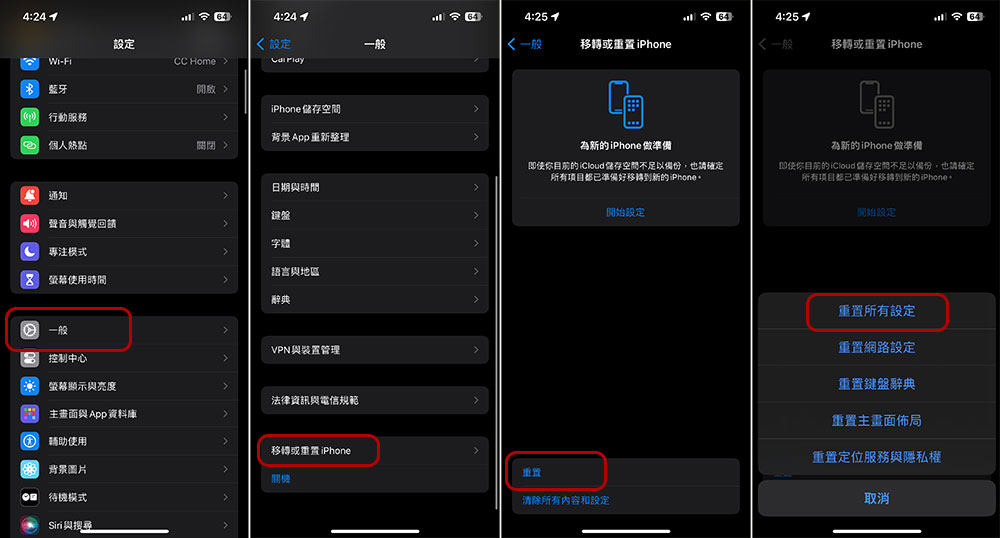
Source: KOCPC Chinese