


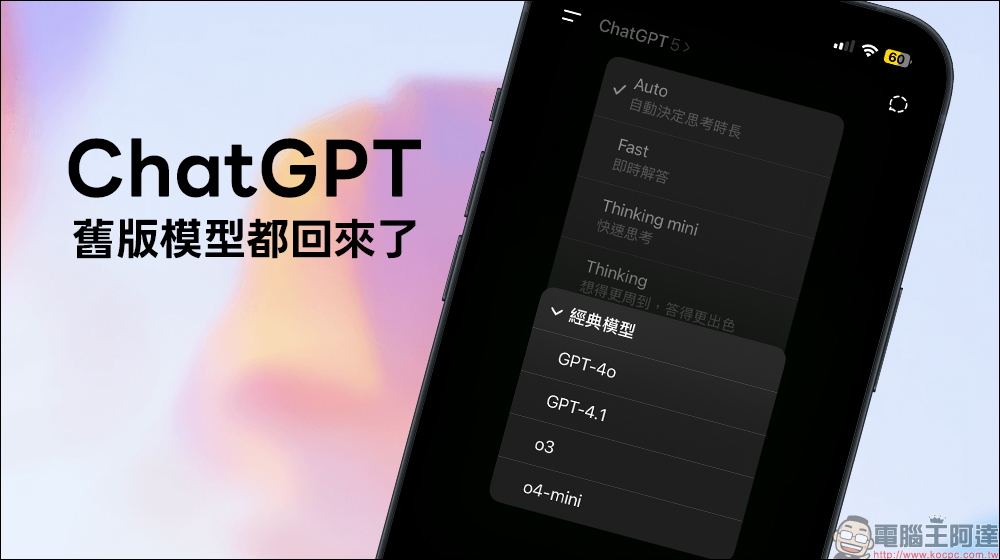
Recently ChatGPT The model menu has quietly gotten more exciting! Besides the latest GPT-5, the familiar GPT-4o and other older models are back on the selection list. Just enable the “Classic Models” option in settings, and you can switch freely between them. Whether you want to try out GPT-5’s real-time routing system and deep reasoning mode, or you need GPT-4o’s stable performance, you can now do it all in one interface. This update not only makes the model options more diverse, but for users with different needs, it’s like having a few extra AI “trump cards” in hand.
ChatGPT Old Models Make a Big Comeback! Here’s How to Switch Between GPT-4o, GPT-5, and More Modes at Once
OpenAI recently announced on X that GPT-5 is now fully available to Plus, Pro, Team, and free users. However, what’s even more exciting for longtime users is that GPT-4o and some older models have returned to the model picker, and Plus and Team users can switch to them anytime by manually enabling the setting.
This change not only allows the latest and most stable models to coexist, but also gives users more flexible options. For content creators and developers who need stable output, being able to switch between different versions on the same platform is like having several AI tools with different “personalities.”
How to enable legacy model options
It’s actually very easy to get back other older models like GPT-4o—just follow these steps. Starting with the desktop version: go to the ChatGPT web version, click the profile avatar in the corner, and enter the “Settings” page.
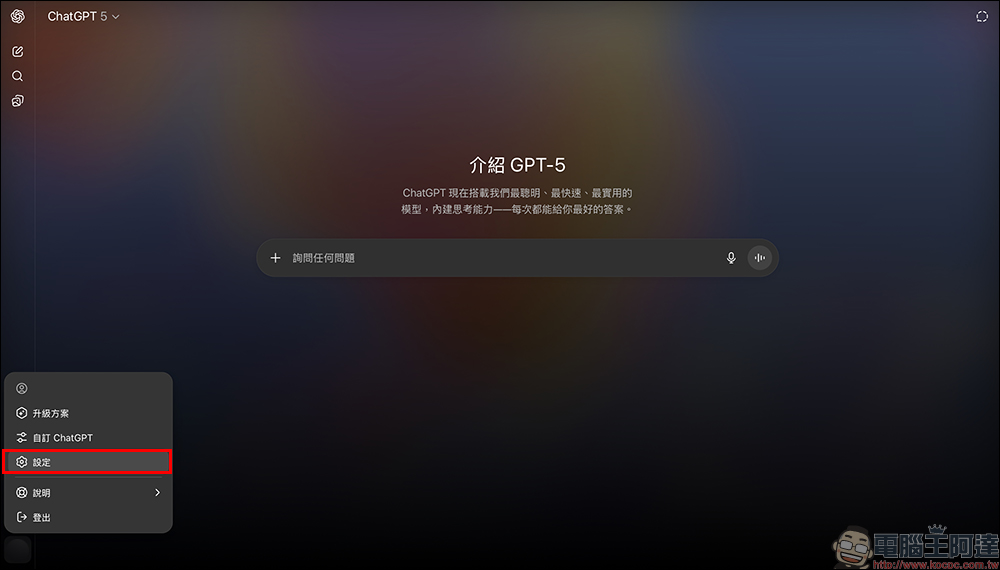
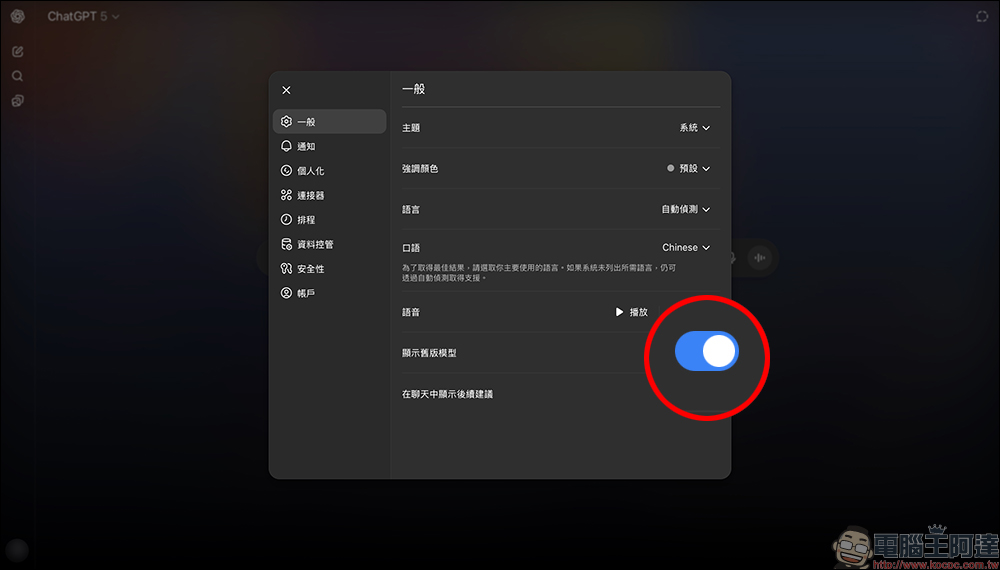
Next, in the model switching options, find “Legacy models” to switch to the GPT-4o model.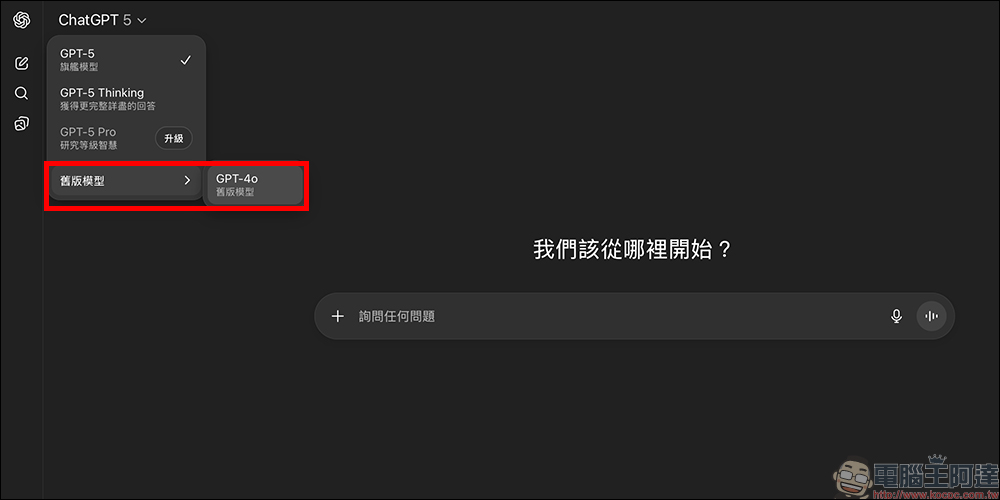
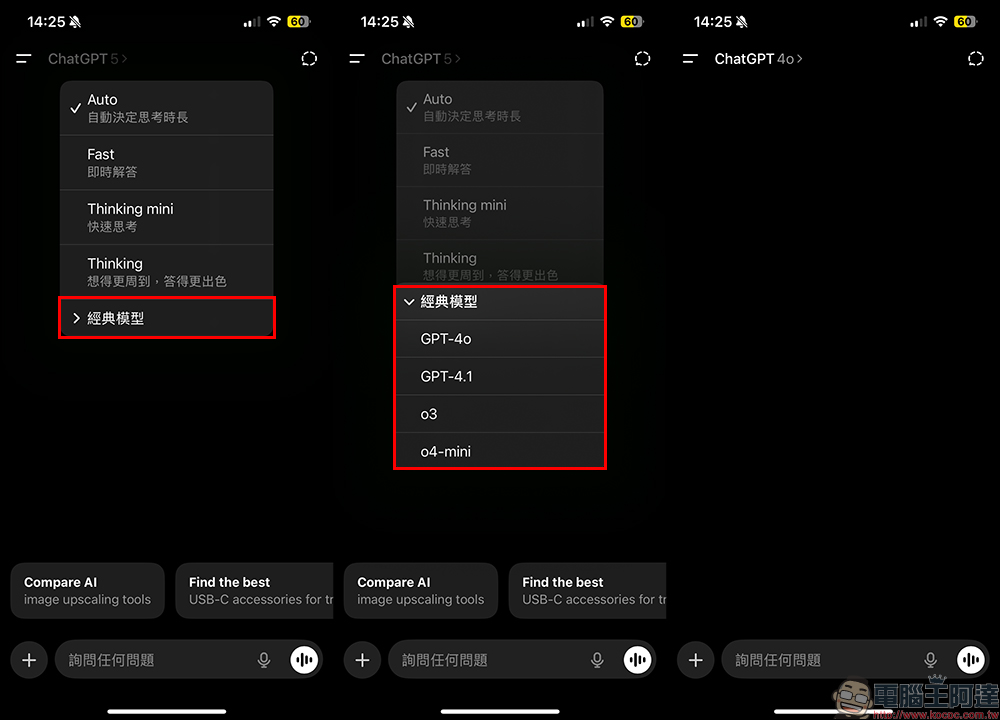
Besides the desktop version of ChatGPT being able to recover GPT-4o by enabling “Show legacy models” in the settings, the mobile app actually offers even more options. On mobile, simply open the model menu and tap “Legacy models,” and you’ll currently see four available older models at once:
- GPT-4o
- GPT-4.1
- o3
- o4-mini
This means that if you’re used to the mobile version of ChatGPT, you can not only experience the latest GPT-5, but also more easily switch between different older models, and even try versions with different performance or styles to compare the differences. For users who need to select models based on context, the mobile app instead becomes a “luxury package” for multi-model switching.
The model switching feature is now more complete and helpful for users with different needs:
- Writing and content creation: First use GPT-5 thinking to draft a complete structure, then use GPT-4o to adjust it to a familiar tone.
- Software development: use GPT-5 for complex algorithmic problems, switch to GPT-4o for routine minor fixes.
- Education and Research: Use GPT-5 to deeply analyze academic questions, then use GPT-5 mini to simplify key points for note-taking.
Conclusion
This ChatGPT update isn’t just about launching GPT-5—it brings both old and new models back together, letting users pick the version that best fits their situation. For those who love trying new things, GPT-5’s powerful reasoning is there to explore; for long-time users who value stability, GPT-4o remains a reliable companion. This kind of multi-model setup might be what truly aligns AI tools with user needs.
Further Reading:
Source: KOCPC Chinese