


Although we will compile the latest free LINE stickers for you every week, some LINE stickers are more interesting and can be used permanently with purchased themes. When we want to chat with friends on LINE, we often use various LINE stickers to “represent” ourselves. If you find that some stickers are suitable for the other person, you might as well spend a small amount of money to buy LINE stickers and give them to your friends! A few dozen yuan worth of stickers as a small gift may make each other talk about it more! Today I will quickly share with you 3 ways to give away stickers.
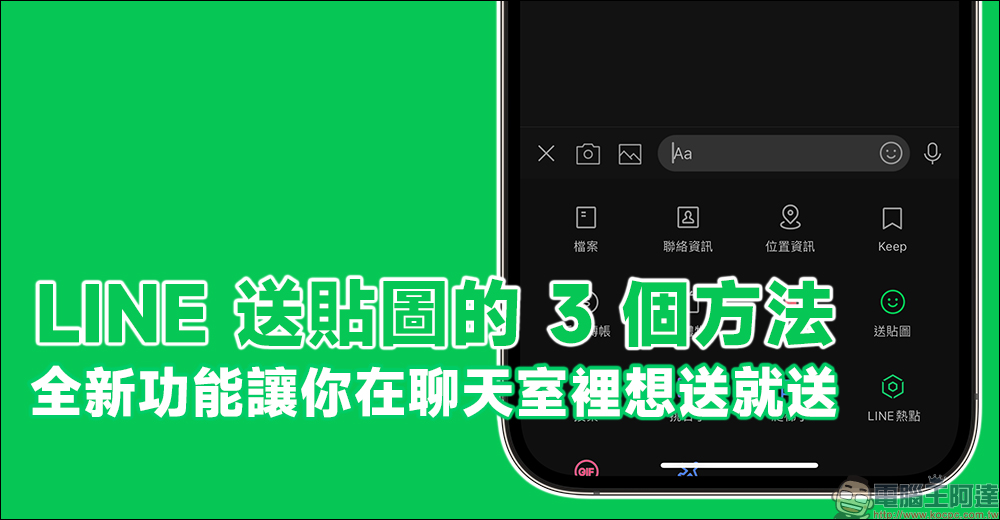
3 ways to give away LINE stickers! The new feature allows you to send messages as you like in the chat room
When we know that a friend likes a certain artist, KOL or sticker creator, of course we can’t miss it if the other party launches a new LINE sticker! Although it doesn’t cost much to buy stickers and give them to your friends, it makes the recipient of this small gift feel that you really know what he or she likes, and it is easy to use stickers to increase conversation topics. So how do you send stickers to others on LINE? Today I want to share with you three methods. You can find your own convenient way to give away stickers.
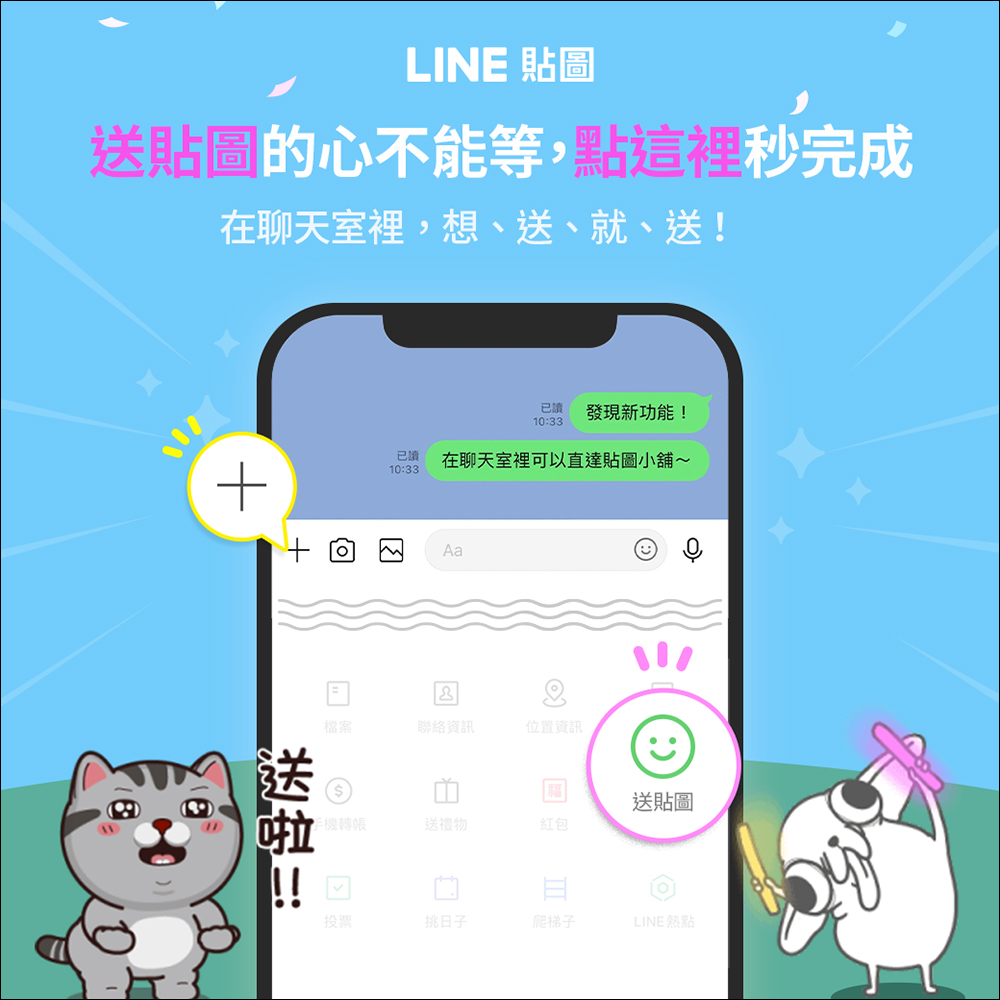
Method 1: Give away directly in the chat room (new feature!)
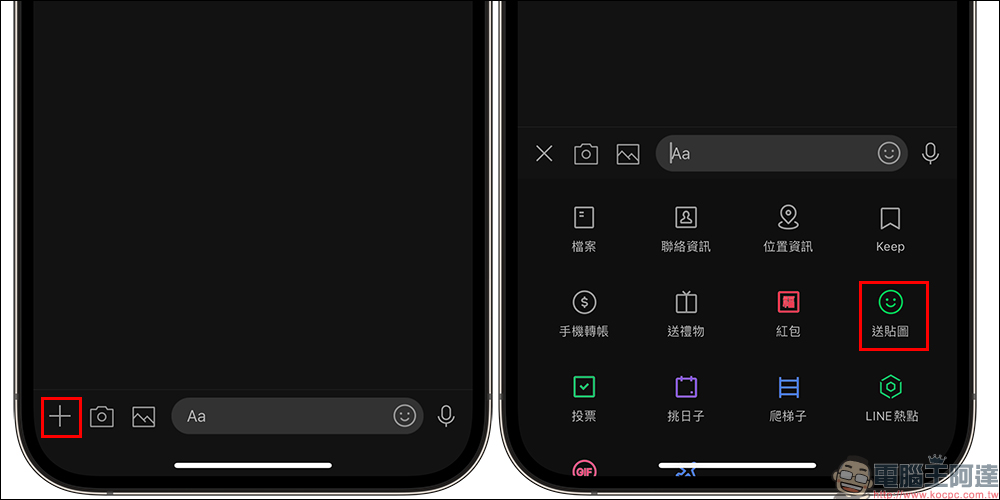
In the past, sending stickers on LINE had to be done through the sticker shop, but now the LINE App supports the function of sending stickers directly in the chat room. In the one-on-one chat room, just click “+” in the lower left corner of the screen to expand the function menu, and then select “Send Stickers” to select the LINE stickers you want to send.
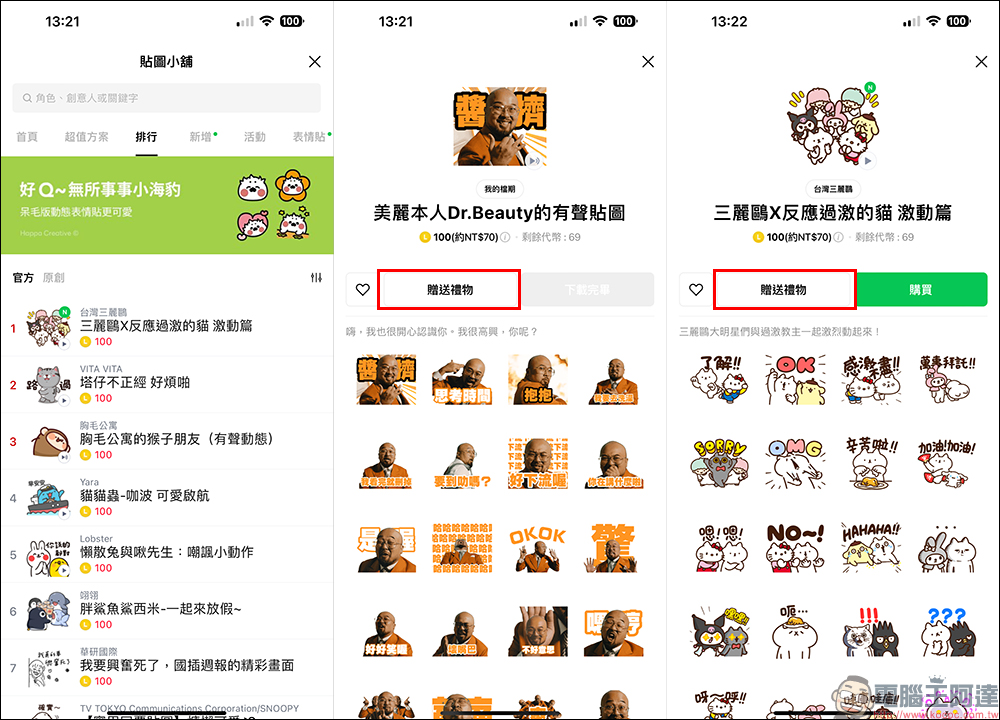
After clicking the “Send Stickers” button, the screen will jump directly to the LINE Stickers Shop, where you can first search for popular official/original stickers from the rankings, or click “New” to see the latest LINE stickers. Of course, if you have a specific sticker name you are looking for, you can also search for stickers directly through the text input box above.
When users enter the sticker page, they can click “Send Gift” to give this LINE sticker to their friends. In addition, if you already own and downloaded LINE stickers, “Download Complete” will be displayed. If you do not own them yet, the “Purchase” sticker option will be displayed. Please note that if you choose “Purchase” you want to use the LINE stickers yourself, and if you want to give them to your friends, you must choose “Gift”.
Click “Send Gift” to go to the friend selection page. You can choose to give the sticker to one or more friends. After checking, click “OK” below to proceed to the next step.
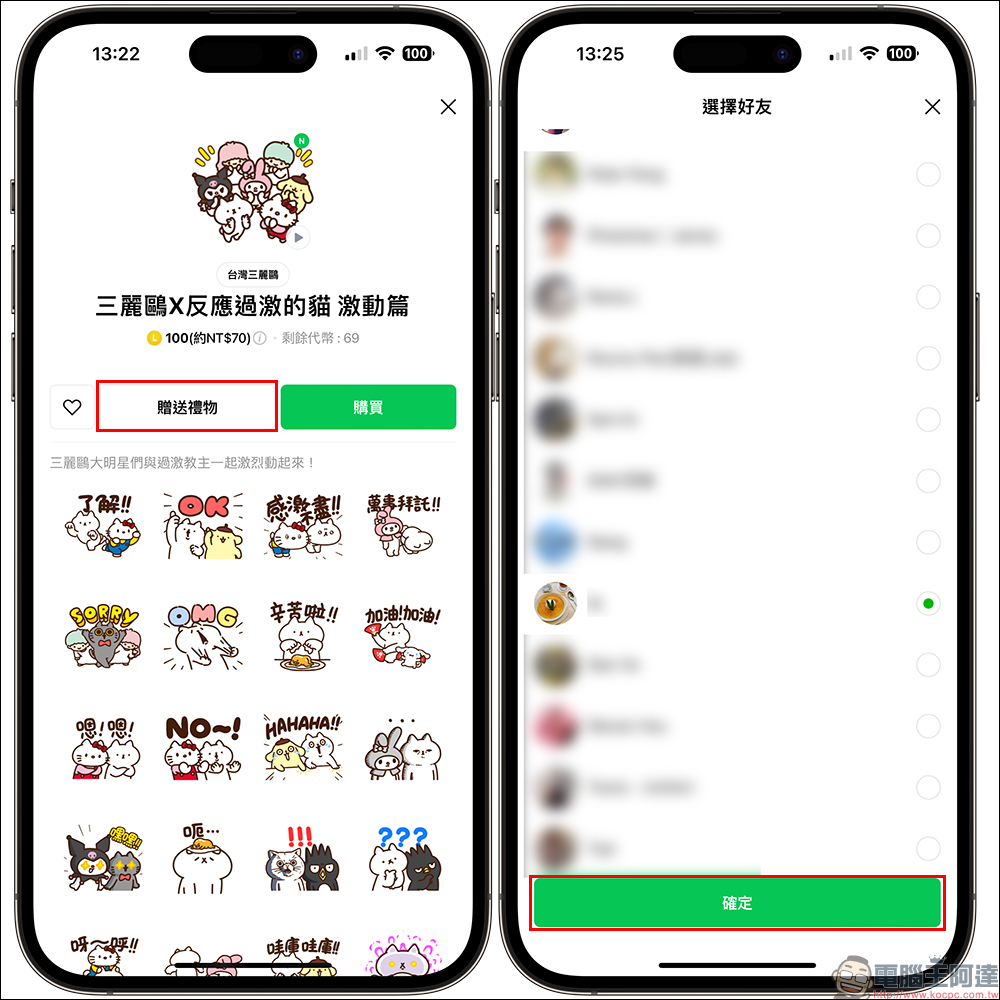
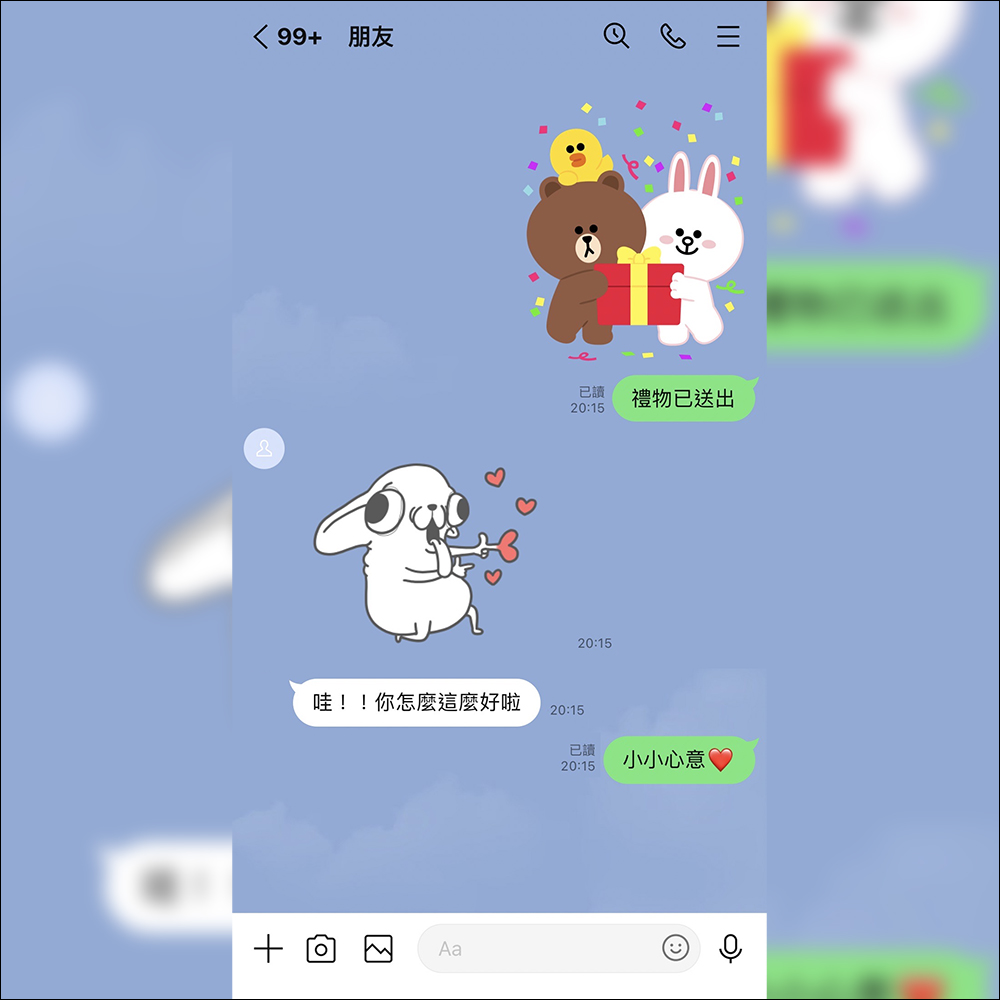
Then complete the payment and the gift (sticker) will be sent out successfully! The sent LINE sticker will also directly display the gift message in the chat room.
Method 2: Texture Shop
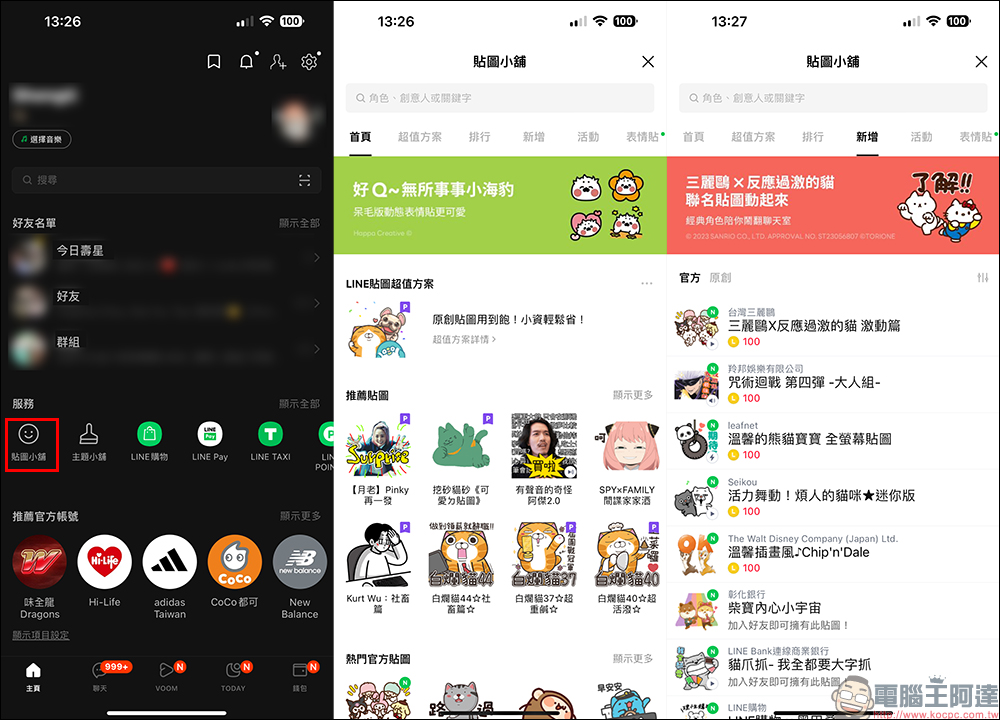
The second method of gifting LINE stickers is actually the way you used to gift stickers to friends. Users can open the “Service” category on the homepage of the LINE App and click on the “Sticker Shop” to select the LINE stickers to be given away.
Method 3. Purchase/gift stickers from LINE STORE
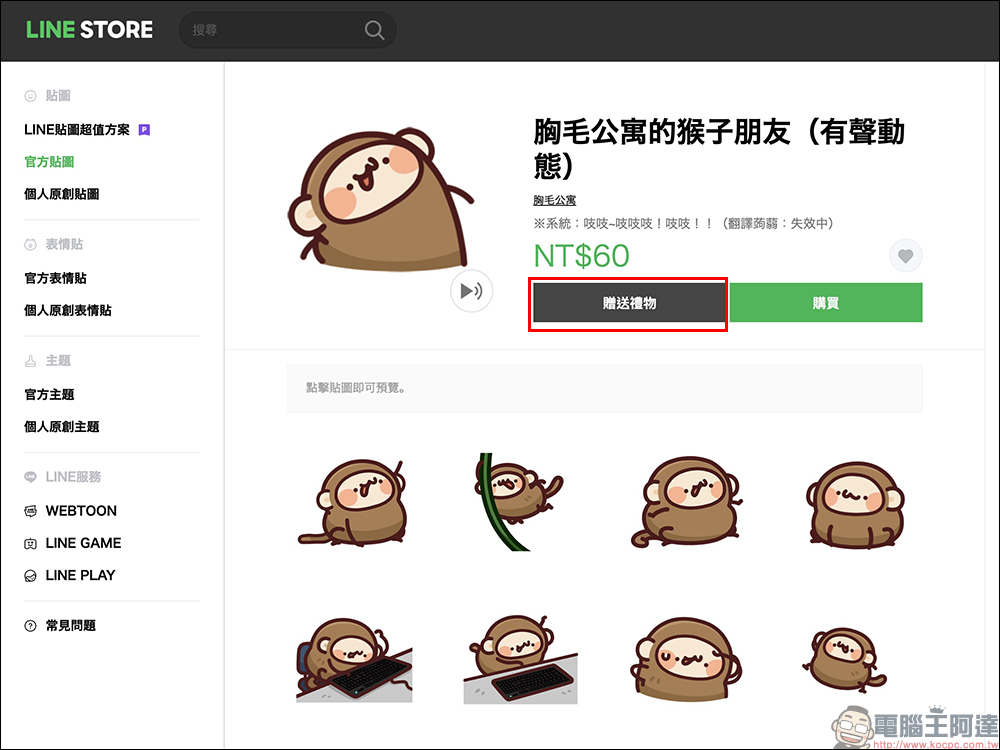
Since LINE Sticker Shop requires “tokens” to give away stickers, if you want to pay directly to purchase stickers for your own use or as gifts to friends, you can also choose to use LINE STORE to gift stickers. Just log in to your LINE account in LINE STORE, and you can select and send gifts (stickers) to each other through the LINE STORE web version.

Source: KOCPC Chinese