


OLED displays have advantages that cannot be ignored, with greater color accuracy, higher contrast ratios, and better image quality than LCDs. But as you know, OLED screens are easily affected by aging. Once they age, they will suffer from burn-in, which affects their use. So should you really be worried about this? What can you do to avoid or slow down aging?

What is screen burn-in? Can you prevent this from happening?
- What is screen burn-in?
- Why do OLED screens age easily?
- When will OLED burn-in affect your TV, phone or monitor?
- How to avoid OLED aging?
What is screen burn-in?
The term screen burn-in dates back to the days of CRT screens. If a static image is displayed on a CRT TV for too long (usually years or months), the phosphor layer on the TV will degrade unevenly, causing dim spots on the TV, and eventually leading to permanent image retention that will remain on the screen even when you turn off the TV. Computer users are most affected by aging. There is a reason for this, of course, because most of the content on a computer monitor, especially taskbars and menus, are static for a long time, so screensavers were later introduced to solve this problem to reduce the risk of burn-in, save users the trouble of waiting for the monitor to warm up, and tell you that the computer is running.
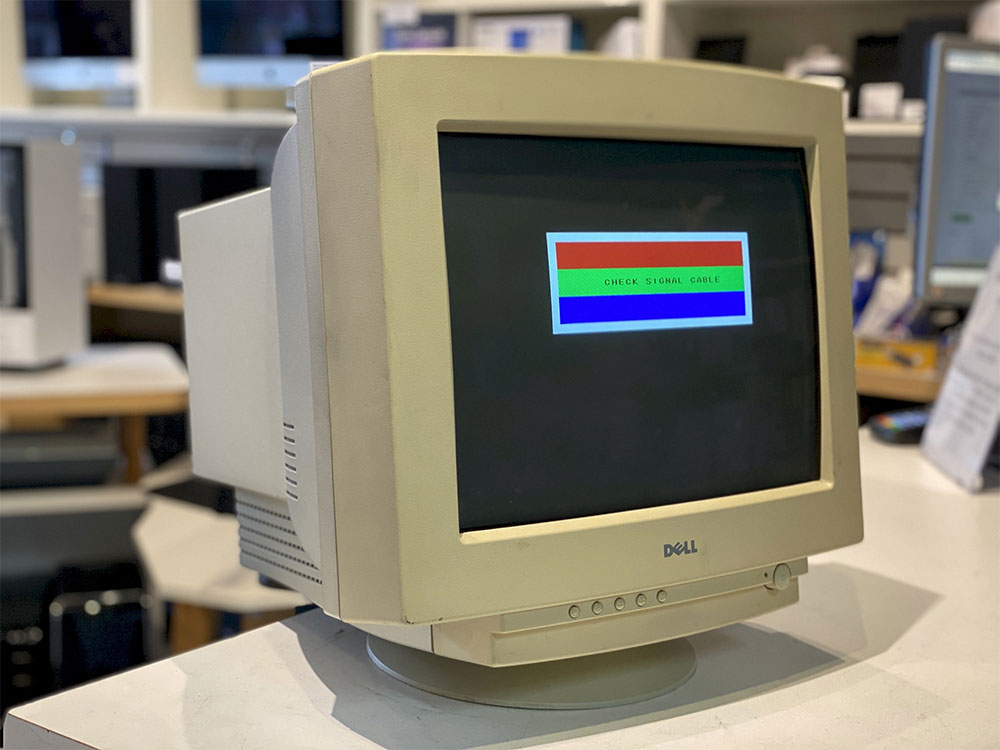
When LCDs replaced CRTs, people continued to use screensavers, partly because of long-standing usage habits. Displaying static content on an LCD screen for an extended period of time may reduce the ability of pixels to reset, leaving ghostly marks, colors, or afterimages on the screen. That said, LCD imprinting is rare, especially on modern screens, since the liquid crystals in LCD monitors naturally enter a dormant quiescent state.

You’d think OLED technology would improve in this area, but OLED displays are more prone to burn-in or image burn-in than LCDs. Manufacturers are slowly looking for ways to reduce this problem, but for now, screen burn-in and burn-in are a real concern for any OLED user, especially if you’re planning on purchasing an OLED screen for your computer monitor.
Why do OLED screens age easily?
Unlike traditional LCD displays that require a backlight, the mechanism of OLED display is the self-illumination of organic light-emitting diodes. The basic principle is to apply voltage to the organic materials within the pixels of the OLED display to make it emit light. This self-illuminating design is also why OLEDs improve color accuracy, and because pixels can be independently dimmed or turned off, allowing for deeper contrast than LCDs.

Unfortunately, each pixel in an OLED display has a limited lifespan because the organic light-emitting material slowly degrades and dims over time. Static content, especially bright white content, accelerates pixel degradation on OLED displays, resulting in visibly darkened spots, shapes, and ghosting. However, burn-in in OLED displays is rarely caused by prolonged viewing; instead, it is often the result of cumulative viewing. Suppose you watch TVBS news channel for several hours every day. Since the channel’s logo is white and displayed in the same position, over the years, the corner logo will age at a faster rate and may eventually become dim or have permanent image imprints.

When will OLED burn-in affect your TV, phone or monitor?
If you watch a lot of different movies or shows on a daily basis, you may never notice OLED burn-in because the pixels in an OLED display degrade at a very even rate. But if your usage tends to read a lot of news, play games, or use it as a computer monitor, these image sources include infrequently moving and bright images, and the chance of experiencing aging will be greatly increased.
But when will OLEDs age? There are too many variables to give you an exact time answer. Brightness, screen content, and even the hardware of your TV can affect when burn-in occurs. Most experts estimate that OLED burn-in occurs after less than 5,000 hours of continuous display of still images (about half a year). But most images aren’t completely static, and even if the 5,000-hour estimate is accurate, it may not keep up with advances in OLED technology. Newer OLED screens are now less susceptible to aging than older models.

If you avoid content that may cause screen burn-in, you don’t need to worry too much about the longevity of your OLED TV. Manufacturers like LG test their OLED TVs for 100,000 hours of use (roughly 11 years of non-stop viewing); more conservative estimates come from the U.S. Department of Energy Efficiency, which states that OLED brightness is directly related to pixel degradation, and if you use it at maximum brightness for 30,000 hours (about 3.4 years), the brightness output will drop to 70% of the original value. Smartphone OLED displays should also have a similar service life, but everyone’s mobile phones are often replaced after two or three years of use.
How to avoid OLED aging?
The original OLED displays were extremely susceptible to burn-in, but some OLED manufacturers have found ways to avoid this problem. With the help of software, most OLED displays will automatically detect static content and slightly move or adjust its brightness to reduce the loss of affected pixels. The important thing is that users will not notice these small changes with the naked eye.
Many OLED screens also use ABL or automatic brightness control technology, a feature that helps limit power consumption when displaying HDR content that is brighter than SDR. For example, if there is a large white spot on the screen, the screen will automatically darken the large white spot or reduce power consumption and ensure that other pixels continue to maintain a certain brightness. While ABL is not designed to combat burn-in, it can reduce the impact of white content in HDR shows and games.
Additionally, OLED screens may scan and update pixels after hours of continuous viewing. This won’t prevent burn-in, but it will allow the screen to compensate for uneven pixel aging. In this case, existing OLED burn-in can be addressed through scanning and updating, although this may result in a significant reduction in brightness across the entire screen. (If your OLED screen has aged, you can check whether there is an option to update pixels in the settings.)
Finally, change your usage habits to prevent or delay aging, including lowering the screen brightness, turning off the TV or screen when not in use, and activating the sleep mode of the TV or monitor so that it automatically enters standby mode after continuous inactivity.
Source: KOCPC Chinese