


Protecting WiFi at home or in the studio is not very difficult, and it only takes a minute or two to do it, but it is the part that people tend to overlook most often. You will always ensure the protection and security of your mobile phone and computer, but you forget that the security of the WiFi itself that connects the device to the world is also very important. This time the author has sorted out 10 situations that make WiFi more vulnerable to attacks. Sometimes just one action can make you feel more at ease when surfing the Internet.
These 10 things make your WiFi more vulnerable to attacks
Before we start discussing the most vulnerable situations where home WiFi networks are vulnerable to attacks, let’s first talk about the most common reasons why networks are most vulnerable to attacks: setting up and updating software and hardware. These actions may be a bit troublesome in the eyes of ordinary users. You may start connecting to the Internet after installing it, and then ignore it for months or even years. If you have forgotten about WiFi security for a long time, it is recommended that you set aside some time to protect yourself. If you want to change any of the settings specifically discussed in this article, you must log in to the router’s setting interface to make adjustments. As for the setting interface, you can find instructions in the support documents on the official website of each router brand.
Scenario 1: Your router is old
No one likes to spend money on nothing, and if your router has been working normally, it will be the lowest purchase for most people. But just because your router boots up and works fine (and connects to the Internet no matter how slow it is) doesn’t mean you should rest assured that it’s going to die. In fact, it might be time to replace your old router.
Old routers not only have slow speeds and poor user experience, but the older they are, the more likely they are that they no longer receive firmware updates. The lack of firmware updates also means there is no way to get security updates and fixes. When a new vulnerability is discovered in the hardware but the brand no longer provides updates, you can only sit back and wait.
Scenario 2: You never update your router firmware
For new vulnerability fixes, new features or performance improvements, each brand will push them to users in the form of firmware updates. Speaking of firmware updates, if you don’t set your router to automatically update, or you never check for updates and install them manually, you’re giving up on performance improvements and security. Staying on top of updates is the most fundamental part of improving the security of your WiFi router so you can get the most benefit from it. Not only will your router be patched for newly discovered security vulnerabilities, but it may also include adjustments to optimize network signals and various improvements that make the router run better.
Scenario 3: You are using a weak password or have no password at all
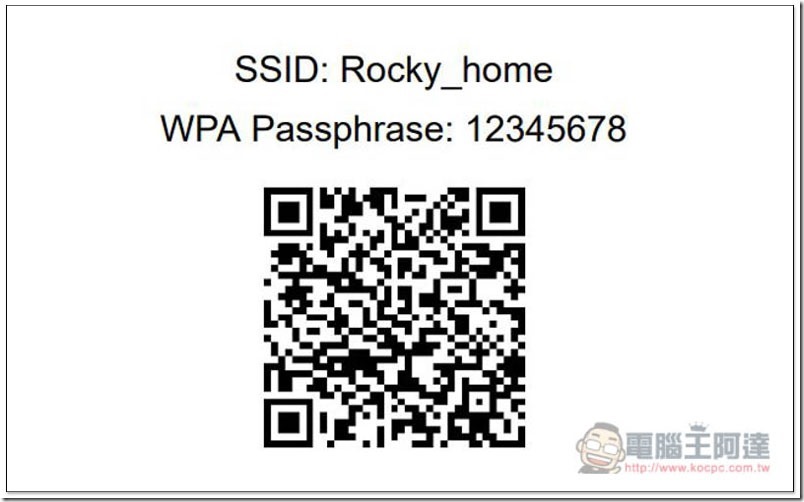
Typing into WiFi is cumbersome, especially if you’re typing on a small screen like a phone, or even more painful when a small LCD on a device like a network printer operates with a single button. Even such annoying typing methods shouldn’t be a reason to continue using weak passwords. You don’t need to go to the trouble of designing a long, overly complex WiFi password, but there’s absolutely no reason to continue using weak passwords like “Password,” “123456,” or “qwerty.” Some people completely take the “community charity” route and don’t set a password at all, just like your door is unlocked and everyone is welcome to come and go by themselves. Not only will your neighbors happily use it, but it is also more likely that interested people will use the free WiFi you provide to do some less than legal things or use the free WiFi you provide to occupy your bandwidth.
Situation 4: Outdated security standards are being used
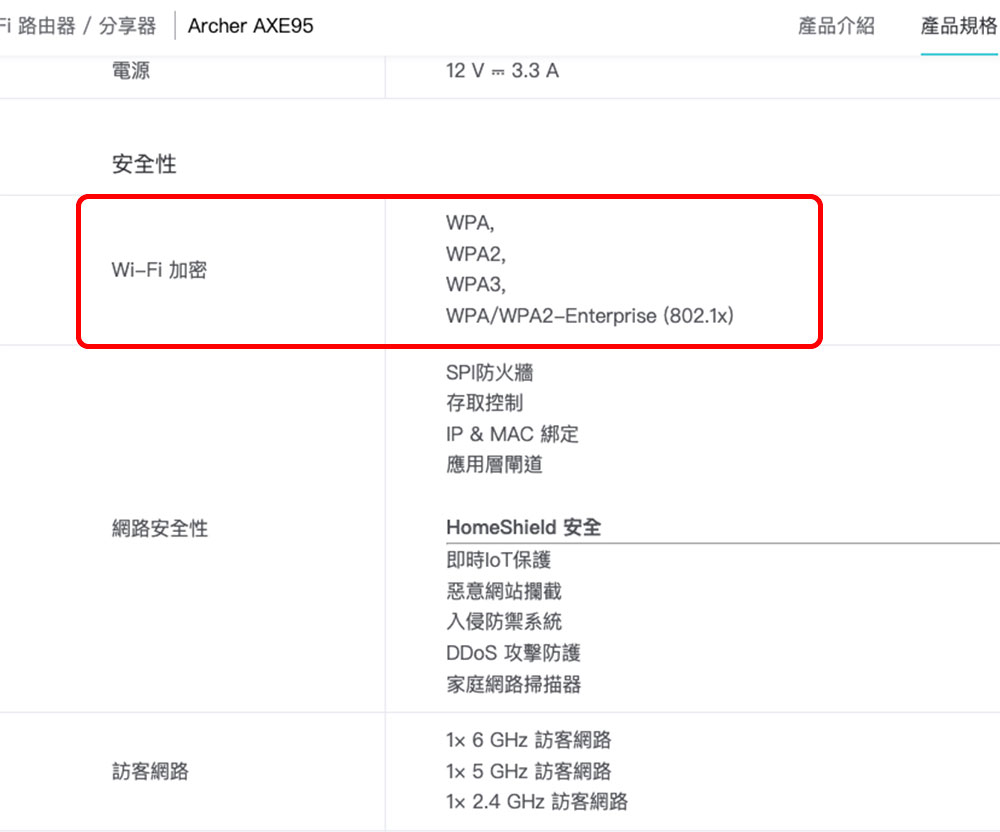
Using weak passwords can apply outdated security standards to your WiFi router. Early WiFi encryption protocols like WEP can be cracked almost immediately through repeated calculations. WPA and WPA2 are actually outdated. Although WPA2 is much better than WEP, the latest network security standard is WPA3. Although the latest WPA3 standard is not widely used in today’s networking equipment, when purchasing a new router, choose a model that not only supports WPA3, but also supports the transitional WPA2/WPA3 mode. This way, even old devices that do not support WPA3 can still successfully connect to the WiFi network. When you finally eliminate these old devices that use the transitional mode, you can switch to pure WPA3 mode.
Scenario 5: You have not changed the default administrative account password
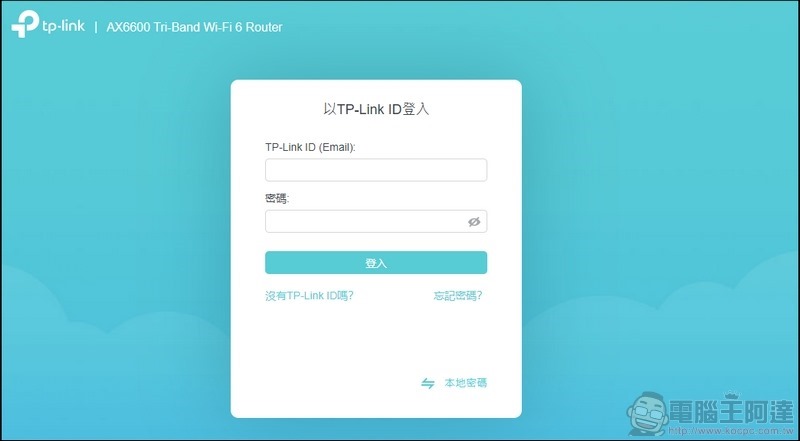
When you buy a new router, the default administrator account and password are a very common combination. Historically (?), most consumers have never changed it after purchase. This means that anyone who knows the default administrator login account and password of a specific router model can access and change settings. Although some router manufacturers now use pseudo-random passwords printed on the router labels instead, this is still very rare, so millions of routers on the market still use the “admin / admin” account and password combination. Since you know it, I know it, and the whole world knows it, if you don’t change it, you are giving away the house keys to everyone.
Scenario 6: You are using a “pseudo” random WiFi password
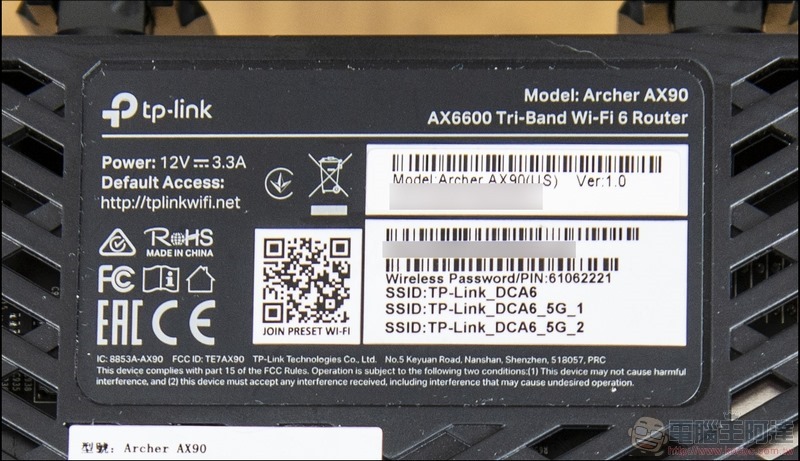
Speaking of pseudo-random, even though the brand doesn’t do much else to provide a random administrator password, some routers will have a “pseudo-random” WiFi default password printed on the label. The thing is, these pre-generated WiFi passwords aren’t as random as they seem, they’re usually short, so you’re better off changing them to something stronger and unique.
Case 7: You did not disable insecure protocols and services
In addition to providing WiFi wireless networking, your router also contains many features designed to make the router and devices easier to use, but with ease of use comes various trade-offs. There are two typical examples of features on consumer routers that you should turn off immediately, one is WPS that allows one-click connection of devices to the router (which has a known vulnerability), and the other is the UPnP protocol that allows devices on the network to easily find each other and connect. Both of these features do exactly what they advertise, but they also expose you to known vulnerabilities.

Scenario 8: You enable remote access
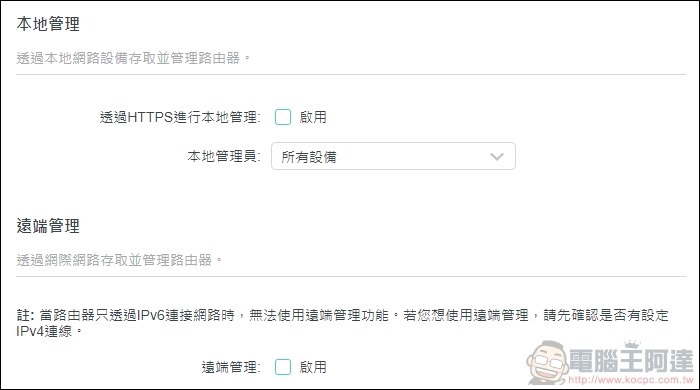
When you are at home, you can log in to the router’s control panel using your local address. When you are away from home, you cannot log in unless you enable remote access. Most people don’t need to make major changes to their routers when they go on vacation. Unless you have an extremely urgent need to remotely manage your home network, you should turn off end-to-end access. Since there is no need to climb through the window, there is no need to open the window.
Case 9: You have not set up a guest network
A long time ago, guest networking was a very rare feature on consumer routers, so guests would log into your main WiFi. But today, even affordable routers have built-in guest networking capabilities. Setting up a guest network in your WiFi router has many benefits, such as isolating guests from areas of the network they don’t need to access (such as a NAS that stores large personal photo files, etc.), and you can easily change the guest network password without disrupting your home.

Scenario 10: Connect all IoT devices to the main network
The guest network we mentioned above is not only great for visiting guests, but it is also great for connecting IoT devices so that these networked devices can still connect to the network and access any cloud-based functions, but are well separated from other local network devices, such as NAS or PCs. IoT design and security practices may not be something everyone thinks about too much, but if you’re concerned about the security issues your IoT products may pose, it’s definitely worth putting them on your guest network.

Source: KOCPC Chinese