


Whether you work from home, run a solo studio, or have kids at home who need to print piles of homework, many people find buying a printer a huge headache. Spec sheets are dense and incomprehensible, and salespeople at stores can give you a dazzling pitch. To save a little money, many people buy cheap inkjet printers, but if they don’t print often, the printhead dries out and clogs. Just cleaning the printhead is exhausting, and the cost of new ink cartridges can even be higher than the printer itself! That’s why in 2026, more and more smart people are switching straight to the laser camp. Today, A-Da will use his personal experience and publicly available information online to lay out the most popular flagship entry-level color laser printers from mainstream brands for a head-to-head comparison, and take a deep dive into why the Fujifilm Apeos C325z is currently the most recommended and the best “ten-thousand-dollar-class color laser god machine” for most people!
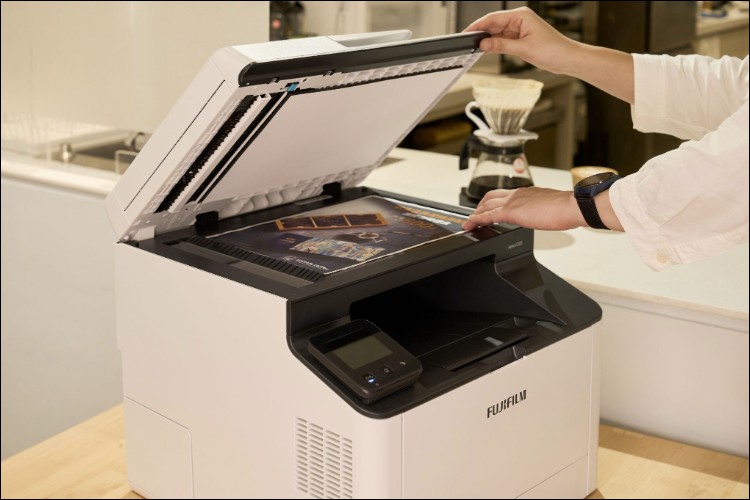
Why Are Laser Printers Suitable for Most People? Inkjet vs. Laser Comparison
Many people have a misconception and think, “Aren’t laser printers very high-end and expensive, and only big companies need them?” In fact, it’s exactly the opposite: if you don’t have high-volume printing needs every day, you should buy a laser printer even more! Because the biggest curse of inkjet printers is that they “fear being idle.” If you don’t print for two or three weeks, the ink dries up and clogs the printhead, and the machine is basically half ruined.
Laser printers use a toner fusing process, so even if you don’t print for six months or a year, they still print in a second when you turn them on, with absolutely no printhead drying-out issues. The clearest way to see this is to look directly at the table comparison:
|
Printer Types and Selection Recommendations |
|||
|
Comparison item |
Inkjet printer |
Continuous ink supply printer |
Laser / S-LED Printer |
|
Simple principle |
Integrated ink cartridge and printhead Print ink through an ink cartridge. |
The printer uses independent print heads. Ink is supplied through a large-capacity ink tank. |
Toner heat-fusing output |
|
Machine price |
Extremely low (low barrier to entry) |
Medium |
Relatively high |
|
|
Extremely prone to drying out and clogging the nozzle. |
The nozzle is extremely prone to drying out and clogging. |
Completely unaffected, and it won’t be damaged even after prolonged printing. |
|
Maintenance difficulty |
If not in use, it must be cleaned regularly, If the printhead is clogged, the ink cartridge needs to be replaced. |
If not used often, it must be cleaned regularly, If the printhead is clogged, it may need to be sent in for repair. |
Long part life, zero maintenance threshold. |
|
Suitable frequency recommendation |
Every 1-2 weeks |
Weekly |
May be irregular. |
You all see it now, right? Inkjet and continuous ink supply printers are cheap, but you have to wait on them like they’re some kind of lord and force yourself to print a few pages every week; otherwise, the repair costs for dried-out, clogged printheads will make you want to cry but leave you with no tears.
Conversely,Laser/S-LED printers have the absolute advantages of a “zero-maintenance threshold” and “long-lasting, breakdown-free printing.”For households or small commercial setups, SOHO freelancers, clinic reception desks, personal studios, and other micro-businesses that print only occasionally, buying a laser printer that can sit reliably and print as soon as it is turned on is the truly worry-free, no-regrets choice.
How to Choose a Laser Printer? Laser Printer Specs Explained Once and for All
Once you decide to go with a laser printer, you’ll usually see terms on online shopping platforms for different specs such as “three-function,” “four-function,” or multifunction printers. Simply put:
- “Three-function” modelProvides three functions: printing, copying, and scanning.
- “Four-Function” modelIn addition to the three functions above, it also integrates the fax function essential for business. Moreover, because four-function models are positioned as more professional, they usually also come equipped with an extremely practical Single-pass duplex scanning DADF Function.
Since you’re buying a money-making tool that should last 3-5 years without any problems, I, Ada, would strongly recommend going straight for a “four-function” multifunction printer. The following core specs are what you must understand when reading a spec sheet:
|
Laser Printer “Four Functions” Core Specifications Explained |
||
|
Function |
Specifications |
Definition |
|
|
Print speed (ppm) |
Stands for Pages Per Minute, meaning the number of pages output per minute. |
|
Homepage output time (FPOT) |
The time from when you press “Print” to when the first page comes out. The shorter the FPOT, the less you have to wait when printing a single-sheet contract. |
|
|
Scan / Copy |
Document Feeder Type (ADF/DADF) |
ADF: Automatic Document Feeder; can scan one side of an entire stack. DADF: Duplex Automatic Document Feeder scans both sides in a single pass, eliminating manual flipping and doubling efficiency. |
|
Scan speed (ppm or ipm) |
The speed at which A4 paper is scanned through the document feeder. Usually, black-and-white scanning is different from color scanning, so they need to be checked separately when purchasing. |
|
|
Fax |
Transmission speed (Kbps) |
33.6 Kbps (Super G3): Currently mainstream, faxing an A4 document takes only about 3 seconds. 14.4 Kbps (G3): entry-level specification; faxing takes more than 6 seconds. Today, many features support forwarding faxes directly to an email inbox, eliminating printing, saving toner, and making digital backups convenient. |
The most basic and most important is “print speed,” and the second most important is “scan speed.”In addition to paying attention to the difference in speed between black-and-white and color, among themThe most crucial feature is DADF single-pass duplex scanning.。
When you need to archive a 20-page double-sided contract or receipt today, whether you have a DADF determines whether you can gracefully go grab a coffee or have to stand by the machine manually flipping pages 20 times like a fool. Nowadays most models can also forward documents directly to Email via the fax function, saving toner and being environmentally friendly—this is the standard for a modern office.
Best-Selling Flagship Entry-Level Laser Printer Recommendations | Model Specs and Buying Comparison
The data doesn’t lie. Let’s lay it out and compare directly:
|
2026 Best-Selling Entry-Level Flagship “Four-Function” Color Laser Printer Spec Showdown |
||||
|
Brand and model |
Fujifilm Apeos C325z |
HP Color LaserJet Pro 3303fdw |
Brother MFC-L3760CDW |
Canon imageCLASS MF644Cdw |
|
Main Functions |
Print/Copy/Scan/Fax |
Print/Copy/Scan/Fax |
Print/Copy/Scan/Fax |
Print/Copy/Scan/Fax |
|
Online pricing |
$17,990 |
$22,990 |
$22,900 |
$18,990 |
|
Output technology |
S-LED (more compact) |
Traditional laser |
Traditional laser |
Traditional laser |
|
Print speed (ppm) |
31 / 31 (Black/Color) |
25 / 25 (Black/Color) |
26 / 27 (Black/Color) |
21 / 21 (Black/Color) |
|
Black and white first page output (seconds) |
10 seconds |
10.9 seconds |
13.5 seconds |
10.4 seconds |
|
Document Feeder Scan Type |
DADF (single-pass duplex) |
DADF (single-pass duplex) |
ADF (single-pass single-sided) |
DADF (single-pass duplex) |
|
Single-sided scan speed (black/color) |
30 / 15 ppm |
19 / 8 ppm |
27 / 21 ipm |
26.1 / 13.3 ipm |
|
Body volume (mm) (Width x Depth x Height) |
410 x 430 x 366 |
428 x 472 x 455 |
410 x 444 x 401 |
451 x 460 x 413 |
Everyone, take a close look at this table—there’s a huge disparity in specs!
While being the most budget-friendly in price, the Fujifilm Apeos C325z’s specifications outright crush its competitors across the board.Others print 20-something pages per minute, while the C325z, with advanced S-LED technology, shoots straight up to 31/31 ppm (same speed for black and color); and while featuring top-tier DADF duplex scanning and extremely high scanning speeds,The body width is actually the narrowest in its class at 410mm., for people with limited space at home or in a studio, this is simply a space-saving lifesaver.
Best-Selling Flagship Entry-Level Laser Printer Recommendations | Comparison of After-Sales Service and Included Consumables Capacity
Now that we’ve decoded the on-paper specs, next let’s look at the “hidden key points beginners may not know”—the two costs most easily hidden when buying a laser printer:“Warranty period” and “bundled toner capacity”Many branded printers sell for cheap, but the toner that comes with them is only a “trial version” that can print a few hundred pages, so before long after buying one, you have to spend a lot of money on consumables.
Next, we’ve gathered the capacities of the bundled consumables and the after-sales service methods each brand offers for this model, so let’s see how sincere these four brand models are:
|
Comparison of After-Sales Service and Consumables Included with Purchase for 2026 Best-Selling Entry-Level Flagship “Four-Function” Color Laser Printers |
||||
|
Brand and model |
Fujifilm Apeos C325z |
HP Color LaserJet Pro 3303fdw |
Brother MFC-L3760CDW |
Canon imageCLASS MF644Cdw |
|
Black toner included with purchase. |
Approx. 2,500 sheets (standard quantity) |
About 1,300 sheets |
About 1,000 sheets |
Approximately 1,500 sheets |
|
Color toner included with printer purchase. |
Approx. 1,500 sheets (standard quantity) |
Approximately 1,200 sheets |
Approximately 1,000 |
Approximately 680 sheets |
|
Warranty service period |
5 years |
1 year |
3 years |
2 years |
|
Warranty upgrade method |
Register and upgrade on the official website. |
Add-on Toner Upgrade 2 pcs, upgrade to 2 years 4 units, upgrade to 3 years |
Register on the official website to upgrade |
Official Website Registration Upgrade |
|
Maintenance Support Methods |
On-site repair by a specialist. |
Professional on-site repair service |
Door-to-door pickup and delivery |
First-year door-to-door pickup and delivery |
Once this chart comes out, you’ll see that Fujifilm is extremely sincere,As soon as you complete registration on the official website, you’ll be generously given a “5-year warranty” right away! And it’s not the kind of door-to-door pickup and delivery service where you have to ship it back yourself or carry a machine weighing over ten kilograms yourself—instead, it’s “on-site repair by a dedicated technician.”What’s even crazier is the black Gundam included with the C325z. 2,500 sheetsColor 1,500 sheetsThese are already standard-capacity consumables sold separately on the market. The four included toner cartridges alone are worth nearly 8,000–9,000, so there’s no hiding the sincerity!
Best-Selling Flagship Entry-Level Laser Printer Recommendations | Real Five-Year Total Cost of Ownership Calculation: Is Running to the Convenience Store to Print Documents Actually Cheaper?
Many people have this thought: “I don’t print much each month. The machine is impressive, but it costs almost 20,000, so wouldn’t it be cheaper for me to just print at a convenience store?” Well, as a budget-savvy 3C expert, today we’re going to personally crunch the numbers for you.
We use the most common average print volume for home offices or micro-businesses (SOHO/small studios)—1,200 sheets per year, 6,000 sheets over 5 years, with a black-to-color ratio of 5:1—to do this. Actual Five-Year Total Cost of Ownership (TCO) Calculation:
|
Printer vs. Running to the Convenience Store | Actual 5-Year Total Cost of Ownership (TCO) Calculation |
||
|
Cost item |
Go to the convenience store to print. |
Fujifilm C325z |
|
Annual print volume |
1,200 sheets (an average of about 100 sheets per month) |
|
|
|
5 black-and-white photos: 1 color photo |
|
|
5-year total print volume |
5,000 black-and-white + 1,000 color |
|
|
Equipment buyout cost |
$0 |
$17,990 |
|
Black-and-White Printing Cost Estimate |
$15,000 (5,000 pcs x $3) |
$3,200 After the included 2,500-page toner cartridge is used up Requires an additional purchase of 1 black toner cartridge. |
|
Color Printing Expense Estimate |
$10,000 (1,000 pcs x $10) |
$0 (Randomly included as a bonus: 1,500 sheets, and there are still some left.) |
|
Repair/Parts Expenses |
$0 |
$0 (5-year original manufacturer warranty & on-site repair by a dedicated technician) |
|
Total Cost of Ownership (TCO) |
$25,000 |
$21,190 |
|
Final Benefit |
The burden of administrative expenses, and it doesn’t even include time costs. |
Save $3,810 |
Buy toner and get a “free” machine, plus a “free” five-year insurance.
C325z’s included toner is worth almost NT$8,000, and after deducting that, the machine itself is only a few thousand dollars. The craziest part is that Fujifilm also offers 5-year on-site repair, which means you don’t need to budget any repair costs at all for those five years. If it breaks, someone comes and repairs it until it’s fixed. That’s the smartest choice!
However, it is important to note that the printable page yield of printer toner cartridges, regardless of the commercially available brand, is calculated according to the internationally accepted ISO standard of 5% image coverage. What 5% actually represents is typical general document printing needs. IfFor documents with high image coverage that you print often, such as catalogs, design drafts, presentation proposals, etc., it’s still more cost-effective to print at a convenience store., because for color, regardless of image coverage, each page costs only 10 yuan (A4 single-sided).
IfI print and scan frequently and occasionally need to output images, so to save time I might as well buy a Fujifilm C325z for home, and go to a convenience store when I need to output images.After all, convenience stores use Fujifilm equipment too. Fujifilm is renowned in the printing industry for its excellent output quality. Although the brand doesn’t usually spend much on advertising, it has built up a group of loyal customers who quietly support it, and many designers and people in interior design and renovation-related industries specifically ask for Fujifilm products.
Recommended Flagship Entry-Level Laser Printers | The Perfect Choice for Home and Business Entry-Level Needs
Taking all the above matchups into account, the Fujifilm Apeos C325 series becomes the top choice we wholeheartedly recommend today for entry-level home and business use, mainly because it comprehensively addresses users’ pain points:
Important business feature: administrative automation—time shouldn’t be wasted on manual operations.
DADF single-pass duplex scanning/copying: significantly boosts administrative efficiency
Greatly improves administrative efficiency. Whether you need to reconcile accounts, process financial reimbursements, or digitally archive contracts, just place a whole stack of documents on it, and the C325 can quickly scan double-sided documents. If you also use the built-in features such as “scan to computer, scan to email, and scan to phone,” you can build all kinds of digital workflows yourself at home at no cost.
NFC tap-to-print and mobile app integration:
Using the built-in “Keystone Correction” feature in Fujiflim’s mobile app Print Utility, you can correct document photos to the proper angle. It supports NFC tap-to-print from your phone, so even without turning on a computer, contracts received on your phone or important documents on LINE can be printed with one touch—perfectly matching the fast pace of modern mobile work.
High-Efficiency Commercial Specs: Business-Office-Grade Speed and Precision
31 / 31 ppm synchronous high-speed output
S-LED technology delivers exceptionally detailed image quality and 600 x 2400 dpi-class high resolution, and prints black and white and color at the same speed. No more anxiety when printing large stacks of reports before a meeting!
A one-of-a-kind feature: the industry’s only five-year after-sales commitment.
5-year original manufacturer extended warranty + specialist on-site repair
This is the point A-Da values most and considers the most generous. It is “unheard of” in the printer market. Most brands offer only 1~3 years, and if something breaks, you have to carry it to a service center yourself. When buying 3C products, the biggest fear is being orphaned. Fujifilm simply gives a full five-year peace-of-mind guarantee; if it breaks, one phone call and an engineer comes straight to your home. It truly leaves you free of worries, without spending a single cent of wasted money or wasting any repair effort.
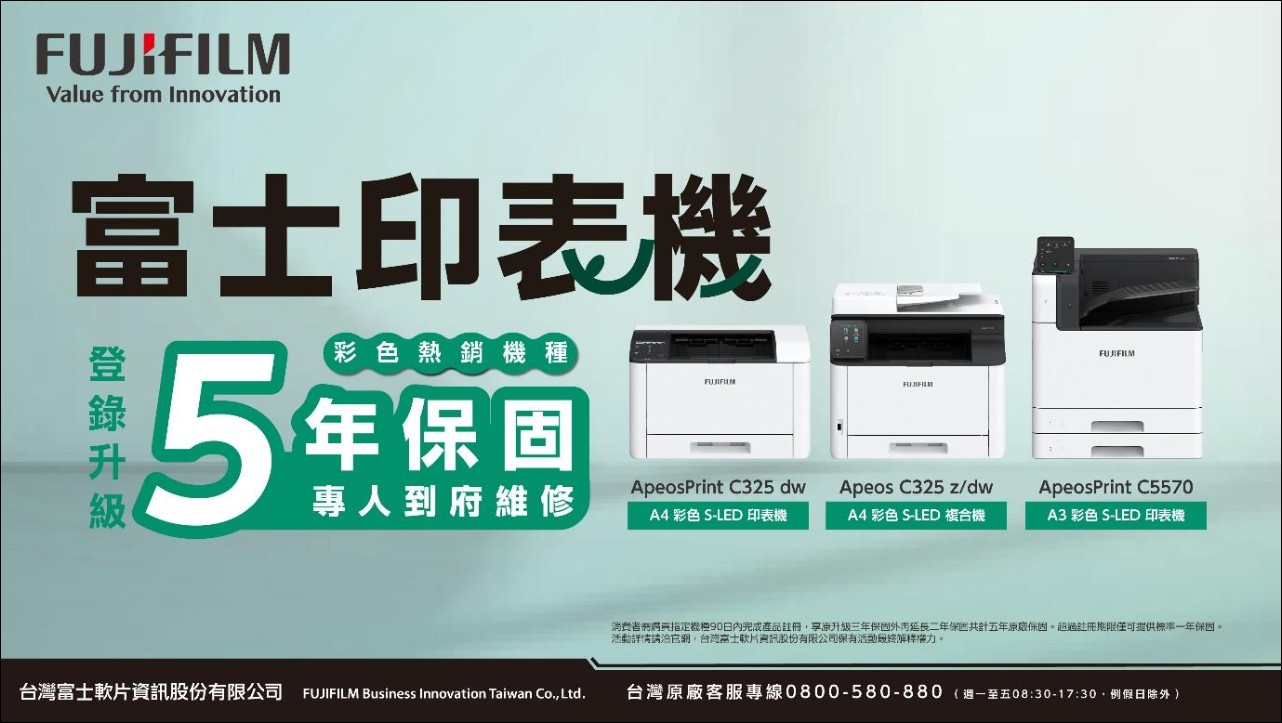
Laser Printer Recommendations | The Perfect Choice for Home and Entry-Level Business Needs
Fujifilm Apeos C325 Series
[ When buying a printer, check the warranty too! Fuji printer series comes with a 5-year original manufacturer warranty. Register now. ]
▌ Straight Talk Buying Q&A: Your Questions Answered
Q: Why are inkjet printers not recommended for home use?
The key point is that inkjet printers have a high “printhead failure rate.” Nowadays, with digitalization and paperless workflows, printing frequency is generally irregular. Unless you’re prepared for the printer to start frantically cleaning the printheads whenever you want to print, it’s not advisable to buy an inkjet printer for home use.
Q: Why isn’t it recommended to buy a cheaper machine?
This is the most common “low-price trap.” With a machine costing 4,000 to 5,000, first, the specs are guaranteed to be incomplete: no automatic duplexing, no scanning, and slow printing. If you need other features, using it is actually painful. Second, and most fatal, the included toner is extremely limited (possibly only 500–700 pages). After just a few months of printing, you have to spend money on more toner, and a set of OEM toner can cost as much as 6,000–7,000—which may actually exceed the price of the machine itself!
By comparison, although the C325z has a slightly higher upfront purchase cost, its initial standard toner is fully supplied, and with a 5-year warranty, it actually ends up being the most cost-effective option over the long term.
Q: I don’t need fax, and I only occasionally scan and print an ID or a short document—do I really have to buy the C325z?
If you’re 100% sure you “don’t need fax” and “don’t need advanced automatic duplex scanning,” then you can consider its twin brother, the Fujifilm Apeos C325 dw (no fax function, single-sided scanning), which is also more affordable!
-
The specifications are almost exactly the same.
Also has 31/31 ppm flagship-class high-speed printing, also equipped with S-LED technology The delicate texture and compact size it delivers.
-
The same after-sales warranty
also enjoy 5-year original manufacturer extended warranty and dedicated on-site repair service, and the amount of toner included is just as generous.
-
More affordable pricing
Because it lacks a fax module and a DADF automatic document feeder,Cheaper pricingFor households or micro personal studios with higher pure-printing needs, this machine’s value for money is simply off the charts.
Source: KOCPC Chinese