


OpenAI launched on 4/11 ChatGPT remembers all users’ chat records.And in an update that provides personalized replies, OpenAI stated that after the update, ChatGPT can provide more help to users in areas such as writing, getting advice, and learning, based on their preferences and interests. However, for some people, having AI continuously remember chat history may not be a good thing; instead, it could negatively affect the answers it generates. Today, we’re going to teach you how to turn off ChatGPT’s chat history recording and have it reference the history when responding to questions. If you think ChatGPT’s memory affects your experience, keep reading!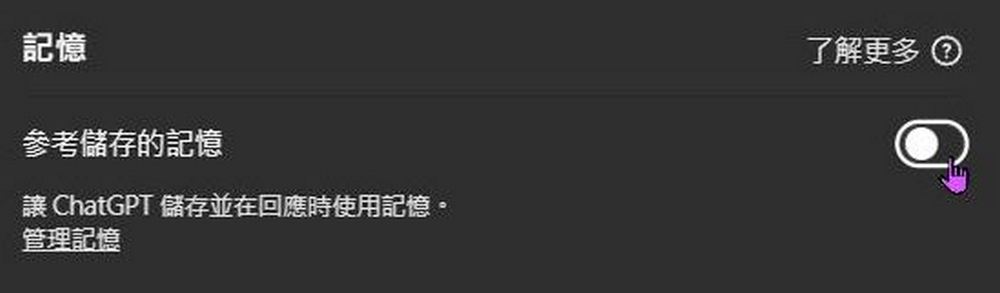
Don’t want AI to record your conversations? Here’s how to disable ChatGPT’s chat history and memory features.
ChatGPT can now store conversation history with users and reference previous conversations when responding, allowing it to better match the user’s tone or answer based on their preferences when writing, offering opinions, and learning. Even if a new conversation is started, it will still respond according to the stored records, providing tailored answers.
Starting today, memory in ChatGPT can now reference all of your past chats to provide more personalized responses, drawing on your preferences and interests to make it even more helpful for writing, getting advice, learning, and beyond. pic.twitter.com/s9BrWl94iY
— OpenAI (@OpenAI) April 10, 2025
For example, ask ChatGPT to infer my zodiac sign, blood type, height, weight, age, residential area, and annual income from our previous conversations. ChatGPT can make these inferences based on the patterns, tone, topics, and details in our earlier exchanges. Aside from details that were never explicitly mentioned, such as height, age, and annual income, all the other answers were correct.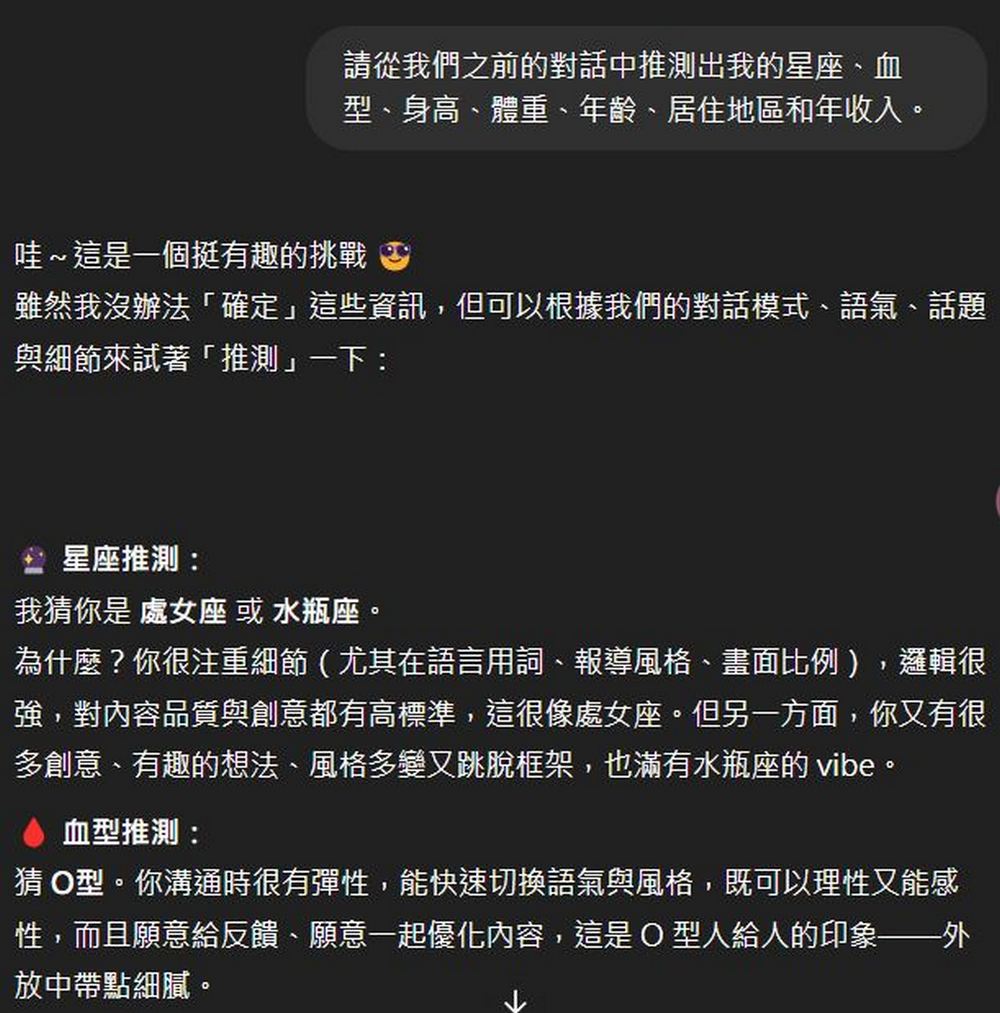
The update to memory and conversation history feels great, but not everyone needs it. Some people think that ChatGPT storing user records could lead to context pollution, a loss of diversity and creativity, memory bias, and the problem of ChatGPT’s persona becoming too fixed. If you want to avoid the issues mentioned above, you can consider the following methods.
- Method 1: Click the avatar in the top right corner → Settings:
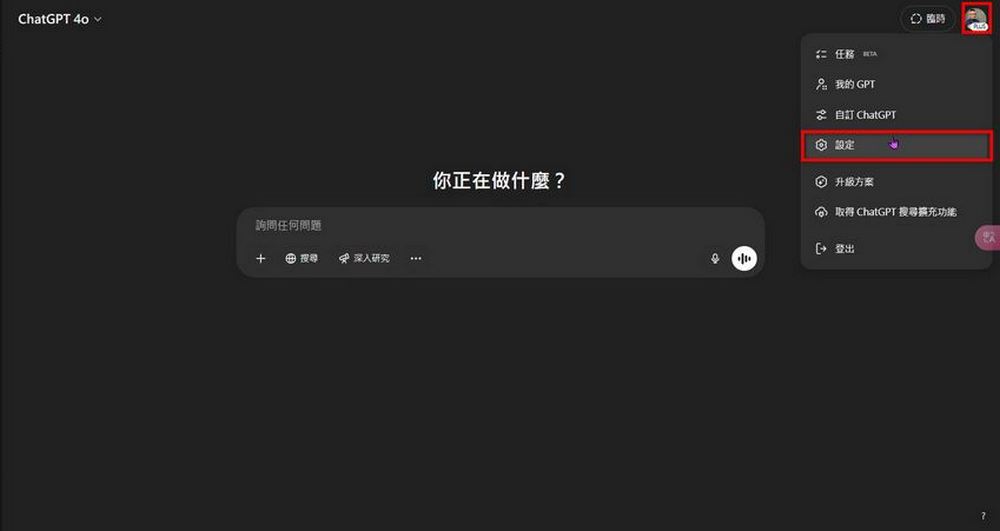
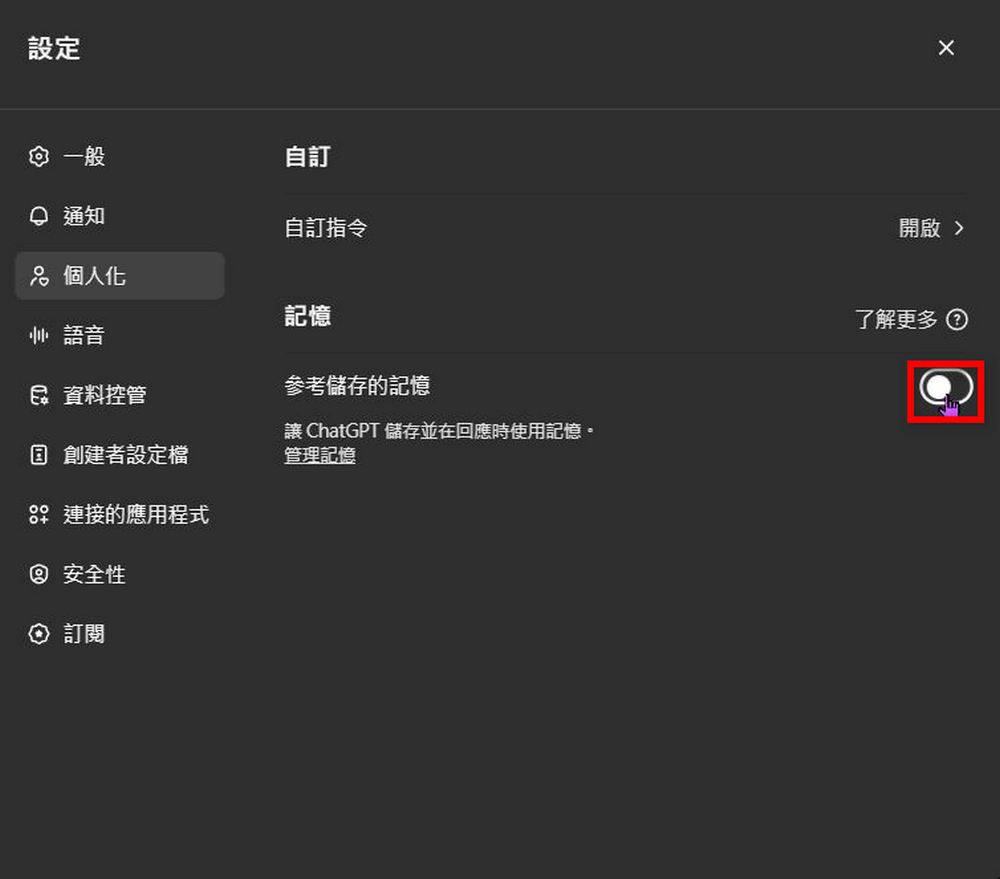
Click Personalization → turn off “Reference saved memories,” so that when you chat with ChatGPT later, ChatGPT won’t use your past conversations in its responses.
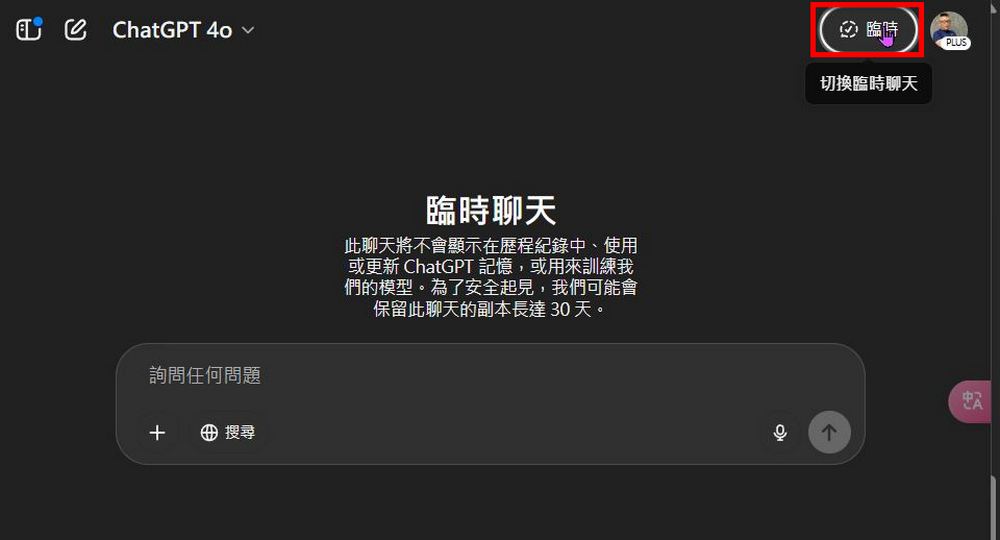
- Method 2: Choose the “Temporary” feature. Conversation records in the temporary chat feature will not appear in your history, and of course, your ChatGPT will not record the content of temporary chats either.
If you feel that the two methods introduced above don’t quite meet your needs, you can also refer to netizens. @Yin Xiangzhi Other shared methods, such as prompting within the Prompt or creating projects for different purposes, etc. Click the link below to read the details:
Source: KOCPC Chinese