


Do you often encounter the following situations when using LINE: when you want to pay with the LINE PAY barcode at checkout, you find that you forgot to open it and couldn’t find it for a long time; you need to scan someone else’s QR code to add a friend, and you can’t find the place to add friends from LINE, so you have to use the phone to add it; you have obsessive-compulsive disorder when you see the red dot of LINE, and when you are busy, you want to give it a temporary reminder. Now these functions can be quickly executed by “long pressing the LINE App”.
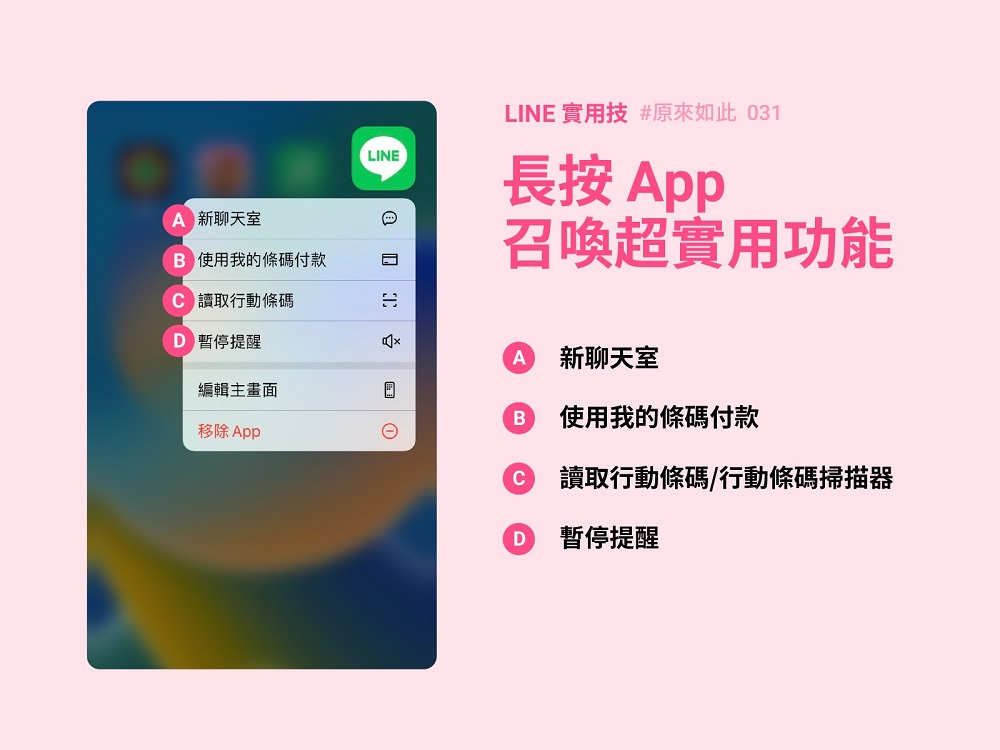
Long press LINE App to quickly open mobile barcode, pause reminder and other functions
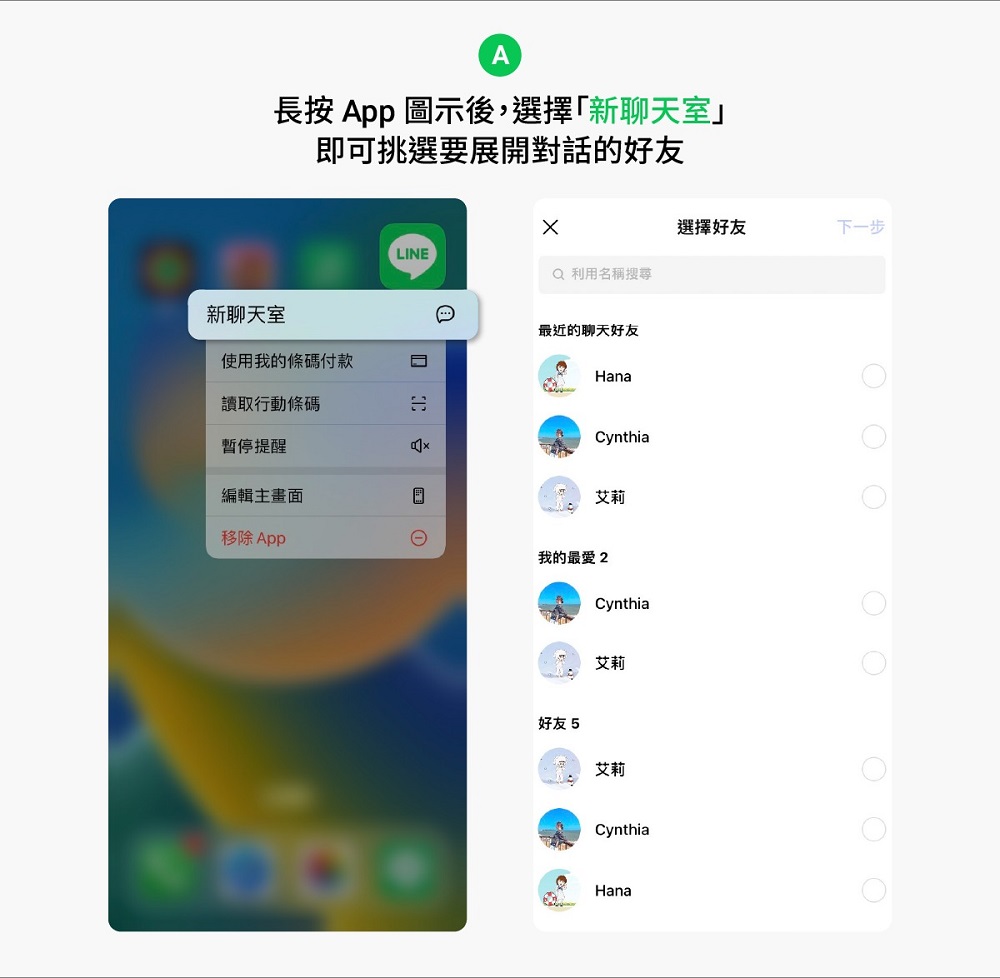
The LINE Long Press App mainly provides functions such as “New Chat Room”, “Pay with My Barcode”, “Read Mobile Barcode/Mobile Barcode Scanner”, “Pause Reminder”, etc. When you meet new friends and want to open a new chat room, just press and hold the LINE App to launch “New Chat Room” and select the friend you want to start a conversation with.
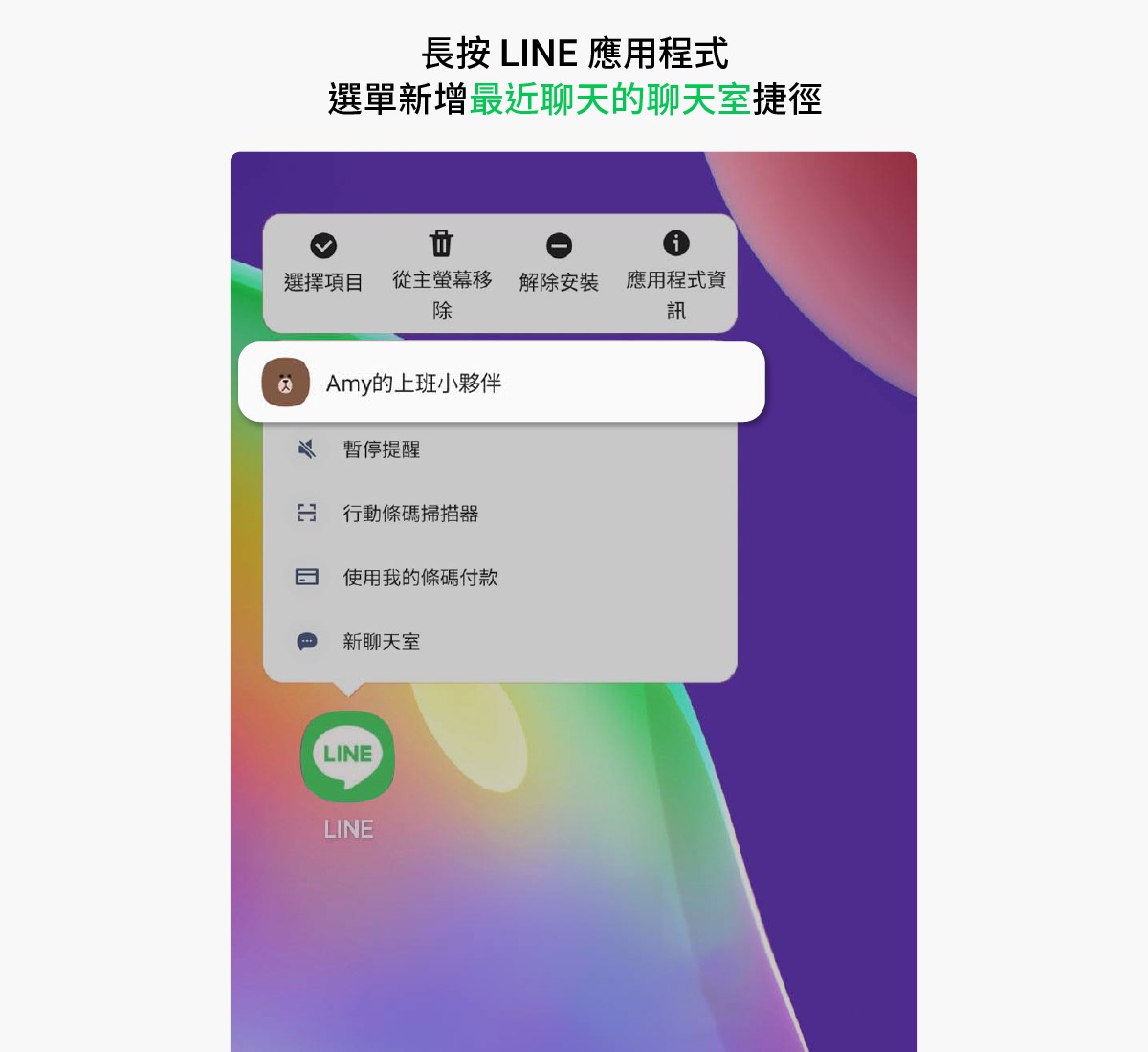
In addition, some Android devices for chat rooms also have limited long-press LINE App functions:Added “Recent Chat Rooms” shortcut to the menu, on Android system versions up to 11 or above, long press the LINE App to select “Recent Chat Rooms”, and click to start chatting directly (“Recent Chat Rooms” is the chat room where the user last responded to messages, so it may also be an official account).
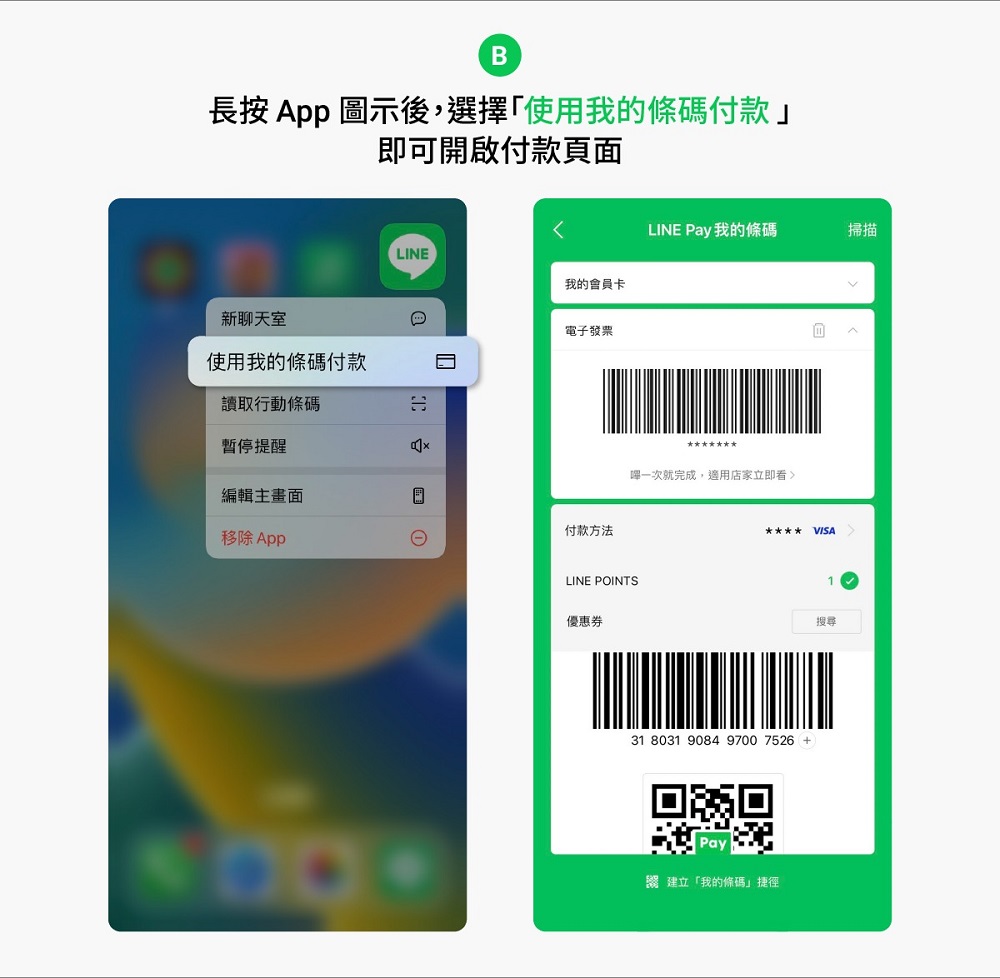
LINE PAY barcode payment is commonly used by many people. By long pressing the LINE App and selecting “Pay with my barcode”, the payment barcode can be opened in seconds. If an electronic invoice is bound, the barcode of the electronic invoice can also be quickly provided for the clerk to scan.
For example, every time I add a friend, I have to look for a “mobile barcode scanner” for half a day. I can also press and hold the LINE App and select “Read mobile barcode or mobile barcode scanner” to quickly open the scanner. Whether I am scanning a barcode to fill in a form or adding a friend, I don’t have to look for it for half a day.
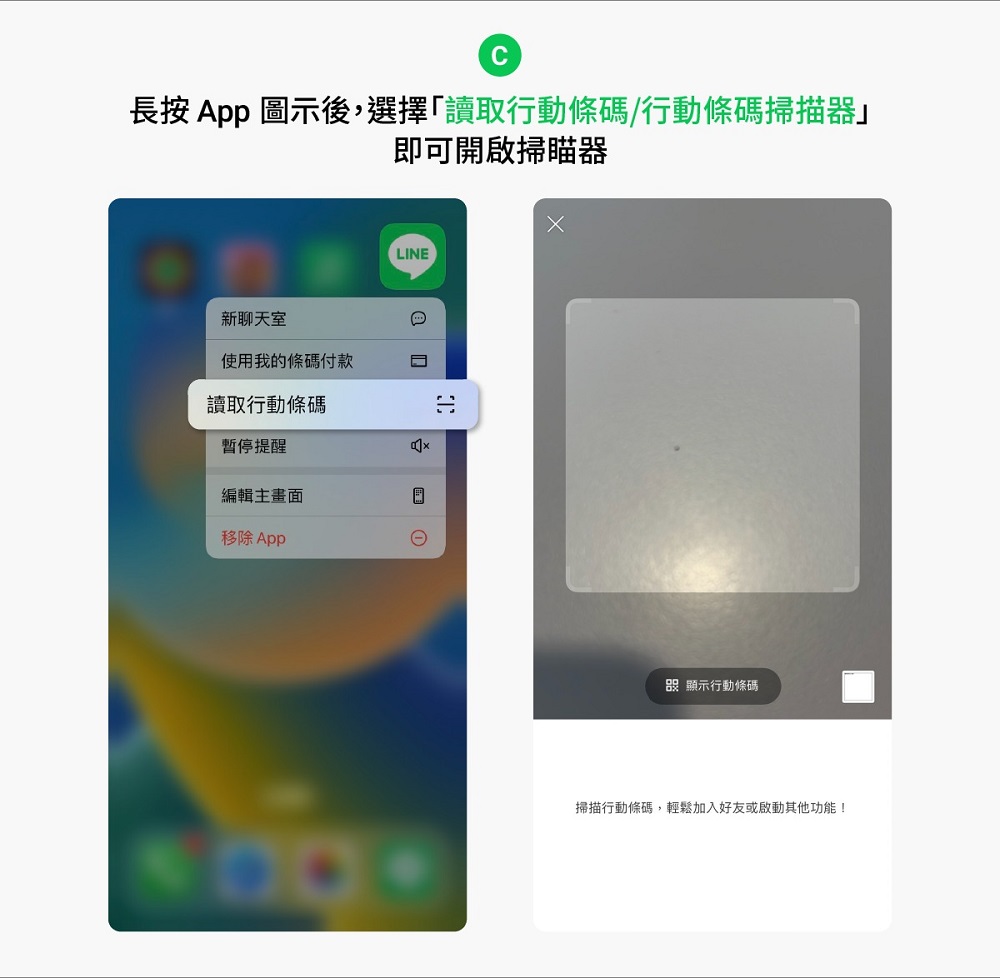
If you are often overwhelmed by various notification messages from LINE, but want to stop the notifications when you are resting or busy, you can also set the time period for pausing reminders by long pressing the LINE App and selecting “Pause Reminders”.
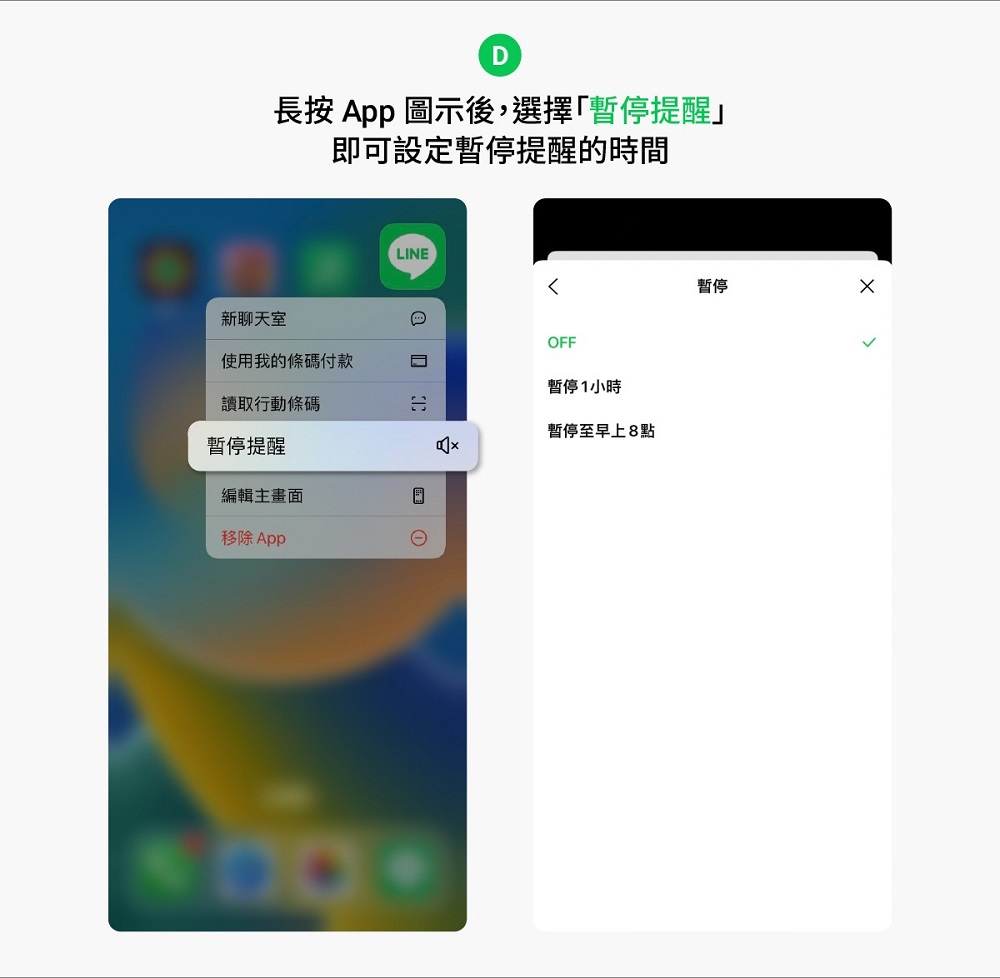
Today I saw this little trick provided by LINE officials and I was surprised to see it too late. It was very frustrating when I thought about having to search LINE for a long time every time I wanted to add friends. Now I see that just long pressing the LINE App can do a lot of things that I thought were troublesome before. Everyone can really make good use of this feature.
[I see] LINE practical skills: Long press the App to summon super practical functions
Source: KOCPC Chinese