


Gemini under Google is constantly innovating, committed to providing users with more efficient and intuitive features. Recently, Gemini announced the launch of two new features—Canvas andAudio OverviewAimed at further simplifying collaboration processes, enhancing creative output efficiency, and providing users with more flexible learning methods, these features are not only suitable for professional developers but also meet the needs of students, researchers, and general users.
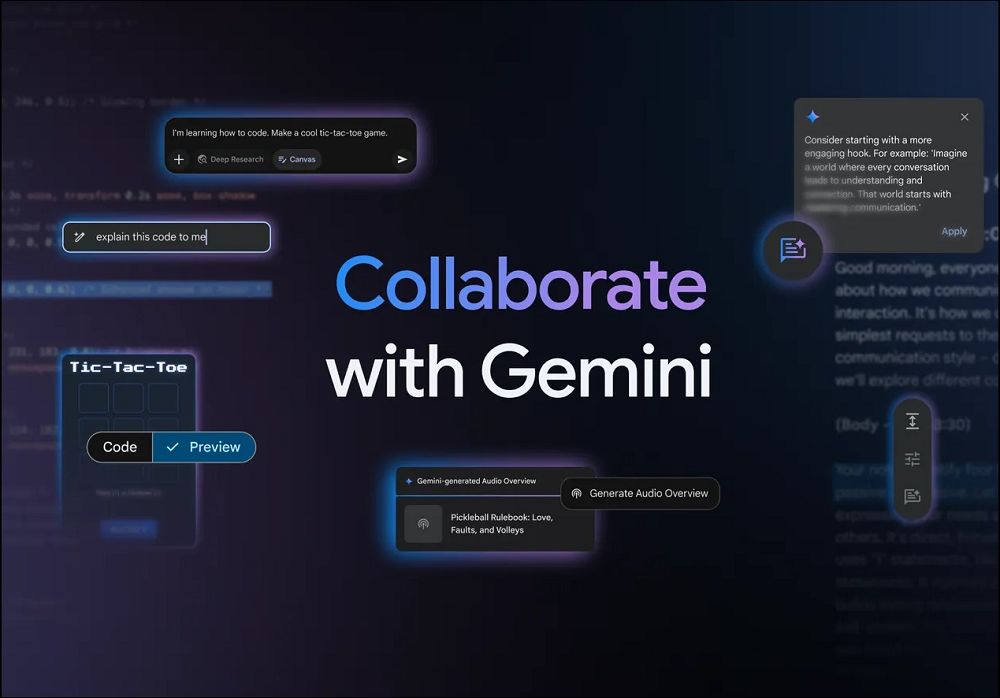
Gemini’s new features: Canvas and Audio Overview, enhancing collaboration and learning experiences
Easy Collaboration and Learning Through Canvas
Canvas is a new interactive space on the Gemini platform, designed for creative output and collaboration. Whether you’re writing documents, editing code, or conducting in-depth research, Canvas provides an intuitive and efficient environment. Users simply select “Canvas” in the prompt bar to start creating, editing, and sharing content, with all changes displayed in real time.
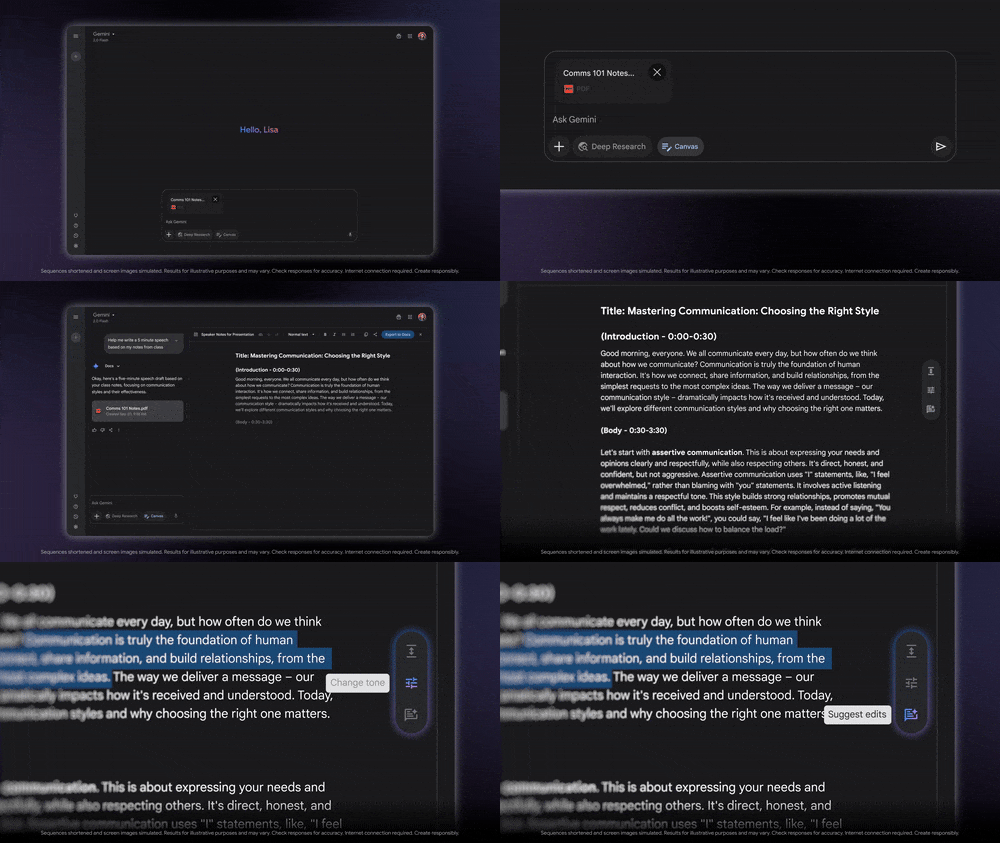
Canvas’s core strength lies in its powerful collaboration features. Users can easily produce high-quality drafts and use Gemini’s feedback to quickly refine content. For example, when you need to adjust the tone, length, or format of a document, simply use the quick edit tools, and Gemini will make changes according to your needs. Whether writing a speech, revising a paper, or editing a blog post, Canvas helps you maximize creative output.
Additionally, Canvas integrates seamlessly with Google Docs. Users can export content to Google Docs with just one click, making it easy to collaborate with others. This feature is especially well-suited for teamwork, making it smoother for multiple people to participate in the creative process simultaneously.
Canvas Program development and prototype design.
For developers, Canvas provides a platform that simplifies the programming workflow. Gemini can already help users generate code, debug, and explain code, and Canvas further integrates these features into a unified space. Developers can quickly create initial versions of projects in Canvas and preview HTML/React code and other web application prototypes.
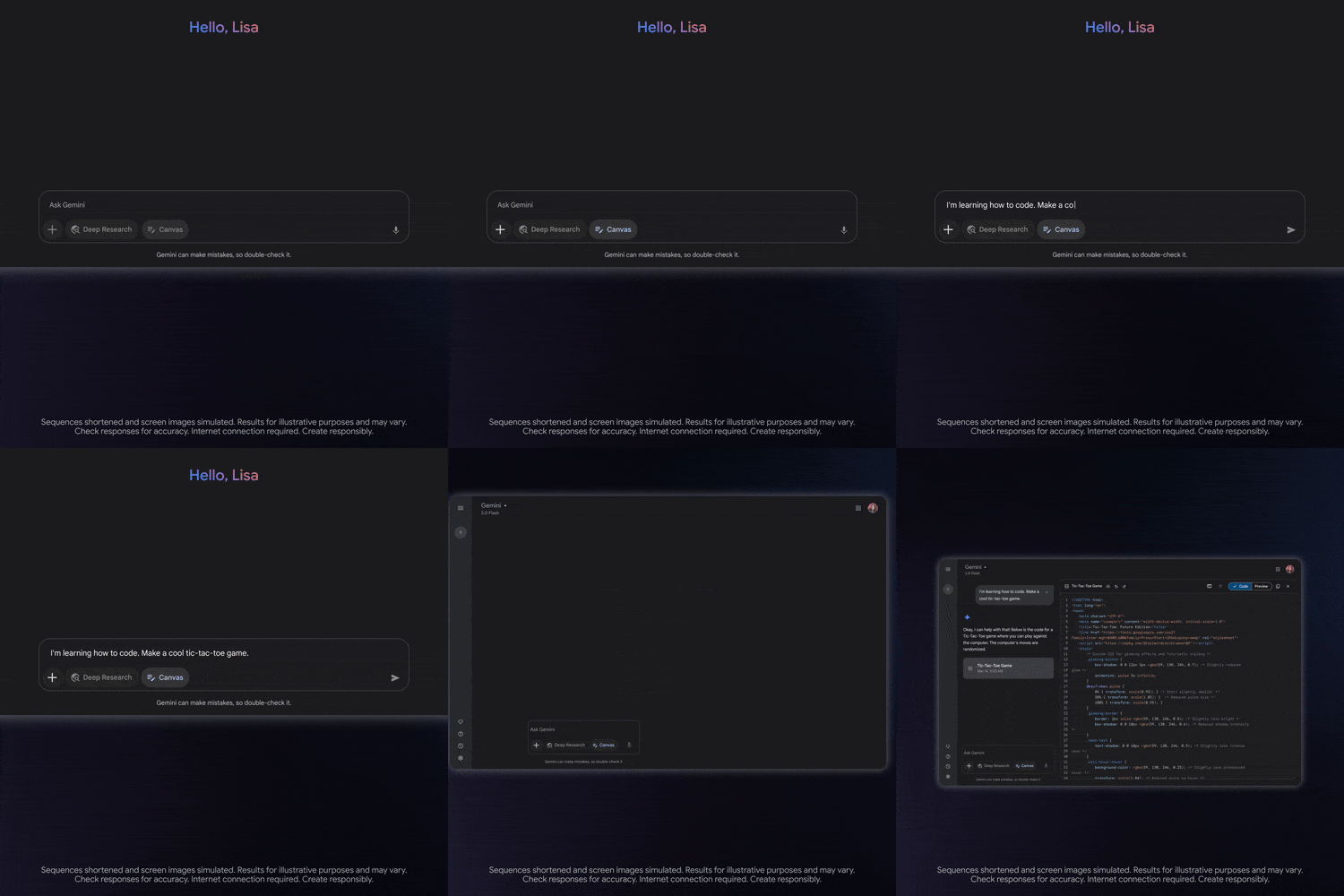
For example, if you want to create an email subscription form for your website, you can simply ask Gemini to generate the form’s HTML code and preview its appearance and functionality in Canvas. You can easily adjust input fields, add a call-to-action button, and immediately see the updated preview. This real-time feedback mechanism allows developers to focus more on design and functionality optimization without constantly switching between multiple applications.
Canvas is not only suitable for professional developers, but also provides students with a space to quickly learn programming concepts. By collaborating with Gemini, students can easily iterate on code and transform abstract ideas into working application prototypes. Canvas launches globally today, available to all Gemini and Gemini Advanced users in regions where the Gemini app is available. Choose “Canvas” in the prompt bar to try these features and start creating.
Audio Overview: Making Learning and Information Absorption More Efficient
Another major feature of Gemini isAudio OverviewThis feature was initially NotebookLM launched and was widely praised for its outstanding performance. Now, Audio Overview has officially arrived in Gemini, offering users a brand-new way to absorb information. Audio Overview can transform documents, slides, and even in-depth research reports into engaging podcasts. Gemini generates a discussion between two AI hosts, who carry on lively, insightful conversations based on the files users upload. These AI hosts not only summarize the content but also identify connections between topics and provide unique perspectives.
The application scenarios for Audio Overview are extremely broad. For example, students can upload class notes or research papers and quickly grasp the key points through Audio Overview while commuting or on the move. For busy professionals, this feature also helps them easily absorb lengthy email threads or in-depth research reports while multitasking.
For example, when a user asks Gemini about the latest fintech industry trends, Gemini generates an in-depth research report. The user simply selects the option to create an audio overview, and Gemini immediately generates an audio segment, with an AI host beginning to narrate. This approach not only saves time but also presents information in a more engaging way.
The Audio Overview feature is now rolling out globally to Gemini and Gemini Advanced users, currently supporting English, with more languages coming soon. Users simply upload a file or slides, then click the suggested button that appears above the prompt bar to generate an Audio Overview. These audio files can be listened to on the Gemini web version and app, and support sharing and downloading, making it easy for users to absorb information anytime, anywhere.
Conclusion
Gemini’s new features—Canvas and Audio Overview—provide users with more efficient and flexible tools to help them achieve breakthroughs in creative output and information absorption. Canvas’s seamless collaboration and code development capabilities allow users to focus on the creative process, while Audio Overview makes learning and information absorption easier in an engaging way.
If you haven’t tried these features yet, you can go to gemini.google.com Try it yourself and experience the new collaboration and learning experience that Gemini brings.
Source: KOCPC Chinese