


In addition to supporting background playback and the original video download function for Premium members, YouTube is still more useful than other methods for loyal users who watch YouTube for a long time. We have also reported before that YouTube is testing a new smart download feature, and this feature is now officially open to all Premium members for trial experience.
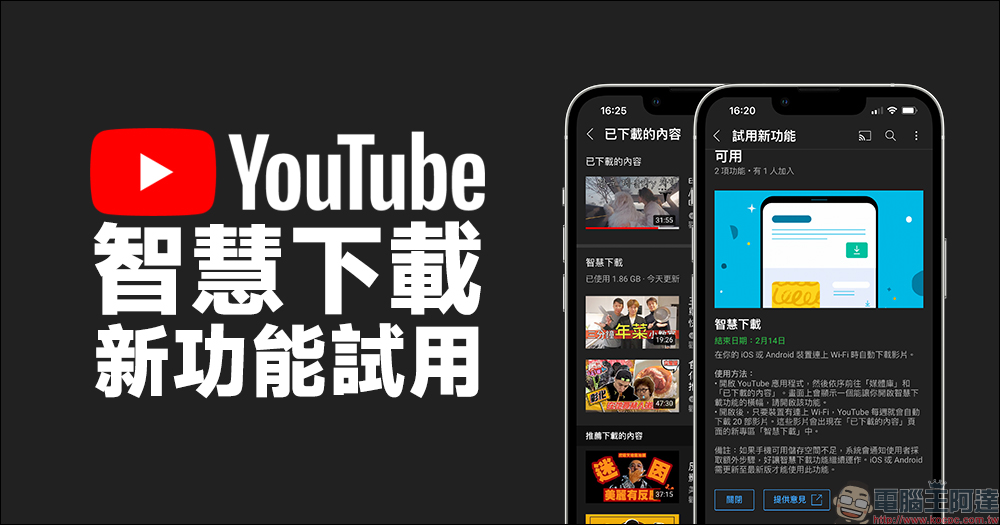
Try YouTube’s new “Smart Download” feature, and your phone will automatically download videos when connected to Wi-Fi
Although we have introduced many third-party YouTube video download tools in the past, the services provided by YouTube are still relatively stable in comparison. It has been introduced before that YouTube is testing a new “Smart Download” function on Android, but in fact, this smart download function is a new test function for users of the two major mobile device systems, including Android and iOS. Recently, this function has also been officially opened to YouTube Premium members for trial experience.
It is different from the original video download function enjoyed by YouTube Premium members. The traditional video download function requires users to “manually click on the video to download.” After downloading, it can be played offline without an Internet environment. However, sometimes users just want to open YouTube and watch random videos to pass the time. In this case, they can only see the videos that they have manually downloaded and have watched countless times.
The newly launched “Smart Download” feature will automatically download recommended videos when the user is connected to a Wi-Fi network on an iOS or Android device. These videos may not necessarily be channels that the user has subscribed to, but will add videos that the user has recently watched to recommend videos that the user “might want to watch” for smart downloading.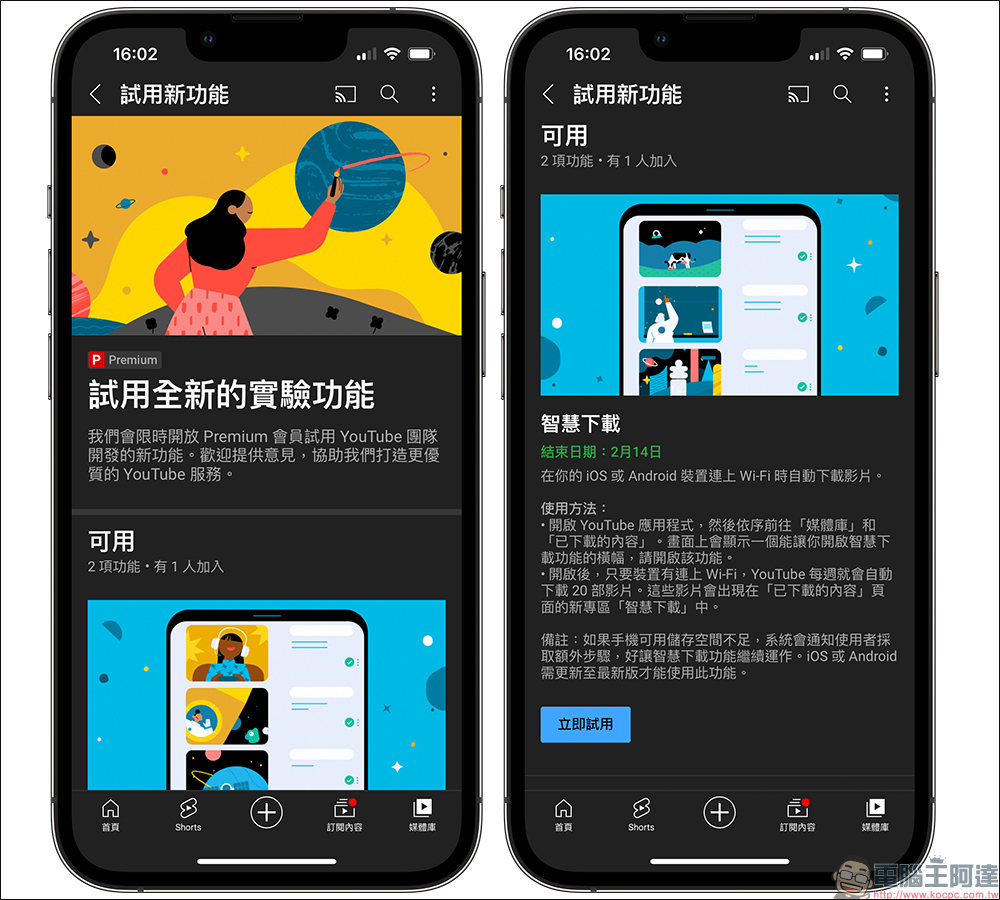
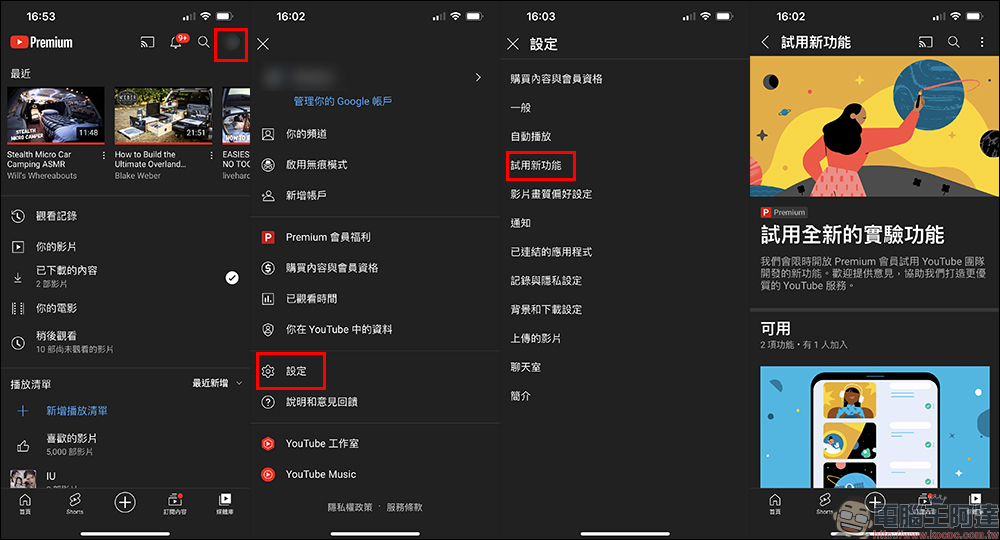
This new feature is also exclusive to YouTube Premium members, but this time the feature is only supported on iOS and Android devices, so users must open the YouTube App to enable it. After opening the YouTube App, go to the “Media Library”, click on your personal photo, go to the settings page, and then click on “Try New Features” to see the new features that are currently available for trial.
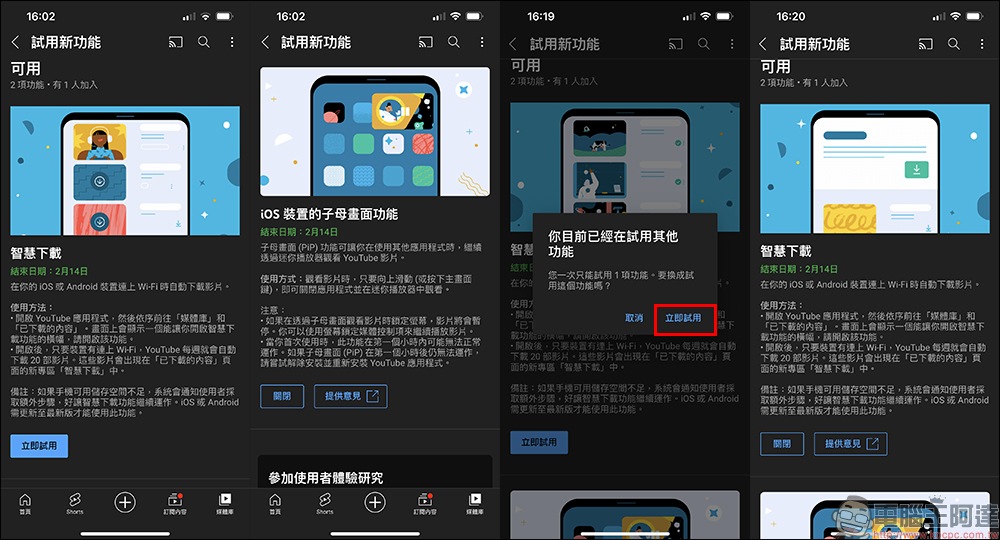
As in the past, you can only try out at most one new experimental feature at a time. Therefore, if you want to try this “Smart Download”, you can only temporarily cancel other trial features.
Taking the current iOS device as an example, the two functions currently available for trial include “Smart Download” and “Picture-in-Picture Function for iOS Devices.” Among them, the iOS sub-picture function has been open for trial for a long time. At the beginning of this month, the trial period was extended again for 2 weeks. It is uncertain whether it will continue to be open to Premium users for trial in the future. These Premium trial features may end the trial period earlier or later for any reason.
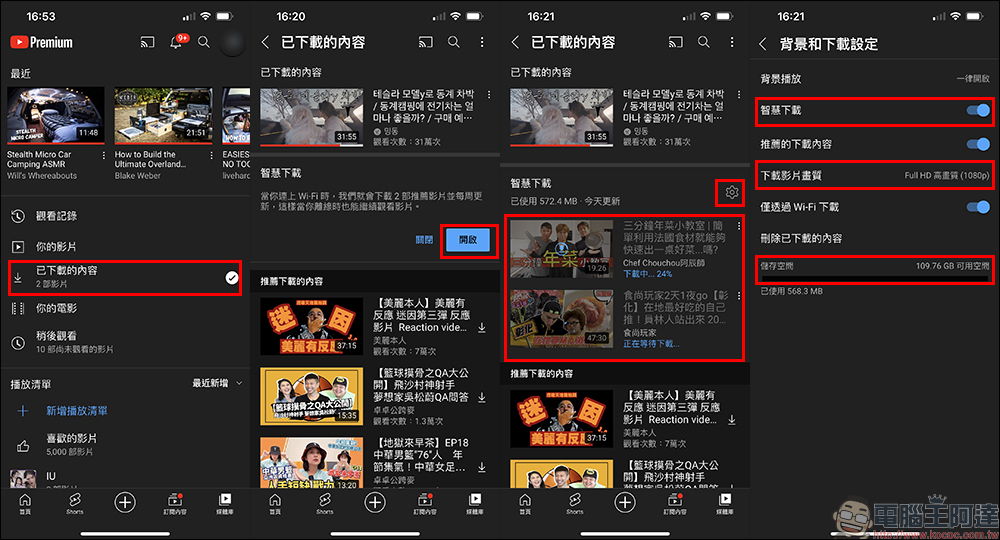
Open the YouTube app, then go to “Media Library” and “Downloaded Content” in order. In addition to the videos that were downloaded manually in the past, you will see a new section with “Smart Download”. whenAfter turning on smart download, the system will automatically download 2 recommended videos and automatically update them every week。
After turning it on, as long as the device is connected to Wi-Fi, YouTube will automatically download 20 videos every week, and these videos will appear in the new section “Smart Downloads.”
The smart download function can also be turned off manually in the “Background and Download Settings”. The video quality of smart downloads can also be set here. Up to FullHD high-definition (1080p) videos can be downloaded. If there is insufficient storage space on the phone, the system will notify the user to take additional steps so that the smart download function can continue to operate. In addition, the YouTube App for iOS or Android needs to be updated to the latest version to use this feature.
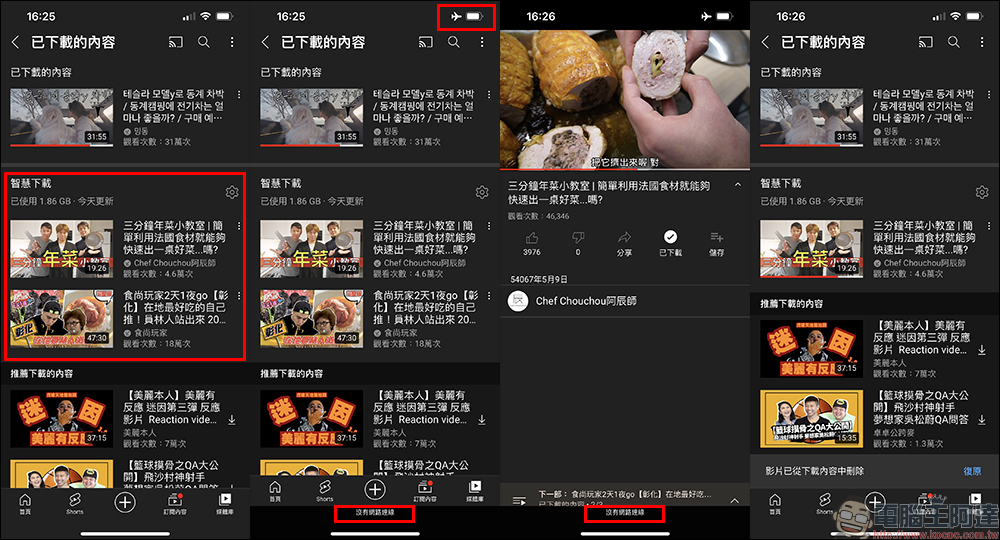
Finally, when testing the smartly downloaded videos, it can be seen that users can still play the videos downloaded to the device normally even when there is no network connection. If you don’t like the video you downloaded smartly or don’t want to keep it for other reasons, you can also manually delete it from the downloaded content.
Try out new features of YouTube Smart Download Experiment:
Click here to open it (You must use an iOS/Android phone to open the YouTube App)
(*Tips: Eligibility is limited to YouTube Premium members)
Source: KOCPC Chinese