


I believe that many people don’t know that Google Chrome has a built-in hidden screenshot tool. There are quite a lot of screenshot tool software available now and they are easy to use. However, most of the screenshot tools require the program to be opened before you can click the screenshot function. However, the built-in screenshot tool of Chrome can be opened and used immediately without installing any additional plug-ins. Moreover, just click “Screenshot” at the top of the browser to directly take screenshots. This function is really super convenient for people who often need to take screenshots. Let’s take a look at how to turn on this hidden function.
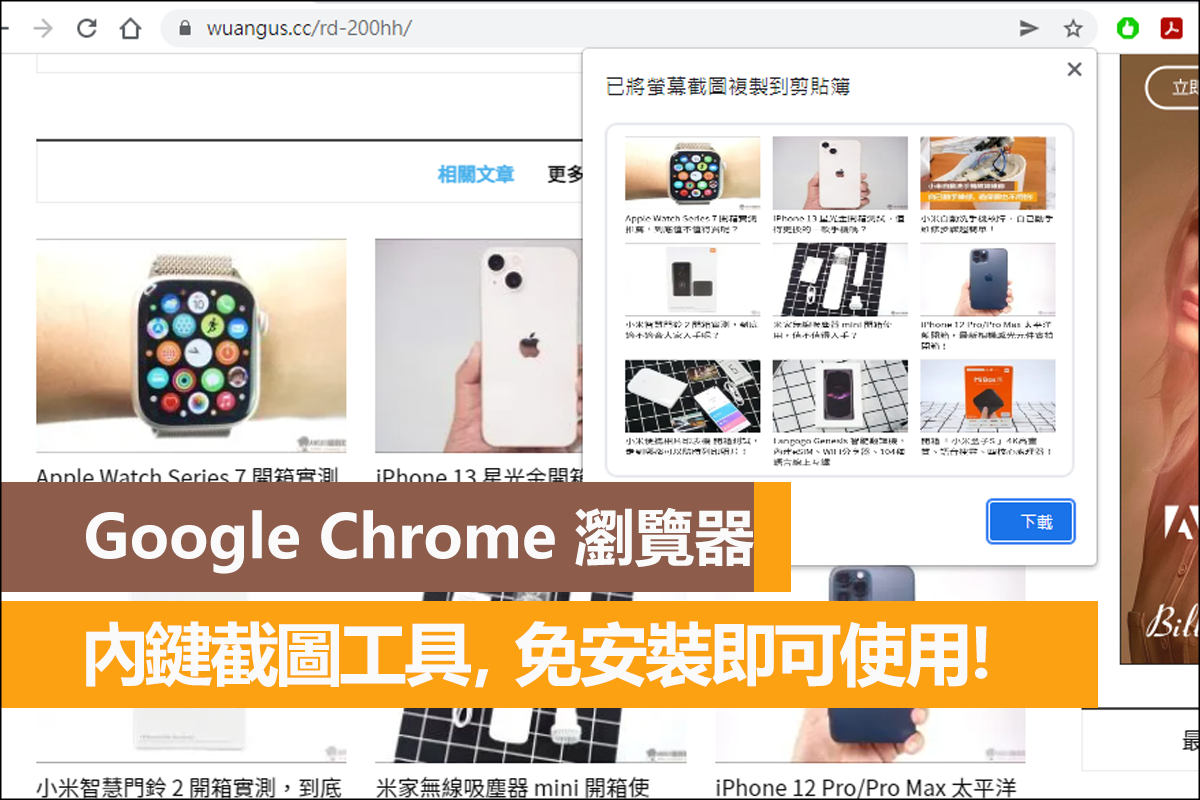
Google Chrome’s built-in hidden screenshot tool
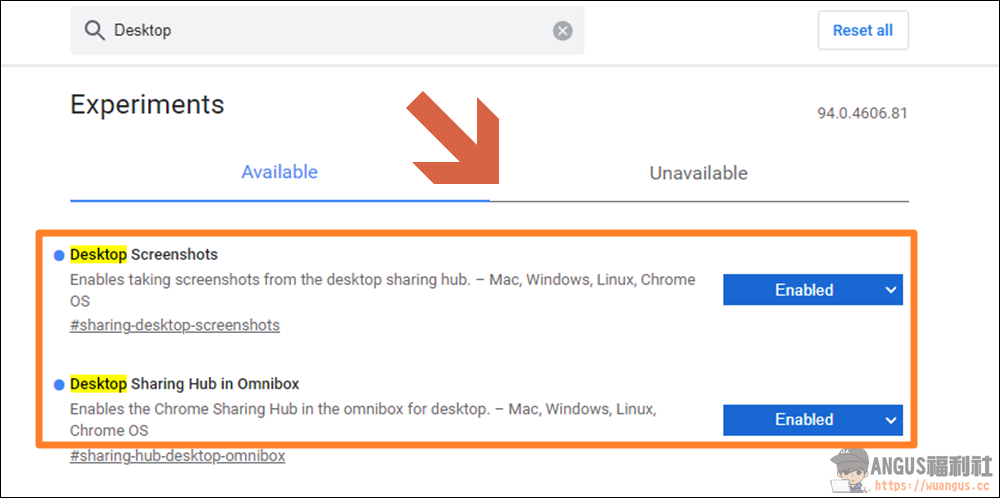
First, enter “chrome://flags/” on the Chrome website to open the Chrome experimental features page, then search for “Desktop Screenshots” and “Desktop Sharing Hub in Omnibox”, change the default value of “Default” to “Enabled” and press “Relaunch” to restart the browser to turn on the hidden screenshot tool function.
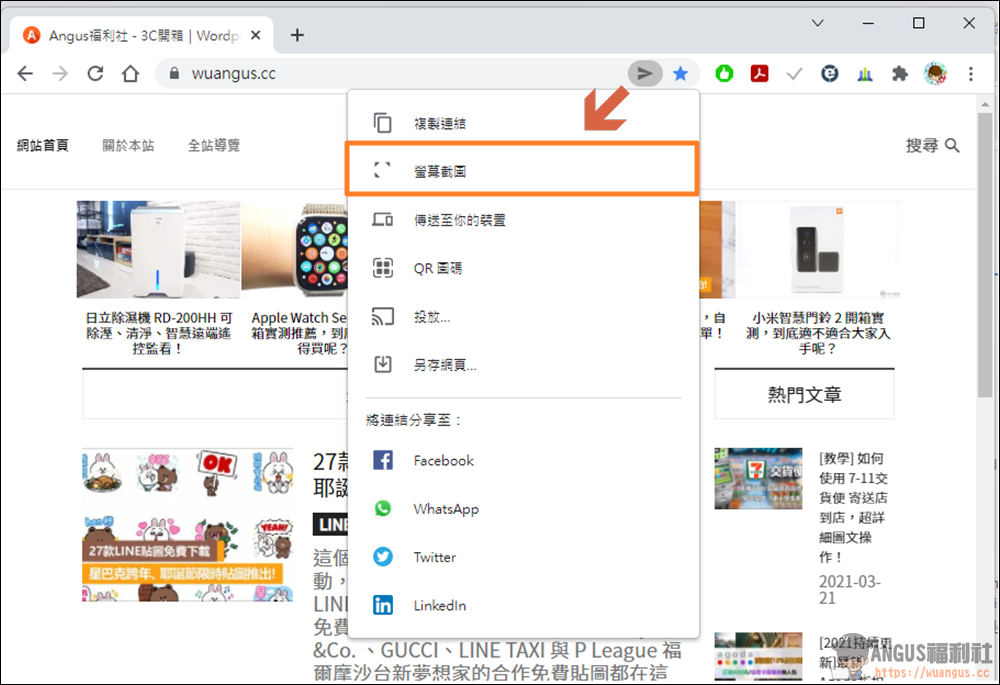
Next, you will see a small sharing icon on the Chrome address bar. After clicking the “Share Button” after the URL, you will see that the new “Screenshot” function is available.
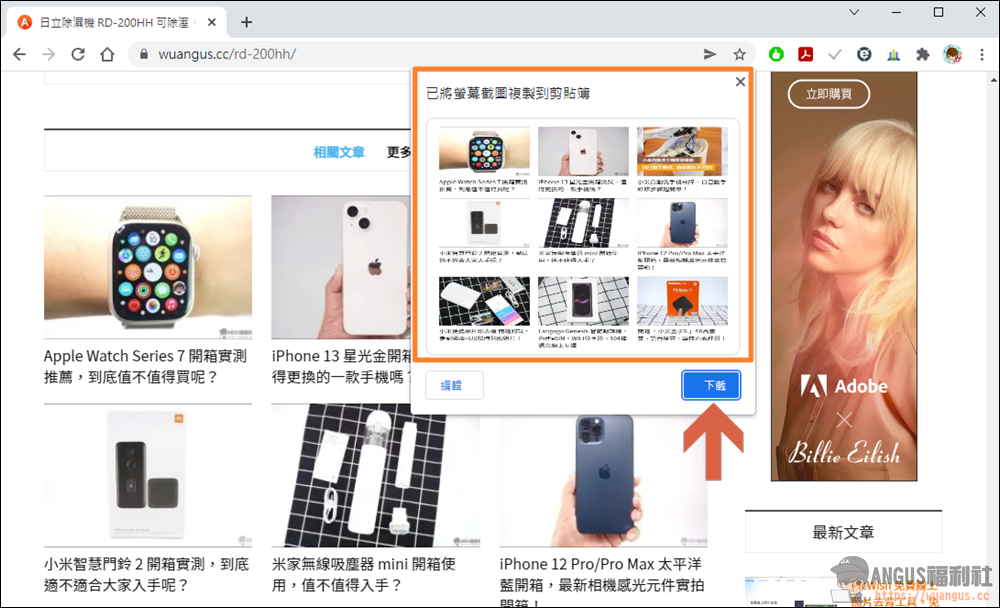
After the screenshot is completed, the window of the screenshot you just took will pop up. If there is no problem, you can “download” it directly to your computer. Isn’t it super convenient? In this way, you can easily take screenshots on the Chrome browser without any plug-ins. Please hurry up and try this hidden function.
More Chrome utilities
- Turn on Chrome’s hidden feature to double your download speed!
- Google Maps control function, integrated playback of Spotify+AppleMusic music!
- Google Spreadsheet, view the edit history of form collaboration!
- [Teaching] Take cloud courses for home homework, Google Classroom is a powerful interactive tool for teachers and students.
- Search Google to find a job, it’s super fast to find a job on major job search platforms!
- Looper for YouTube automatically replays YouTube videos Chrome suite
- Chrome plug-in integrates all communication software and logs in to all chat programs at once!
Source: KOCPC Chinese