

• About Us
King of Computer Media
  • Home
  • Tech News
  • AI News
  • Apps & Tutorials
  • Mobile & Telecom
  • Lifestyle
  • About Us
No Result
View All Result
  • Home
  • Tech News
  • AI News
  • Apps & Tutorials
  • Mobile & Telecom
  • Lifestyle
  • About Us
No Result
View All Result
King of Computer Media
No Result
View All Result

Home - Computer Applications and Other Tutorials - Google Chrome has a built-in screenshot tool that can be used without installing any plug-ins!

Google Chrome has a built-in screenshot tool that can be used without installing any plug-ins!

KOCPC Editor by KOCPC Editor
December 12, 2021 - Updated on August 4, 2026
in Computer Applications and Other Tutorials, Internet and software applications

I believe that many people don’t know that Google Chrome has a built-in hidden screenshot tool. There are quite a lot of screenshot tool software available now and they are easy to use. However, most of the screenshot tools require the program to be opened before you can click the screenshot function. However, the built-in screenshot tool of Chrome can be opened and used immediately without installing any additional plug-ins. Moreover, just click “Screenshot” at the top of the browser to directly take screenshots. This function is really super convenient for people who often need to take screenshots. Let’s take a look at how to turn on this hidden function.
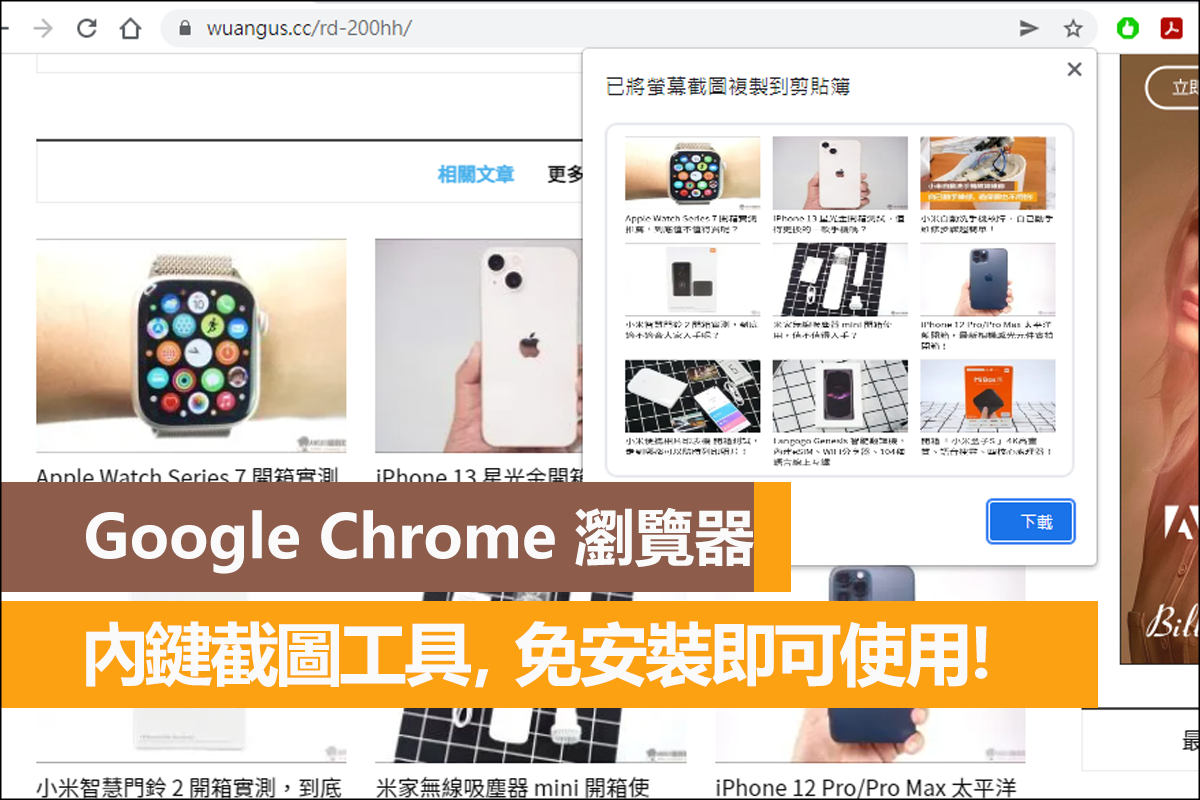
Google Chrome’s built-in hidden screenshot tool

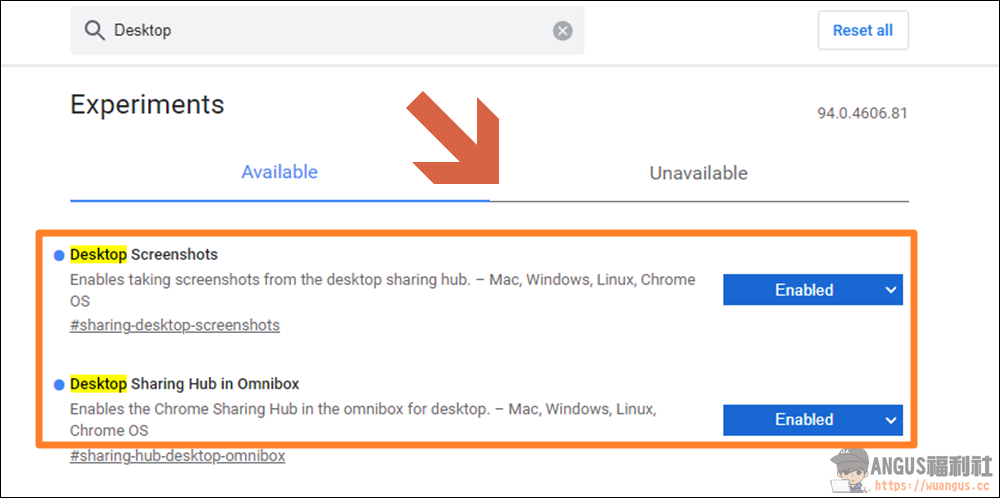
First, enter “chrome://flags/” on the Chrome website to open the Chrome experimental features page, then search for “Desktop Screenshots” and “Desktop Sharing Hub in Omnibox”, change the default value of “Default” to “Enabled” and press “Relaunch” to restart the browser to turn on the hidden screenshot tool function.
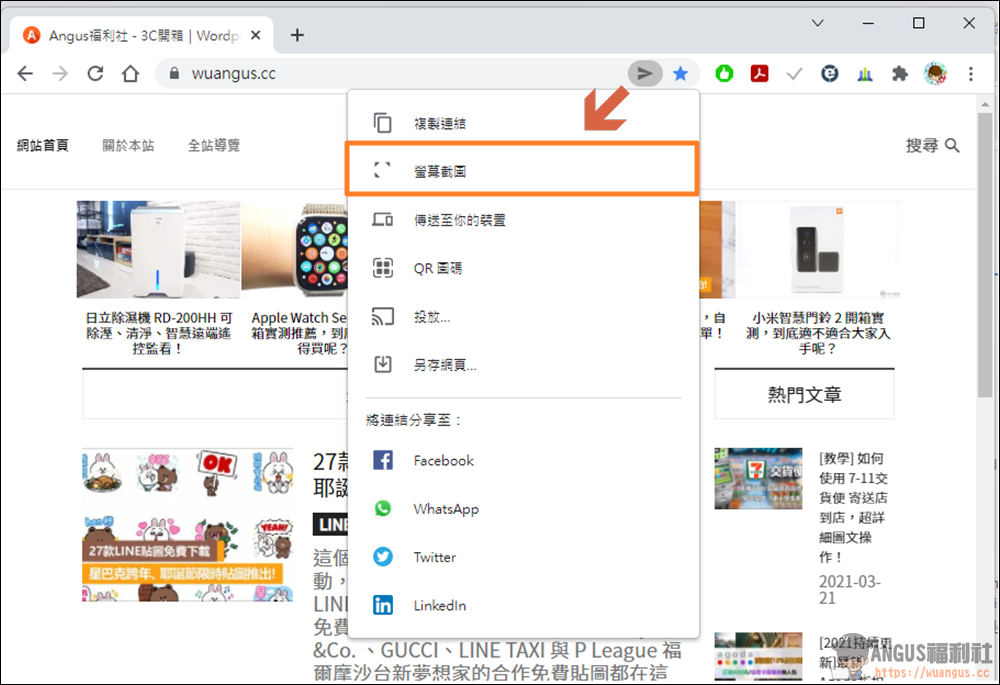
Next, you will see a small sharing icon on the Chrome address bar. After clicking the “Share Button” after the URL, you will see that the new “Screenshot” function is available.

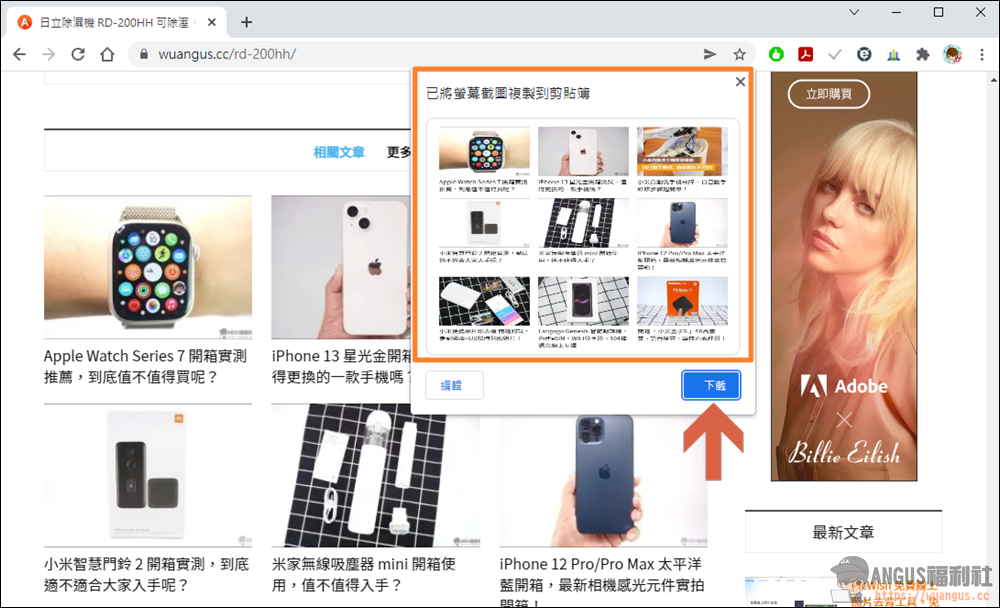
After the screenshot is completed, the window of the screenshot you just took will pop up. If there is no problem, you can “download” it directly to your computer. Isn’t it super convenient? In this way, you can easily take screenshots on the Chrome browser without any plug-ins. Please hurry up and try this hidden function.
 

More Chrome utilities

  • Turn on Chrome’s hidden feature to double your download speed!
  • Google Maps control function, integrated playback of Spotify+AppleMusic music!
  • Google Spreadsheet, view the edit history of form collaboration!
  • [Teaching] Take cloud courses for home homework, Google Classroom is a powerful interactive tool for teachers and students.
  • Search Google to find a job, it’s super fast to find a job on major job search platforms!
  • Looper for YouTube automatically replays YouTube videos Chrome suite
  • Chrome plug-in integrates all communication software and logs in to all chat programs at once!

Source: KOCPC Chinese

Recent Posts

  • madeira-anyps5 translated three times, an internet wizard successfully runs PS5 games directly on iPad!
  • Warpple LA9 Pro launches: the shortest-throw Google TV projector ever at 0.8:1, projecting 100 inches from 1.8 meters, with pre-orders at NT$5,999.
  • FCC clears SpaceX’s 15,000 direct-to-cell satellites as Starlink Mobile’s upgrade challenges the big three telecoms.
  • Bloomberg reports Apple is teaming up with LG to make a major push into the smart home! Doorbell, door lock, and camera full lineup arriving 10/13.
  • Google launches Nano Banana 2.1! It comprehensively outperforms Nano Banana Pro in official tests, with major upgrades to infographics and multi-character consistency, and API image generation pricing cut in half.

Recent Comments

No comments to show.
  • About Us

We welcome partnership inquiries and product review opportunities from smartphone manufacturers, iPhone accessory brands, and app developers.koc kocpc.com.tw|Privacy Policy |Hosting & Maintenance: Fast Line Taiwan, A-Chang Digital Technology

No Result
View All Result
  • Home
  • Tech News
  • AI News
  • Apps & Tutorials
  • Mobile & Telecom
  • Lifestyle
  • About Us

We welcome partnership inquiries and product review opportunities from smartphone manufacturers, iPhone accessory brands, and app developers.koc kocpc.com.tw|Privacy Policy |Hosting & Maintenance: Fast Line Taiwan, A-Chang Digital Technology