


Today we’re introducing VOICEVOX, a free Japanese text-to-speech software available for commercial use. It offers various voice characters with different voice characteristics, so you can use it for any scenario or need. It’s free to download on Windows, Mac, and Linux. Come check it out!
VOICEVOX is a free Japanese text-to-speech software for commercial use, offering over 30 different voice characters to choose from.
Free Japanese text-to-speech software from Japan, “VOICEVOX” offers 30 voice characters with different voice characteristics for you to choose from. You can also adjust values like intonation, pitch, and length to match various scenarios and reading style needs.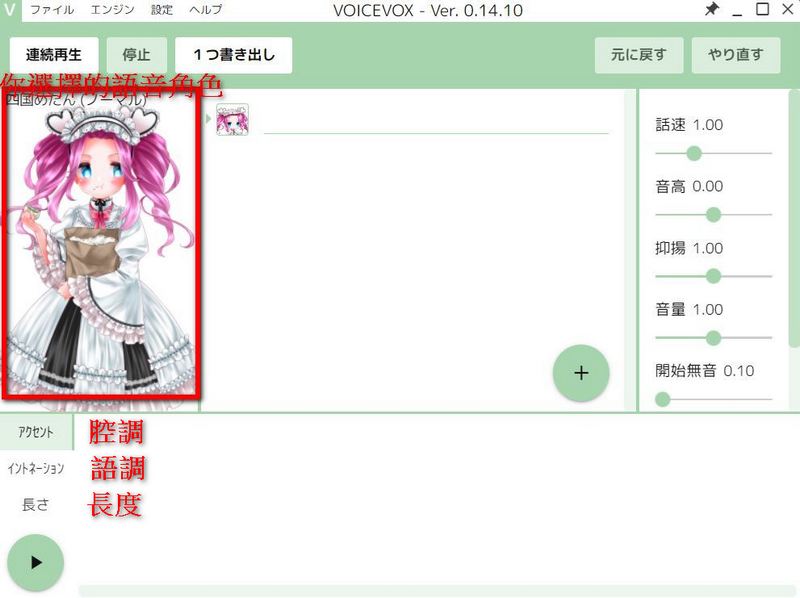
If you’re interested in the free Japanese text-to-speech software “VOICEVOX”, click here to download.
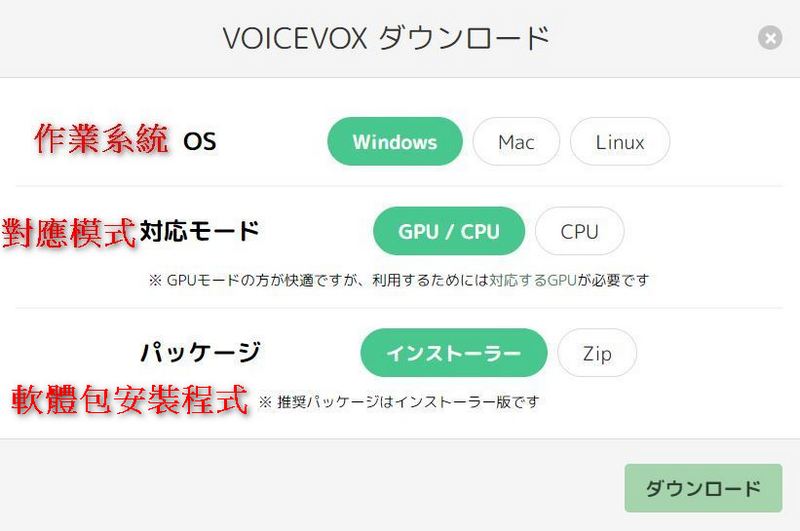
To use VOICEVOX, you need to download the toolkit to your computer. VOICEVOX supports Windows, Mac, and Linux systems, and can be installed on computers with or without a GPU (using it with a GPU will be smoother). The last item is the software package; it’s recommended to choose the one on the left, not the ZIP on the right. After selecting, click the download button in the lower right corner. It will ask where you want to download VOICEVOX to; the default is the C drive. The total size is about 1012 MB.
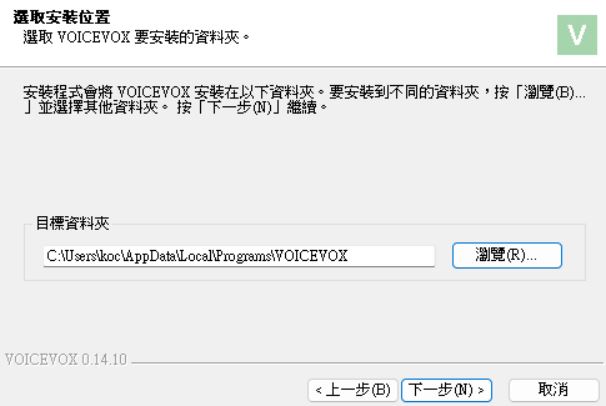
After downloading, this screen will appear, meaning you can start using VOICEVOX. Everyone can choose their favorite voice character to use. There are currently over 30 voice characters with different characteristics, so whether you prefer gentle and cute or lively and clear voices, VOICEVOX has you covered. If you want to switch characters, just click on the character avatar to select other voice characters.
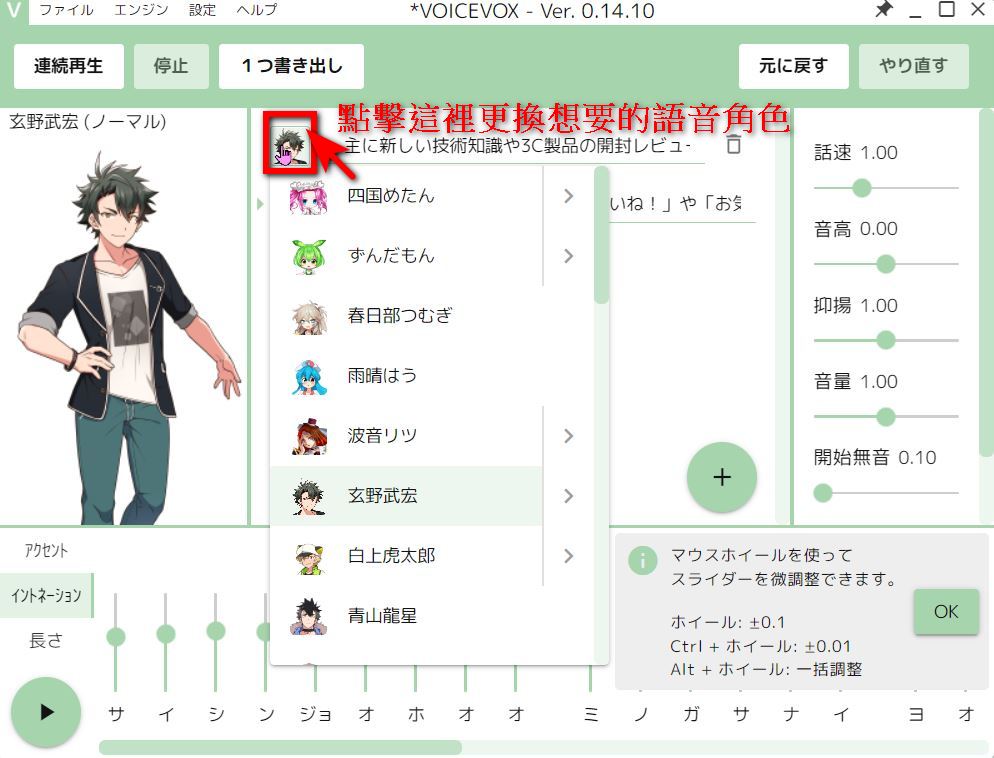
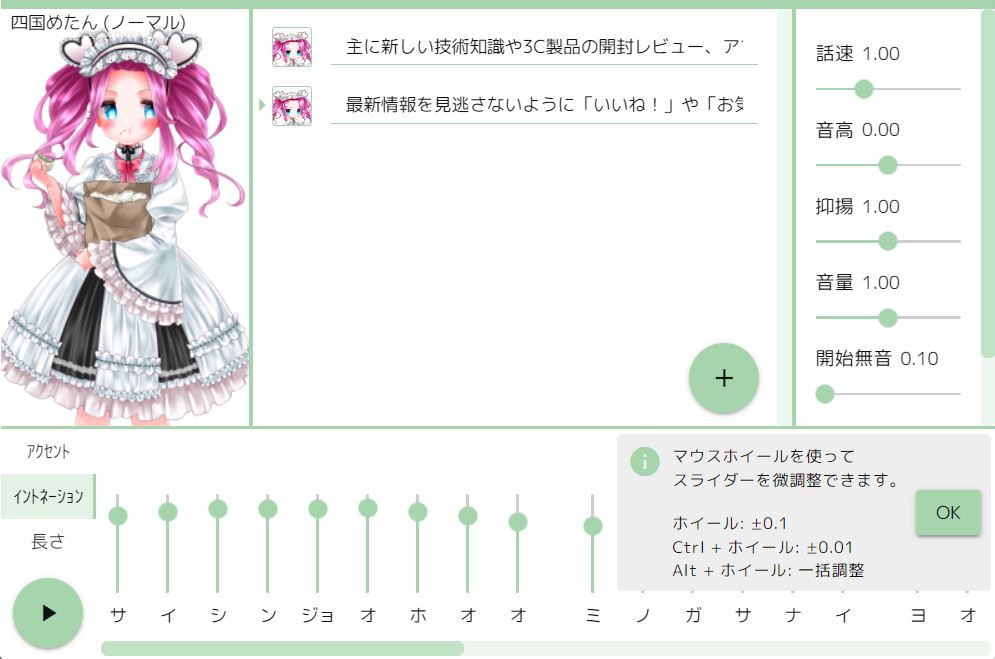
However, since this is Japanese text-to-speech, you’ll likely need to use a translator to convert what you want to say into Japanese, then have a VOICEVOX character read it for you. For example, if you take Computer King Ada’s Facebook bio—”We mainly share tech news, 3C product unboxing reviews, App sharing, and other content. Please like and follow so you don’t miss the latest updates.”—and have VOICEVOX’s character with a clear core voice, “Shikoku Metan,” read it, the resulting audio would sound something like this.
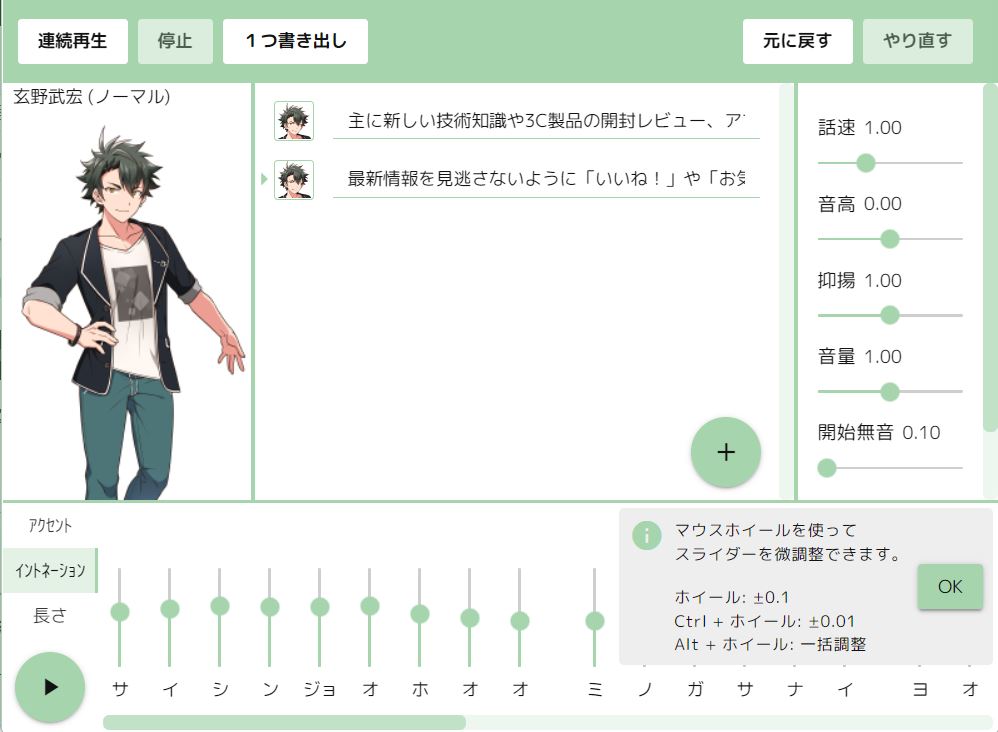
The same sentence spoken through VOICEVOX using the fresh young voice of “Genno Takehiro” would result in audio that sounds like the following.
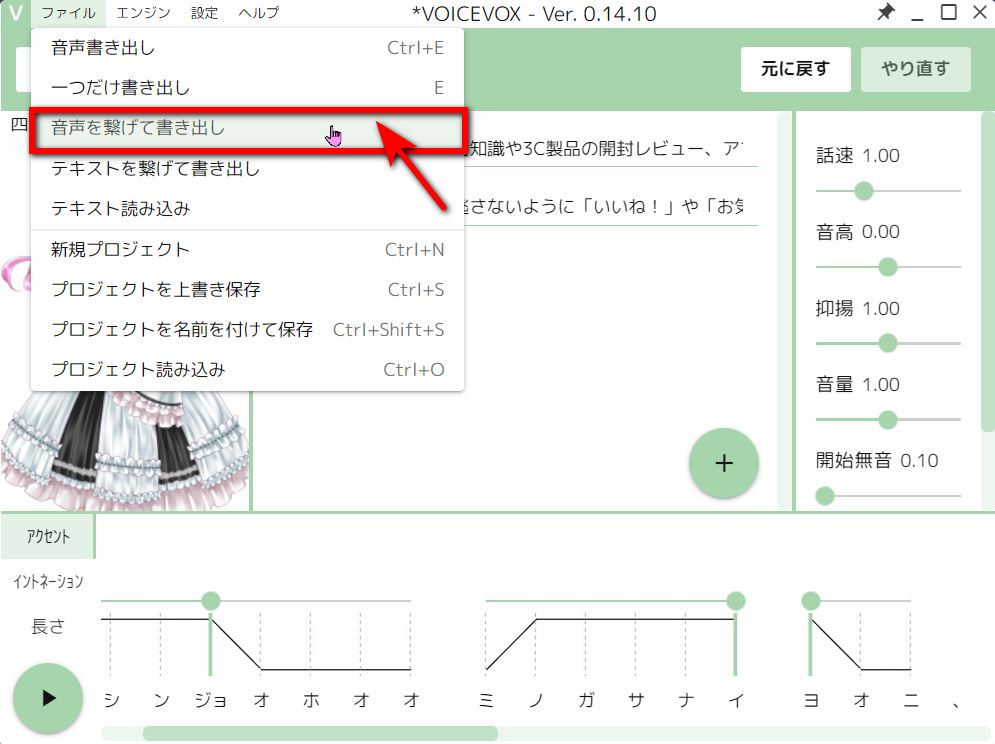
However, please note that the content for the voice character to read shouldn’t be too long. If a sentence contains a lot of information, you can split it into separate inputs. When you’re ready to save, click “Connect Audio and Export” to save all your sentences to the same file.
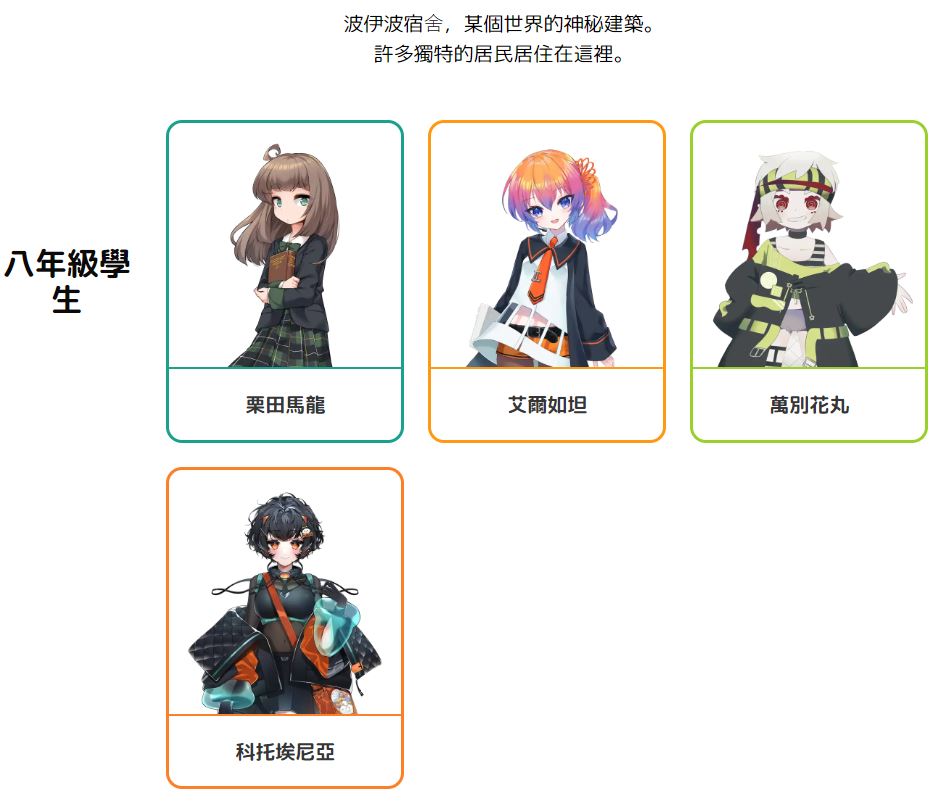
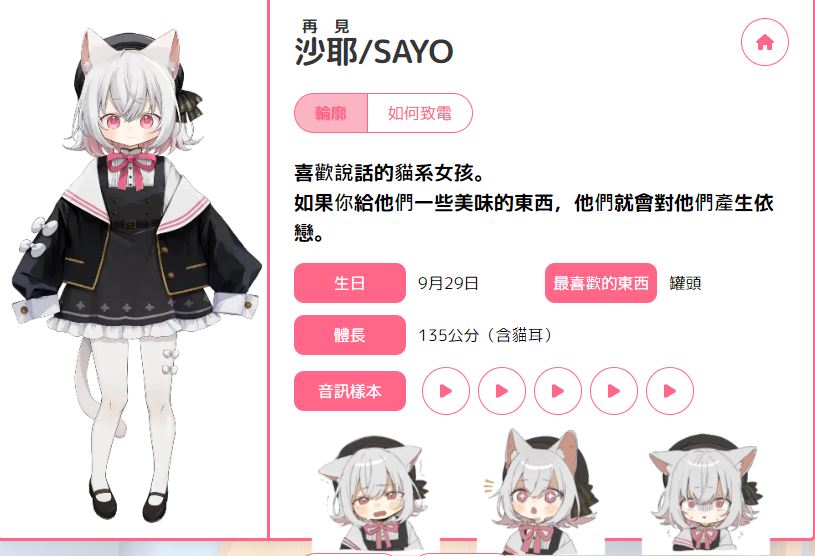
The VOICEVOX voice characters are set up as residents of a mysterious building called the “Voibo Dormitory” in another world, divided into 8 cohorts based on their join date. Everyone can click! here ! Browse detailed voice role introductions. Click on any character you’re interested in to see their full profile, including birthday, height, and likes. You can also listen to voice samples.
VOICEVOX also plans to add a feature in their next update, expected around January 2024, that enables voice characters to sing using their speaking voices, as demonstrated in the video below:
VOICEVOXで開発中の新機能「ハミング」を用いた春日部つむぎさんのソロデモソングも公開いたします! 🎶
宮守文学様の楽曲「いっぱいキャパシティ」をお借りしました!プロトタイプ版は2024年1月末に公開予定です。
お楽しみに!※ デモ音声は途中から外部ツールでピッチ調整しています pic.twitter.com/8Pd4fPo0Aq
— VOICEVOX (@voicevox_pj) December 28, 2023
If anyone uses VOICEVOX to release music on music distribution platforms, you can list the production credits in the title, artist fields, etc., or insert audio credits in the song. Title examples: “Title (VOICEVOX: Character Name)”, “Title feat. Character Name (VOICEVOX)”, etc. Artist examples: “Character Name (VOICEVOX)”, “VOICEVOX: Character Name”, etc. For more questions about VOICEVOX, click ! here Get the answer
Source: KOCPC Chinese