

• About Us
King of Computer Media
  • Home
  • Tech News
  • AI News
  • Apps & Tutorials
  • Mobile & Telecom
  • Lifestyle
  • About Us
No Result
View All Result
  • Home
  • Tech News
  • AI News
  • Apps & Tutorials
  • Mobile & Telecom
  • Lifestyle
  • About Us
No Result
View All Result
King of Computer Media
No Result
View All Result

Home - Internet and software applications - Quick extension management Conveniently manage Chrome extensions

Quick extension management Conveniently manage Chrome extensions

KOCPC Editor by KOCPC Editor
February 29, 2020 - Updated on August 4, 2026
in Internet and software applications

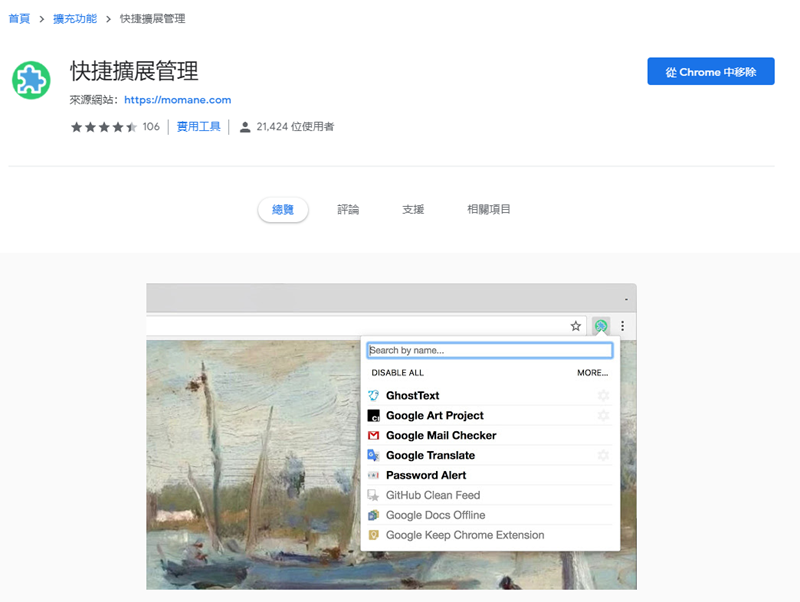
Recently, the editor’s Chrome has a mysterious problem. When playing YouTube, it can only read for a few seconds, and then it crashes. Later, I speculated that it might be a problem with the expansion components, so I went into the background and turned them on and off one by one, and finally found the problem. I just thought that it would be very troublesome to test like this every time I encounter a problem. After a little search, I found this set of expansion components “Quick Extension Management” specially used to manage expansion functions.
image
Image source:chrome online app store

This set of software is mainly a plug-in used to specifically manage the extension component functions of the Chrome browser. After installation, click on the icon on the browser and it will list all the extensions you have installed so far. This plug-in also has two functions: “Enable all” and “Disable all”. If the browser suddenly encounters strange problems, or you feel that the computer performance is insufficient, you can click Disable All to stop all plug-ins.
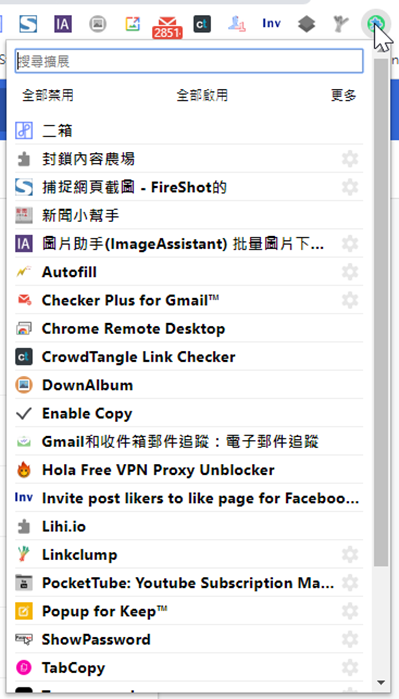
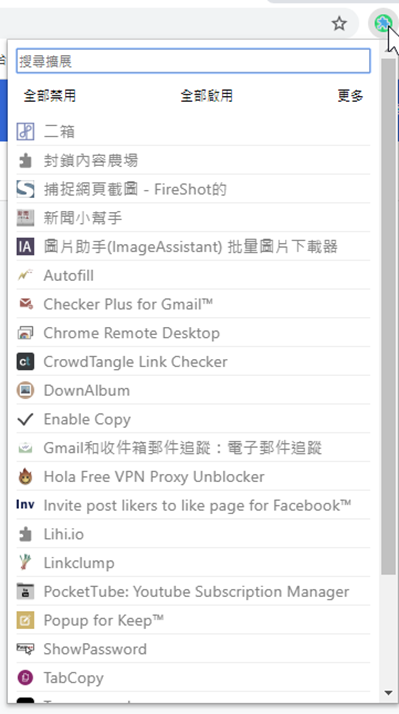
2020-02-29 22_05_34-2020-02-29 22_05_46-擴充功能 - Gmail和收件箱郵件追蹤:電子郵件追蹤


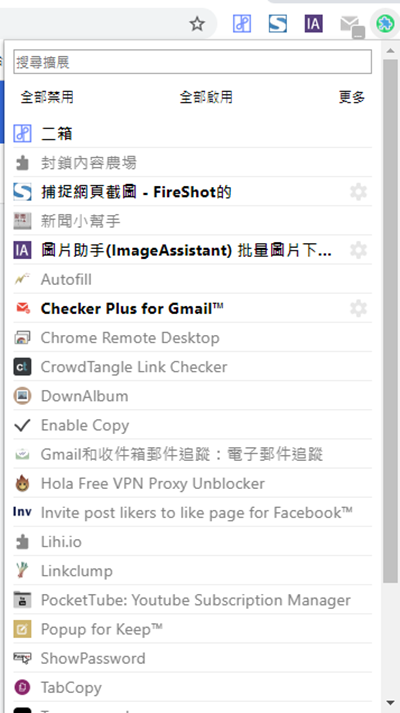
The current usage of the editor is that I only enable those plug-ins that I commonly use or must be permanent, and close the rest. If you need to use it, just turn on this function and check to activate the plug-in. At least after installing this, you don’t have to go to the Chrome browser settings to find the function, which can be said to be a lot more convenient.
2020-02-29 22_06_08-


Related links

Quick extension management installation page (requires Chrome)

Source: KOCPC Chinese

Tags: BrowserChromeExpansion componentsmanageplug-in

Recent Posts

  • Android will take steps to make it harder for apps to tamper with your contact information.
  • Xiaomi’s 10,000mAh phone Redmi K100 gaming battery life results revealed: it lasted 8 hours and 35 minutes of continuous gaming before running out of battery.
  • YouTube’s homepage now allows custom recommendation shelves and a simplified top navigation bar, taking the personalized experience to the next level.
  • Microsoft begins rolling out Copilot Code for building apps with natural language capabilities.
  • Microsoft quietly tests a new Recall-like AI tool for Windows 11! It doesn’t take automatic screenshots and only saves the content you select.

Recent Comments

No comments to show.
  • About Us

We welcome partnership inquiries and product review opportunities from smartphone manufacturers, iPhone accessory brands, and app developers.koc kocpc.com.tw|Privacy Policy |Hosting & Maintenance: Fast Line Taiwan, A-Chang Digital Technology

No Result
View All Result
  • Home
  • Tech News
  • AI News
  • Apps & Tutorials
  • Mobile & Telecom
  • Lifestyle
  • About Us

We welcome partnership inquiries and product review opportunities from smartphone manufacturers, iPhone accessory brands, and app developers.koc kocpc.com.tw|Privacy Policy |Hosting & Maintenance: Fast Line Taiwan, A-Chang Digital Technology