


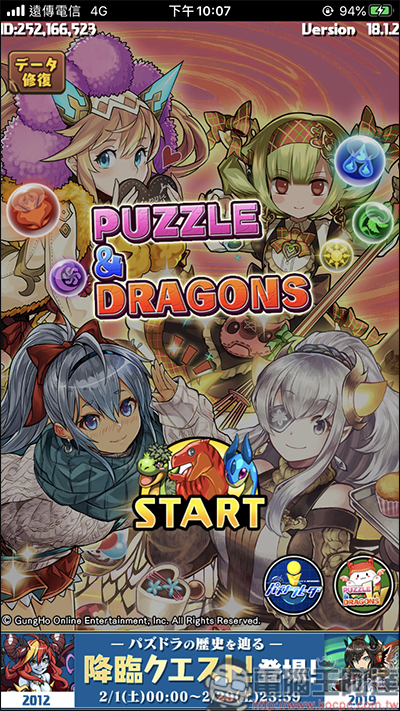
Because of playing the Japanese version of PAD (Dragon Puzzle), whenever the PAD needs to be updated, the App Store often has to switch to the Japanese region to update. In addition, many Japanese mobile games or apps are often released in Japan first, or are only limited to Japan. As a Taiwanese player, the pain of being able to only watch but not play is really heartbreaking. First, attach a picture of someone actually playing it (for friends XD):
If you can’t figure it out, I suggest you open a Japanese account (Please click me for teaching)
Changing the region is super easy, just follow the steps.
Video version of teaching, welcomeSubscribe to Computer King Ada channel,ifIf it cannot be downloaded normally, first go to the mobile phone setting region and select Japan, then go to the official Apple ID website and press your account and edit to change Japan, and then go to the App Store to change Japan. If your mobile phone region has not been changed to Japan, then there will be nothing when you want to change the apple ID payment, so the mobile phone region must be changed to Japan.:
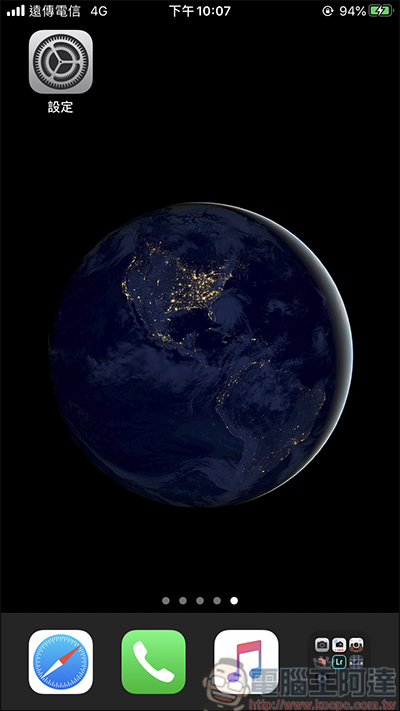
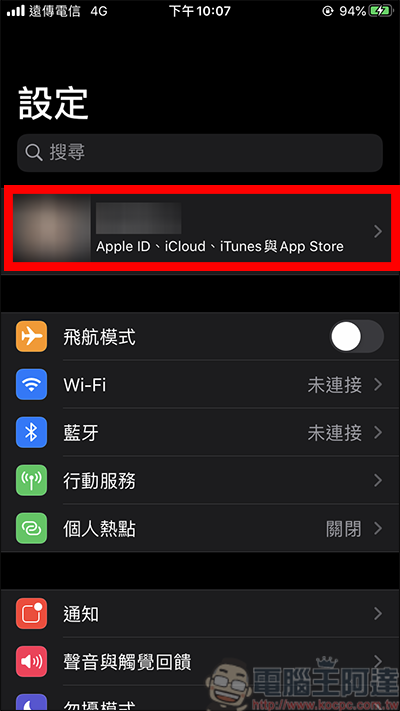
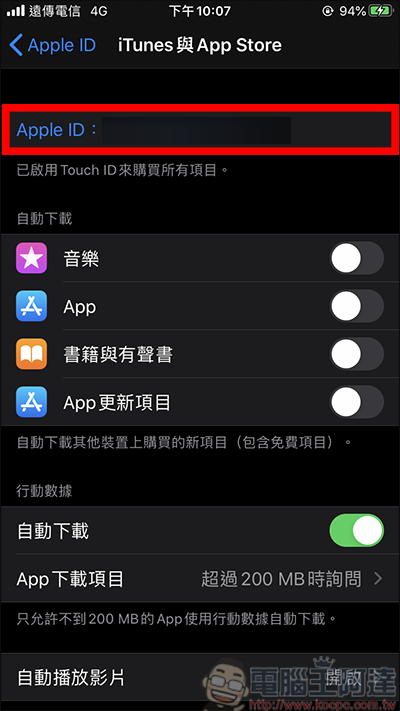
First, go to the settings and click on the first piece of your information:
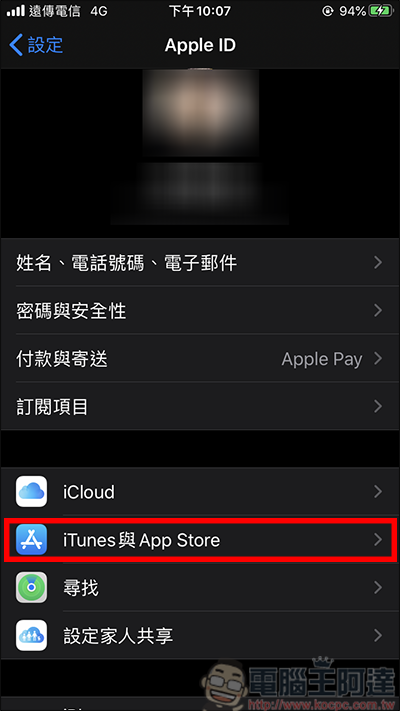
After entering the screen, first click iTunes and App Store:
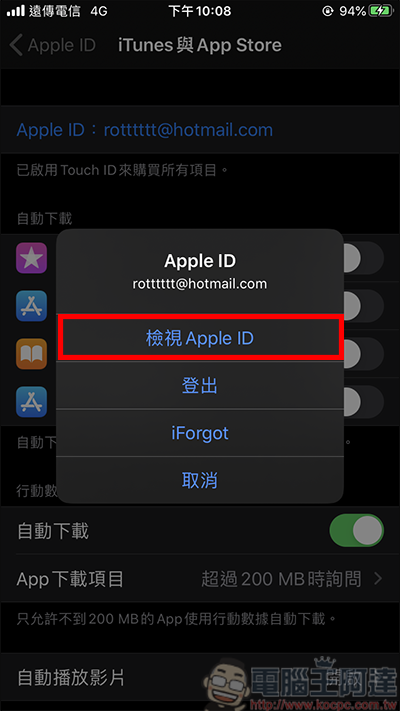
After entering, click Apple ID, then a small window will appear and click View Apple ID:
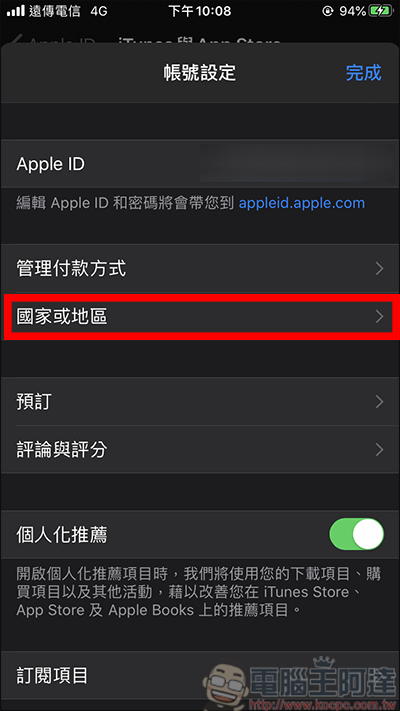
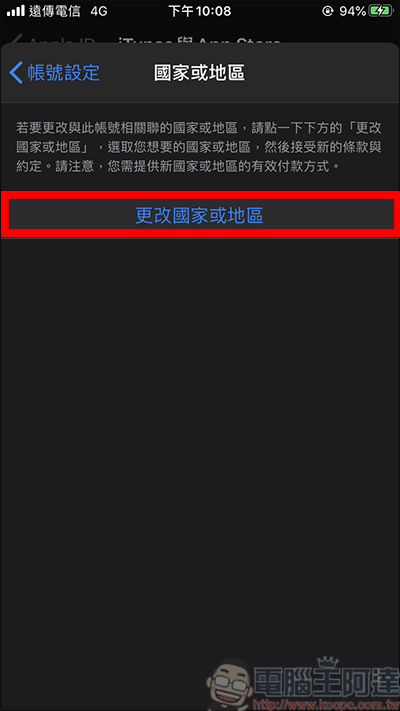
Then you will select settings, click on the country or region, and then click on change country or region:
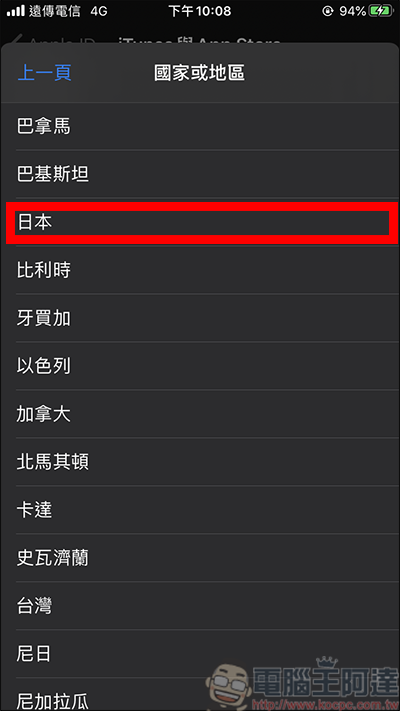
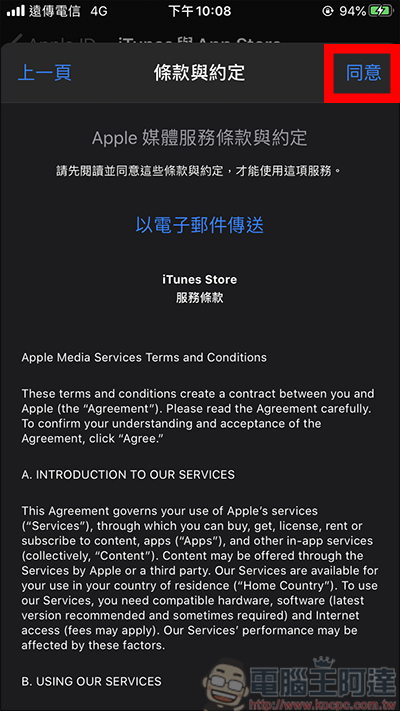
Then look for the option of Japan in the country or region. After clicking, the terms and agreements will appear. Click here to agree:
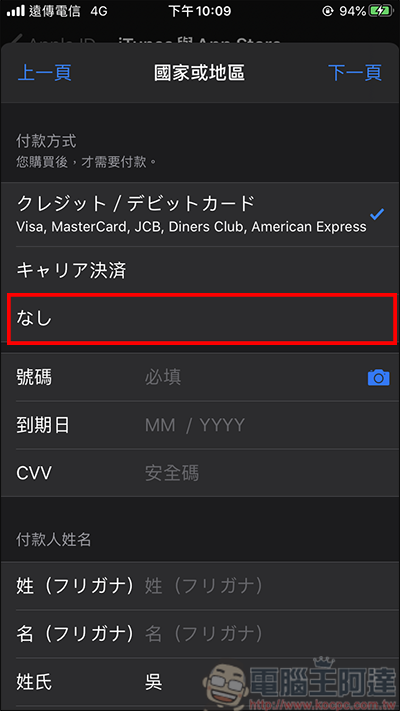
Then you will be asked to enter your personal information. As for the payment method, it is recommended to select the “None” option in the red frame. If you need tuition fees, it is recommended to return to the Taiwan version of the App Store first and enter your credit card information for tuition fees. In this way, when you pay for tuition, the amount that pops up will be New Taiwan dollars, so you can better know how much you have taken:
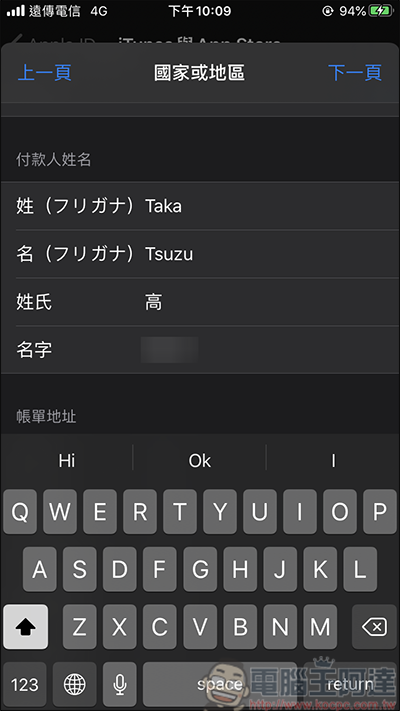
Next, enter the payer information. For Japanese names, you can use Google to find a name translation tool, or you can enter mine directly. Because my last name is not recognized? So here I specifically changed the last name to Gao:
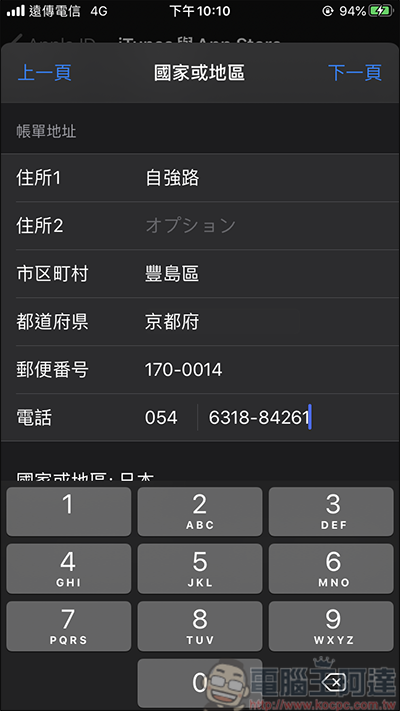
Next, enter the billing address. You can type in address 1 casually. You can ignore address 2. You can copy mine for city, city, post office, etc., or go to Google yourself, and then type the phone number as you like. After entering, click the page:
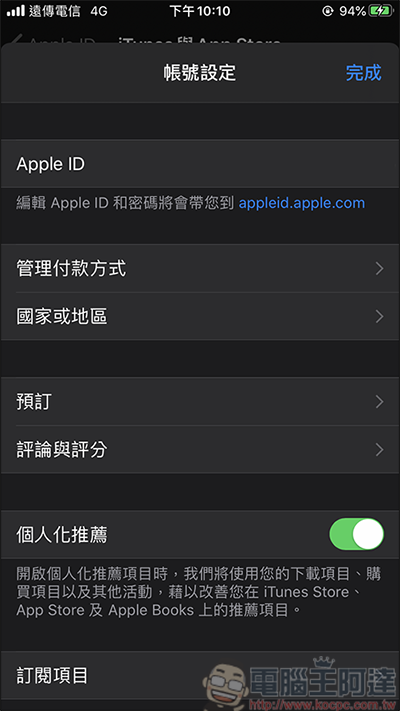
Then you will return to the account settings page:
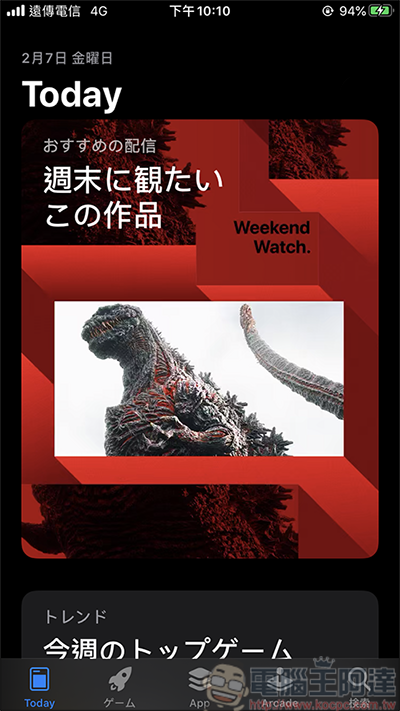
When you return to the App Store, you can see that the entire page has changed to Japanese, indicating that it has been successfully switched:
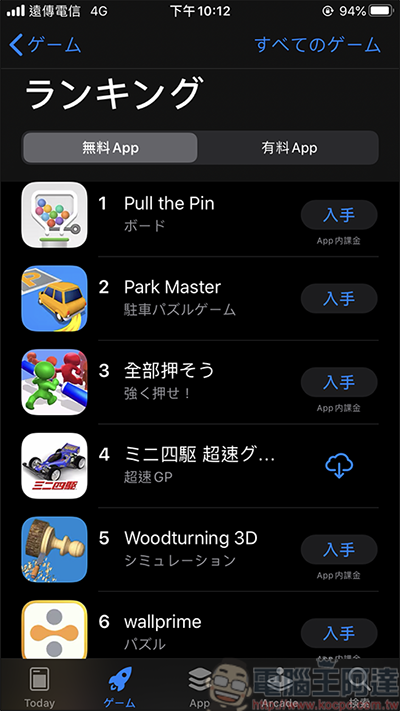
There are many games in the Japanese version that are not available in Taiwan, so when you have a game shortage, why not jump to the Japanese version to see if there are any interesting games. In addition! One thing that must be explained is that when you are in the Taiwanese version of the App Store, you cannot update the Japanese version of the App. When you are in the Japanese version of the App Store, you cannot update the Taiwanese version of the App. To jump back to the Taiwanese version of the App Store, just follow the steps above (remember to click on Taiwan), and you can easily switch back:
Source: KOCPC Chinese