


Last year, Apple previewed a new application that uses front and rear lenses to record simultaneously at the iPhone 11 series launch event. FiLMic’s recently launched Doubletake by FiLMic free app directly separates this multi-lens recording function in the FiLMiC Pro App, allowing iPhone users to experience it first. DoubleTake can select two of the iPhone lenses to record at the same time, turning your iPhone into a multi-camera studio, making it easier to use for video creation.
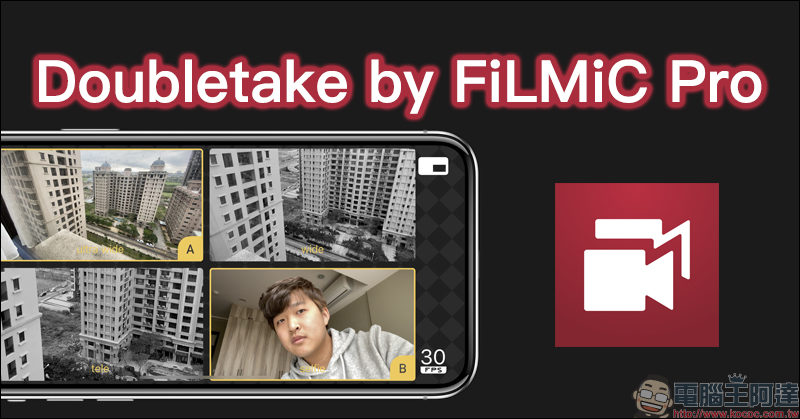
Doubletake by FiLMic Pro is a free app that allows you to record with the front and rear lenses of your iPhone at the same time!
Different from the feature-rich and well-received FilMic Pro video shooting app (priced at NT$490), the recently launched Doubletake by FiLMic Pro by the FiLMic team has much simpler functions, easy-to-use operation, and is more suitable for most people to record their lives on iPhone. Since the Doubletake App allows multiple iPhone lenses to record at the same time, the video seconds and audio will be exactly the same, which saves the trouble of proofreading the images and audio tracks during video editing for video production needs.
Doubletake by FiLMic Pro:Click here to download (App Store)
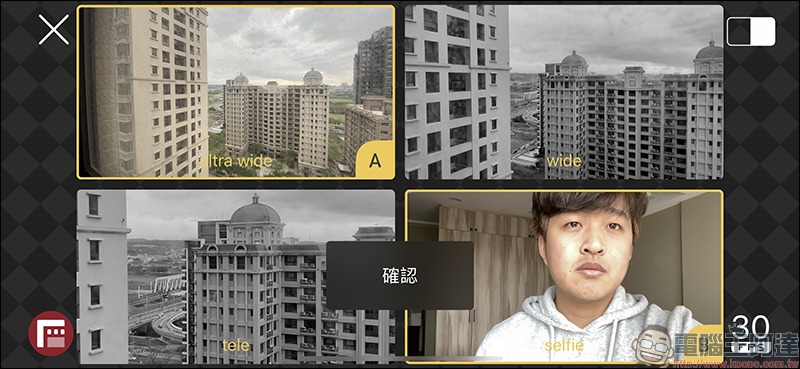
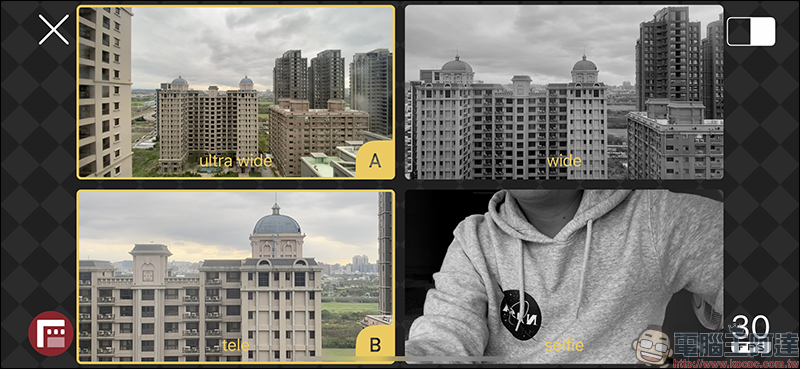
The operation method of Doubletake App is quite simple and easy to use. First, on the lens page, select which two lenses to use for recording the A-B scenes. On the iPhone 11 Pro and iPhone 11 Pro Max equipped with three-lens main cameras, users can choose the ultra-wide-angle lens, wide-angle lens, telephoto lens of the rear camera, and the front-lens camera. The video frame rate can also be set on the same page, providing 24FPS, 25FPS or 30FPS frame rate. The video resolution does not support the 4K option and is all recorded in 1080p. After selecting the lens, press Confirm to return to the main video recording screen:
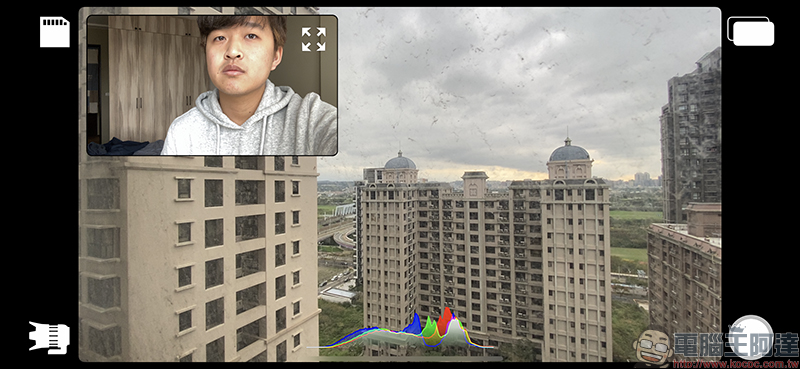
After returning to the main recording screen, click on the upper right corner of the screen to switch the display screen during recording, providing three display modes: picture-in-picture, split, and split-screen:
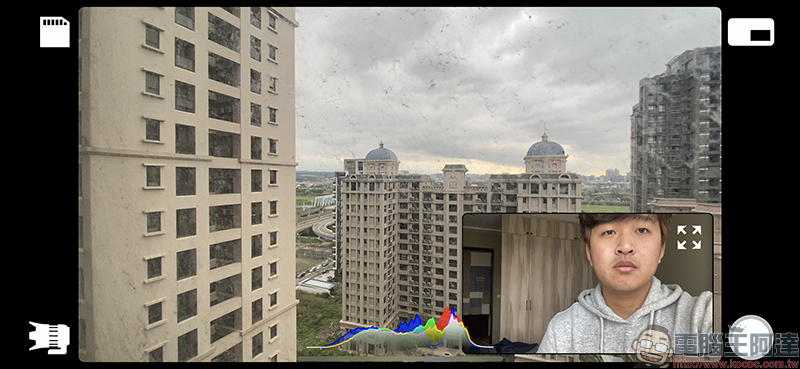
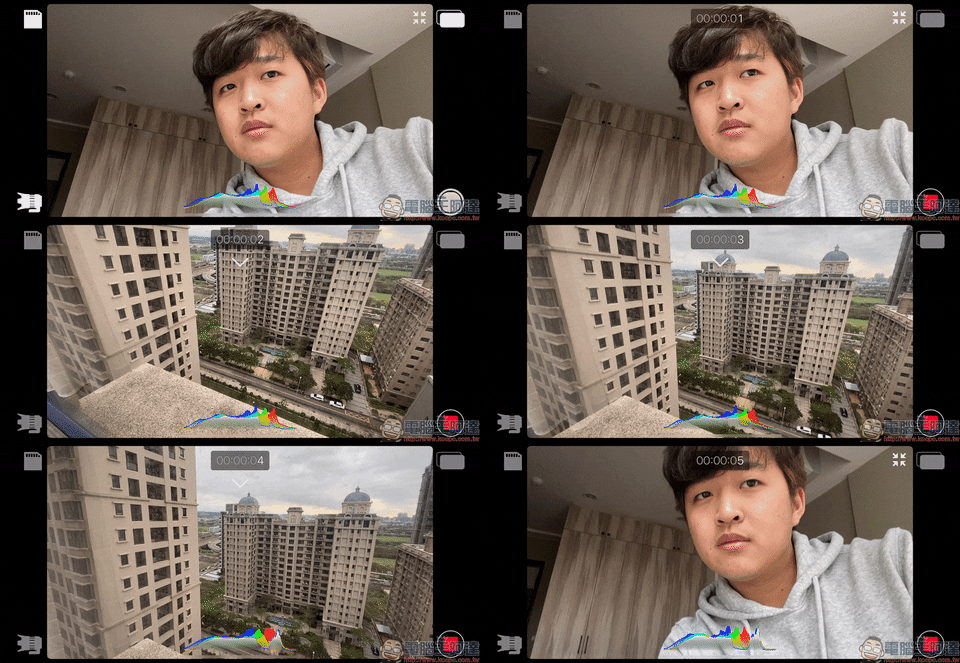
The sub-picture floating above can also be dragged to various positions on the screen for display. Clicking the full screen button of the sub-picture will immediately turn the sub-picture up and down in full screen. Even if the user switches screens during recording, the video will continue to be recorded without interruption:
When the sub-screen is displayed in full screen, just slide up to temporarily hide it, and slide down to switch directly back to the main screen:
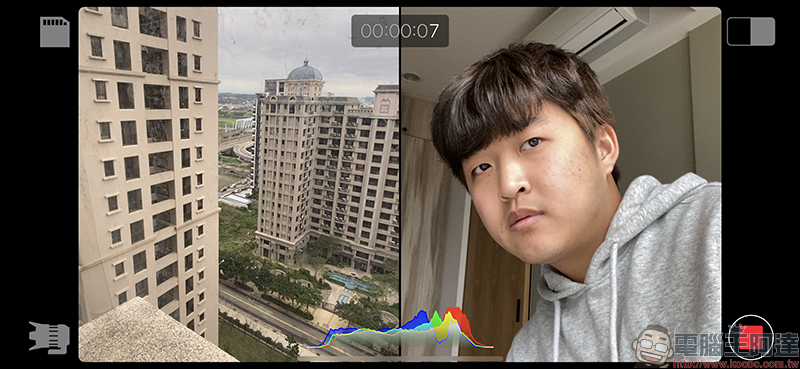
In addition, using split-screen display, the two shots are displayed in left and right split screens:
The above-mentioned method of recording the front and rear lenses of iPhone at the same time is quite suitable for Vlog video shooting or interviews. In addition, when the user chooses two lenses with different main cameras to shoot, it can give more room for subsequent editing and creation. For example, if you choose an ultra-wide-angle lens and a telephoto lens to record videos at the same time, you can create a richer picture when editing later:
In addition, even if you use two lenses to record videos at the same time, you can select the focus point separately:
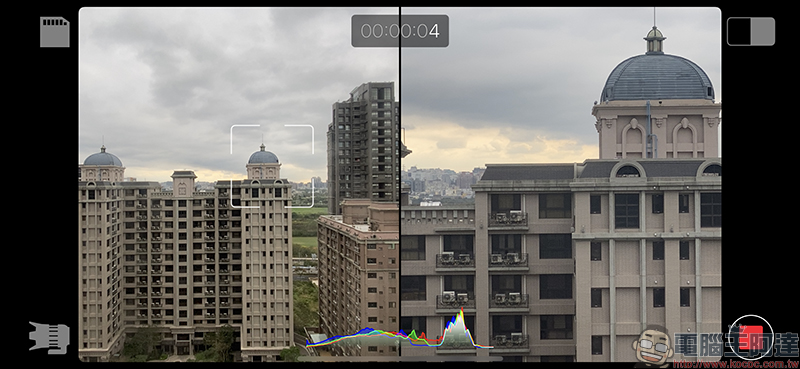
After selecting the focus point and pressing it again, a yellow frame will appear indicating that the focus point has been locked:
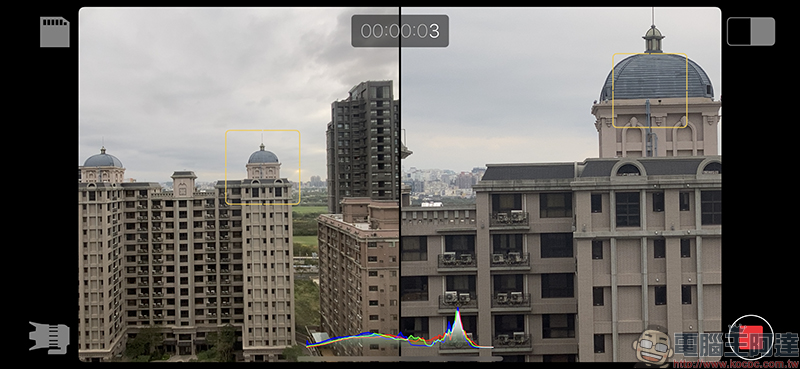
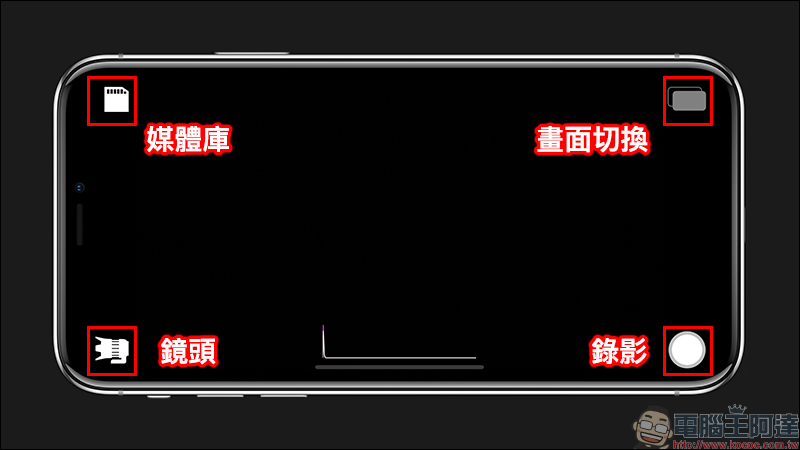
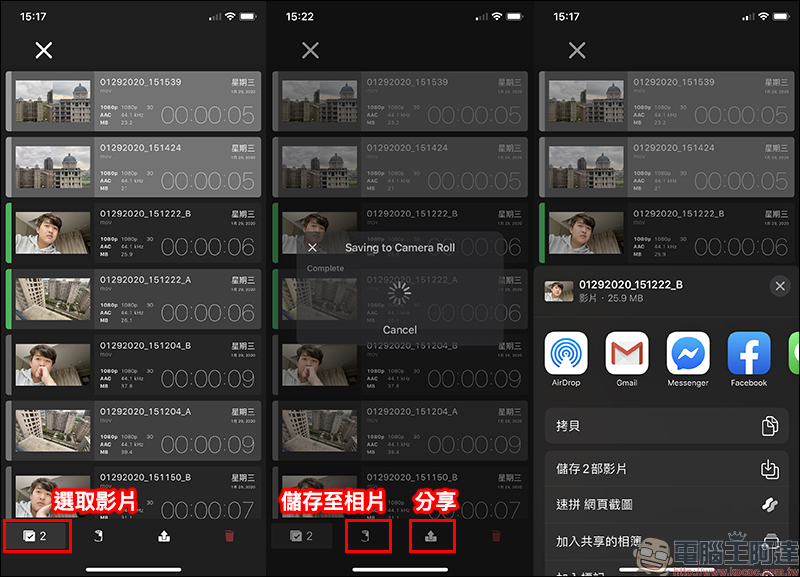
Doubletake App will not immediately save the video in the iPhone Photos App after recording. Users need to go to the media library page to view all videos recorded using Doubletake.
Complete information such as seconds, production date, resolution, file size, etc. of each video will be displayed in the media library. Users only need to select the video they want to export, and then click the function button below to export the video to the photo app or share it directly to other platforms:
Doubletake by FiLMic Pro:Click here to download (App Store)
Doubletake multi-lens shooting supported models (iOS 13)
- iPhone 11
- iPhone 11 Pro
- iPhone 11 Pro Max
- iPhone XR
- iPhone XS
- iPhone XS Max
*Tips: Models other than those listed above will only be able to record videos with a single lens.
Further reading:
FoldStand Invisible Triangular Super Magnetic Stand Unboxing and hands-on play: Easily support your laptop, mobile phone, and tablet!
Source: KOCPC Chinese