


Late today (25th) Apple Released the official version of iOS 26.4renew,this time iOS The 26.4 update does not look like a major revision, but in actual use you will find that many places are being quietly upgraded.
from Apple Music Add functions such as “Nearby Concerts”, Podcast It finally supports video playback, and with the optimization of call queuing, health data and system details, the overall user experience becomes smarter and more relevant to daily needs. This update has no particularly flashy highlights, but it has completed many key functions.
If you use your iPhone every day, these changes are likely to affect your usage habits without even realizing it.
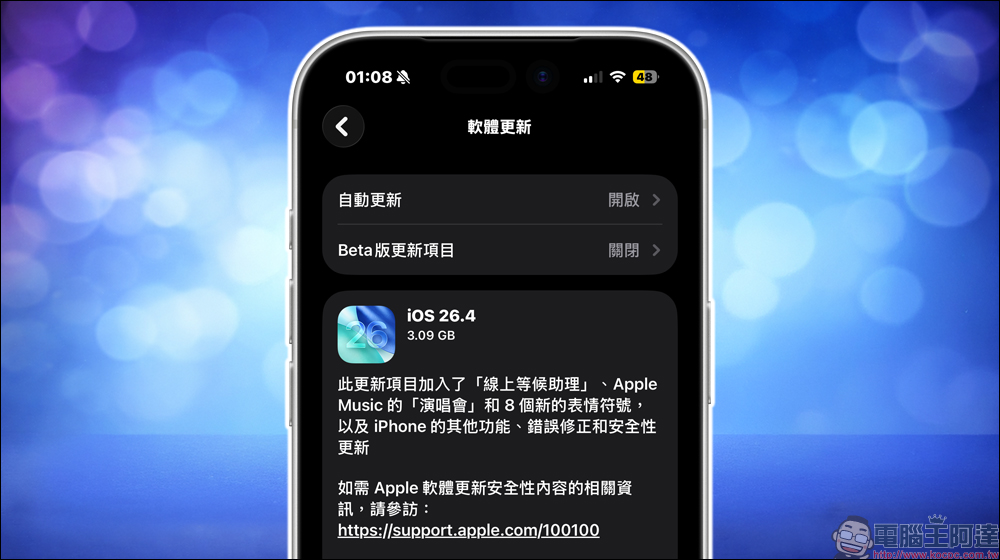
iOS 26.4 update officially launched: Podcast adds video playback function, comprehensive health and system upgrades, 8 new emojis to watch at once
iOS 26.4 is officially launched to general users, about a month after the previous version of iOS 26.3. Although there is no long-awaited Siri overhaul, the overall update content is actually quite solid. From music, podcasts to calls and system operations, significant optimizations can be seen.
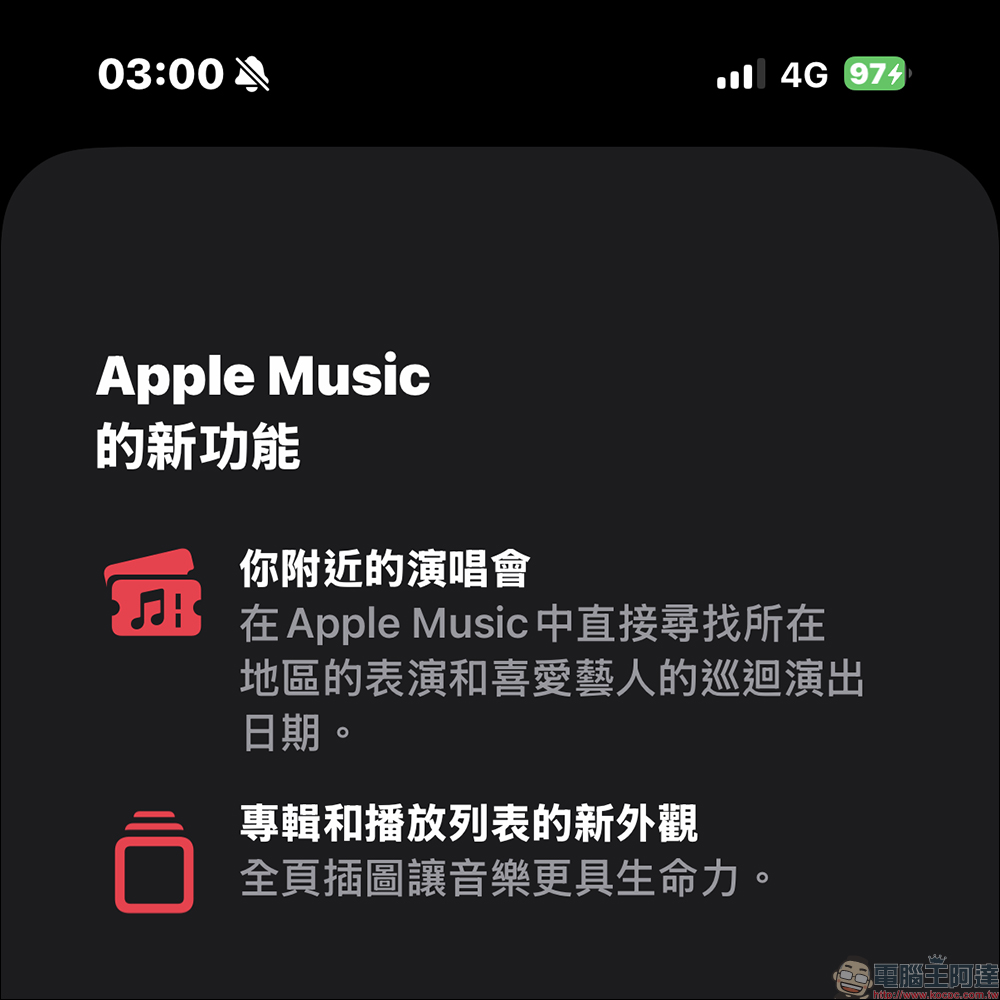
Don’t miss out on nearby concert information on Apple Music
Apple Music has added the “Nearby Concerts” function this time, which can recommend artist performances based on users’ listening habits and view event and tour information directly within the app.
At the same time, the music experience is also upgraded in details. Now you can use “Offline Music Identification” through the control center. Even if there is no Internet, you can identify songs first, and then automatically synchronize the results after reconnecting. A new “Ambient Music” widget has been added to the home screen, providing playlists for different situations such as sleeping, relaxing or focusing, which can be played with one click.
In terms of visual presentation, albums and playlists have been changed to full-screen designs, which makes the overall immersion stronger and makes the operation more intuitive.
Podcast finally supports videos and is more flexible to use
The podcast experience has undergone a significant transformation with this update. In addition to the original audio playback, it now supports video versions of programs, and can be freely switched between listening and watching. It also supports downloading for offline viewing. This makes podcasts no longer just a background playing tool, but gradually turning into a more complete content platform.
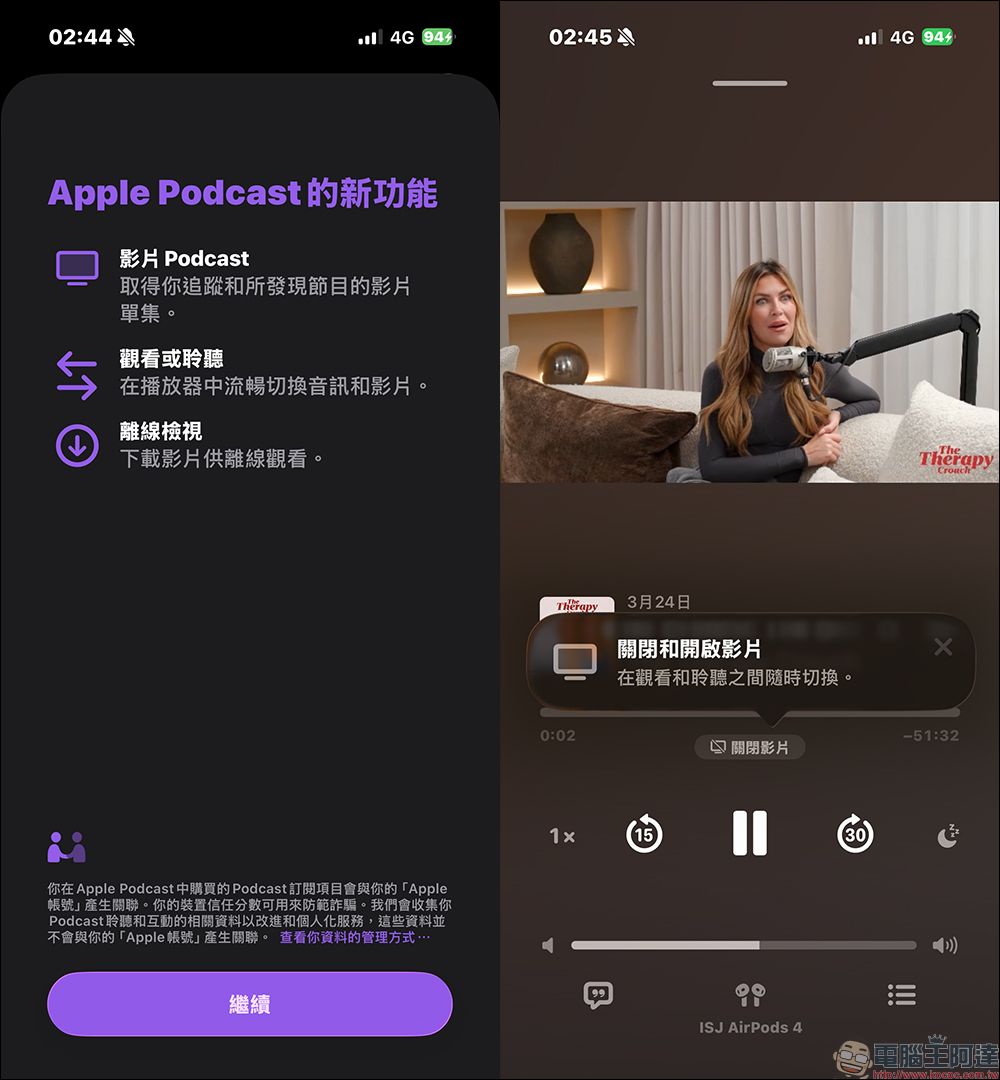
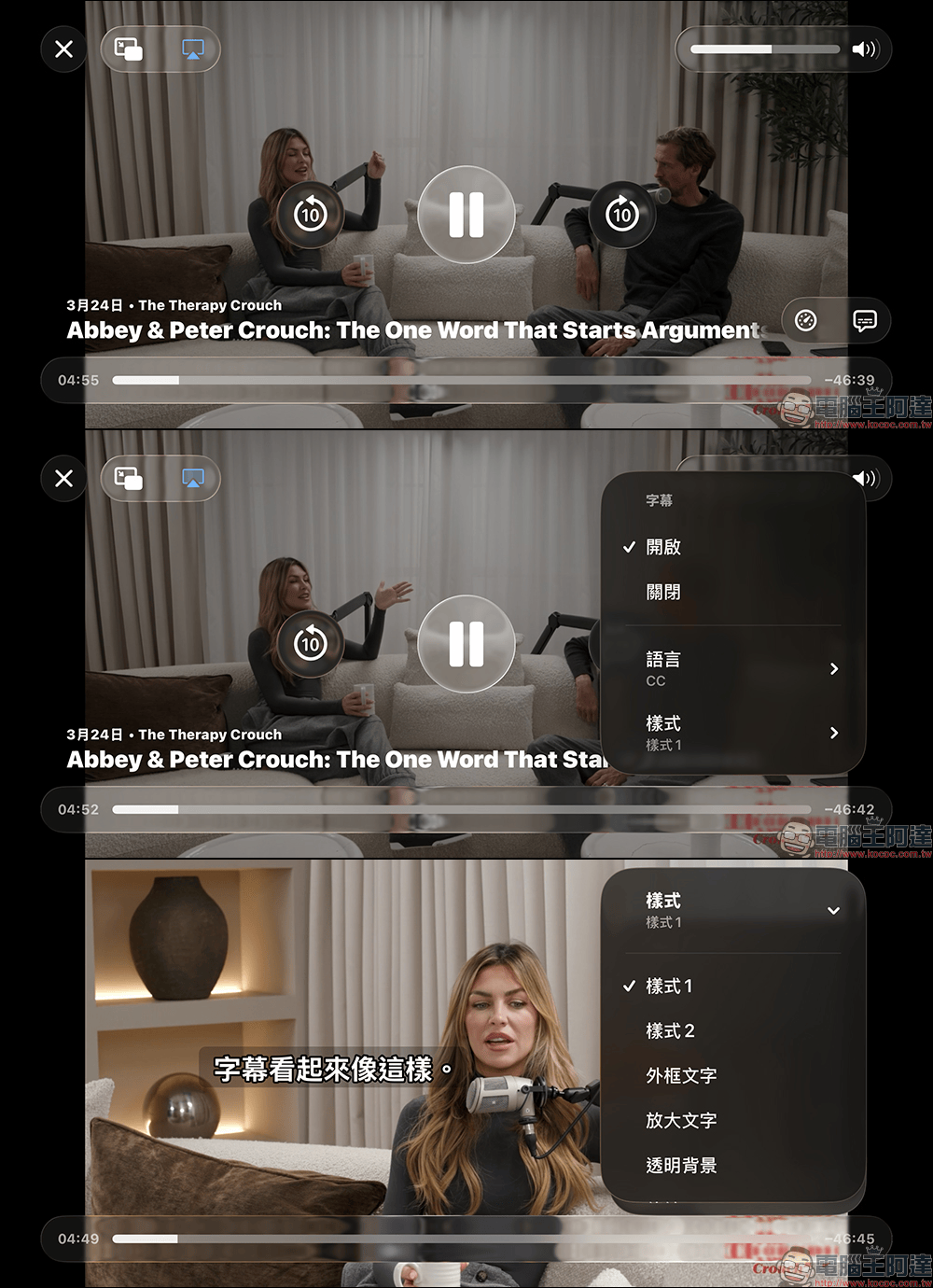
Video playback uses HLS streaming technology, which not only improves stability, but also allows creators to add dynamic ads to increase monetization opportunities. With this change, the subtitle function has also become more usable. Now when playing media, you can quickly open and adjust subtitle settings directly through the subtitle icon, including preview and customization options, making the overall operation more intuitive.
The call experience has been upgraded, no need to wait in line anymore
Another interesting change in daily use comes from the “call” function. The new “Online Waiting Assistant” can help you reserve your place in the queue when calling customer service, so you don’t need to wait online all the time. When the customer service staff is ready to answer the call, the system will notify you to return to the call. Most of these functions used to appear in enterprise service systems, but now they are directly integrated into the iPhone, which will save a lot of time for people who often need to contact customer service.
Health App adds new sleep indicators, making it easier to control your schedule
The Health App has enhanced its sleep analysis function in this update. The new “Average Bedtime” will calculate what time the user usually falls asleep based on the sleep records of the past 14 days, and display it together with the existing average sleep time. This allows users to not only know how long they slept, but also to be more aware of their own work and rest habits. This information will be more valuable for people who want to adjust their sleep rhythm.
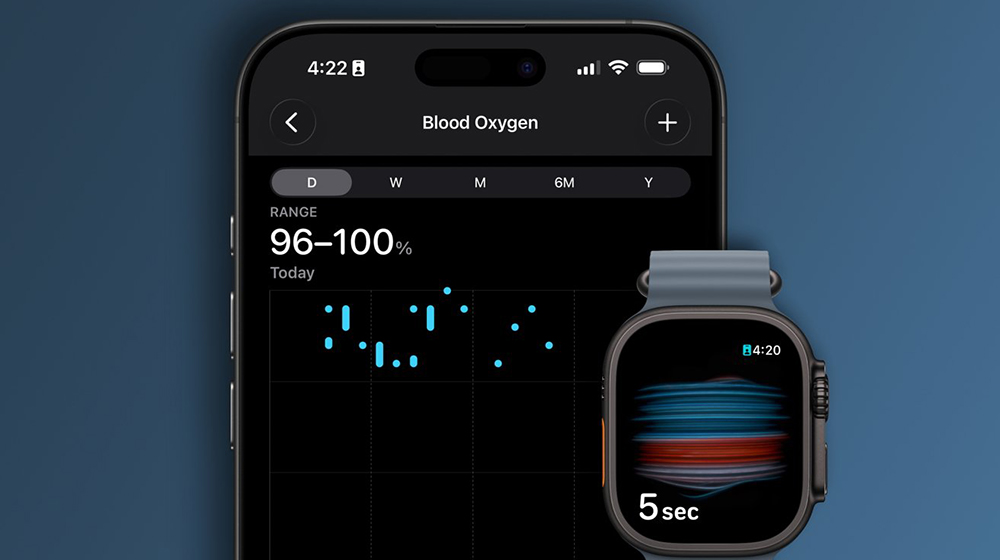
▲Picture source:AppleInsider
Simultaneous optimization of accessibility functions and visual experience
In terms of auxiliary use, Apple has also made detailed adjustments to visuals and operations. “Reduce Brightness Effect” can reduce the flickering brightness when pressing the button. For users who are more sensitive to dynamic effects, the overall experience will be more comfortable. To reduce dynamic flickering when typing, you can turn it off in “Settings” > “Accessibility” > “Display & Text Size” > “Reduce Brightness Effect”.
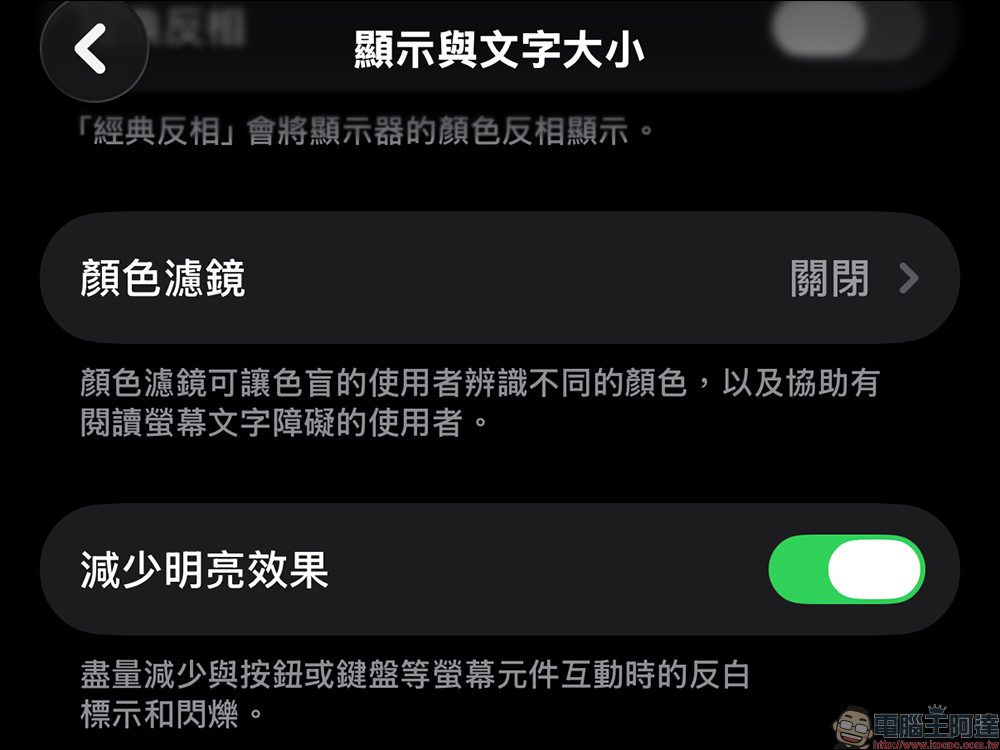
The effect of not turning off (on state):

Comparison after turning off “Brightness Effect”:

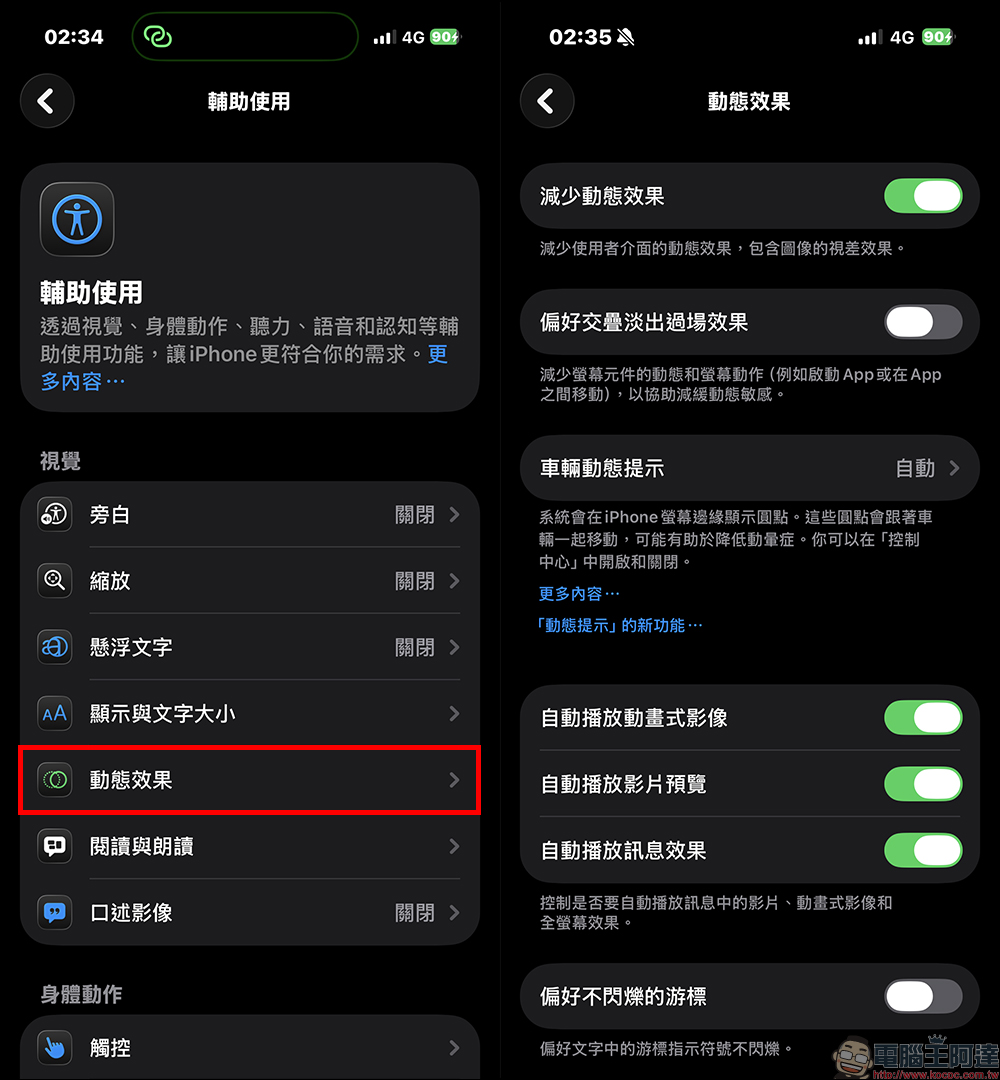
“Reduce Dynamic Effects” has been further optimized to reduce Liquid Glass animation more stably, which will be more friendly to users who are sensitive to screen dynamics. Although these adjustments are not obvious, they will make it more comfortable after long-term use.
System details have been upgraded to make daily operations easier
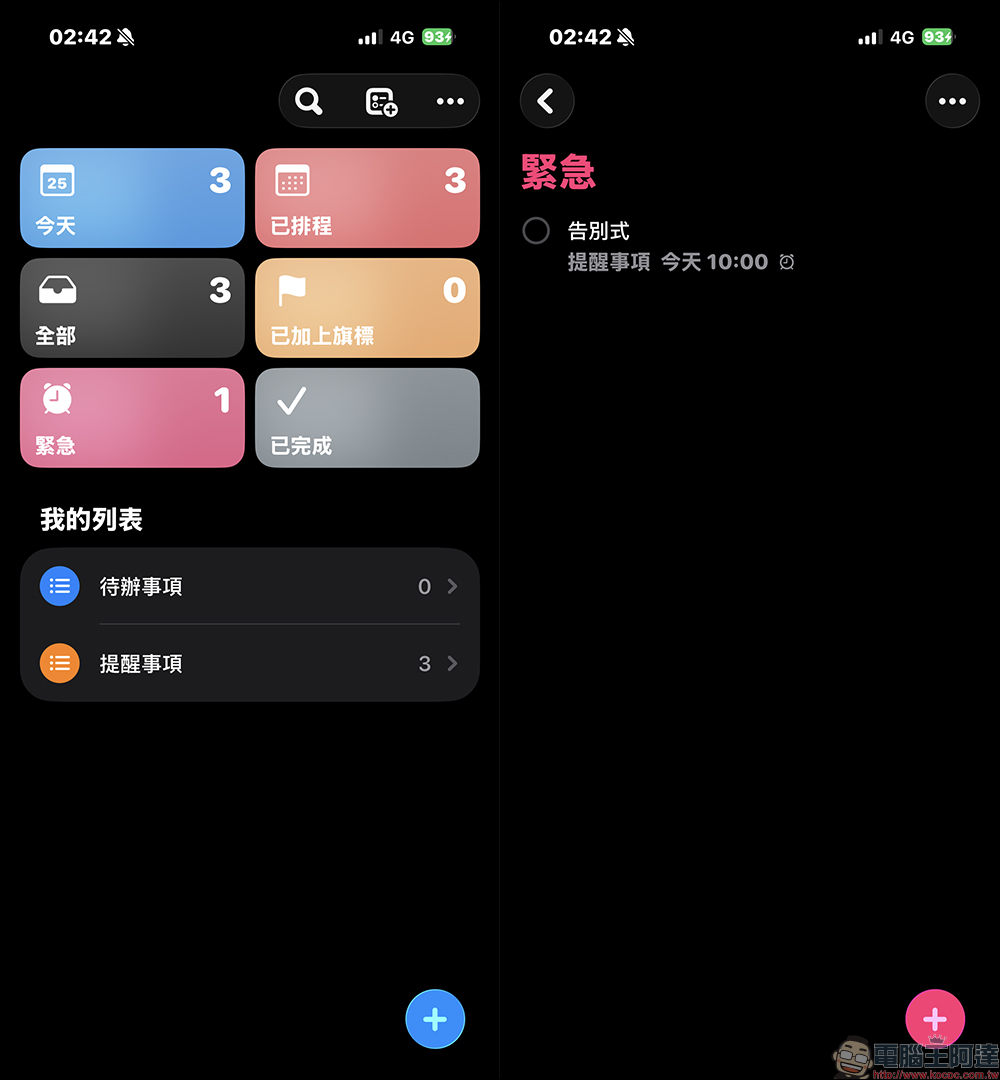
This update also brings a series of scattered but practical system optimizations. Reminders have a new “Urgent” marking function, which allows you to quickly classify important tasks and filter them through smart lists.
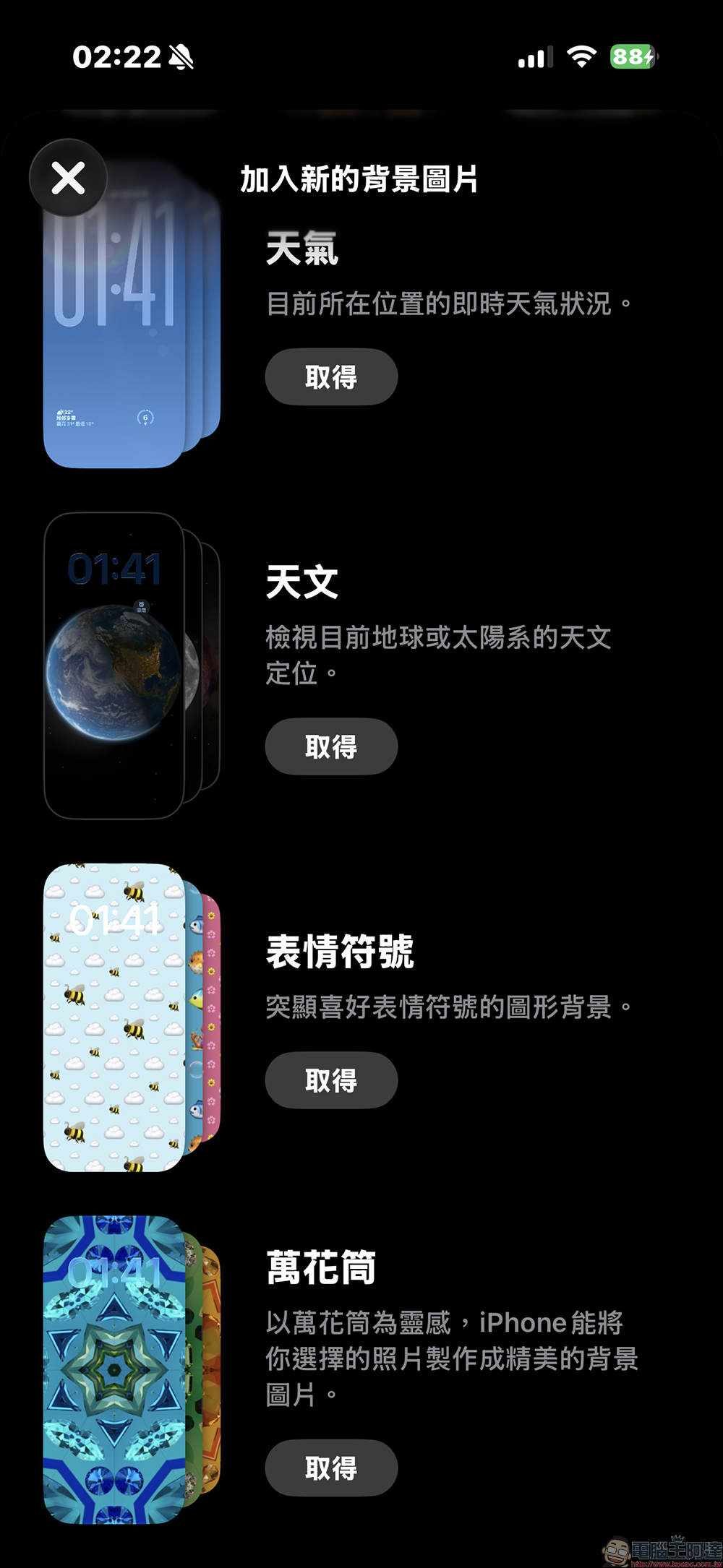
The wallpaper has been changed to online gallery mode to reduce local preloaded resources.
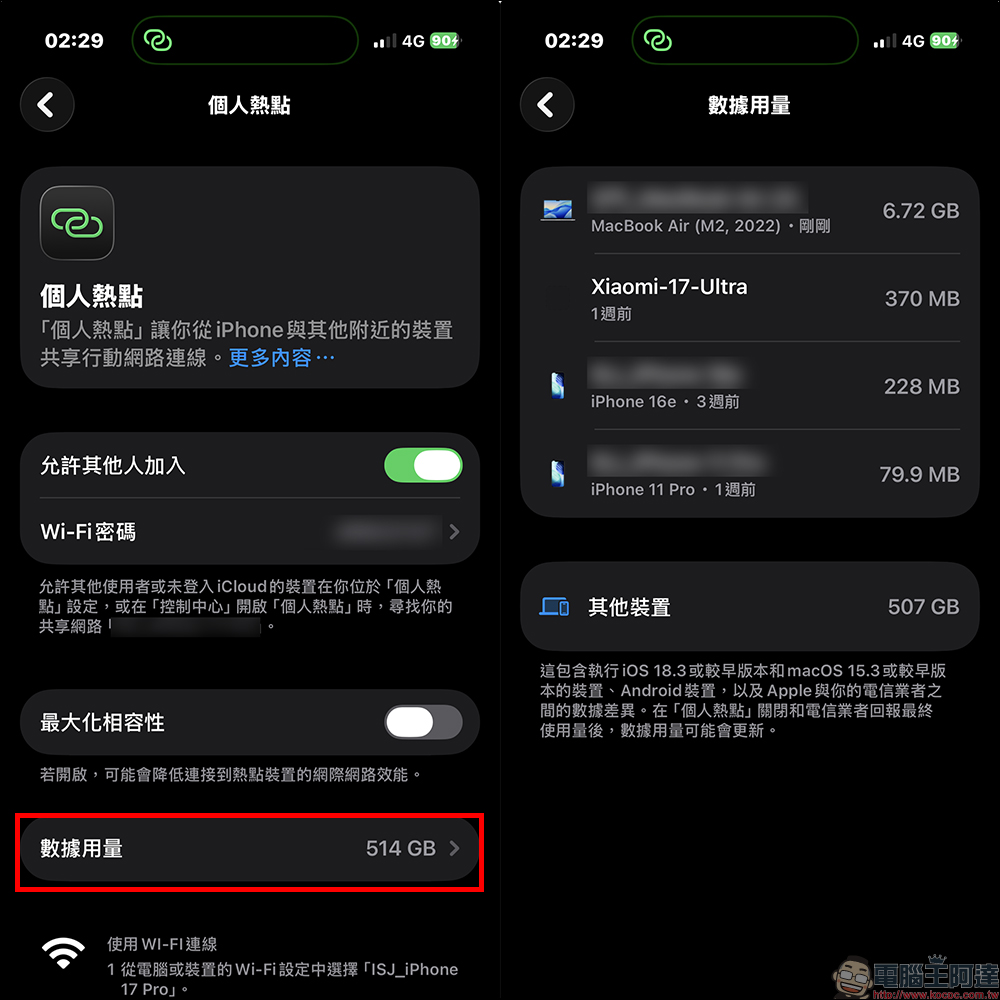
Personal hotspots now directly display data usage, no need to enter the submenu to query.
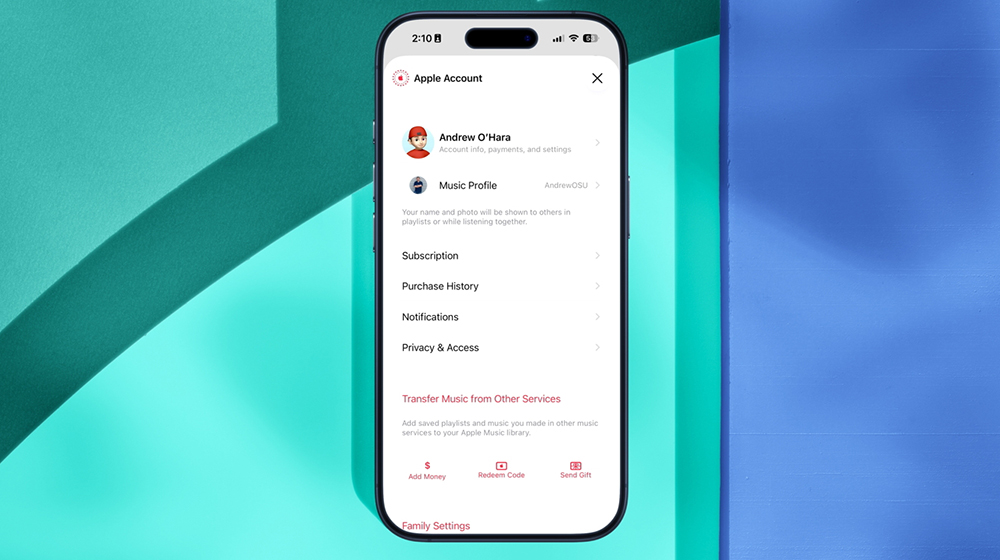
The family sharing mechanism has also been further adjusted. Adult members can now use their own payment methods and are no longer forced to share the same account. The overall flexibility is higher.
▲Picture source:AppleInsider
Security and input experience continue to improve
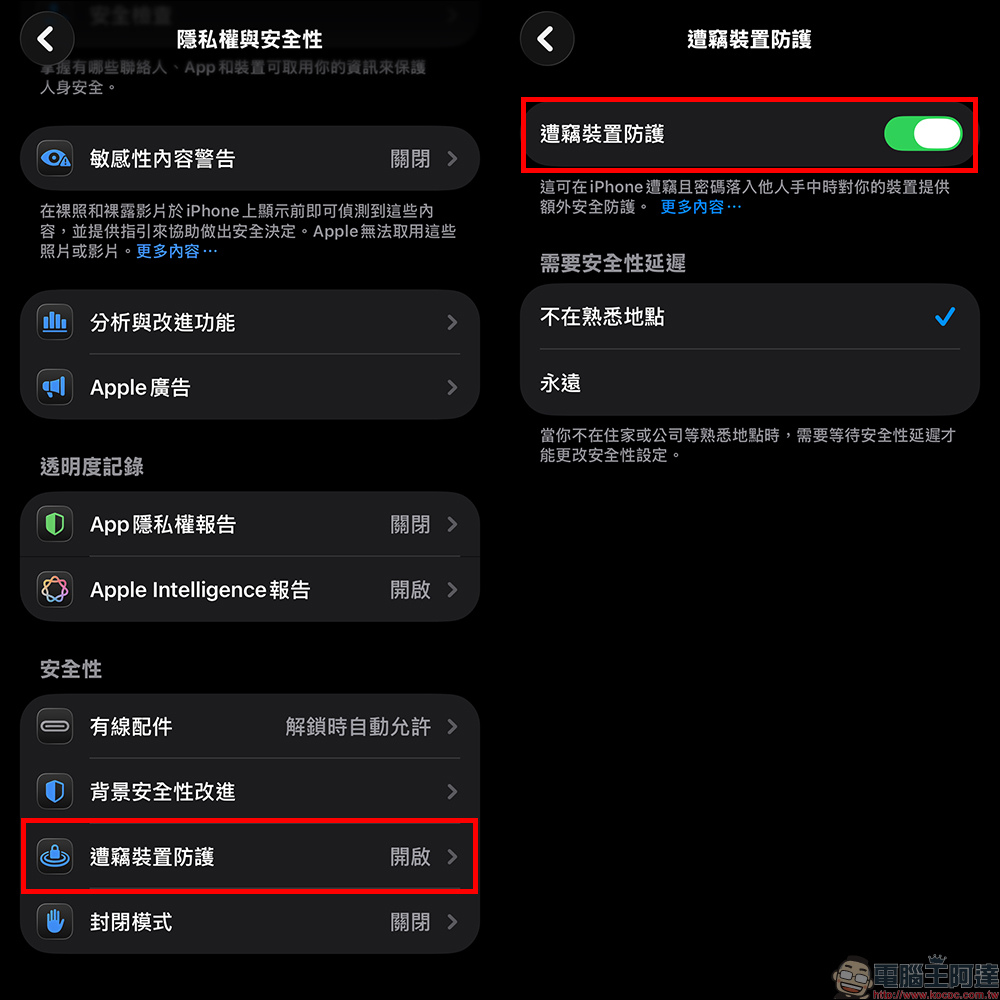
In terms of security mechanisms, “Stolen Device Protection” will be automatically enabled after the update, reducing the risk of devices and accounts being stolen at the same time. The accuracy of keyboard input has also been improved, especially when typing quickly, it is less likely to miss characters, which will be significantly helpful for daily input.
New emoji added to make chat interaction more interesting
This update adds 8 new emoticons simultaneously, including killer whale, trombone, landslide, ballerina, twisted expression, fighting smoke, treasure chest and Bigfoot. Although it is a minor update, it is actually quite practical in daily chats. It has many new expressions and makes conversations more layered.
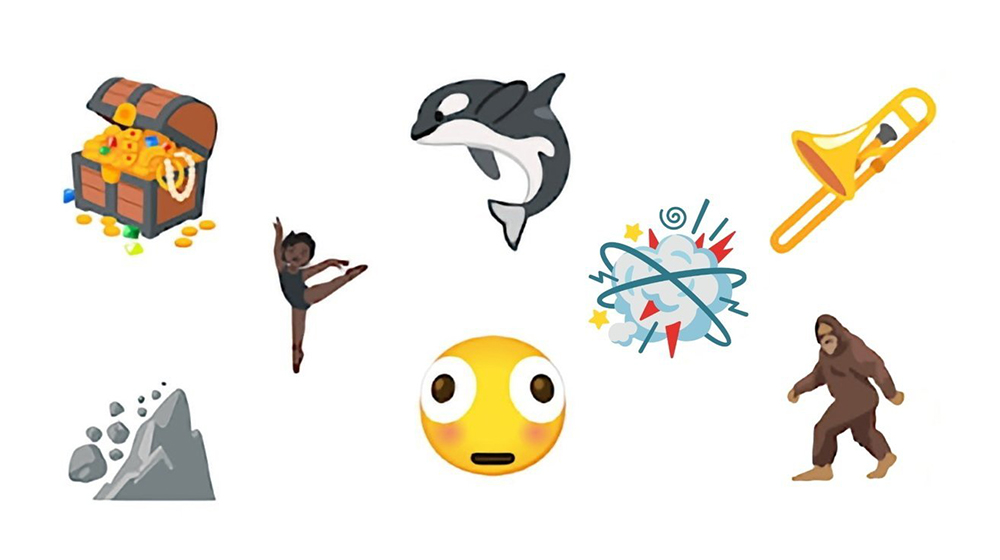
▲Picture source:AppleInsider
Conclusion
iOS 26.4 is not the kind of version where you can feel the huge changes at a glance, but its value lies in completing many daily details. From podcasts to audio-visual content, to optimization of calls, health and system operations, these changes are gradually affecting usage habits.
For heavy users, this update will bring a lot of practical improvements; for ordinary users, although they may not notice it immediately, they will obviously feel the difference after long-term use. Rather than a one-time highlight feature, iOS 26.4 is more like pushing the overall experience forward and laying the foundation for future integration of AI and content.
Further reading:
Source: KOCPC Chinese