


Google is currently in the process of Gemini DesktopThe application will be gradually developed into a true superapp, directly targeting OpenAI’s Codex and Anthropic’s Claude Desktop. According to TestingCatalog Exclusive reveal: the latest closed beta version adds a new Ask and Assign dual-mode toggle, Obsidian notes integration, Finder folder shortcuts, and cross-computer connectivity features. These changes transform Gemini from a simple conversational bot into an AI agent platform with full local operation capabilities. Below, we first clarify which features are already live and which are still in testing.
Google plans to turn Gemini desktop into a super app: Gemini desktop and Spark
The Gemini desktop application itself, as early as this year,First half of the yearIt has already been released, and macOS users can now download and use it through official channels. At the end of June, Google officially brought the Gemini Spark personal agent to the macOS platform, enabling AI Ultra subscribers in the US to automate local file tasks, such as sorting PDFs in the Downloads folder into designated locations, or integrating with Google Workspace to create budget spreadsheets and schedule regular updates.
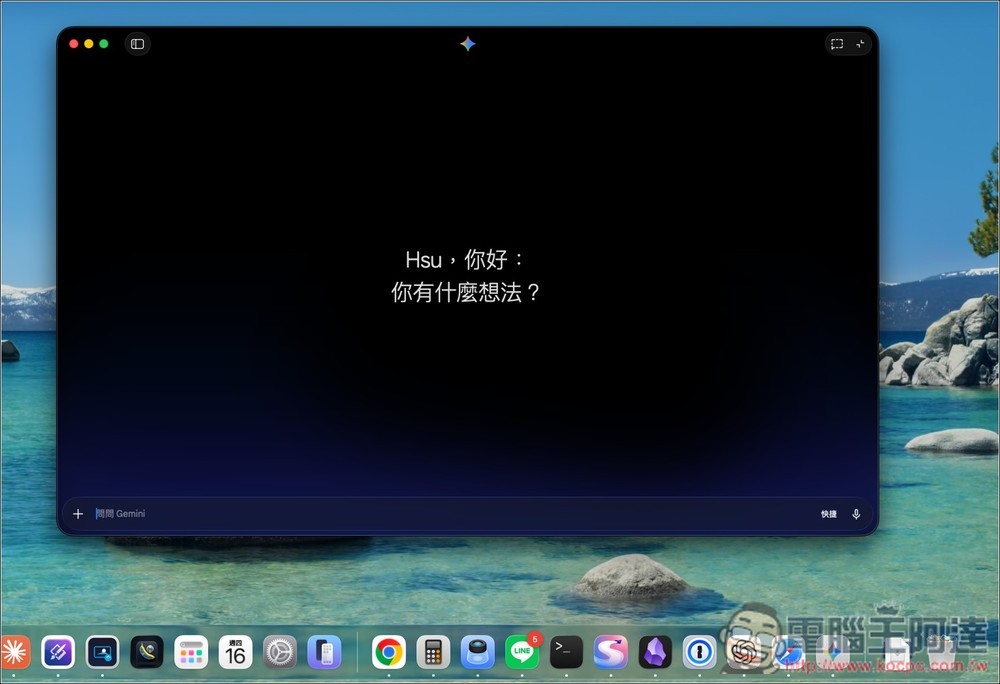
The concept of Gemini Spark was first unveiled at Google I/O 2026 in May—an AI agent that runs continuously in the cloud, connects to Workspace, and leverages the Gemini 3.5 and Antigravity frameworks. In other words, the current Gemini desktop version already has basic local file operations and Google Workspace integration capabilities, but the new features below are what will truly push Gemini toward becoming a super app.
Ask and Assign: Lessons from Codex’s Dual-Mode Design (In Closed Beta)
In the latest closed beta version, Gemini desktop has added a mode toggle switch that lets users freely switch between Ask and Assign modes. This design logic is exactly the same as OpenAI Codex’s dual-mode Chat and Work setup: Ask is the standard Gemini chat interface, while Assign is similar to Google’s previously announced Gemini Spark personal agent, but with more powerful extension capabilities.
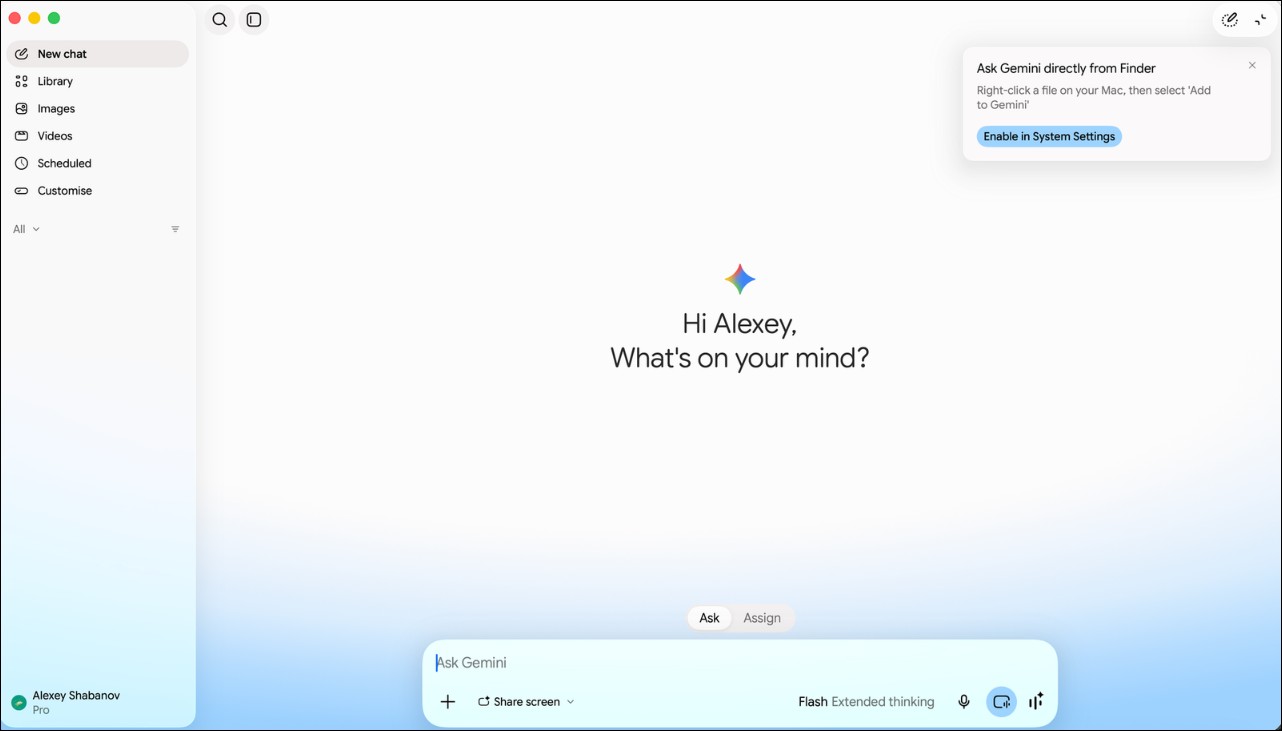
The core feature of Assign mode is folder-level control over the operation scope. Users can set a default working folder, return to the folder used last time, or select a new folder for a specific task, strictly limiting the agent’s operations to the designated scope. This design is similar to Codex’s project-scoped working mode, ensuring that the AI agent does not gain unauthorized access to files it should not touch.
Cross-Computer Connection and Computer Use (Closed Beta)
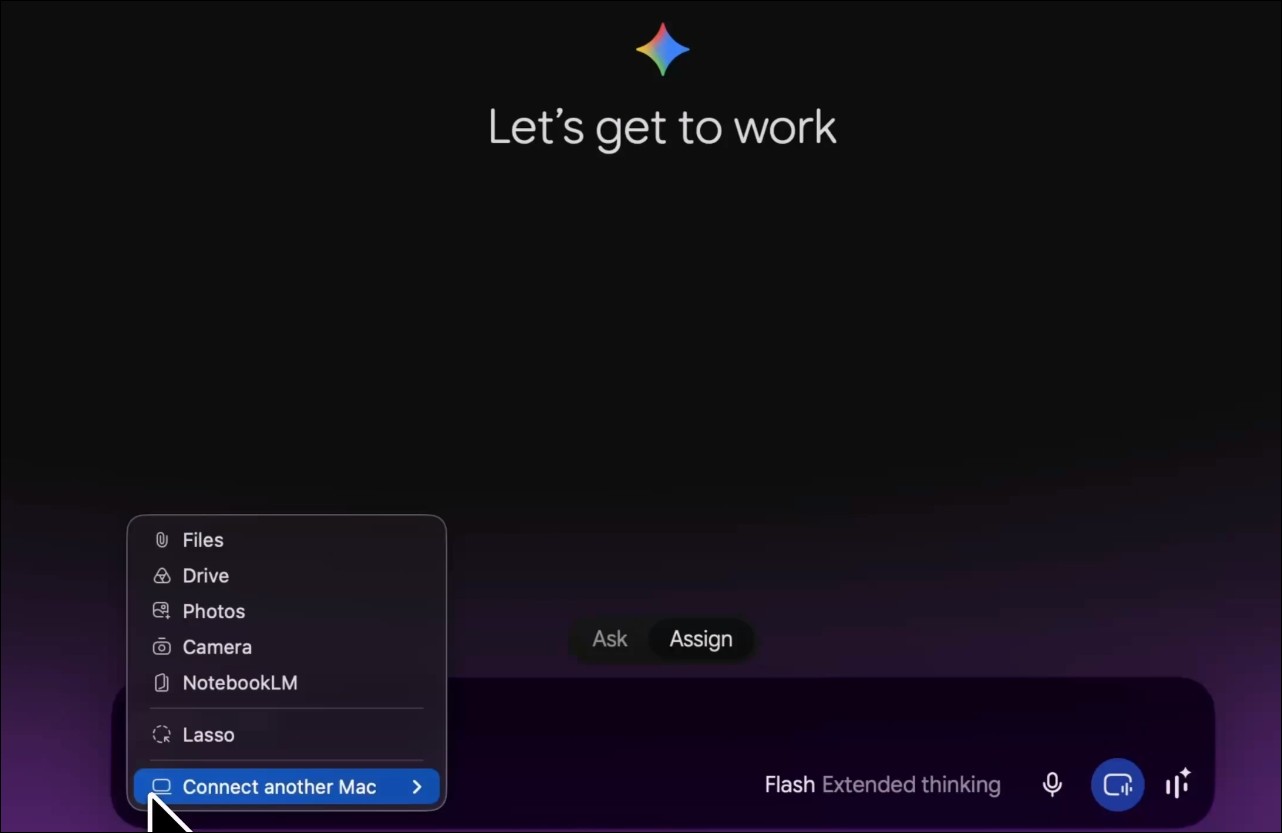
Besides folder-level controls, the test version also includes an option to connect to other Gemini desktop computers. Although the specific connection mechanism remains unclear, it is likely similar to Codex’s remote-control architecture (Remote), allowing users to use one computer to control Gemini work on another.
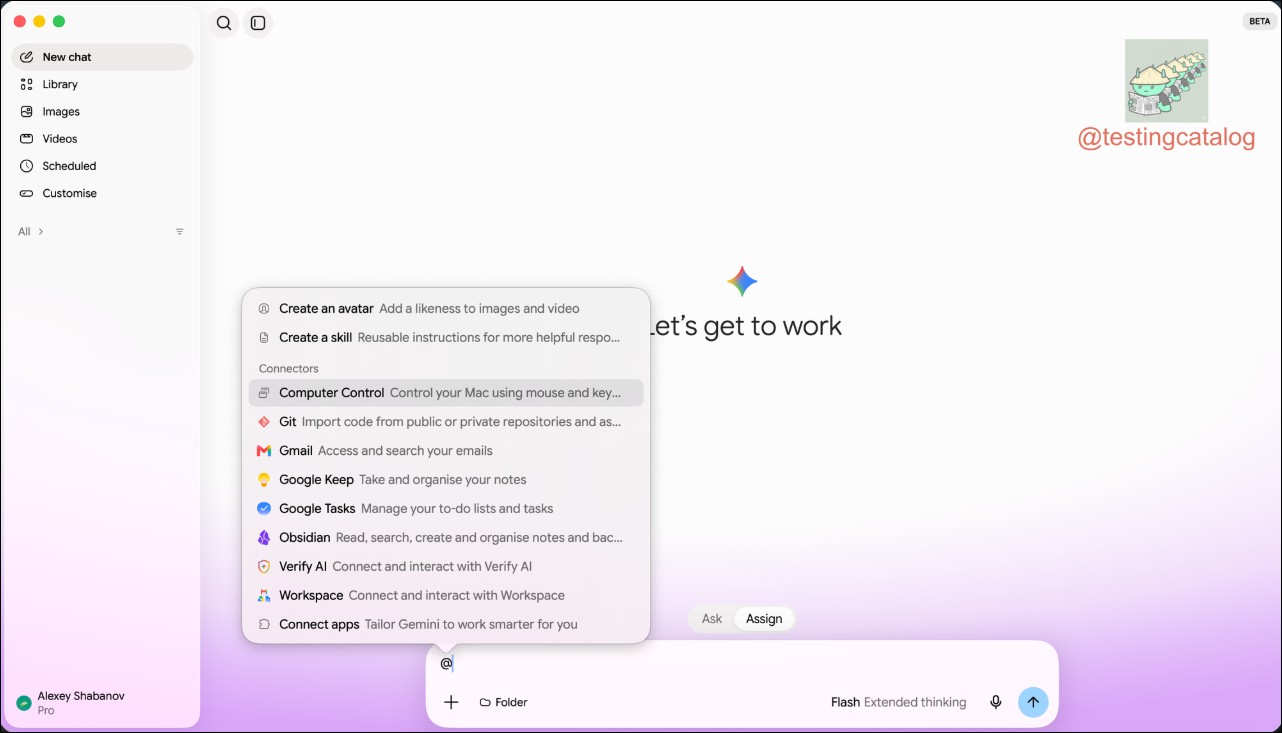
The addition of the Computer Use feature is a major highlight. Users can tag the computer use skill to trigger tasks that operate local applications directly from the Gemini desktop version. This directly competes with Anthropic Claude Desktop’s computer use capability, allowing AI agents to actually control various desktop applications rather than just typing into text boxes. For example, users can ask Gemini to automatically open a browser, interact with specific webpages, and return the results, with no manual intervention needed throughout the process.
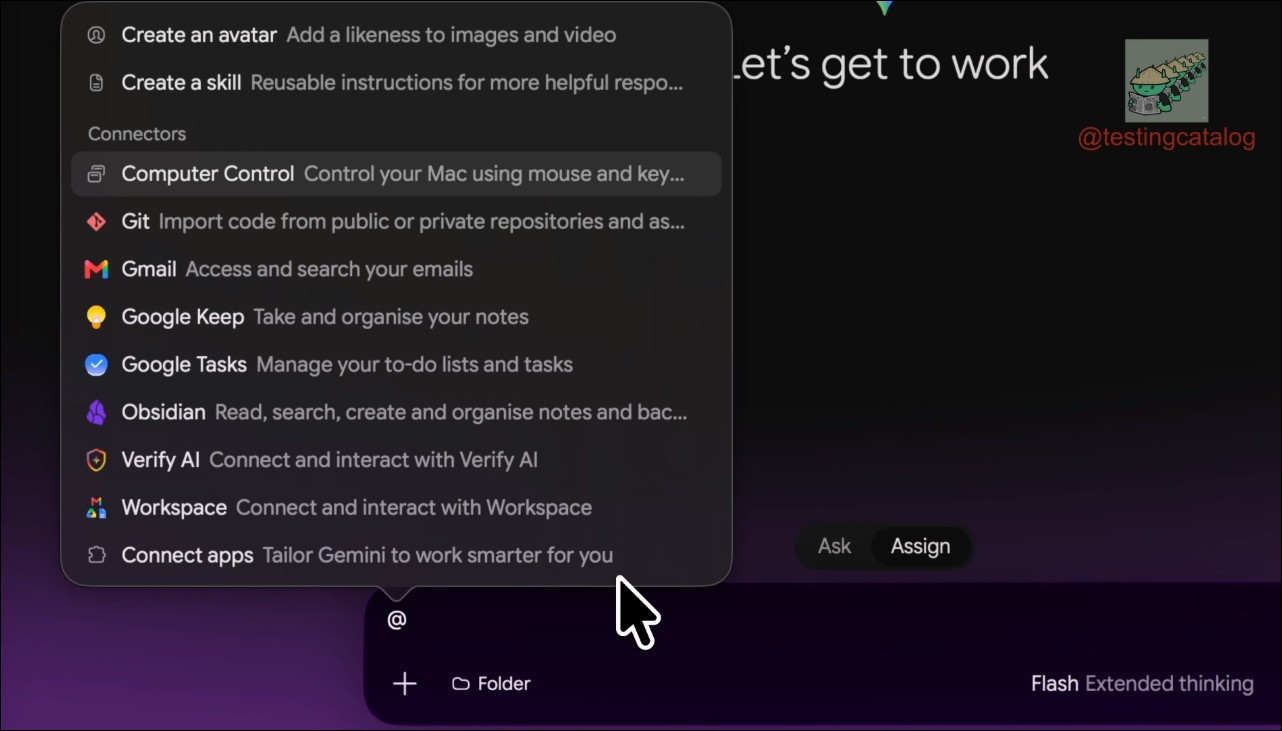
Obsidian Integration: Note-Taking Tool Becomes the Knowledge Base Gateway (In Closed Beta)
Another integration worth watching is Obsidian — Google is testing connecting Gemini with the Obsidian note-taking tool. Obsidian, as a local note-taking app based on Markdown, stores data in folders called vaults. This integration could point toward a broader knowledge base concept: enabling Gemini to directly read users’ personal note libraries to provide more precise responses.
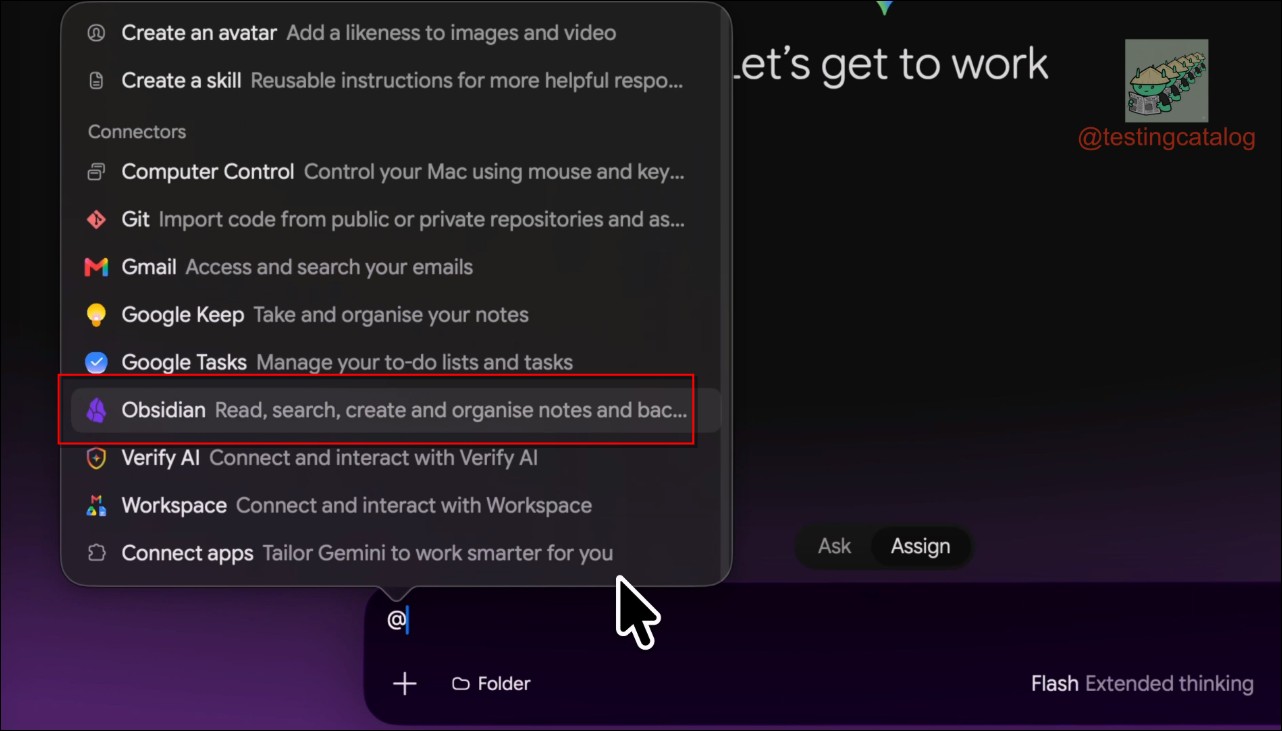
It remains unclear whether Google intends to directly support Obsidian as a long-term knowledge base integration solution, or whether it is initially using Obsidian internally for testing before replacing it once its own equivalent features are developed. However, for heavy Obsidian users, this integration means a tighter connection between personal knowledge management and AI agents, allowing them to directly query, summarize, and analyze their personal notes.
GOOGLE 🔥: Gemini desktop app keeps being transformed into a superapp with “Ask” and “Assign” modes, computer use, and more!
> Nano Banana 2.5 Flash is in the works.
> Integration with @obsdmd spotted.
> Users will also be able to “Ask Gemini” directly from Finder. https://t.co/UrtY4pk8Si pic.twitter.com/CK9N3hcR6N— 🚨 AI News | TestingCatalog (@testingcatalog) September 5, 2026
Custom tabs and Finder integration (in closed beta)
Google is also developing a Customize tab that lets users pick skills, apps, connectors, or plugins. However, this tab is still quite limited for now, mainly offering Google’s own apps or extensions already present in the existing Gemini interface. Observers expect Google to eventually follow competitors by adding full MCP (Model Context Protocol) support and a third-party plugin ecosystem.
On macOS, Finder integration will let users send any folder directly to Gemini for inspection or to run specified tasks. This feature further strengthens Gemini’s local operation capabilities on macOS, complementing the existing Gemini Spark for macOS: Spark handles ongoing agent tasks, while Finder integration provides instant file-operation shortcuts.
Code clues for Gemini 4 and Nano Banana 2.5 Flash (unreleased)
Code tracing shows that Google is preparing to bring support for its next-generation flagship model, possibly Gemini 4, to the Gemini desktop version. At the same time, signs of a Nano Banana 2.5 Flash upgrade have also appeared in the code. The Nano Banana series is Google DeepMind’s multimodal generation models, and the 2.5 Flash version is expected to deliver faster inference speeds and stronger multimodal processing capabilities, covering use cases such as image generation, video editing, and real-time media processing.
Super App Race: The Big Three’s Strategies
The Ask/Assign dual-mode currently in testing, Obsidian integration, Computer Use, and cross-computer connectivity are pushing Gemini Desktop’s positioning from a “personal agent” toward a “super app platform.” This trajectory closely aligns with OpenAI Codex expanding from a code assistant into an all-purpose agent, and Anthropic Claude Desktop evolving from a conversation interface into a desktop operations hub—the three giants are each building their own style of AI operating system.
Conclusion
In summary, the Gemini desktop app is now live and fully functional, and Gemini Spark’s local file operations and Workspace integration have also been rolled out to AI Ultra users. However, the Ask/Assign dual-mode, Obsidian integration, Computer Use, cross-computer connectivity, and Finder shortcuts revealed in this report are all currently in closed beta, with no clear timeline for public release. Based on the level of feature completeness in the code, Google’s ambitions for the Gemini desktop app are quite clear: it is no longer just an AI chatbot, but a super app platform capable of directly manipulating local files, connecting third-party tools, collaborating across devices, and soon featuring the latest models.
Source: KOCPC Chinese