


For drivers who drive for daily commuting or long holiday trips, “Aegis speed camera App” has almost become a must-have tool. This free software can instantly remind fixed and mobile while drivingSpeed testThe photo point can also display the locations of zone speed testing, inspections and illegal enforcement. Not only does the data update quickly and the functions are rich, it also supports floating windows and voice broadcasts, allowing you to drive with peace of mind without having to stare at the screen all the time. However, the most regrettable thing for users in the past was thatAegisAlthough powerful, it can never compete with CarPlay A reminder is displayed simultaneously. If you want to confirm the speed measurement location while driving, you can only place your iPhone in the car and glance down from time to time.
These days are finally over. With the launch of the 2.0.4 version update of the Aegis App, a long-awaited major new feature is officially launched – support for CarPlay display! As long as your iPhone After updating to iOS 26, the speed test prompt screen can be directly displayed when connected to CarPlay, and it can also continue to operate in background mode. It can even receive alerts simultaneously on the Apple Watch, truly realizing “all-platform integrated reminders.” This update not only makes driving safer, but also officially upgrades Aegis from a “mobile phone auxiliary tool” to a “car-grade navigation partner.”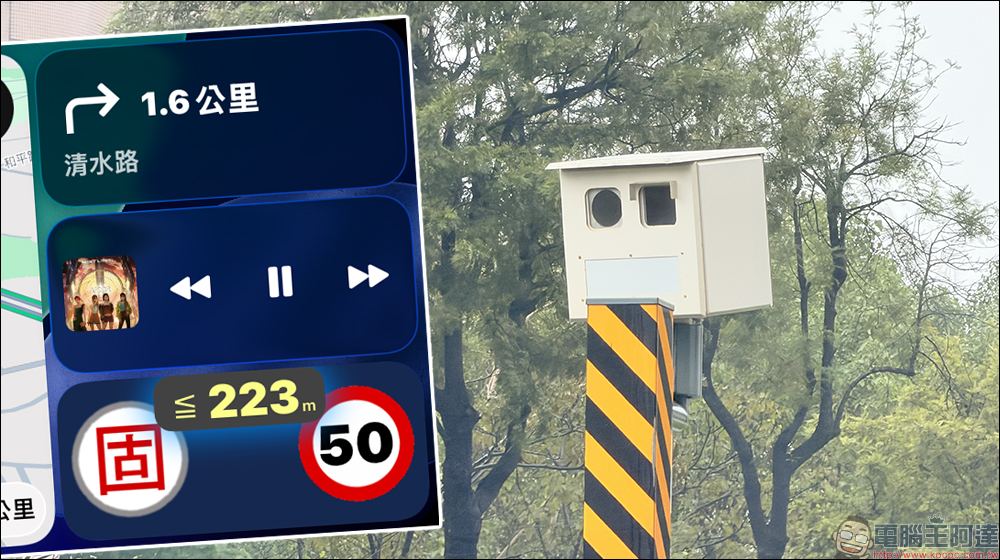
Aegis Speed Camera App supports CarPlay display! Finally, I can read the speed test reminder directly in the car without having to lower my head to swipe my phone.
In the past, many drivers reported that although Aegis’s voice prompts were very real-time, they still wished that the speed warning screen could be displayed simultaneously on the car screen so that the information could be understood at a glance. Now, as long as you update to version 2.0.4 and your iPhone system is iOS 26, you can see Aegis’s speed test reminder in CarPlay mode.
The screen design continues Aegis’ consistent simple style, reminding you of speed limit related information to avoid distracted driving. What’s even better is that the app can still run in the background, and the reminder can continue without switching screens. If you enable Apple Maps or Google Maps navigation at the same time, Aegis’ prompts will be displayed as a floating layer without interfering with each other.
This integration is the greatest blessing for many drivers, especially freight drivers who drive for long periods of time, highway drivers, or road users who often travel to other counties and cities. They no longer have to worry about forgetting speed check points or looking down to check their mobile phones. Safety has been fully upgraded.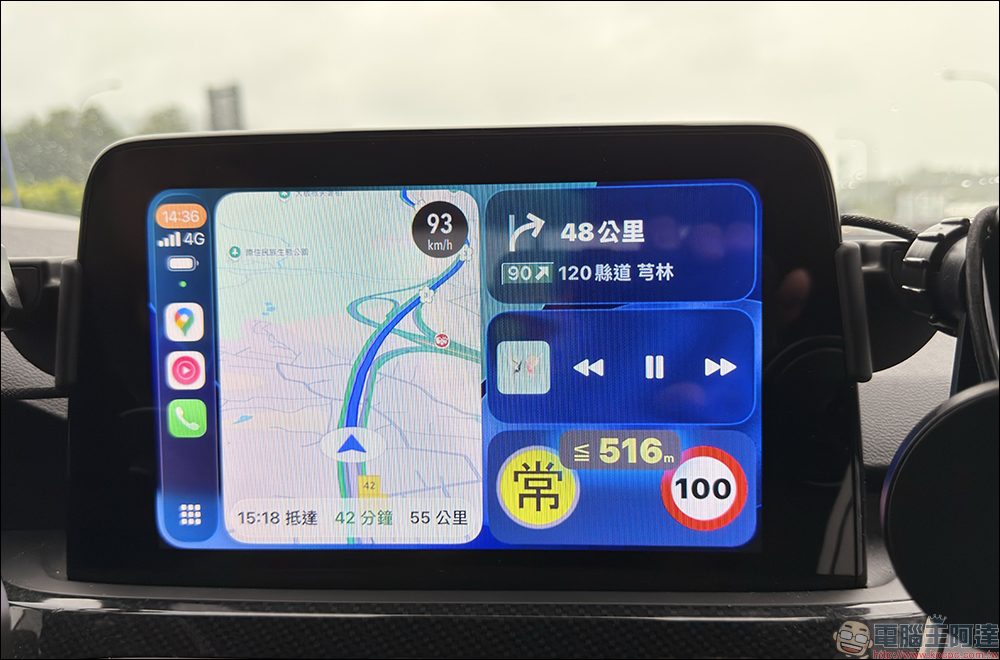
To use CarPlay to display the speed limit reminder function of the Aegis Speed Camera App, you must update your iPhone to iOS 26 and update the Aegis Speed Camera App to version 2.0.4 or above.
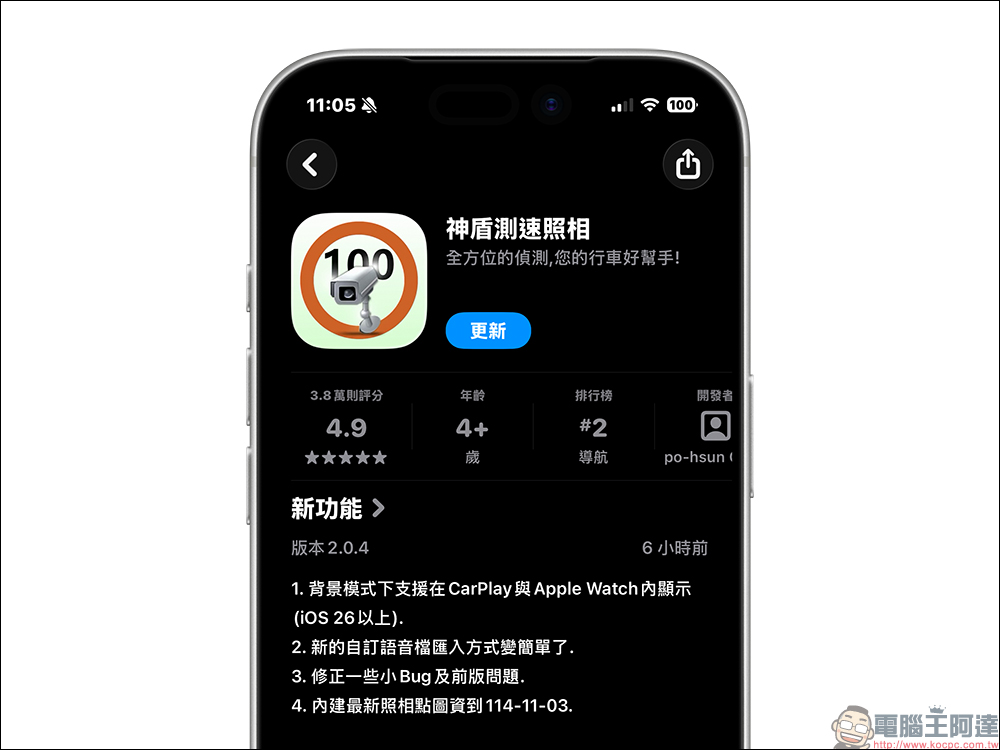
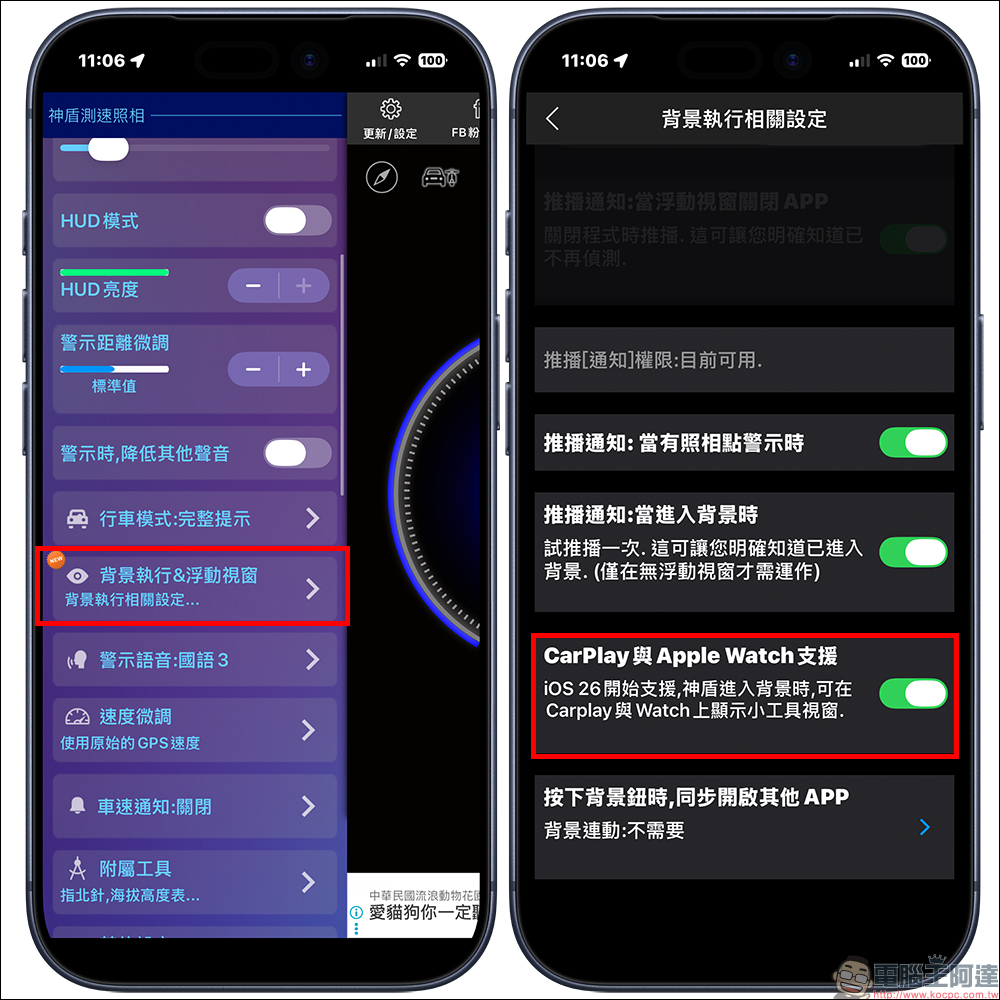
After updating, first find “Background Execution & Floating Window” in the “Update/Settings” menu, execute relevant settings in the background and turn on the “CarPlay and Apple Watch Support” function.
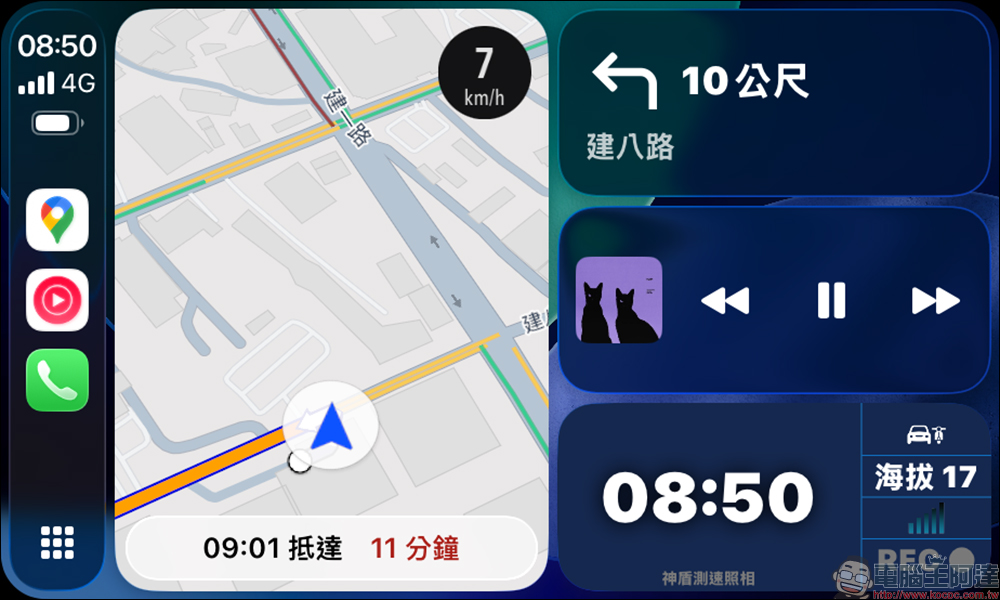
If you find that the CarPlay main screen does not have a speed limit reminder and only displays time and altitude information, this is normal. Because the current CarPlay display function of the SHIELD Speed Camera App will only be displayed when there is a speed camera reminder. At other times, it will only display the current time information.
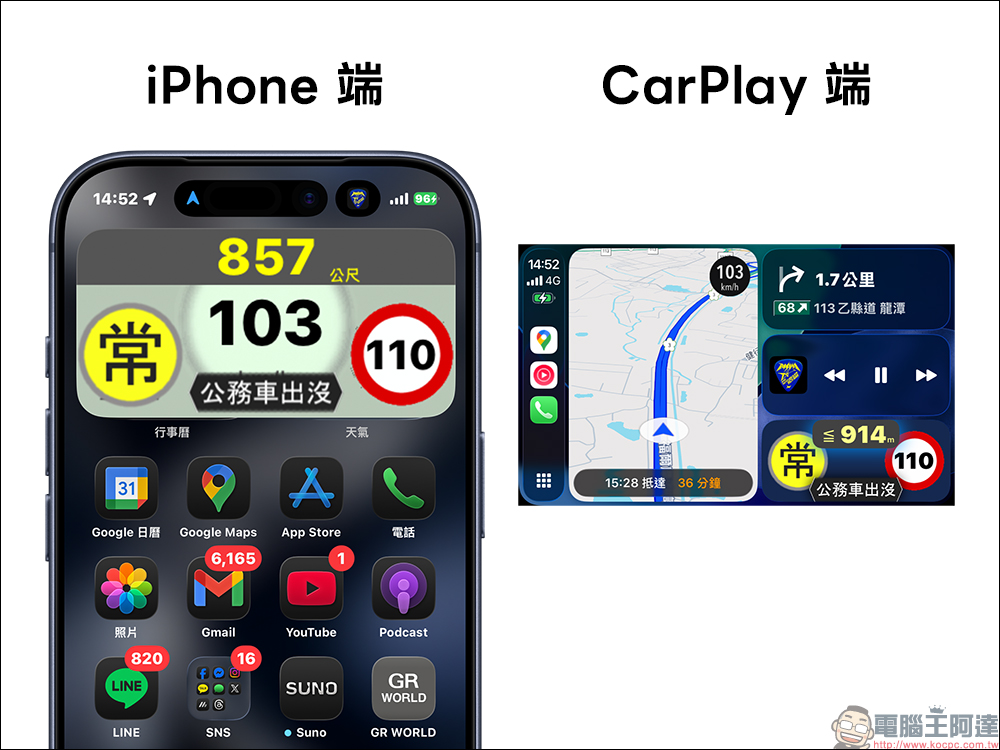
If there is a speed camera in front of you while driving, in addition to the vehicle speed, speed limit, speed camera distance and other information being displayed in the iPhone background mode, the speed limit information will be displayed on the CarPlay screen, but the vehicle speed will not be displayed. Although the lack of speed limit display is a pity, fortunately, Google Maps and Apple Maps also have speed limit display functions. If you are still worried about accidentally speeding, it is recommended that the vehicle activate the cruise control function to avoid speeding.
SHIELD’s database is quite large, covering almost all types of speed testing and suppression projects. In addition to the common “fixed cameras” and “interval speed measurement”, it also supports mobile police cars, inspection stations, noise detection vehicles, tripod handheld radars, flashing red light photography, illegal left turns, illegal stops, vehicle distance detection, technological law enforcement, etc.
This data will continue to be updated through the cloud, and the App team also emphasized that they will process the latest speed test point changes every day. However, since the official set points will change from time to time, there may still be a few errors or delays, but the overall update speed is still among the best among similar apps.
In addition, the App will also automatically determine the road type, from highways, expressways to urban roads, and provide corresponding prompts for different environments. For example, in urban areas, the warning distance will be reduced, and on highways, early warning will be given to avoid temporary delays.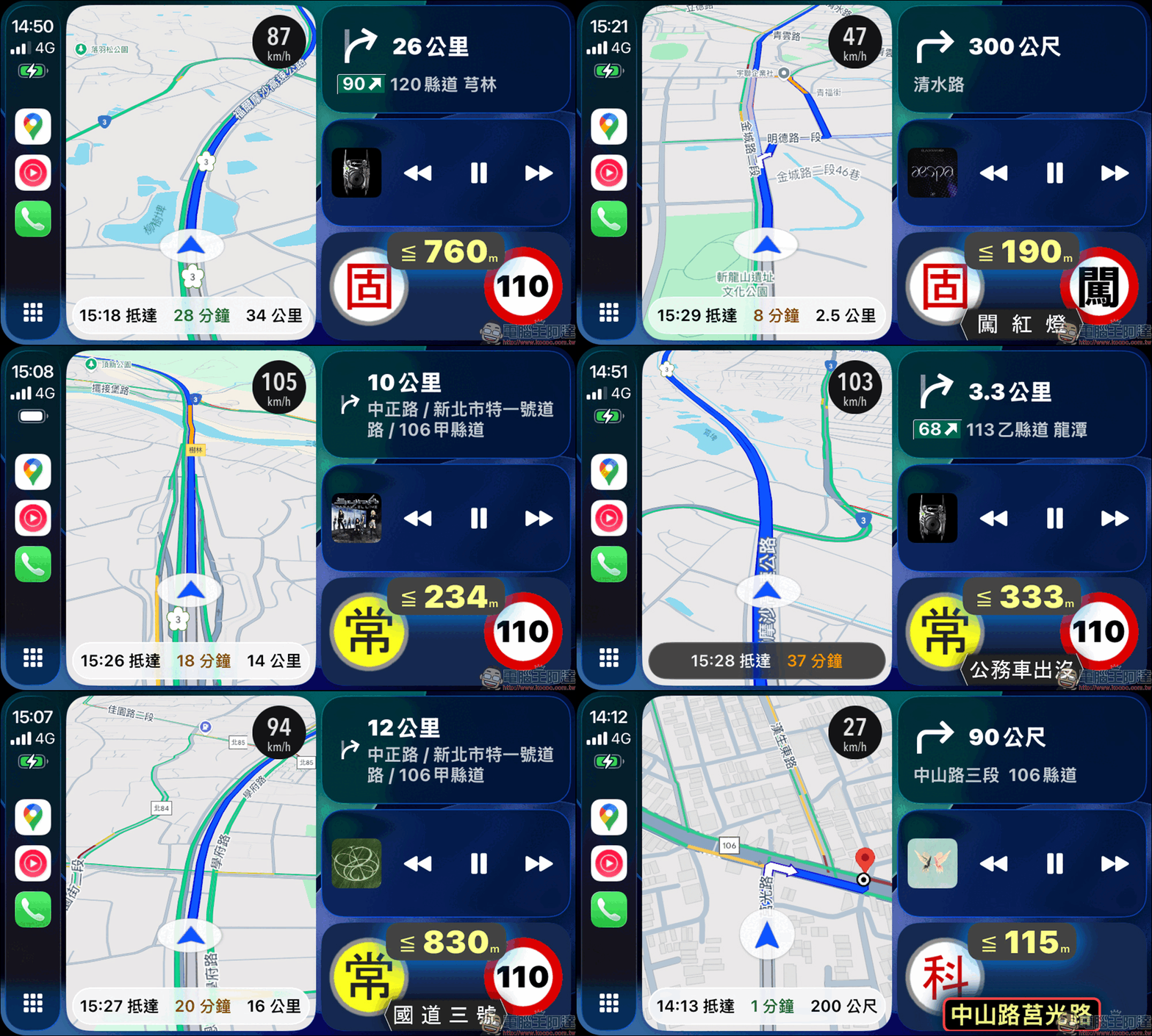
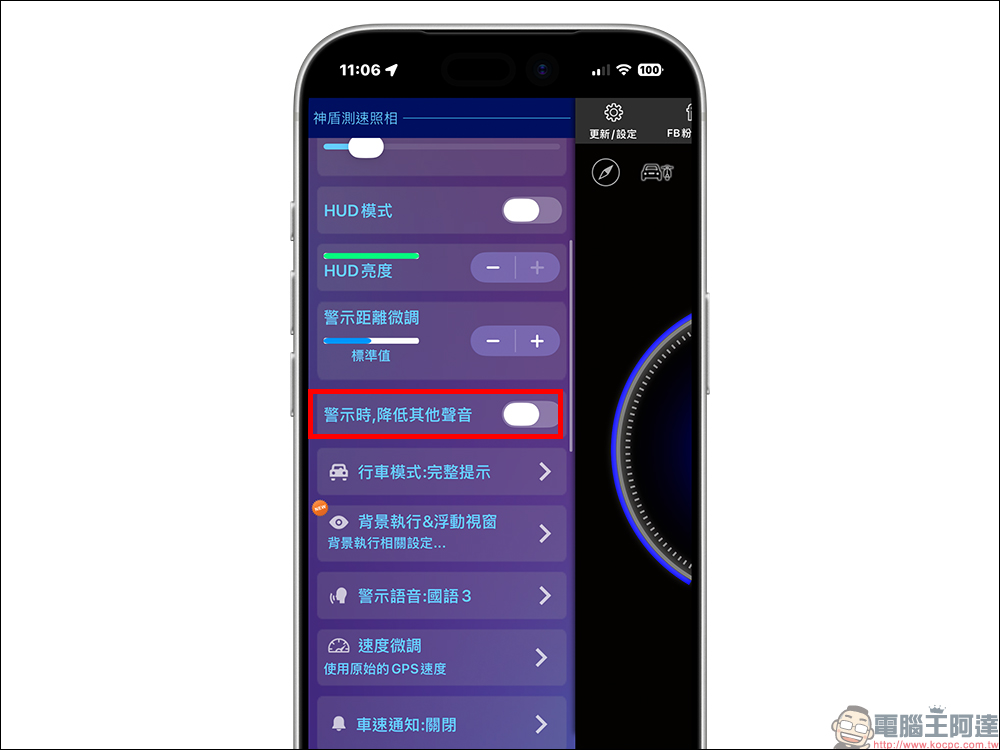
If you are worried that the Aegis Speed Test Camera App will interrupt the music currently playing in CarPlay when there is a speed test reminder, you can turn off the “Reduce the sound when warning” function in the settings.
Conclusion
From the simple speed test reminder in the early days to now supporting CarPlay, Apple Watch, HUD head-up display and offline operation, the Aegis Speed Test Camera App covers almost all the safety assistance functions required for driving. This update makes it closer to the automotive ecology and more in line with the needs of modern driving for “focus, safety, and non-distraction.”
Although the official also reminds that since the speed measuring equipment may change from time to time, there will inevitably be some gaps in data updates. However, from the overall user experience, Aegis is still one of the most practical, fastest updated, and most stable speed measuring apps in Taiwan.
If you are a CarPlay user, this version update is definitely worth upgrading immediately, so that Aegis can truly become your “safety shield” when driving.
Further reading:
Source: KOCPC Chinese