


In recent years, more and more people are paying attention to their health. When buying various foods, ingredients, snacks, or even drinks, they make a point to check whether the ingredient list contains anything harmful to the body. However, not everyone knows how to identify or understand the health effects of each ingredient. This article recommends a super useful web tool called YumCheck. You can use it right in your browser—just snap a photo of the ingredient list or upload one manually, and it uses AI to analyze how these items affect your health, helping you quickly understand. And it’s completely free to use.
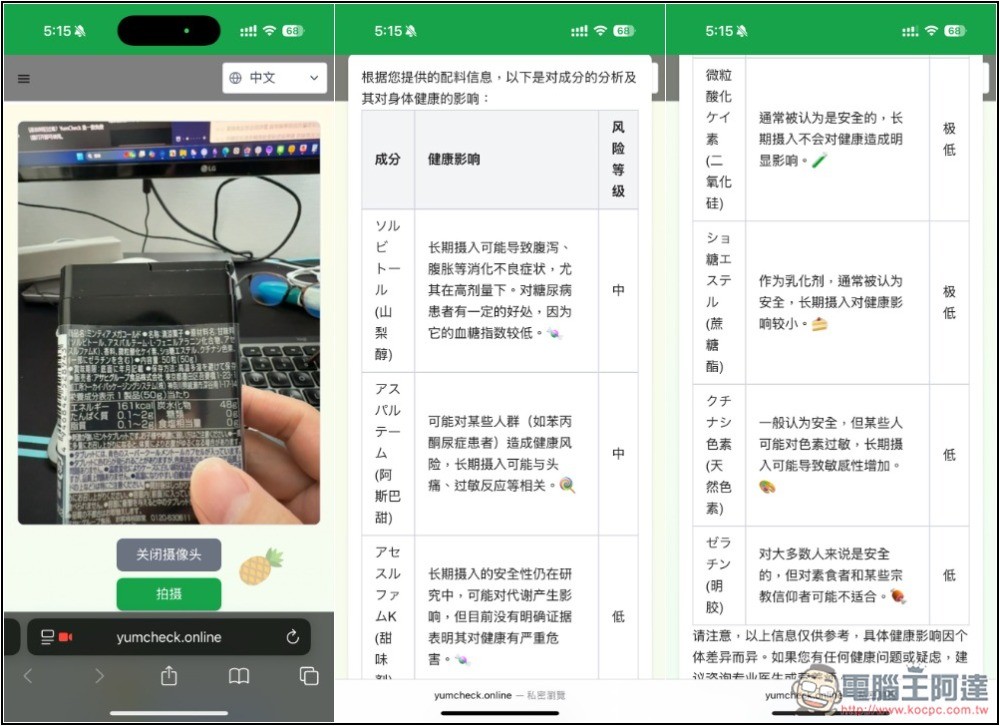
YumCheck uses AI to analyze the health impact of food ingredients.
YumCheck is an AI-powered service that lets users quickly see whether food ingredients contain anything that isn’t great for health. However, the website doesn’t clearly explain the technology behind it, or how uploaded images are handled. If you’re very privacy-conscious, or don’t want your images used for other purposes, it’s best not to use it.
It offers two modes: taking a photo with the camera or uploading one, so even if you’re a desktop user, you can just screenshot and send it for analysis. (This method also works with other AI chatbots, like ChatGPT, but you’ll need to write your own prompt.)
Supporting multiple languages means it’s not just Chinese — you can also photograph food bought abroad. For example, I tested Japanese and English with no problems, and other major languages should work as well.
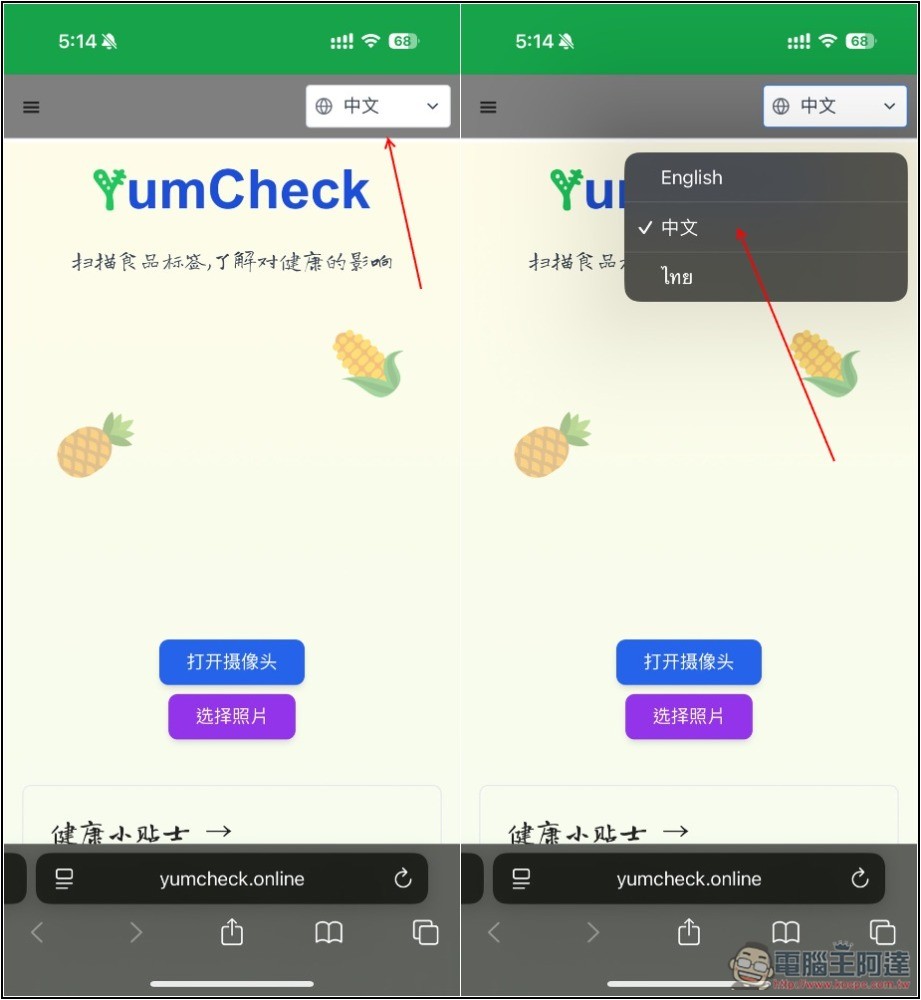
After clicking the link above to enter the YumCheck website, it should default to Chinese. If not, open the menu in the top right corner to switch; English and Thai are also provided:
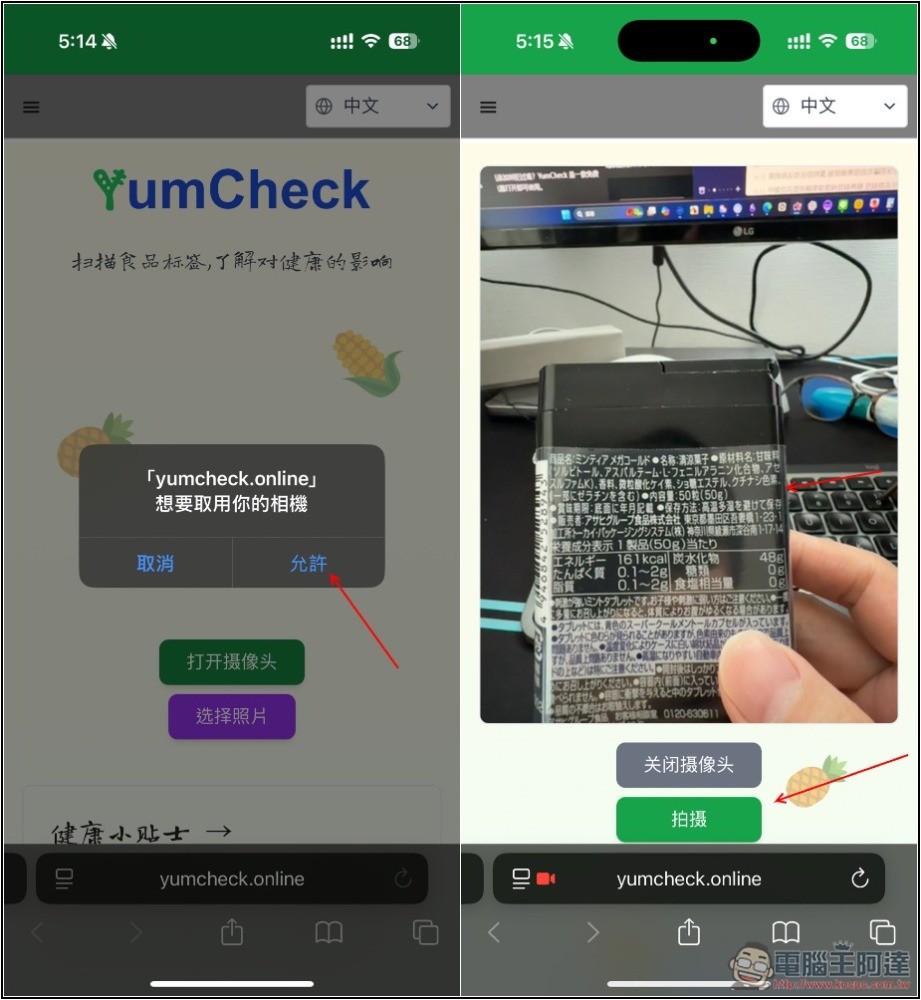
Tap the on-screen option to open the camera or select a photo. If you choose the former, remember to allow camera access so you can take a picture, then point the camera at the ingredient list on the food package and shoot.
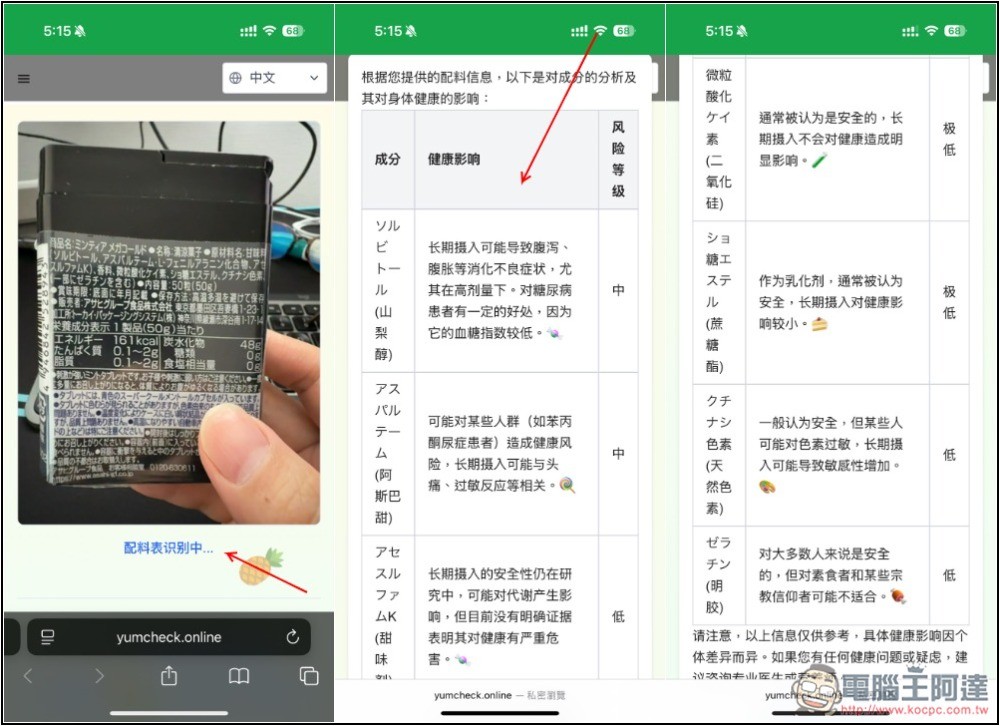
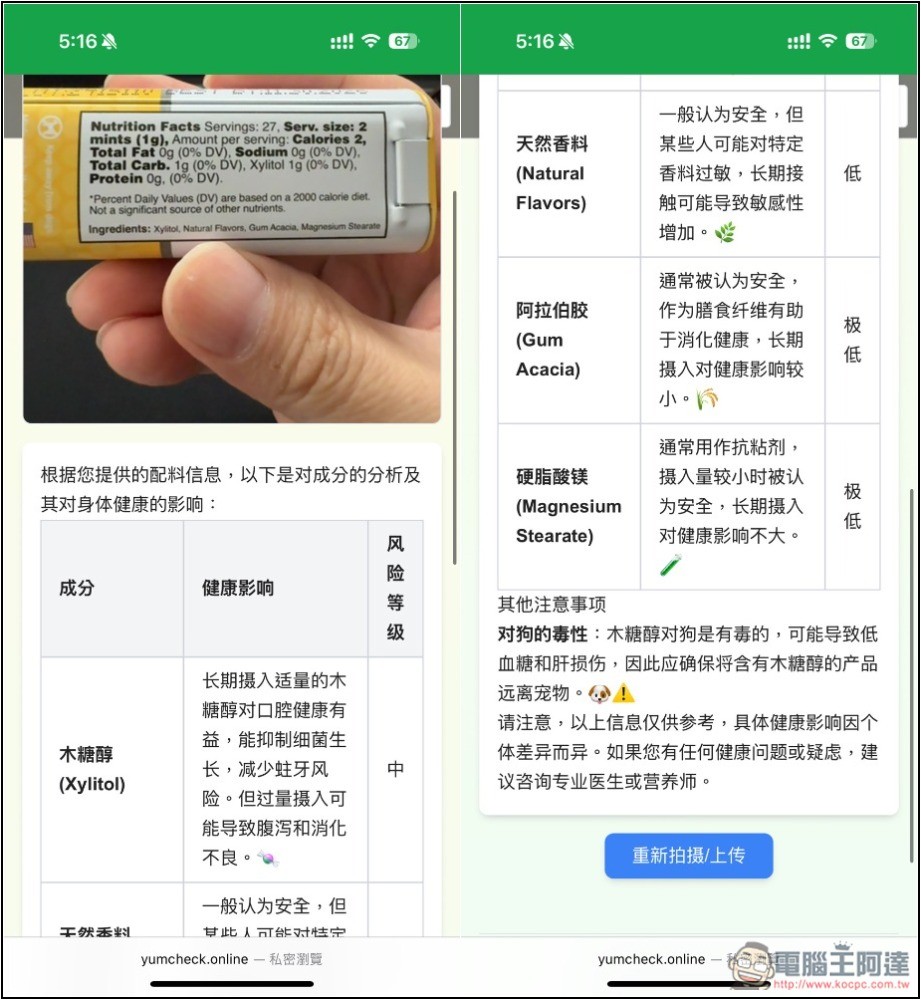
After waiting a few seconds for recognition and analysis, a table will be displayed, listing the ingredients, health effects, and risk levels. Through the risk levels, you can quickly understand whether something is good or bad for your health. What I photographed was mint tablets bought in Japan, so the ingredients are in Japanese, and it also helps translate them into Chinese. This product doesn’t have too many ingredients, so every AI caught them all, and the names are correct too.
If you’re worried that this AI might be wrong, you can also paste the content into the AI tool you usually use and ask whether it gives the same answer.
Then I also tested English successfully. Some special raw material ingredients will also explain what they are used for, such as magnesium stearate, which in health effects is written to be commonly used as an anti-adherent. Also, at the bottom there are other precautions; it is recommended to read them as well, as sometimes they provide important information:
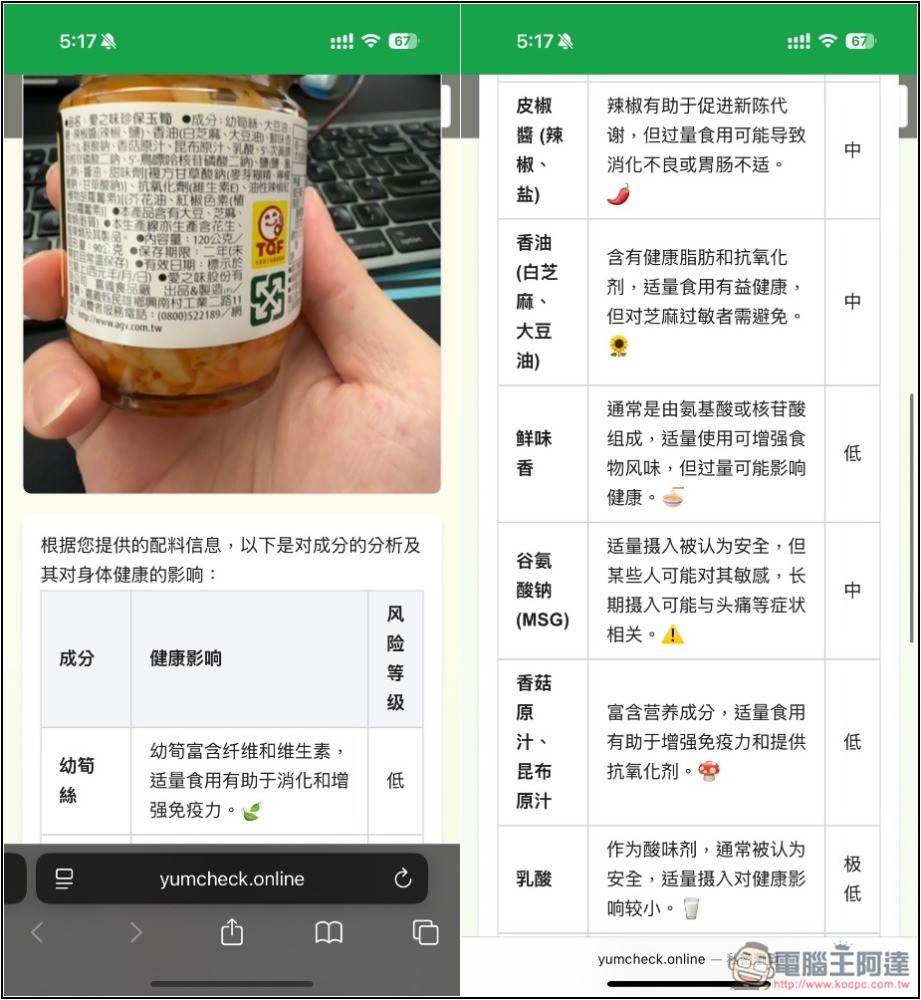
The Chinese part is no problem, of course, but I photographed a round can, so I couldn’t get all the ingredients in the frame, and some of the text wasn’t captured:
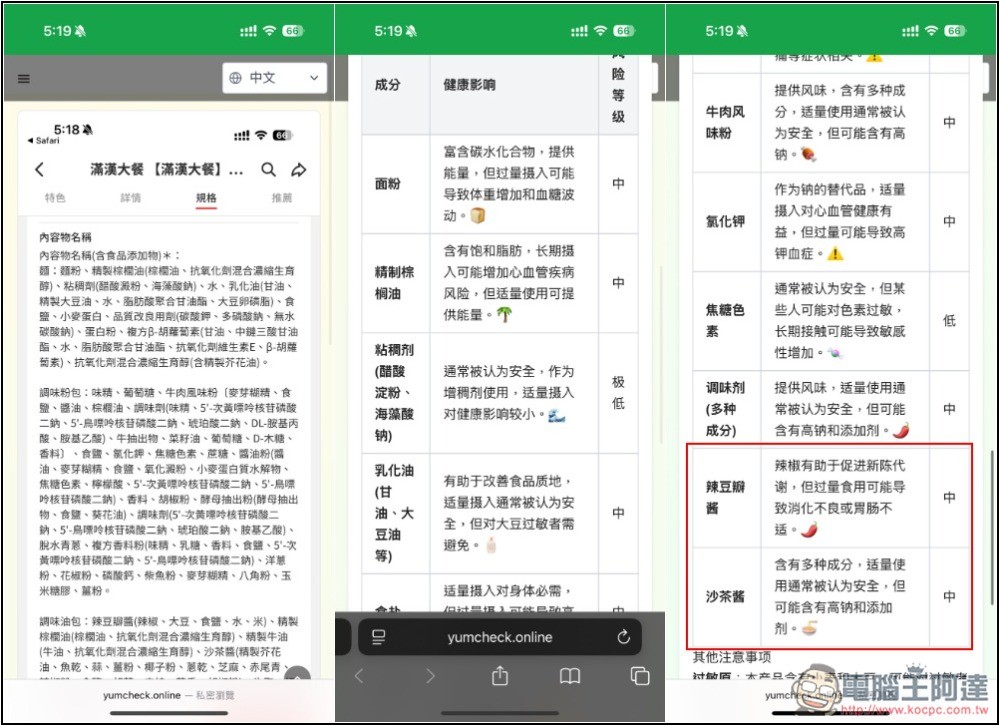
Partial testing with screenshots is also fine, but note that AI’s output capability is limited; if there are too many ingredients, it may not be able to recognize all of them. Below I tested the ingredients of Man Han Da Can instant noodles. Each seasoning packet is listed, but the quantity is too large, so YumCheck did not recognize all of them. At the very bottom, the chili bean sauce and satay sauce are the last seasoning oil packets, and above them there is a large section of ingredients that did not appear:
Source: KOCPC Chinese