


Nowadays, many people make short videos, whether they are collecting memories or running a community. If you don’t have a useful short video production app on your iPhone, or you have considered making but don’t know where to start, this article recommends VILO: Video Editor, which is quite good. It has many built-in short videos and Reels templates, allowing you to import your own materials and quickly produce high-quality short videos.More importantly, we are currently launching a limited-time free lifetime version, which allows you to use all functions permanently without paying any fees. Those who need it can quickly get it.The exemption has ended
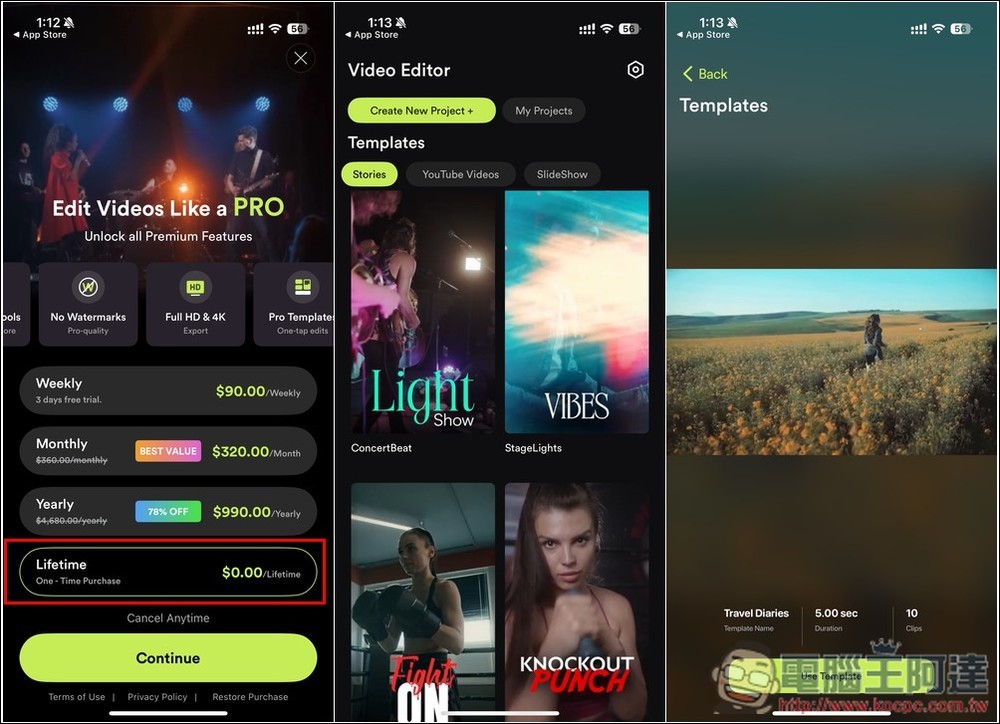
VILO: Video Editor is a short video and Reels production tool with a large number of built-in templates.
VILO: Video Editor is an app that claims to make professional video editing easier and simpler. It mainly has the following features:
- Easily merge multiple clips into one smooth movie
- Rich built-in music and sound effects library
- Easily change the orientation of your videos to work on Instagram Stories, YouTube, or other social platforms with just a few taps
- Offers custom text overlays, stylish stickers and other media
- Equipped with color correction tools that allow you to adjust brightness, contrast, saturation and other parameters to achieve cinematic visual effects
- Green screen function to transform videos into any scene you imagine
- Precisely trim and split video clips
- Create slow-motion or fast-paced sequences
- Instagram Reels and YouTube Templates
Before I start the introduction, I would like to remind you that the developer did not say how long the VILO: Video Editor limited-free event will last, and it may end at any time. Therefore, when making any payment action, remember to check whether there is an amount, and do not confirm if there is an amount.
The Chinese name of VILO: Video Editor is “Video Editing-Vlog Video Production & Video Editing….” Go to the App Store store page and scroll down. If you see a price of 0 yuan in the in-app purchase, it means that it is still free. There will be an introduction when you open it for the first time. Those who don’t want to see it can click Skip in the upper right corner:
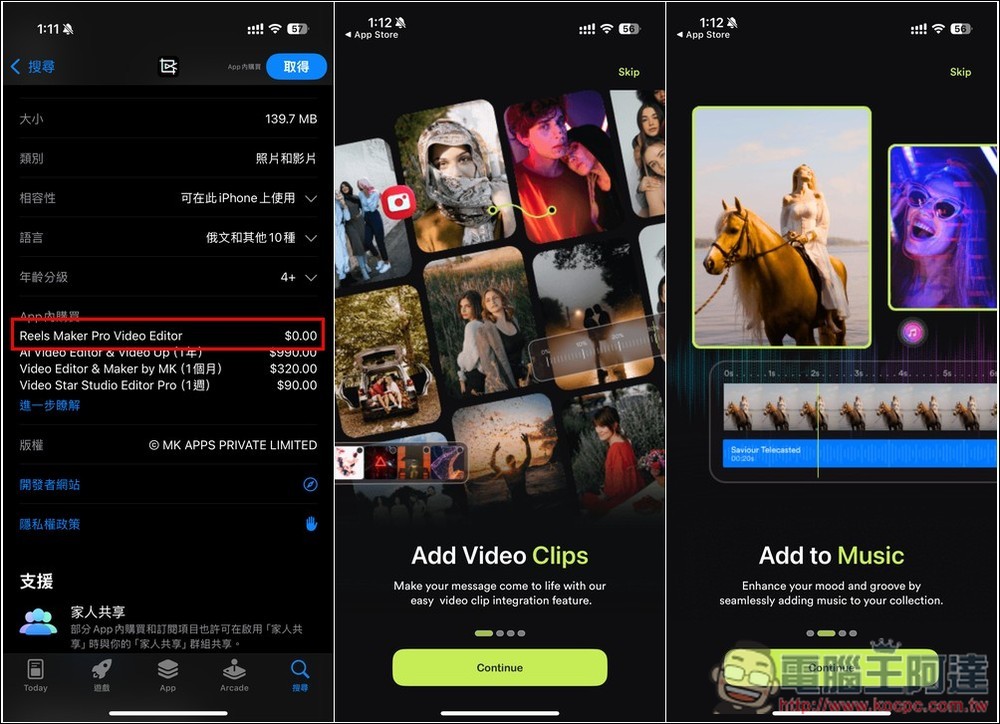
Then enter the main screen, press the crown icon in the upper right corner, and then you will see the Lifetime Lifetime Plan 0 yuan option at the bottom. After selecting, press Continue, and then confirm whether there is really no amount. If you don’t have the amount, you can press twice to get it. If there is an amount, don’t press:
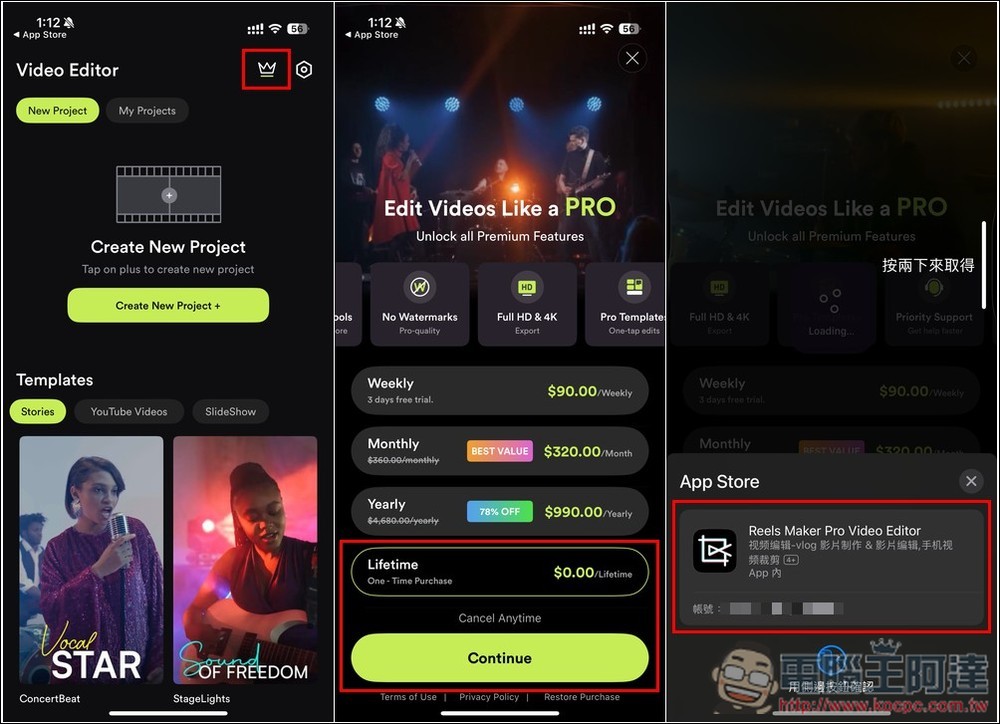
“Your purchase has been successful” is displayed to indicate completion. When you return to the main screen, you will see that the original crown icon disappears and all functions can be used:
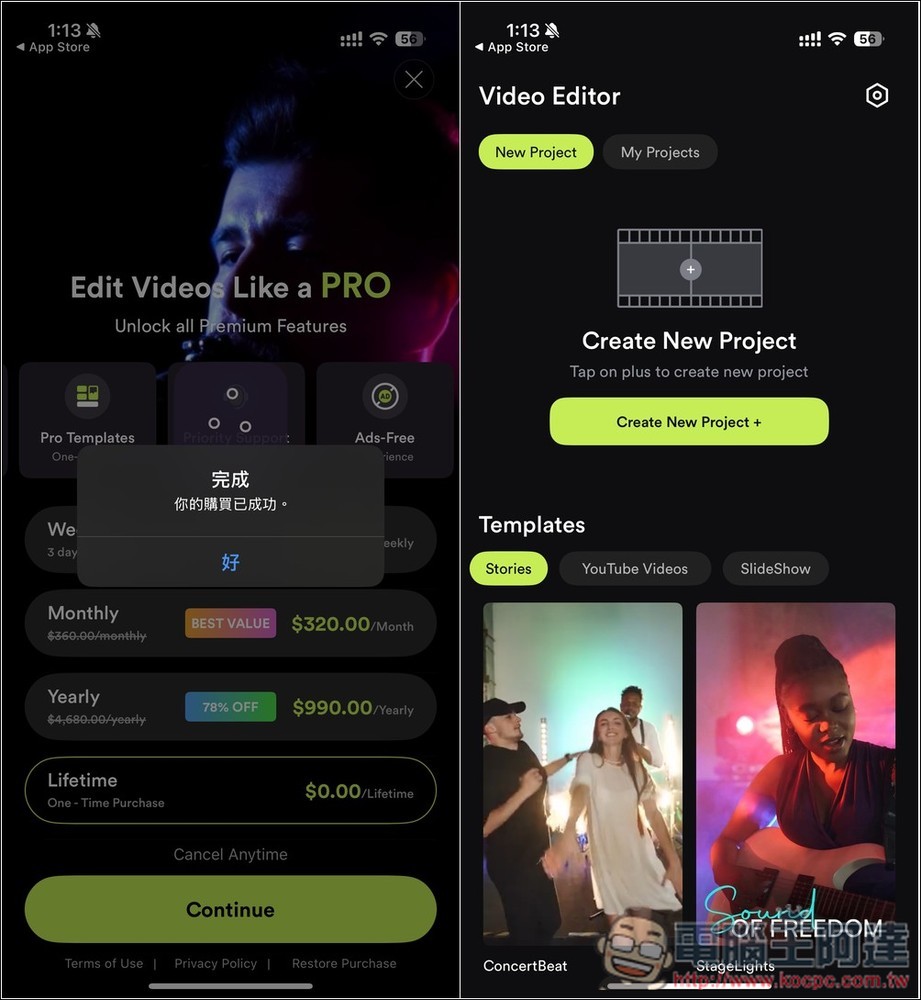
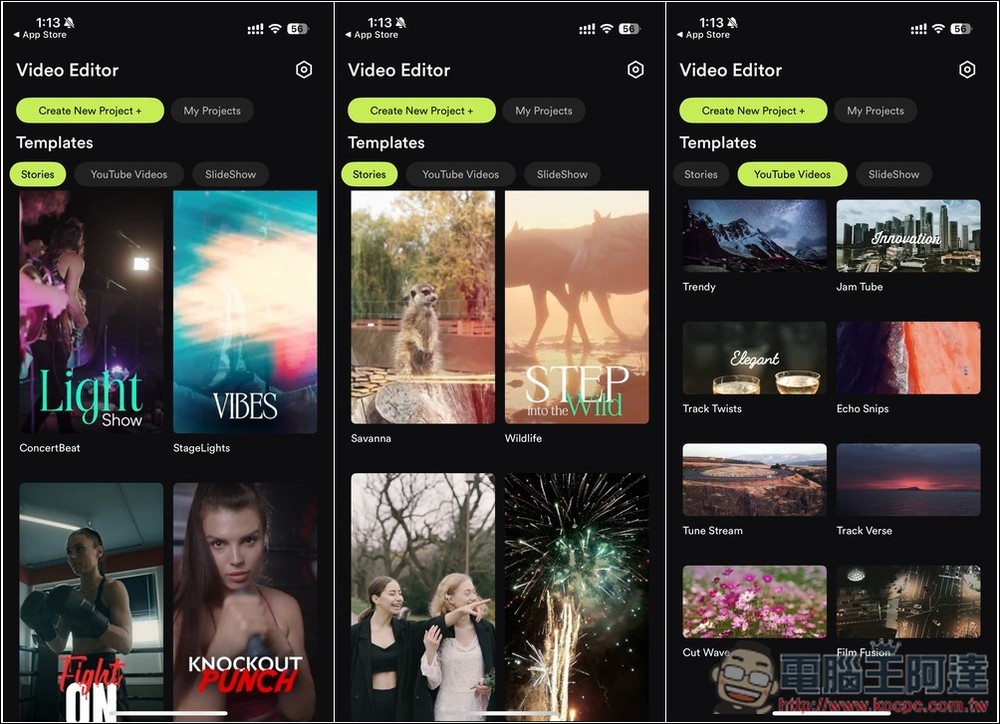
Scroll down to browse all built-in templates, divided into Stories, YouTube Videos and SlideShow:
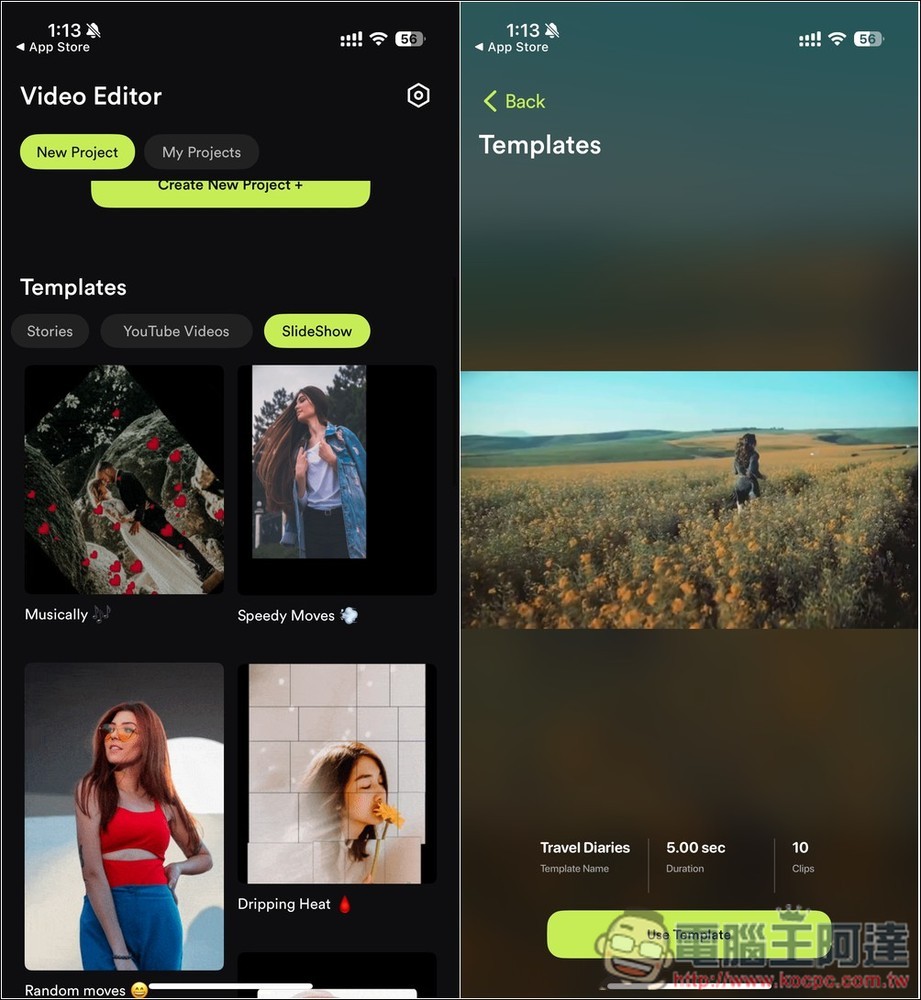
If you find something you like, you can open it to preview the effect. The bottom will also indicate how long the short video is and how many video clips it has. If it just meets your needs, press Use Template to start editing:
Finally, I would like to remind you again that the lifetime free version of VILO: Video Editor will end at any time. If you are interested, get it as soon as possible.
Source: KOCPC Chinese