


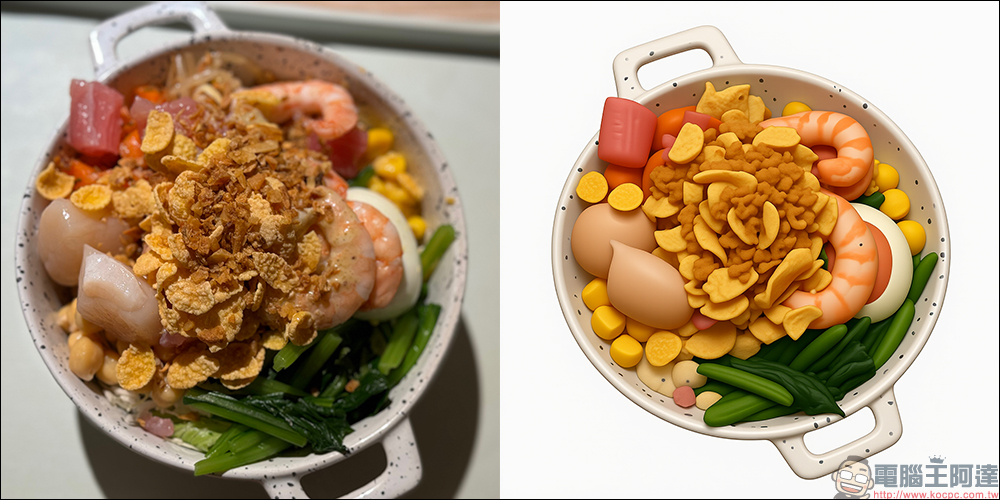
current AI The tools are becoming more and more powerful. In addition to helping to generate avatars and convert painting styles, even food photos taken in daily life can be turned into super-realistic iOS-style photos.stickers! Recently, many netizens have shared that through a free App“RoboNeo”, with just a photo and a simple command, can turn all kinds of food eaten during travel into 3D textures that look very much like Apple emojis, with white backgrounds, three-dimensional lights and shadows, and ultra-realistic textures. It looks like they can be directly pasted into iMessage for use.
Whether it’s sushi, desserts, bento boxes, ramen, milk, or takoyaki, everything can be “emoji-ified”. The finished product looks cute and healing. It not only makes people want to save the picture as a tablecloth, but it is also the best way to record the life of a foodie!
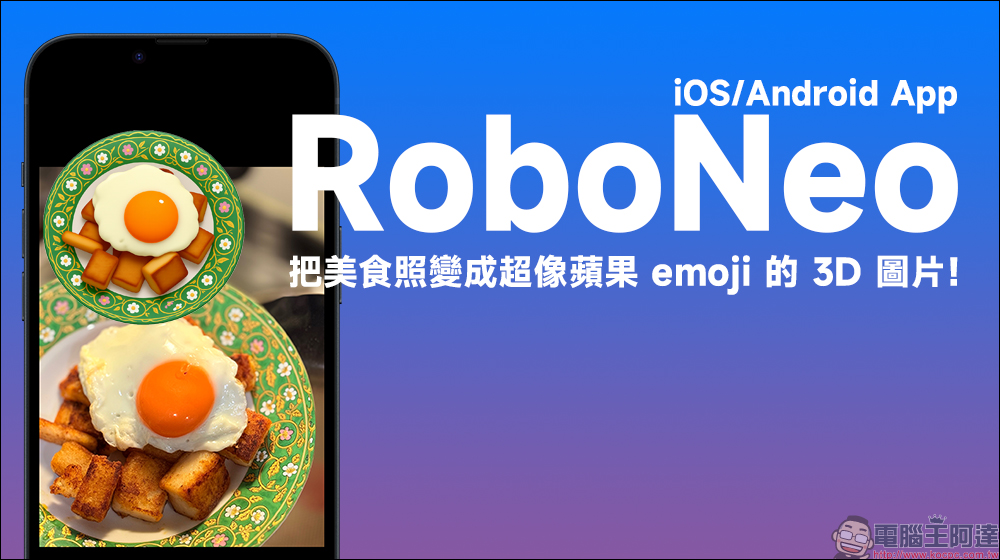
Use RoboNeo’s free AI app to turn your food photos into 3D images that look like Apple emojis!
RoboNeo, which I will introduce today, is an AI creative imaging app developed by Meitu that supports iOS and Android systems. Compared with past image retouching tools, its core feature is that it supports “text prompts to generate pictures”, which means that as long as you enter a prompt word, you can generate pictures of a specific style according to your needs. Whether it’s characters, objects, illustrations, 3D stickers or pictures like iOS emojis, it can be done easily.
The most attractive thing about this tool is that it combines high-level aesthetic imitation with semantic recognition capabilities. Especially for the style of Apple system stickers, RoboNeo can almost 1:1 reproduce the emoji visual language with detailed light and shadow, strong three-dimensional texture and clean background, making food or items look as natural as “growing” directly from iMessage.
Instructions for use: three simple steps to instantly generate apple-style textures
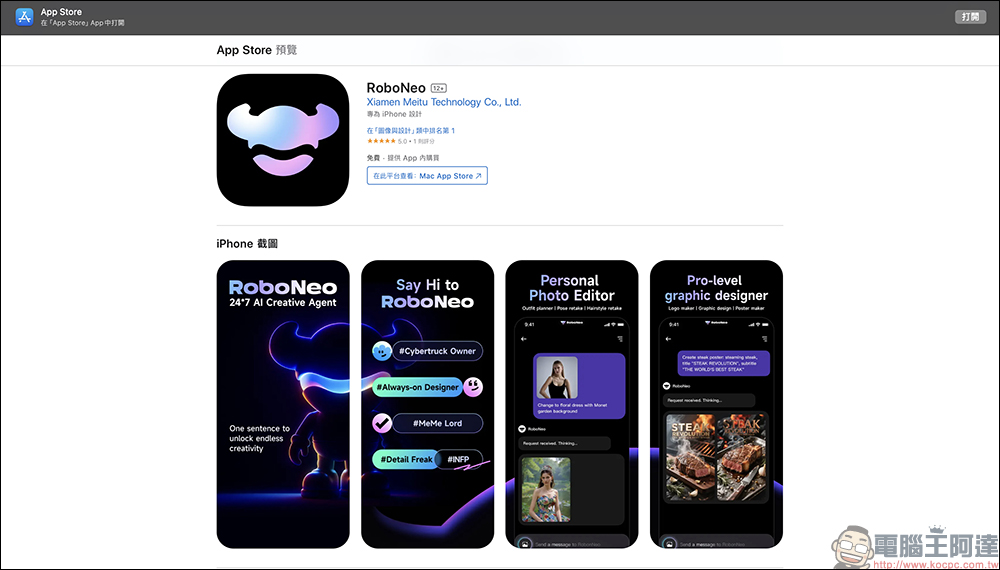
Step 1: Download RoboNeo App
Currently RoboNeo supports both iOS and Android platforms. App Store(iOS)or Google Play Store (Android)Search for “RoboNeo” to find and install it.
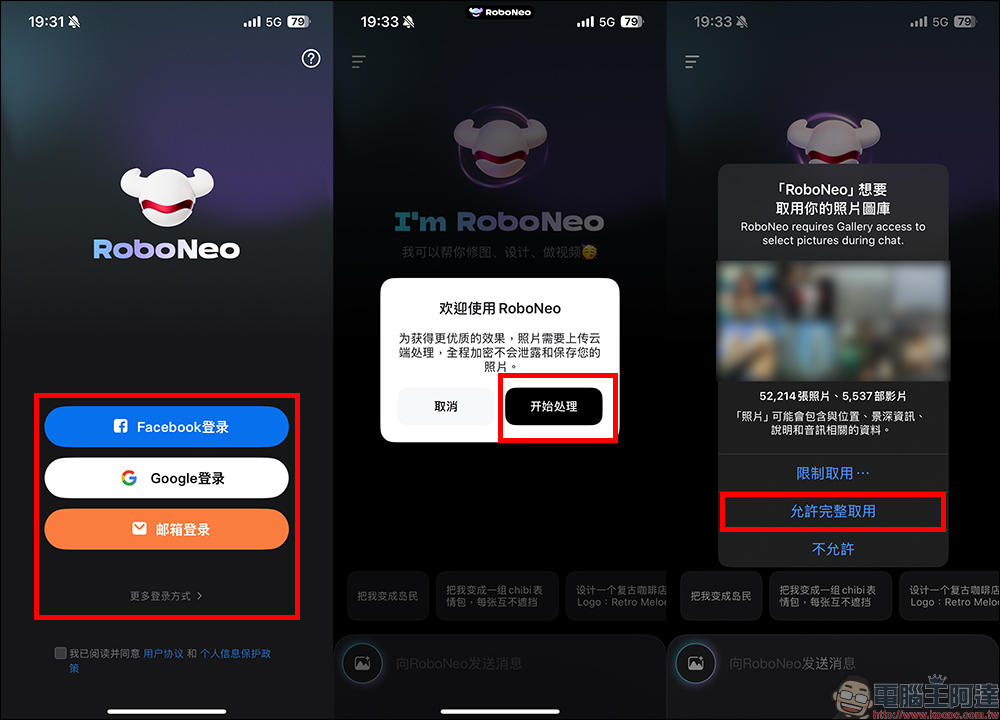
Step 2: Enter the following AI commands
You must log in to your account when opening the RoboNeo App for the first time. You can use Google, Facebook or email to log in. Before you start using it, you need to allow permission for the app so that you can read the pictures in your phone’s photo album.
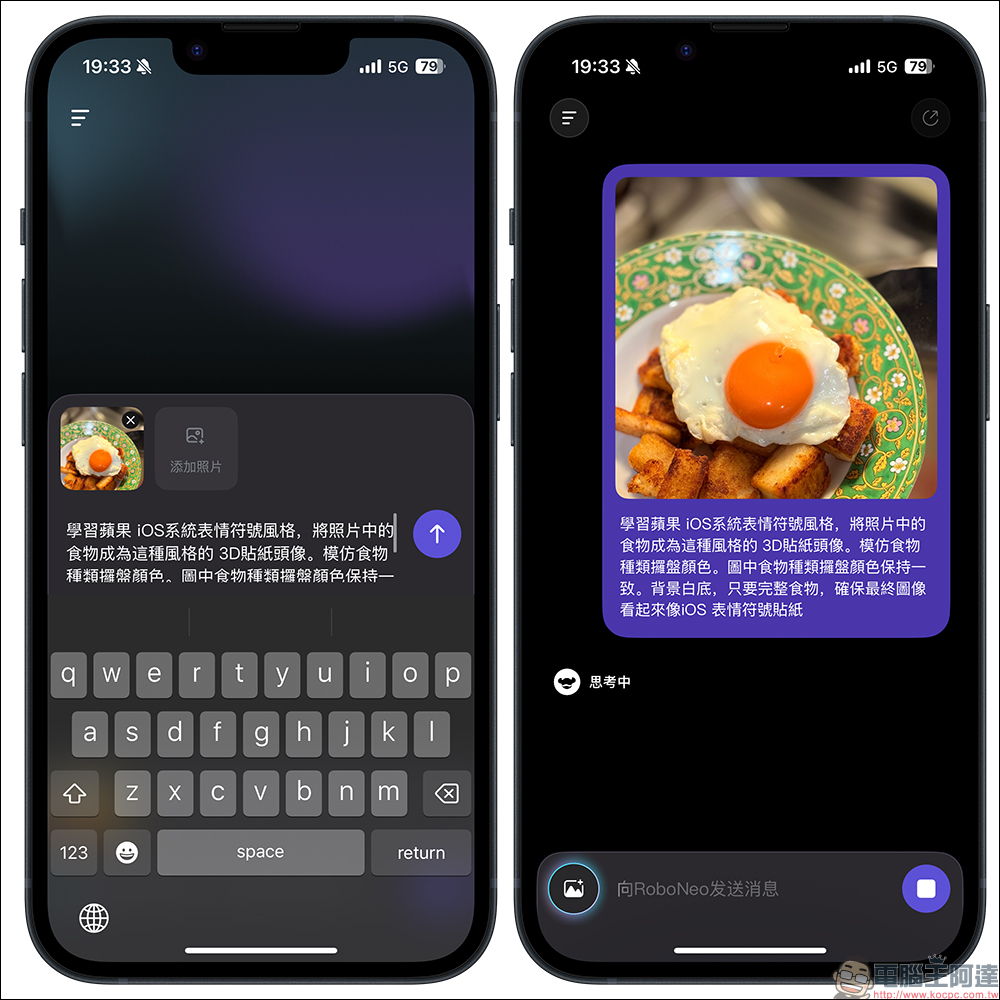
Step 3: Upload photos and enter the following AI commands
Choose a clearly photographed photo of the food. Photos with a clean background and a complete subject will work best. It is recommended to enter the following complete text for first-time use to ensure the best generation effect:
“Learn the emoji style of Apple’s iOS system and turn the food in the photo into a 3D sticker avatar in this style. Imitate the color of the food type tray. The color of the food type tray in the picture remains consistent. The background is white, as long as the food is intact, ensure that the final image looks like an iOS emoji sticker.”
The focus of this instruction is on three things: imitating the Apple emoji style, retaining the color of the food itself and the plate, and keeping the background white. The white background also helps users memorize the image later and use it together with the food photos.
Step 4: Generate pictures
After uploading, wait for a few seconds for AI processing, and the generated results can be previewed and downloaded:
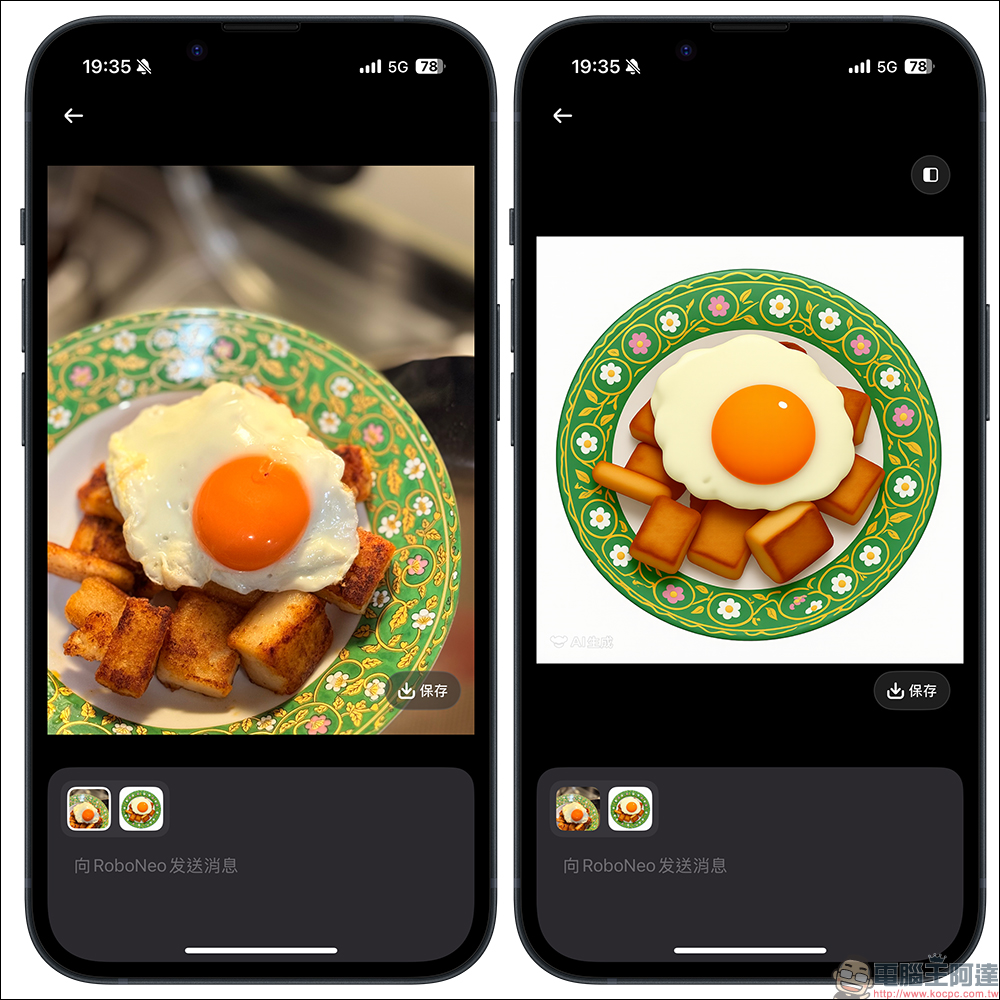
Suggested things to note when taking photos
In order for AI to identify and generate more accurately, please refer to the following points:
- The main body is complete: It is recommended that the food be presented clearly as a whole and avoid obstructions or cross-sections.
- Keep the background simple: Choose photos with clear backgrounds such as white tables and light-colored desktops.
- Focus on the composition: place the food in the center of the frame to avoid too much interference from clutter.
A whole bowl of ramen, a slice of cake, a bento or a piece of sushi are all very suitable for making emoji stickers, and the effect will be closer to the native style of Apple design.
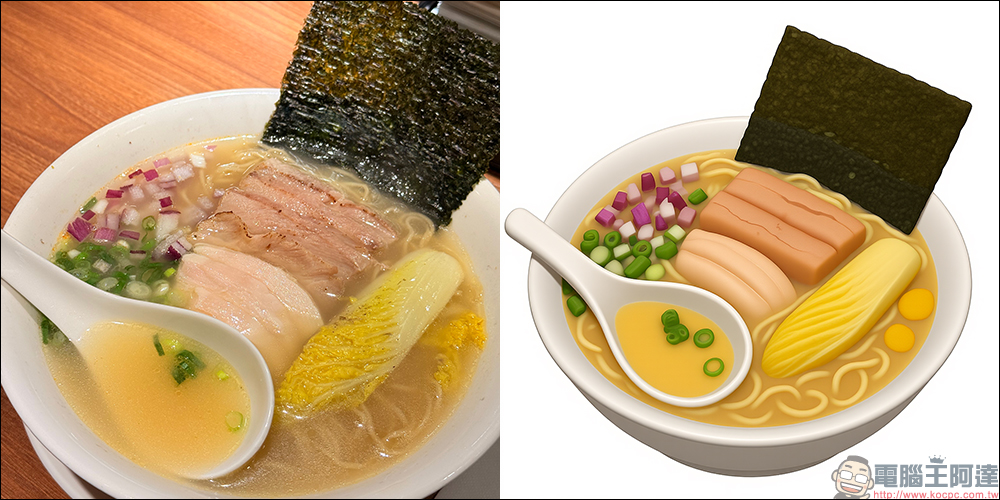
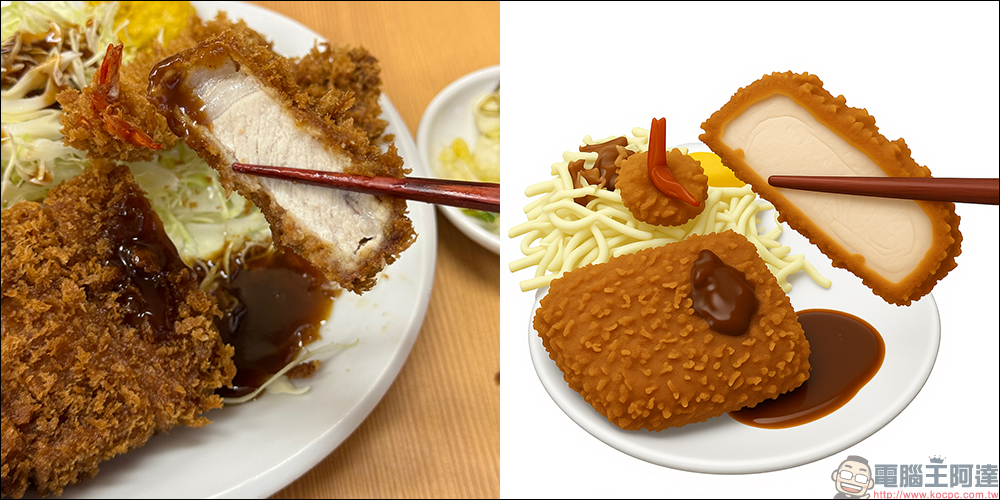
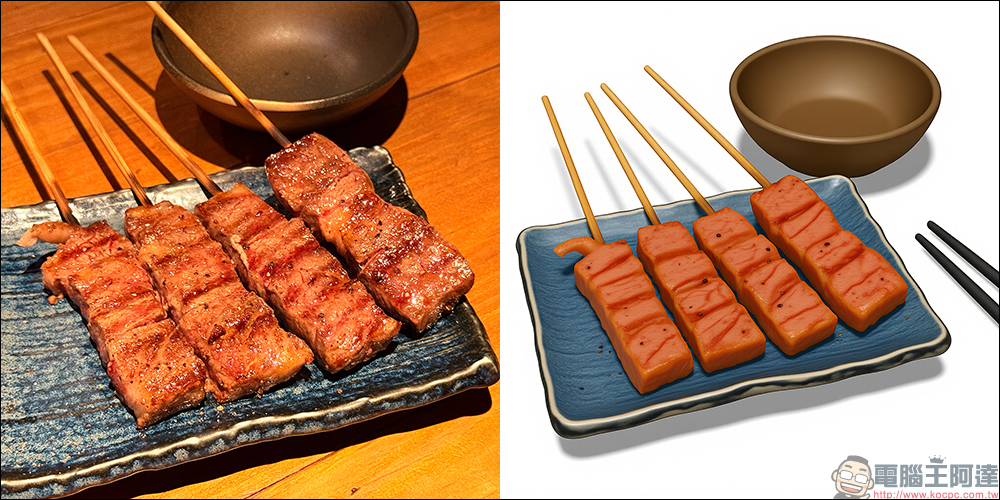
The textures generated by RoboNeo will automatically make the food subject three-dimensional, and match it with a white background design and natural light and shadow, imitating the visual language of Apple emoji. Different foods will be automatically textured based on the details and colors of the original images, maintaining a sense of realism while adding cuteness and immersive features.
- Food retains its original shape without twisting or deforming.
- The color is consistent with the color of the plate, and the overall style is unified.
- Three-dimensional shadow processing makes the texture appear to be floating on the white background.
The overall appearance has a texture that “can be put into Apple emojis”, and people will not be able to tell at a glance that it is an AI-generated picture.
Tips for use: Once you create it, it will be easier next time
It is recommended to enter the complete command text for the first time. After establishing the model and style identification habits, you can simplify the prompt words for future use, for example:
- “Convert to Apple emoji style”
- “Food Photo Changing Texture”
- “Make me emoticon stickers”
The app will automatically correspond to the user’s preferred style and output rules based on previous records.
Conclusion
AI image processing has long entered daily life, and RoboNeo is one of the tools that makes it easy, intuitive and high-quality. Through this app, you can not only beautify photos, but also transform personal records into “interesting visual language”, making every food photo valuable again.
Especially for the reproduction of Apple emoji style, RoboNeo shows extremely high fidelity and consistency. Whether you are recording travel memories, building a personal brand image, or simply want to create new social photo content, this tool is worth a try.
RoboNeo App Download:
iOS version (App Store)|Android version (Google Play Store)
Further reading:
Source: KOCPC Chinese