


mentioned in the past Whisper If you want to run the transcription function locally, you must usecomputerYes, many services on the mobile phone need to be uploaded to the cloud for processing. Recently, I discovered that the “Whisper Notes” App is not only completely free to use, but also directly built-in with one of the best and most efficient V3 Turbo models. This means that the transcription process is run locally without uploading to the cloud. I have tested that the flight mode will indeed continue to transcribe.
V3 Turbo supports more than 100 languages, including Traditional Chinese, and the accuracy of transcription is also quite good.iPhone, iPad and Mac are all supported. I used iPhone 16 Pro to transcribe quite quickly. The 11-minute video was completed in about 1 minute.
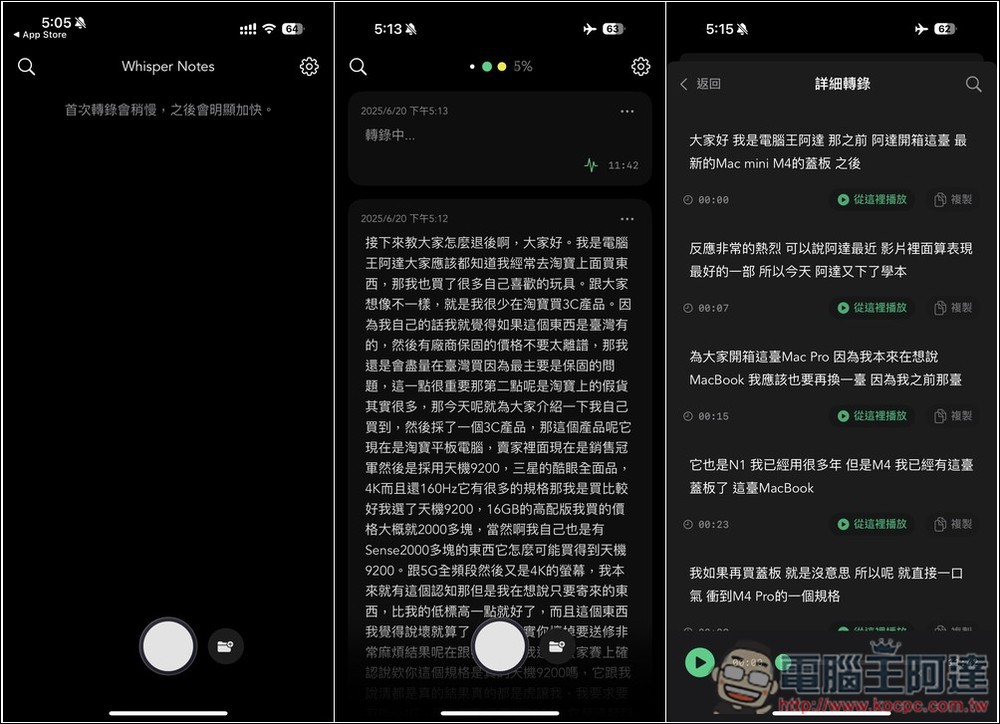
Whisper Notes, a free app that can perform local AI voice transcription text introduction
This Whisper Notes supports two modes: “Import audio/video files” or “Real-time recording”. After local transcription, you will get a verbatim transcript, and you can choose to have plain text or export text with timestamps.
Another thing to note is that since the Whisper V3 Turbo model is directly built-in, the capacity required for App installation is relatively large, requiring 2.5GB. The length of time it takes to transcribe depends on your hardware. If you have an older iPhone, it will take longer, and you may be more likely to encounter crashes (insufficient resources).
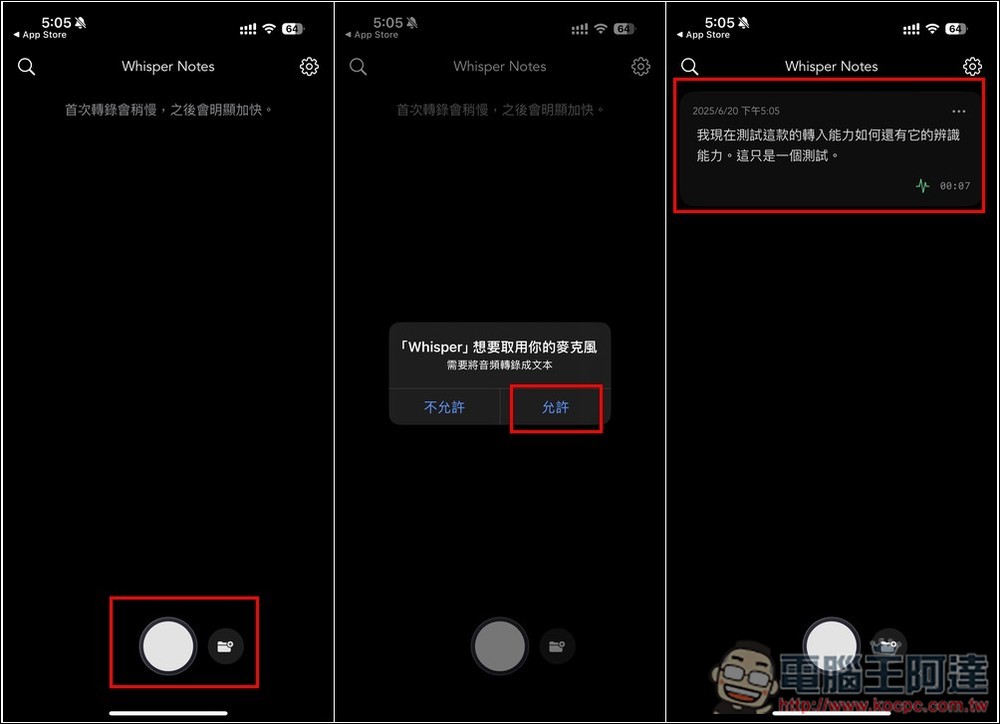
The operation interface of Whisper Notes is very simple. After opening it, you will see buttons for real-time recording and uploading media files at the bottom. If you want to record, remember to allow the microphone. After the recording is completed, the App will immediately start transcribing the text and display the results on the home page:
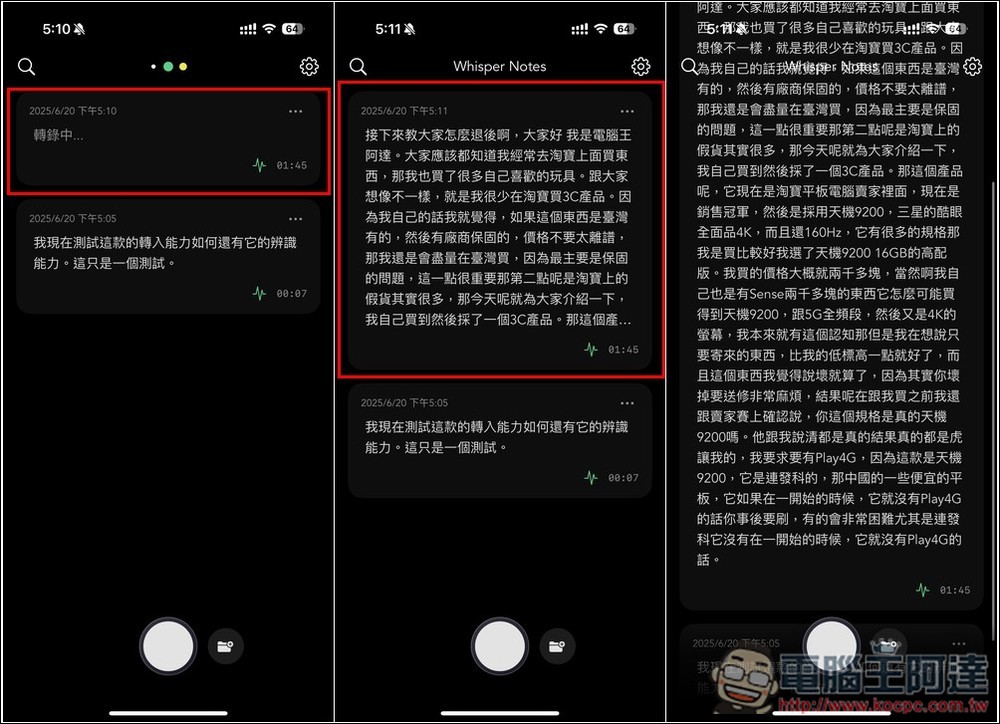
Next, I tested uploading an MP3 file that lasted for more than 1 minute, and the transcription was completed in a few 10 seconds, which is very fast. Although the Whisper V3 Turbo model has strong transcription capabilities, it still occasionally makes mistakes in the Chinese part. For example, when I transcribed this audio file, it should have been “I will teach you how to “return” at the beginning, but Whisper V3 Turbo recognized it as “back”, so at this stage, I still cannot 100% trust the AI’s transcription results. I still need to take the time to confirm:
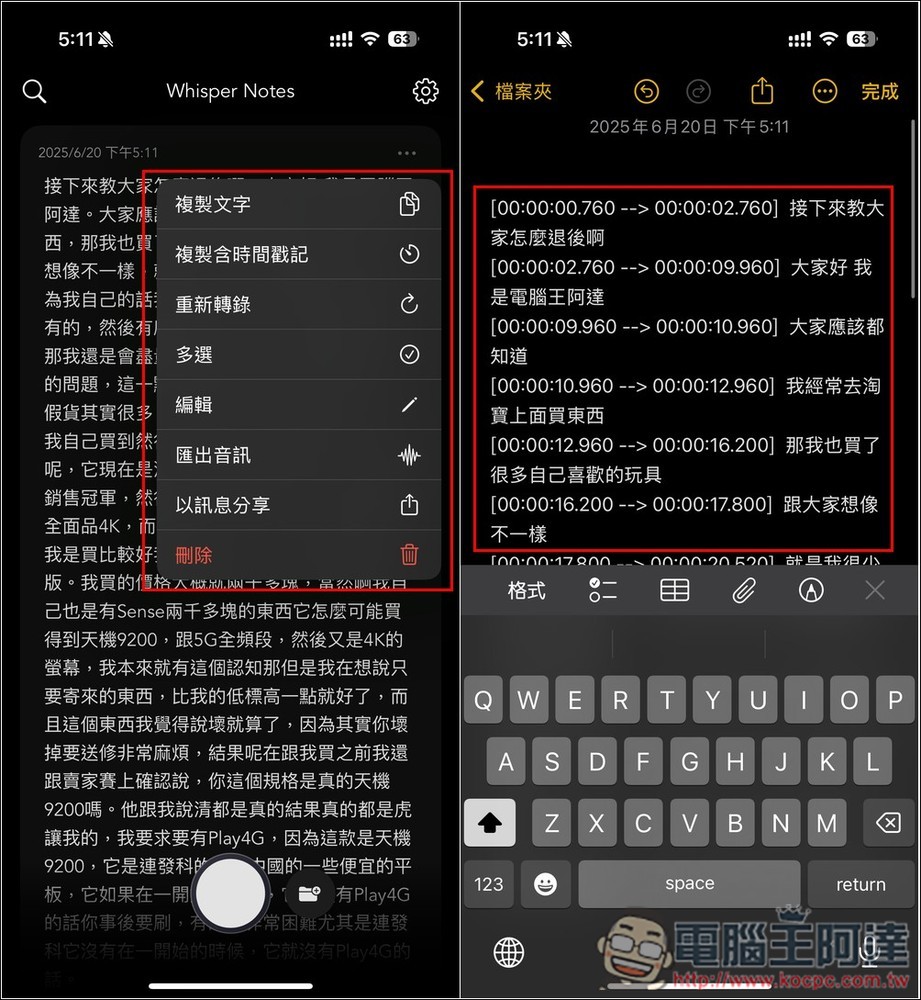
As for the transcribed text, you can choose to “copy plain text” or “copy with timestamp”. I tested the latter, and sure enough, there was a timestamp after pasting it into the memo. If you are not satisfied with the transcription result, you can also request a re-transcription:
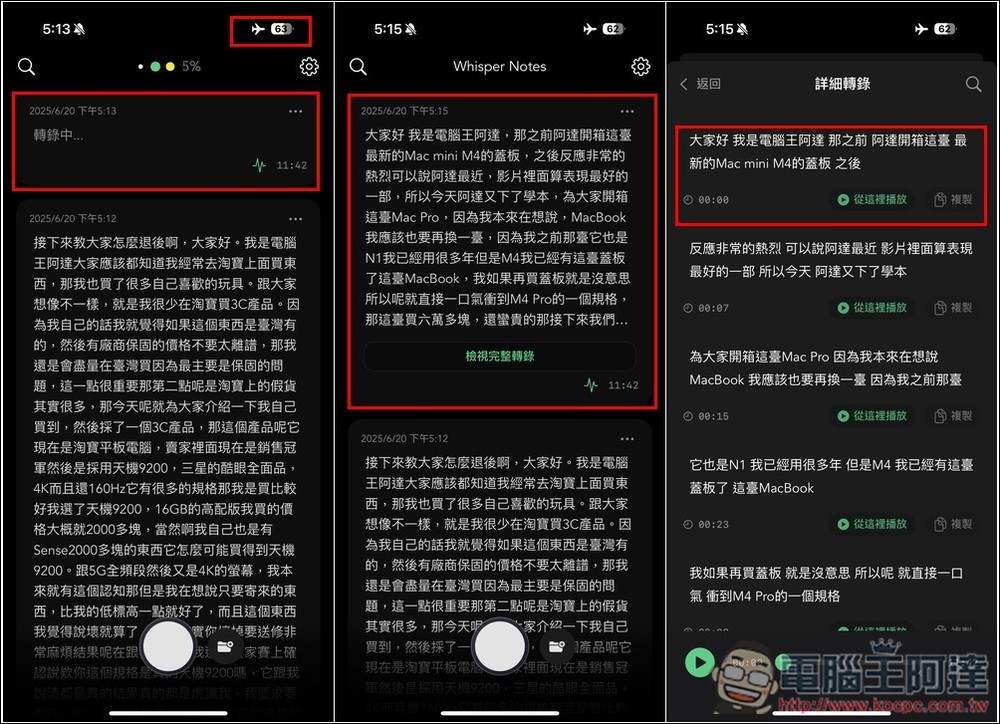
I also tested turning on airplane mode to see if it can run normally when there is no network at all. Sure enough, there was no problem and it would be transcribed normally. This time I imported a video of 11 minutes and 42 seconds, and it was transcribed in just over a minute. I didn’t expect that the iPhone could transcribe so fast, which surprised me. In addition, if the imported video or audio file is very long, it seems that the “detailed transcription” mode will be enabled. Each transcribed content can be “played from here” to listen, which makes it easier for us to confirm whether the transcribed text is correct. I think this mode is quite good:
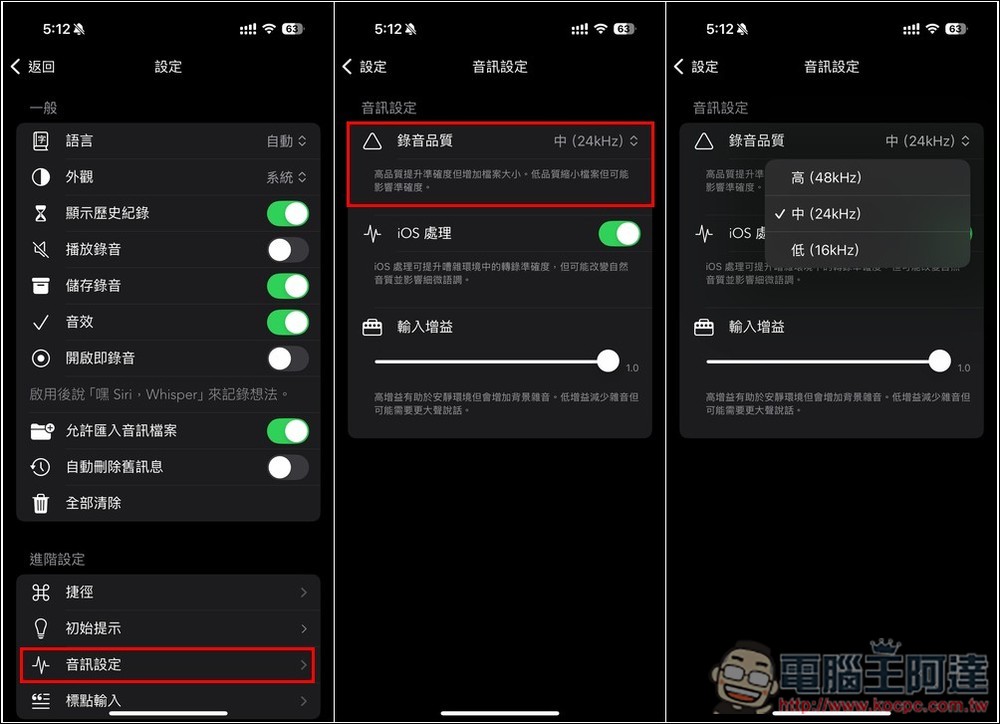
There are also some options that can be adjusted in the settings. The most noteworthy is the audio settings. The default recording quality is 24kHz. If you want better recording quality, you can increase it to 48kHz:
Source: KOCPC Chinese