


With hackers and scammers threatening the online security of computer users around the world with rampant phishing campaigns and computer crashing viruses, it has never been more important to protect your devices with some security software. Likewise, there are no more antivirus options to help users protect all their valuable personally identifiable information (PII, Personally Identifiable Information) circulating online. Some time ago, Microsoft Defender was launched on mobile devices. If you are a Microsoft 365 subscriber, don’t let your rights fall asleep.
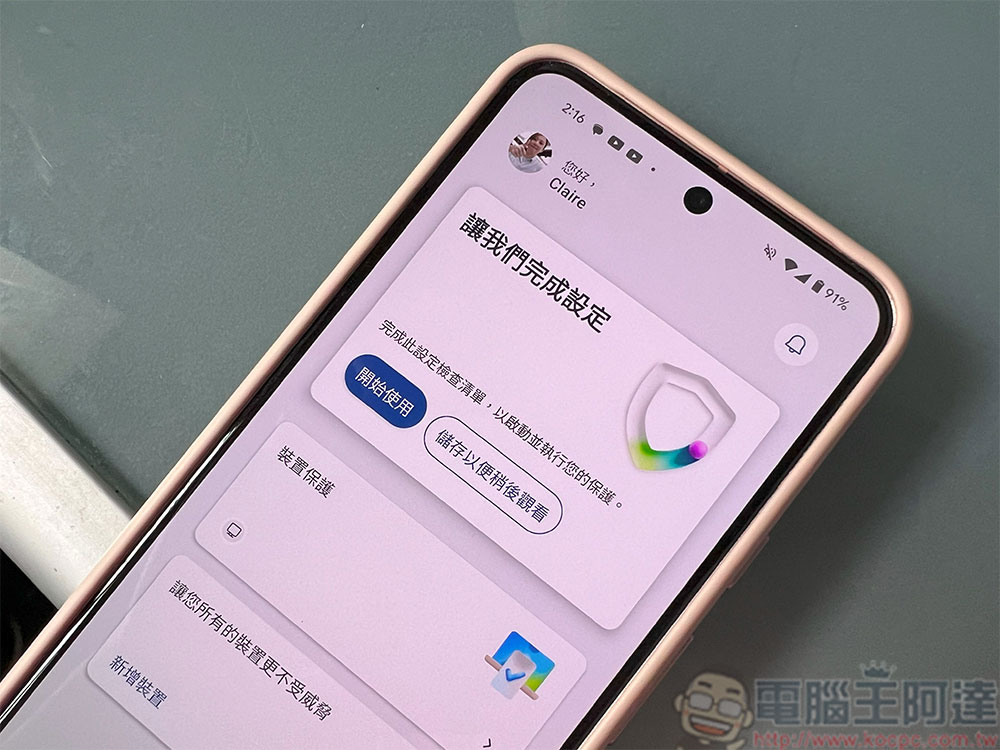
How to install Microsoft Defender on Android?
Almost every antivirus app on the market touts their security measures and software, so choosing the right one among the many available antivirus options can be a daunting task. However, Android users can consider downloading the Microsoft Defender antivirus application, which mainly protects you during your online activities such as transactions and payments by continuously running in the background to scan your device for potential security vulnerabilities.
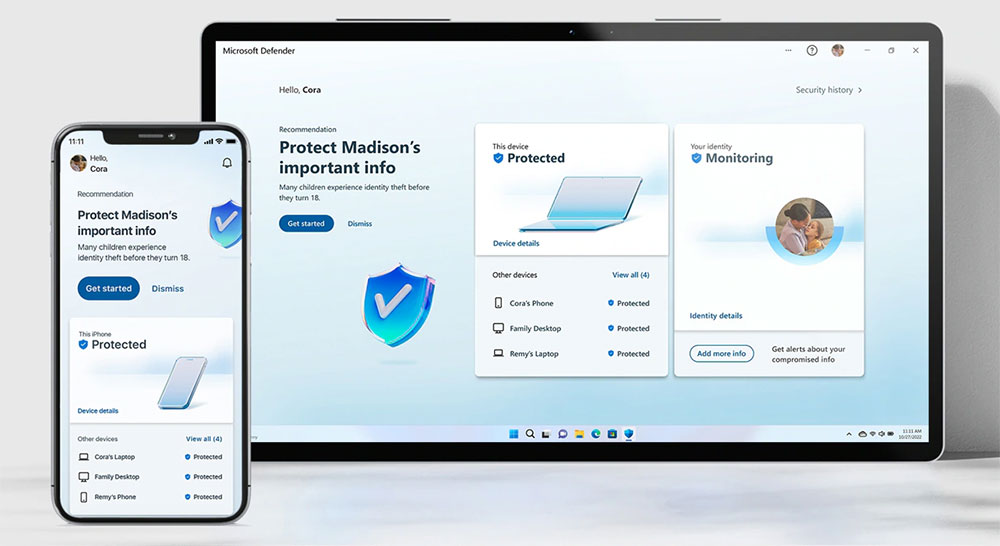
Microsoft Defender protects your device from dangerous malware, providing alerts whenever a security risk is detected, giving even the most security-conscious advanced Android users peace of mind, and even giving users a way to contact identity theft experts directly if their data is compromised. Although some people think that the software is not user-friendly and has glitches and other issues, overall Defender is an easy-to-use Android antivirus that has been well received by professionals and consumers.
Install Microsoft Defender from the Google Play Store
If you’re considering trusting Microsoft Defender with your Android device’s security, here’s an important caveat: You must be an active Microsoft 365 subscriber to use it. Microsoft Defender is one of the user services covered by Microsoft 365. Of course, you must pay a monthly subscription fee to use all services within the scope, so you should also take the subscription fee into consideration when you decide to use it. If you are already a subscriber or are determined to join the subscription, Android users who want to try Microsoft Defender can install it very easily.
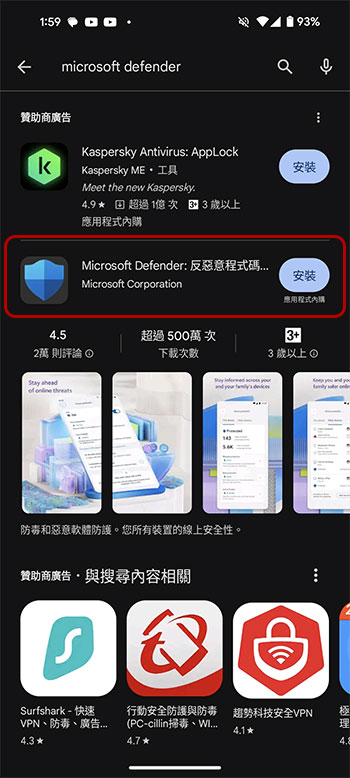
- Open the Google Play Store on your Android phone or tablet, search for “Microsoft Defender”, and click to download and install it.
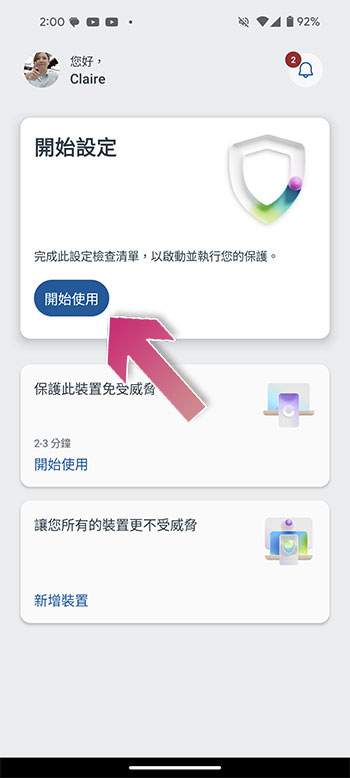
- Open Microsoft Defender and log in to your Microsoft account. After entering the main page, click “Get Started”.
- Follow the instructions to complete the device protection settings. The main option is “Set up device protection”, while the other option is to share this app to another device.
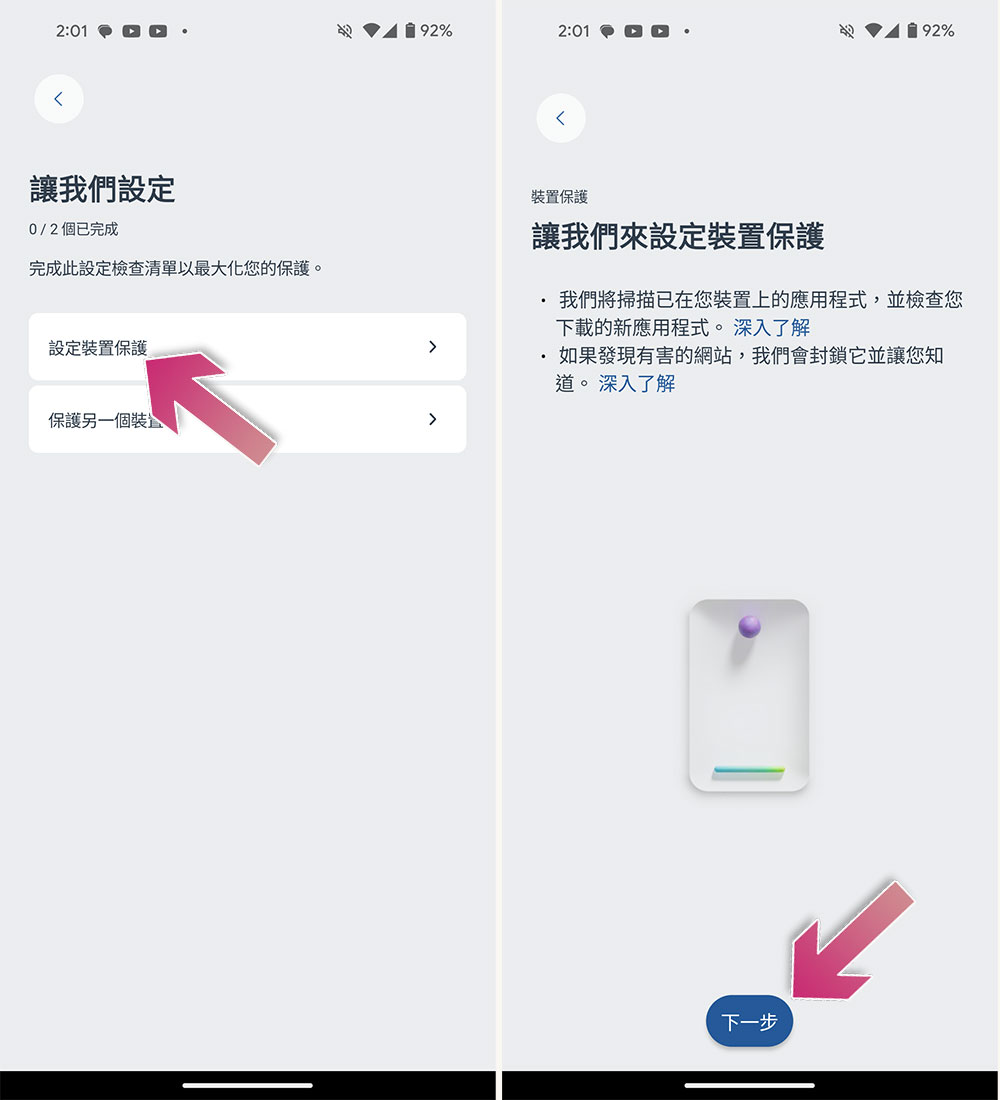
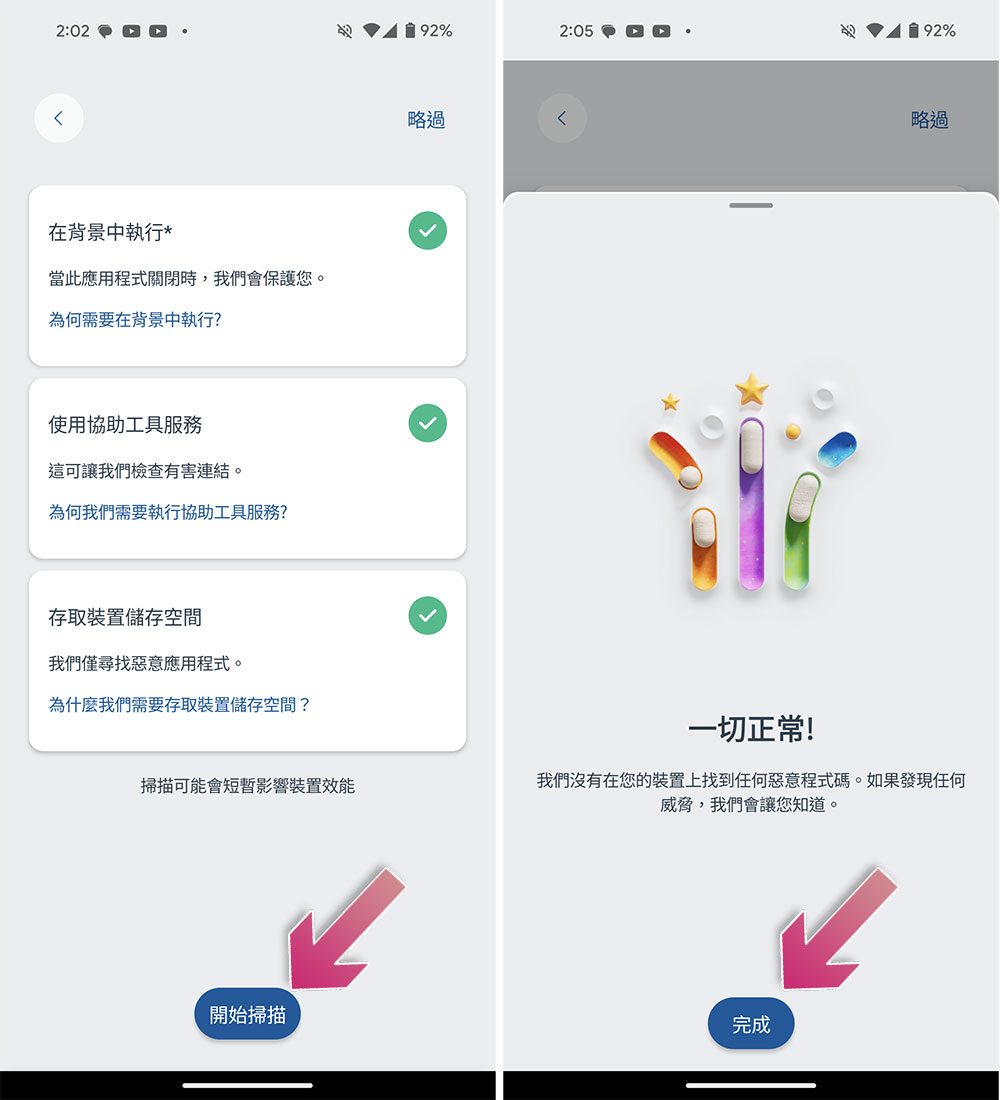
- After granting Microsoft Defender the required permissions, click “Start Scan” to perform a full device scan for the first time.
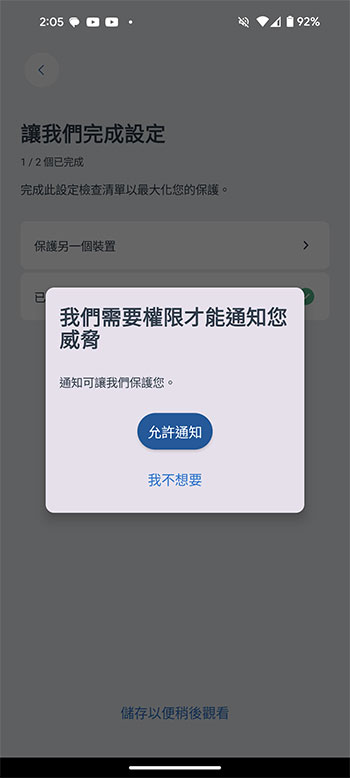
- Finally grant permission to allow notifications so that Microsoft Defender will notify you when it finds a threat.
Source: KOCPC Chinese