


Faced with the threat of malicious applications, Google, the leader in Android system development, has been dug out by foreign media and has begun to provide a more proactive new detection mechanism “scanning for deceptive apps” in the test version of Android 14. Continue reading Android begins testing the built-in anti-phishing app detection mechanism, follow the steps to enable it.

Android begins testing the built-in anti-phishing app detection mechanism, follow the steps to enable it
As smartphones play an increasingly important role in everyone’s lives – they have basically outgrown their main function of contacting others. Not only do they need to find maps, read new information and have audio-visual entertainment, but they can also make payments and even important documents, all of which can be carried out on small mobile devices. Because of this, many hackers and interested parties have already targeted these devices for phishing and cracking scams.
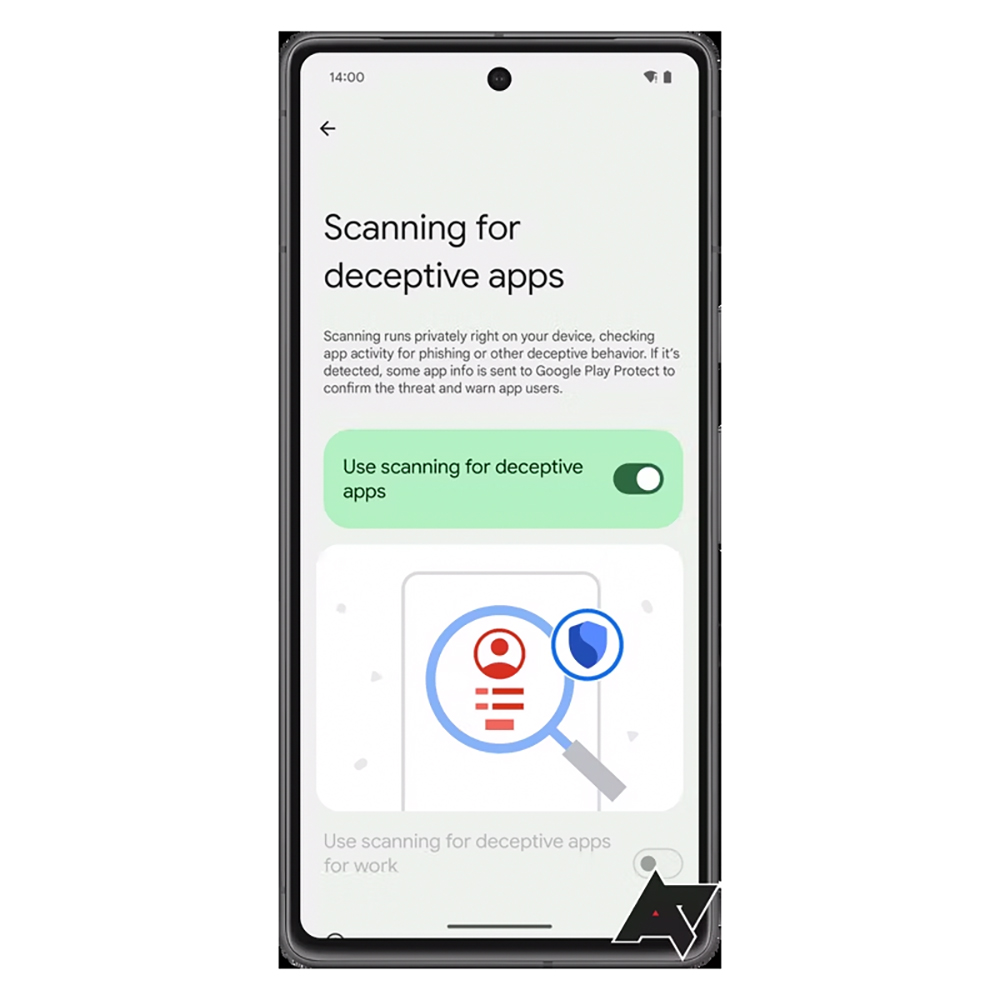
▲Image source: Android Police
Previously, the Computer King Ada team has introduced “How to protect your Android device from malware” teaching. It mentions active prevention measures against sideloaded applications, third-party stores, etc. However, in the face of the threat of malicious applications, Google, the leader in Android system development, has not been idle. It has been dug out by foreign media and has begun to provide a more active new detection mechanism “scanning for deceptive apps” in the test version of Android 14.
“Scanning runs privately right on your device, checking app activity for phishing or other deceptive behavior. If it’s detected, some app info is sent to Google Play Protect to confirm the threat and warn app users.(掃描會在您的設備上私密運行,檢查應用程式活動是否存在釣魚或其他欺詐行為。如果檢測到問題,一些應用程式資訊將被傳送至 Google Play Protect 以確認威脅並警告應用程式使用者。)”
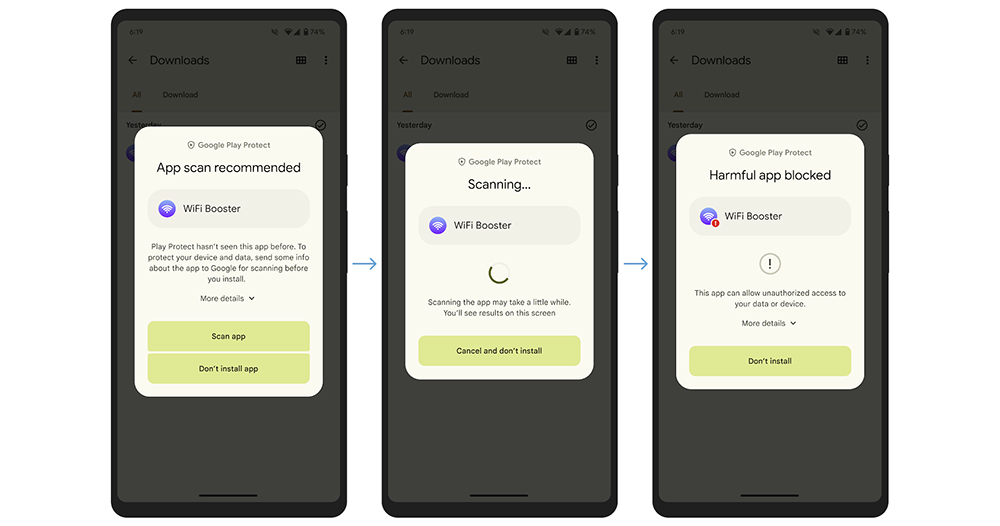
Relative to “detecting symptoms of malicious applications when installing the application”Google Play Protect”. This is the latest feature found built into the Android 14 QPR2 Beta 2 test version. Although its name of “Scanning” makes people think that it needs to be performed by the user (similar to scanning for viruses?). However, it is currently believed that this feature will detect system threats in a more proactive manner and provide relevant warnings to users.
There is currently no official information on the operating methods and principles behind this feature. However, in conjunction with the “ContentProtection” system service unearthed by foreign media in the Android 14 QPR2 program source code, it is considered that it is likely to use this function to detect password-related “password”, “pass word” and “code”, as well as “user”, “mail”, “phone”, “number”, “login”, “log in”, “sign in” and other keywords. It is considered to be the detection mechanism that is likely to be used this time.

▲Image source: Google
According to the function description “scanning for deceptive apps”, after scanning to detect possible problems, it will be compared with the Google Play Protect database, and based on the results, it will be decided whether to warn the user of possible signs of phishing/fraudulent behavior. However, after all, this feature has just begun to be tested in the beta version, so its practicality may yet to be verified.
However, after seeing that fraud groups have recently shifted their targets to RCS messages, Google is willing to continue to add more mechanisms to Android to avoid malicious deceptive applications, which I believe everyone is happy to see.

▲Image source: Google
If you have considered installing the Android 14 beta version, or enabling this feature in subsequent versions. “Scanning for deceptive apps” can be activated in “Security & privacy (Security & privacy) > More security & privacy (More security & privacy)”. Add another layer of protection against malicious phishing apps for your Android phone.
Further reading:

Source: KOCPC Chinese