


Google seems to have figured out how to make it easier for users to understand and use Android’s rich caller ID and spam/advertising call blocking features. For suspected harassing calls, such as fake numbers, first-time calls, hidden numbers, etc., you can automatically have the robot answer the call, or reject the call in a silent manner. It has been changed to provide users with three “Protection Levels” to protect users from incoming calls – yes, it feels a lot like anti-virus software! Continue reading Google launches new calling interface, providing Android users with three levels of “handling” unwanted calls.
▲Photo source for this article: Android Police
Google launches new calling interface to provide Android users with three levels of “handling” unwanted calls
If you think about it, although long ago, when phones began to support caller ID, scam or harassing calls were not as common as they are now. But just being able to see the “number” actually gives people a sense of peace of mind. And today’s mobile systems basically have several built-in lines for all kinds of calls from unknown sources… It’s a line of defense, right?
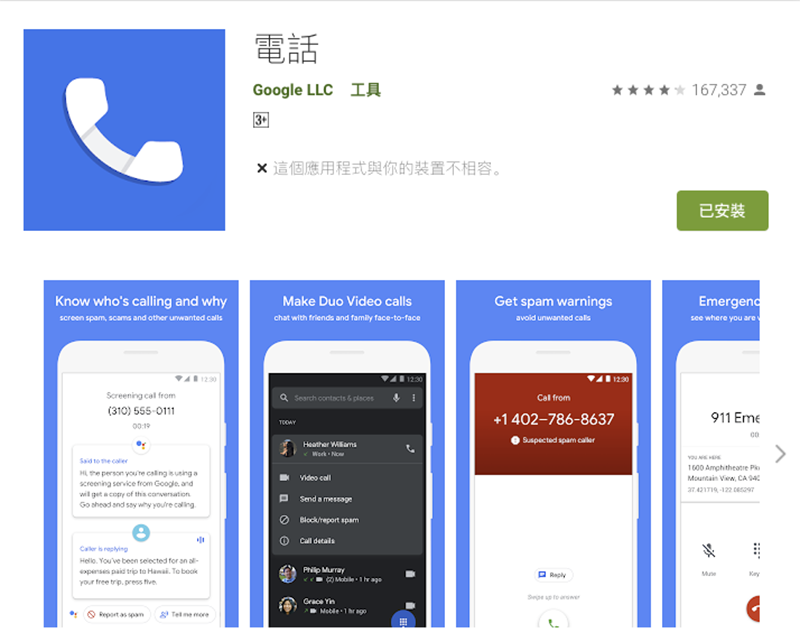
At its most basic, in addition to the reject/mute function for unknown calls and blacklists, it can even display and reject calls that may be harassment or even fraud through original or even third-party services. What’s more, Google even provides a Call Screen robot on the Android system that really allows you to barely deal with voice calls, answering and transcribing text, and even helping to reply.
However, as these functions for dealing with unwanted calls become more and more abundant, it seems that it makes people difficult to choose, and it is a bit difficult to decide which option is suitable. And this seems to run counter to the purpose of improving phone functions?
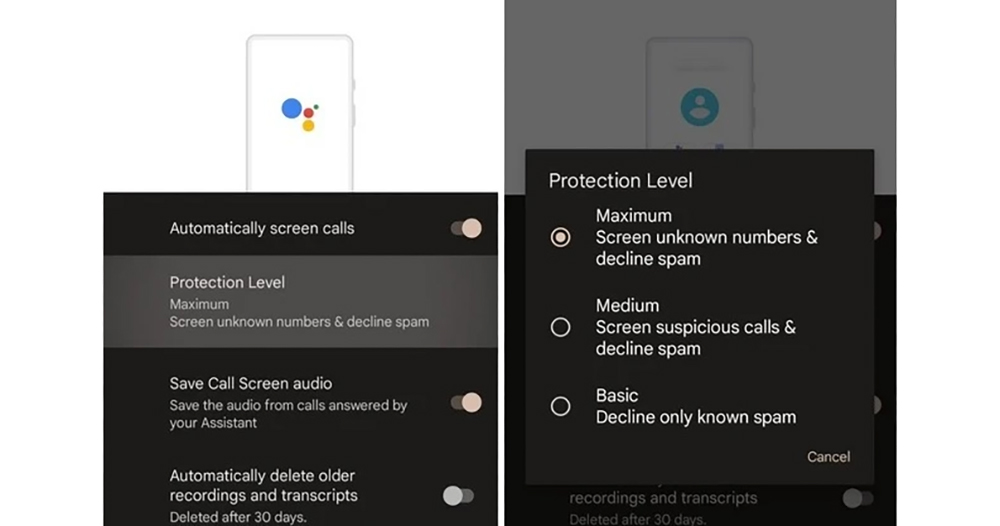
Foreign media recently discovered that Google seems to have thought of how to make it easier for users to understand and use Android’s rich caller ID and harassment/advertising call blocking functions. For suspected harassing calls, such as fake numbers, first-time calls, hidden numbers, etc., you can automatically have the robot answer the call, or reject the call in a silent manner. It has been changed to provide users with three “Protection Levels” to protect users from incoming calls.
That’s right, it feels a lot like anti-virus software!
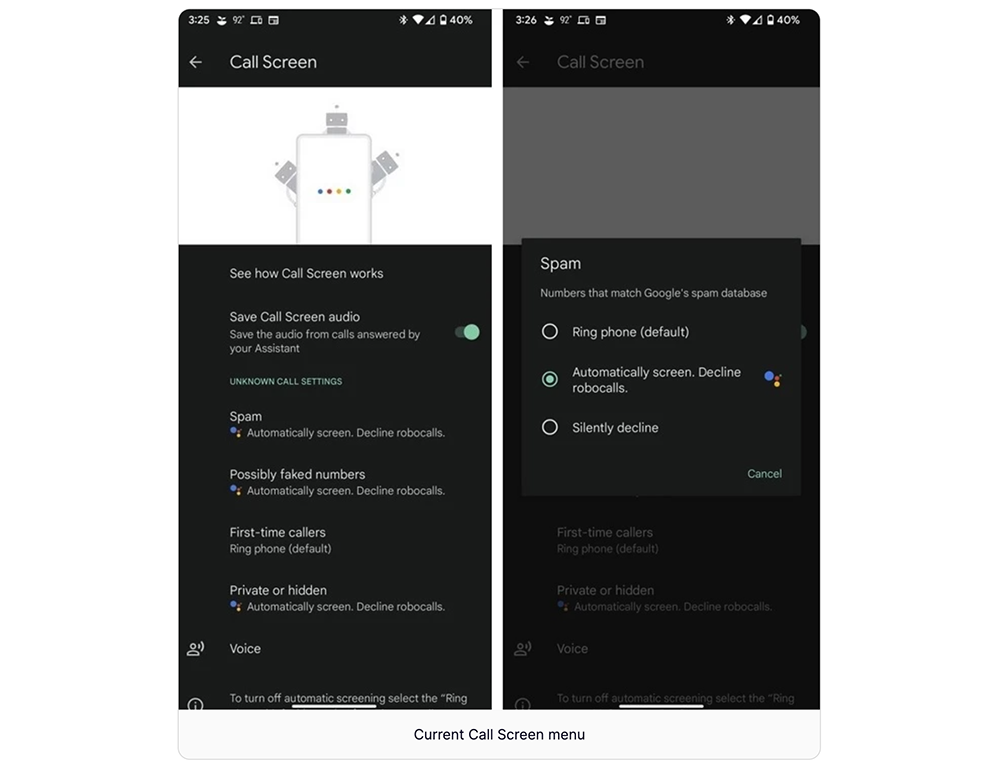
▲Picture: Old version options
There are three types of call protection levels: Basic/Medium/Maxium. The most basic one is to only block “advertising callers” known to the reject database; the intermediate level is to include “suspected harassing/advertising callers” or “nuisance calls”. As for the highest level, it is to strengthen the protective net! Include numbers including unknown callers in the scope of corresponding actions such as Call Screen.
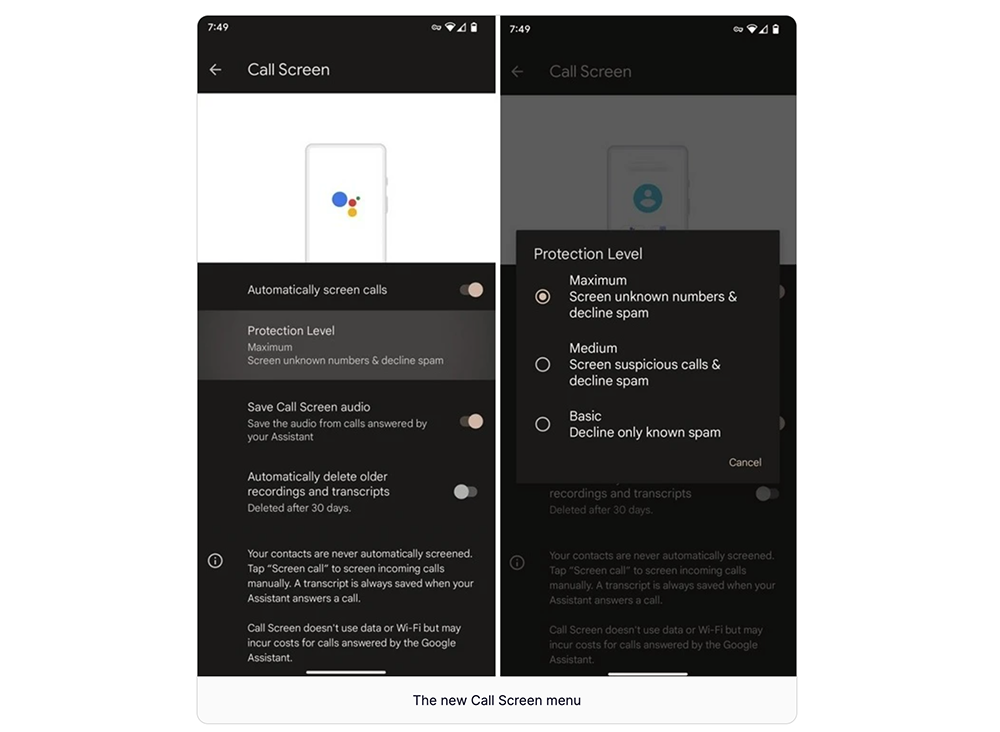
▲Picture: New version options
When the caller ID and spam/advertising call blocking functions were previously turned on, when the user makes or receives a call, the phone will display relevant information for callers or businesses that are not in your contact list, or warn you that the call may be a spam call. When the caller or call party is not your contact, the Android system will send the other party’s number to Google for comparison to identify the other party’s business caller ID name or determine whether the call is a spam call.
Users can not only further report the caller number, but also unblock numbers that have been blocked by mistake. This latest grading system will make call processing more systematic and intelligent, making it easier for people to avoid scams and harassing calls.
Further reading:

Source: KOCPC Chinese