


The AI chatbot developed by Microsoft based on ChatGPT is part of the company’s so-called “New Bing”. It is slowly being added to more things, and the one that everyone is most impressed by should be “Bing Chat”. If you are familiar with AI, Bing Chat will be a very practical tool, you can refer to the advanced functions; if you have not tried AI, the author will lead you to try the introductory functions.
Entry-level and advanced Bing Chat AI features you should try
entry level
If you have never come into contact with Bing Chat, it is recommended to familiarize yourself with and understand the functions from the entry level, and then gradually learn how to use Bing Chat to help your work or life.
Personalized choice
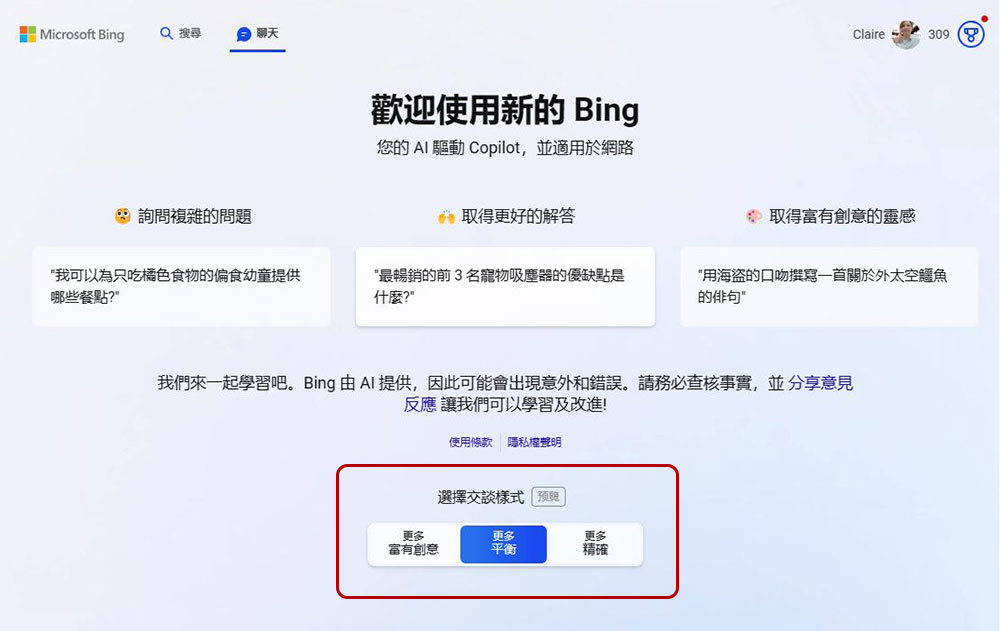
Bing Chat has three different conversation styles to choose from, which will affect the content of the responses you get depending on which one you use, so make sure you select the conversation mode you want before sending your question.
- Be creative:
Answers are longer, more descriptive and also more imaginative. - balance:
Informative and content-friendly, it falls somewhere between the other two styles and is best suited for most users. - accurate:
Come up with shorter, more direct answers that focus on your search.
Generate images using DALL-E
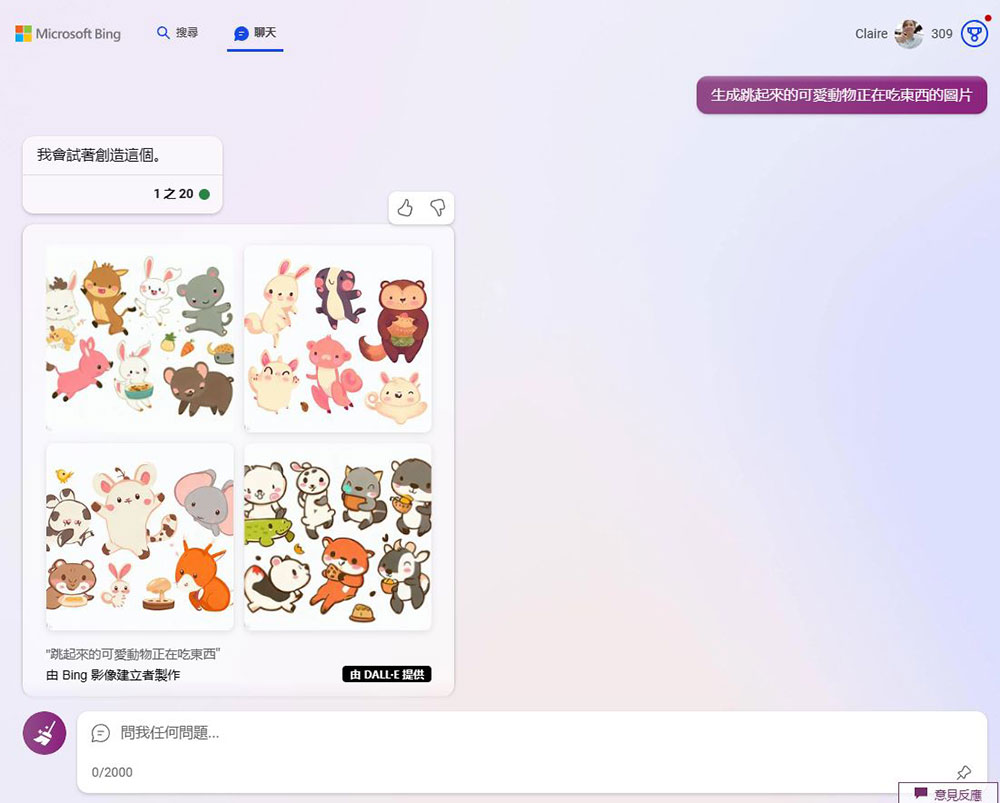
There are a lot of differences between Bing Chat and ChatGPT, but one of the most important differences is the ability to use another AI tool to generate images during text conversations. Bing uses OpenAI’s DALL-E AI image generator, which is actually less restrictive than the official DALL-E website. If you use a “creative” conversational style, you can create an image just by asking.
Share response
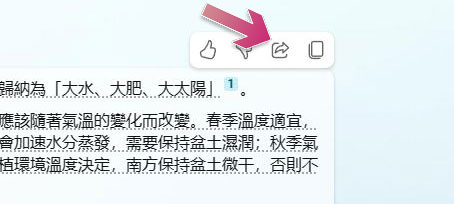
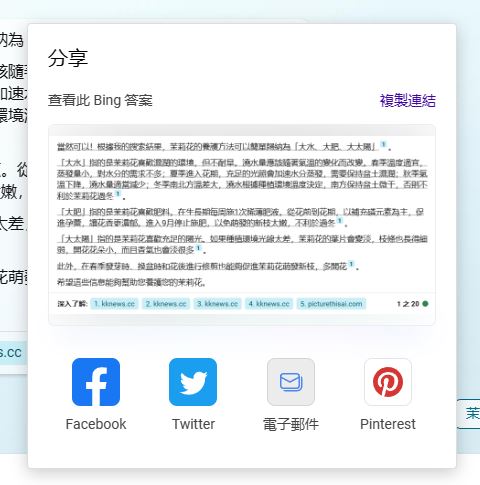
If you get a cool answer from Bing Chat, don’t just box and copy it. You can move your mouse cursor over a response and use the share buttons that appear above to easily retweet it, share it to Facebook, Twitter, email or Pinterest, or copy the link to share it any way you want. The copied link will open in Bing and respond to you instantly again.
Provide Bing feedback
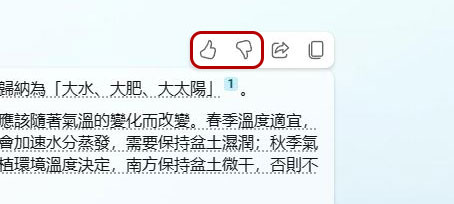
AI is like a sponge, progressing and expanding through continuous learning. You can rate the responses Bing Chat gives you and click on the thumbs-up icon in the corner of the response to express your praise or criticism. This can also help Bing Chat educate and significantly improve the content of Bing’s responses over time.
Change question
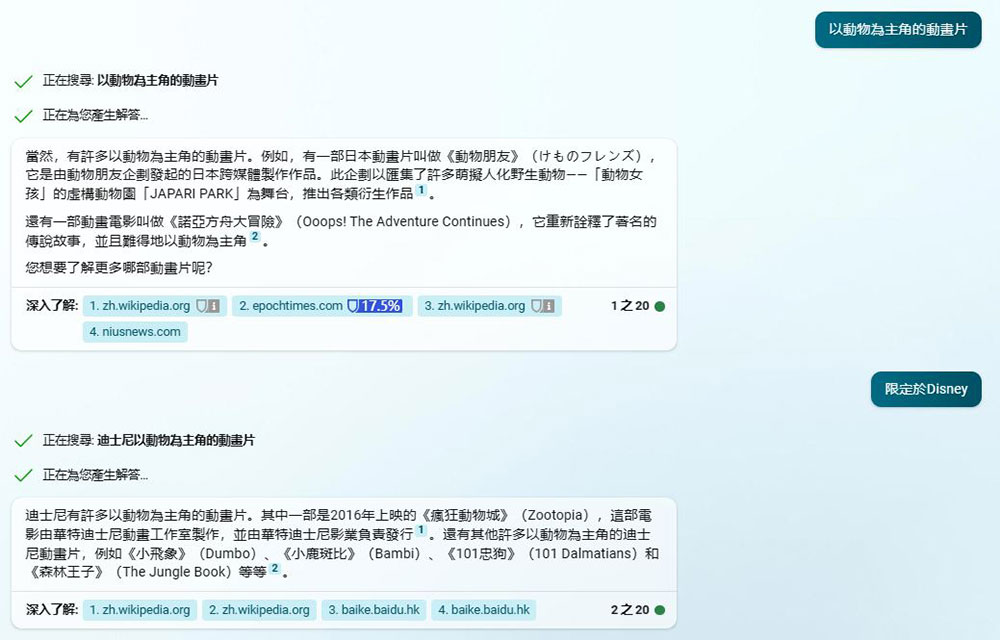
You don’t have to settle for Bing’s first response to your question. After Bing provides an answer to your question, you can also modify the question at any time based on the accuracy and content of the answer, and you do not need to repeat the complete question every time until the limit of 20 conversations is reached. For example, when you ask Bing for “animated cartoons with animals as protagonists”, you can continue to narrow the scope, such as limiting it to which publishers, time points, etc.
Start a new topic
Bing Chat is limited to 20 replies per question, but you can start a new topic at any time by clicking the brush icon next to the question input field, clearing the entire conversation board, and Bing will restart the conversation with you. If you start too many topics in the same window, sometimes the page or Bing will behave strangely.

Use Bing Chat on Android and iPhone
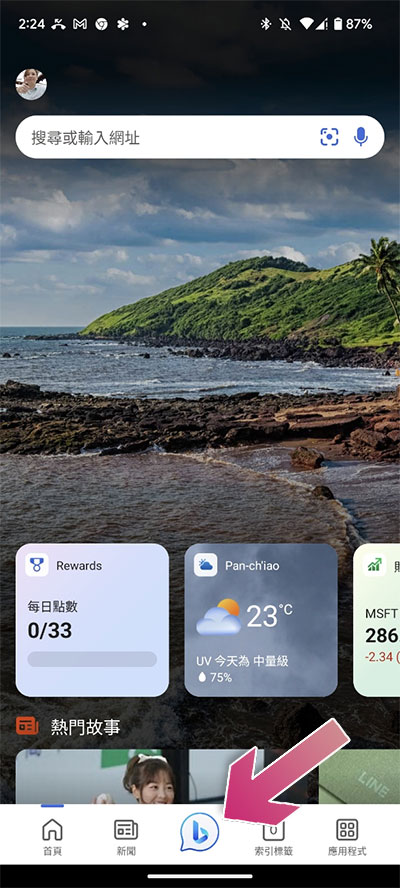
Bing Chat is not only limited to the Microsoft Edge browser, but can also be accessed directly from the Bing app on iPhone and Android. First you can Play Store and App Store Download the app and log in to your Microsoft account to access it. Click the big Bing icon in the center of the bottom taskbar to ask a question.
Use Bing Chat from the Windows Start menu
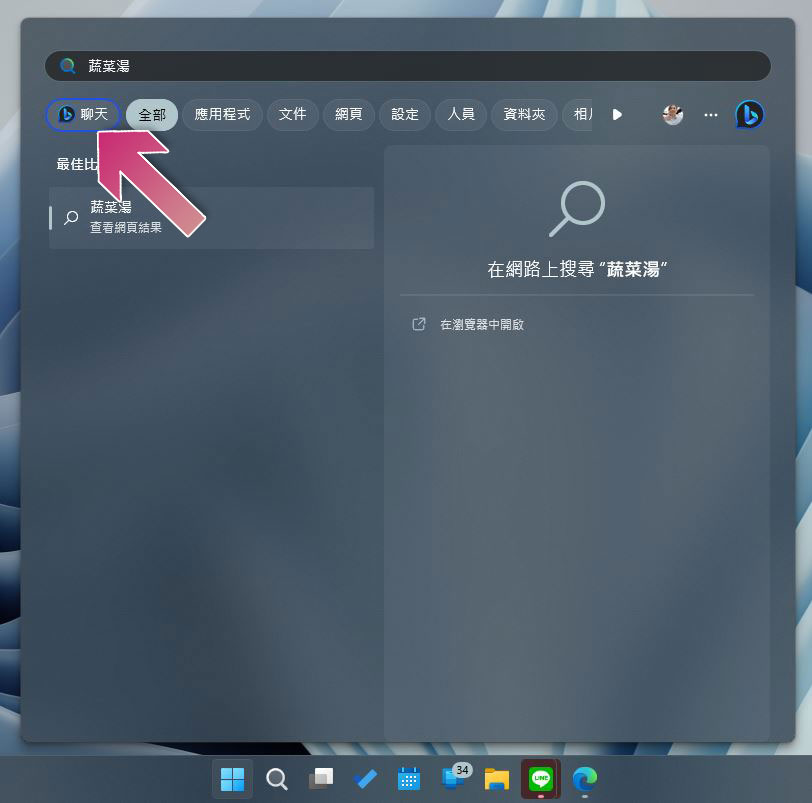
You can start a Bing Chat conversation from the Start menu in Windows 11. Just open the Start menu, start typing your question in the search field, and click the Chat button with the Bing icon below to send it to Bing Chat. Microsoft Edge will open Bing Chat directly and automatically ask your question.
Remove the Bing Chat button from Microsoft Edge
While you may really love Bing Chat, you probably don’t want a big Bing button in Microsoft Edge’s sidebar. Fortunately, a week after Microsoft launched Microsoft Edge 111, it has added an easy way to disable the Bing Chat button.
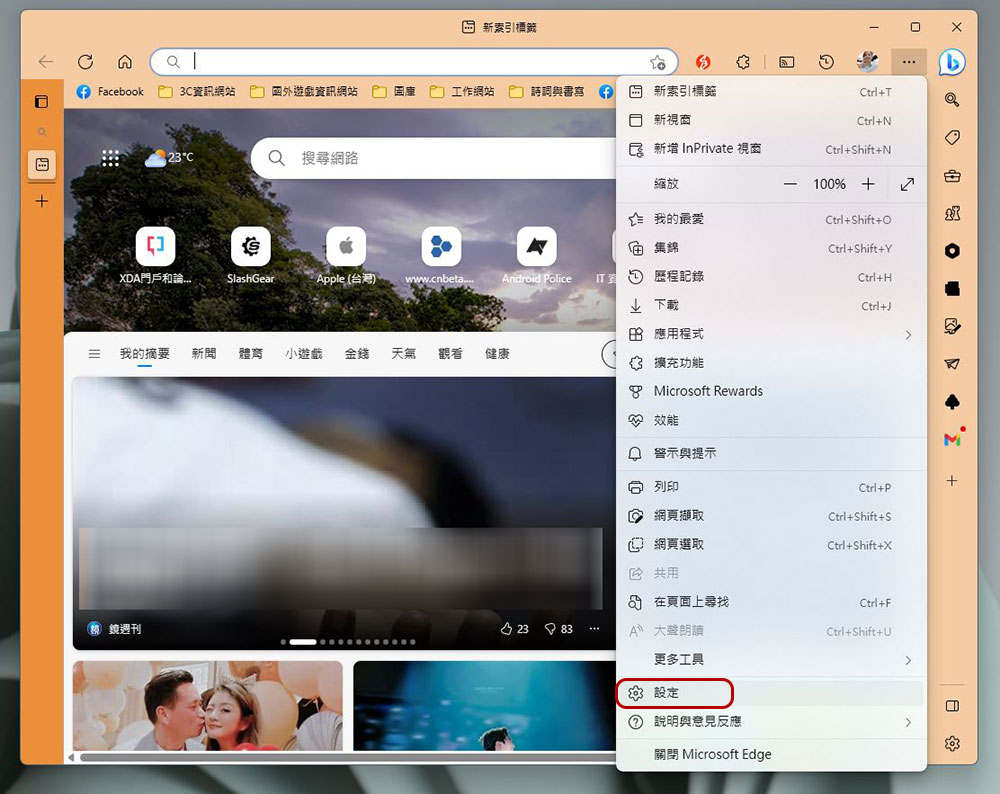
- Click the three-dot menu in the upper right corner of Microsoft Edge and select “Settings.”
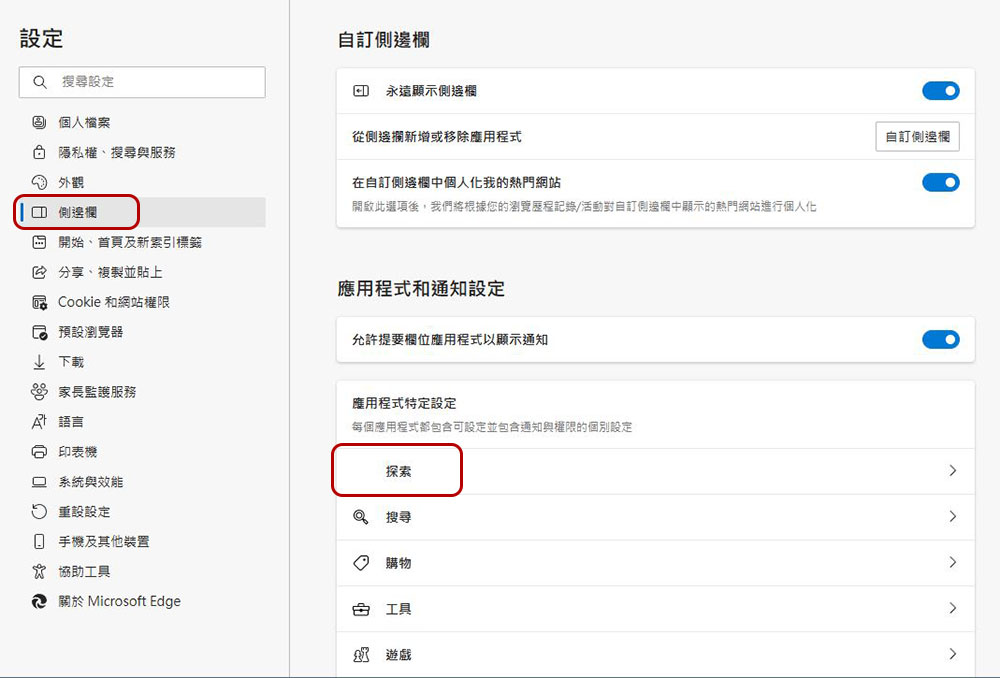
- Click “Sidebar” in the left sidebar, and then click “Explore” in the left option list.
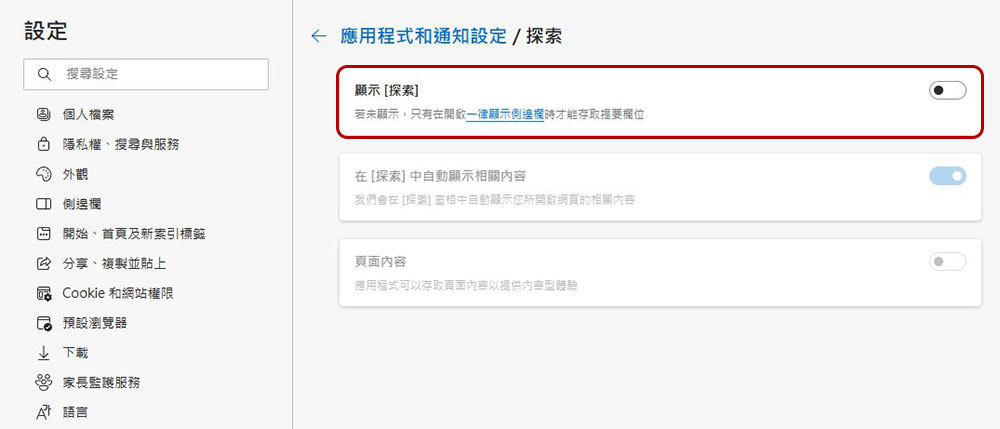
- Turn off the “Show Discovery” option and you will immediately see the Bing icon in the upper right corner disappear.
Advanced class
If you have already played Bing Chat initially, you will naturally not be satisfied with the superficial use of simple questions and answers. Then you can try the advanced content we have prepared for you.
Create a comparison table
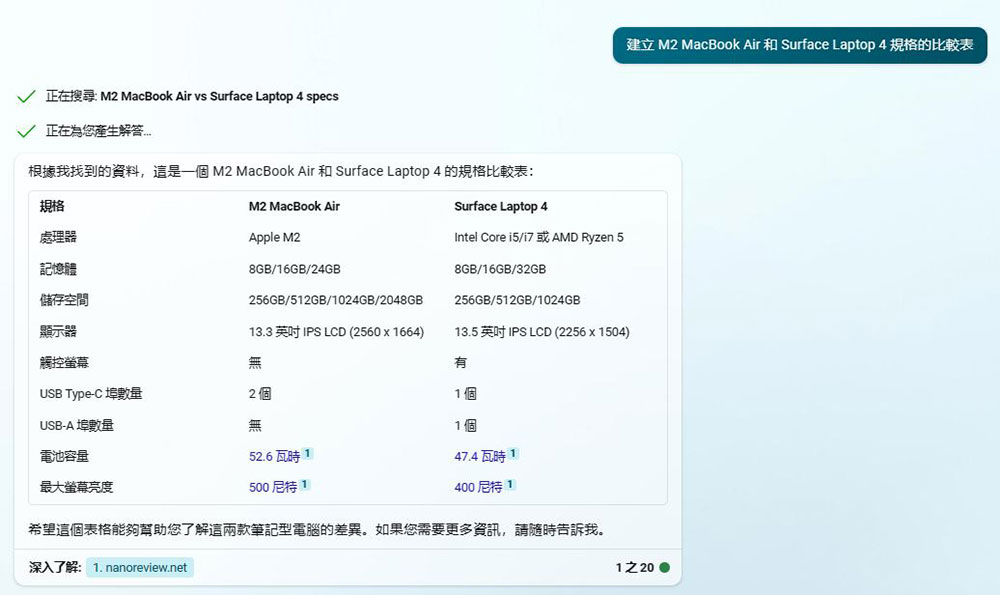
Bing Chat’s main advantage over other services like ChatGPT is that it scours the web for the latest information and then organizes it into a variety of formats, including comparison tables. For example, you can ask it to “create a comparison table of M2 MacBook Air and Surface Laptop 4 specifications,” especially if you want to have a simpler comparison method before you go shopping. Using this method, Bing Chat will list the most important features and arrange them, and you can also manually list the must-have specifications to display.
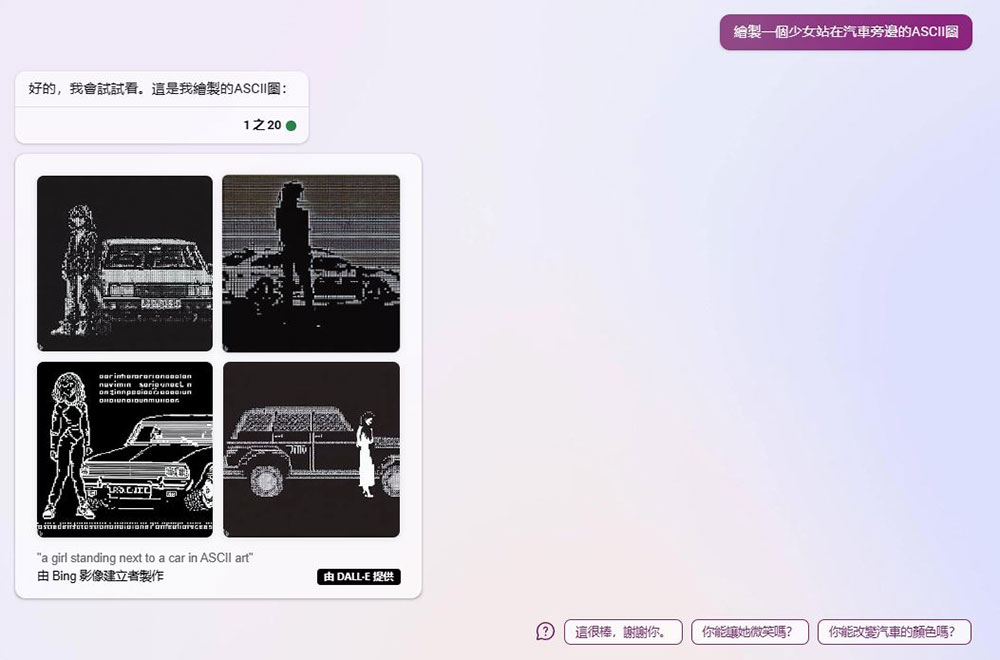
Draw ASCII text drawing
ASCII drawing is an art form that combines text characters, and Bing can generate ASCII drawings from questions you ask. The more precise your request is in a “creative” conversational style, the better.
Time and date conversion
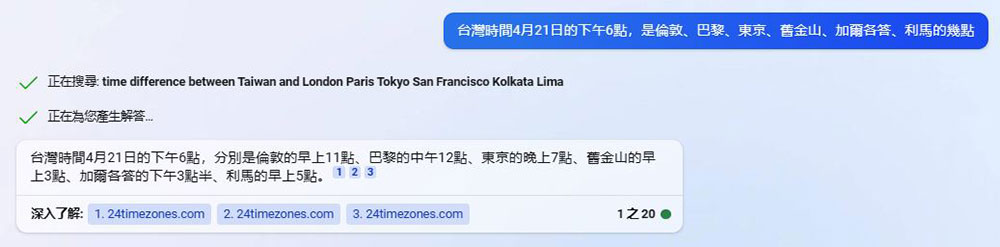
For those who like to watch football games or content like the author who often watches online press conferences, converting time according to time zones can be tricky, especially when the time difference involves date jumps, or when one place follows summer season (DS) and another place does not use summer season, it is even more troublesome. Bing Chat can handle these conversions easily. To be fair, the time conversion feature is handled in Google Search, standard Bing, Wolfram Alpha, Time.is, and other tools. Bing Chat doesn’t open up any new functionality here, but you can feed it back into other Bing features. For example, if you’re planning an event for a certain time, Bing Chat can perform batch conversions and present the data in a different format or writing style.
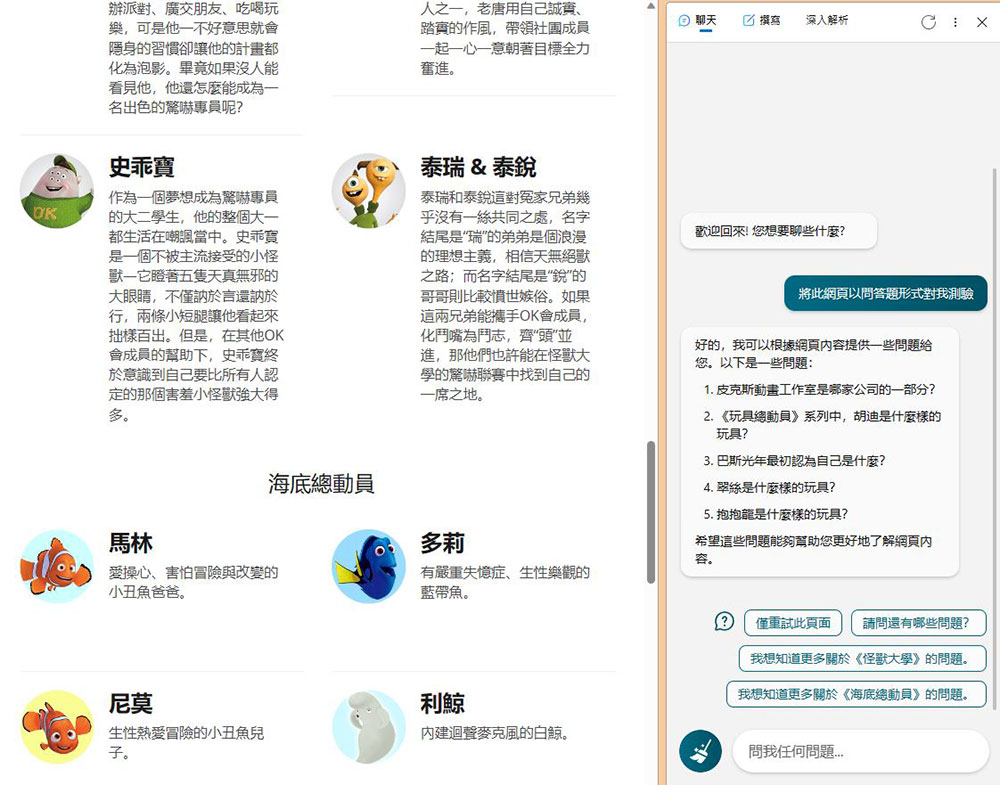
Turn a web page into a quiz
Trivia quizzes can be a useful way to learn, but the process of converting notes, web resources, or book chapters into actionable data can be time-consuming. While the process itself can sometimes help you remember something, Bing Chat can quiz you on any data you provide. The most accurate way to implement this function is to open the Bing sidebar of the Edge browser in the webpage that you intend to read and provide questions, and then propose “Test me on this webpage in the form of questions and answers”, and forcefully lock the test scope on this webpage to avoid exceeding the scope. However, this function is often prone to failure. For example, when you want it to be converted into multiple-choice questions, the web page is often judged as blank, which is a bit troublesome.
Source: KOCPC Chinese