

• About Us
King of Computer Media
  • Home
  • Tech News
  • AI News
  • Apps & Tutorials
  • Mobile & Telecom
  • Lifestyle
  • About Us
No Result
View All Result
  • Home
  • Tech News
  • AI News
  • Apps & Tutorials
  • Mobile & Telecom
  • Lifestyle
  • About Us
No Result
View All Result
King of Computer Media
No Result
View All Result

Home - Mac OS software sharing and teaching - HiddenMe hides all files on Mac desktop with one click, giving you the cleanest screen

HiddenMe hides all files on Mac desktop with one click, giving you the cleanest screen

KOCPC Editor by KOCPC Editor
July 3, 2022 - Updated on August 4, 2026
in Mac OS software sharing and teaching

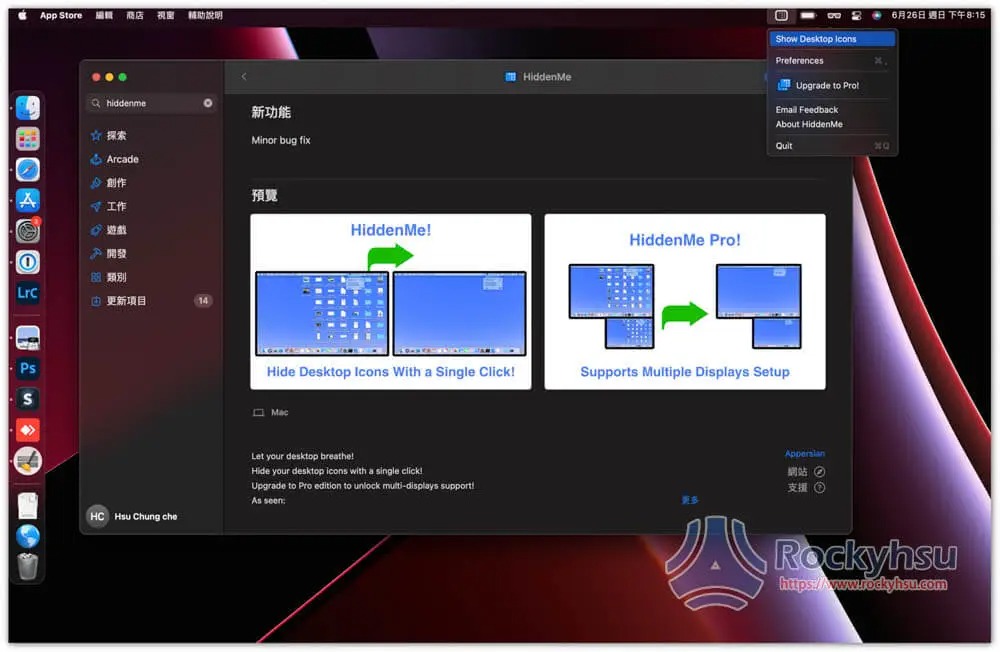
For those who often take screenshots or are used to putting files on the desktop, they will definitely encounter a problem. The desktop is messy and looks uncomfortable, or you want to capture pictures and hope the desktop looks cleaner. At this time, HiddenMe free software can help you. It can hide all files on the Mac desktop with one click and display them when necessary. It is recommended to everyone.
  • Further reading:Mac VPN recommended! These are the best choices that have been tested

HiddenMe operation teaching and introduction

This is available on the App Store, with free version and paid version (Pro). The difference is that the paid version can be used on multiple monitors. If you only have a Mac screen, you can use the free version.

  • Click me to install on App Store

This is my usual Mac desktop. Because I often need to take screenshots for work, it is always messy:
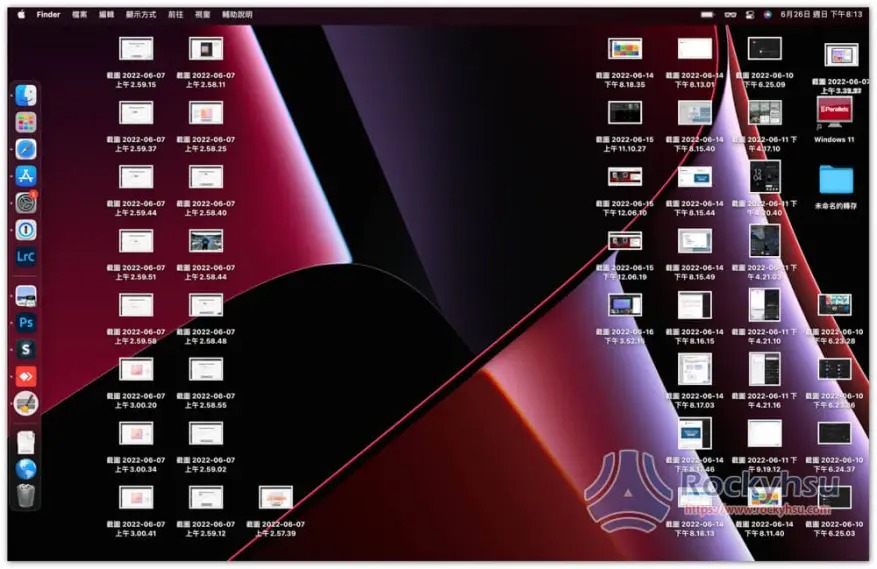
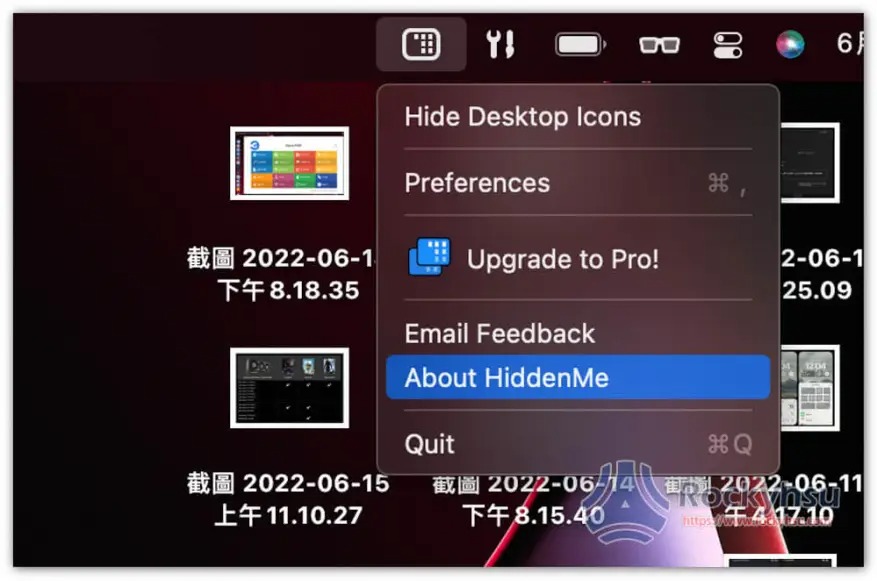
Step 1 – After installation, open the gadget in the Menu Bar and enable hidden functions

After opening this gadget icon, click on the first Hide Desktop Icons to hide the desktop icon function. If your Menu Bar has too many small icons and is blocked by your bangs, you can use what I recommended before Bartender To organize:
Step 2 – All files on the desktop will be hidden until you need to open them again.

All the file icons on the desktop have disappeared and become clean immediately. It looks really comfortable:
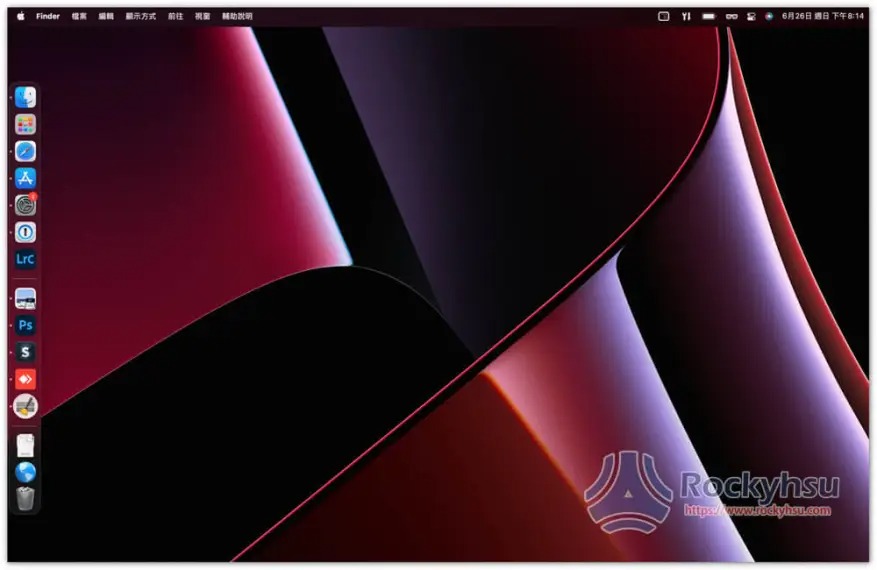
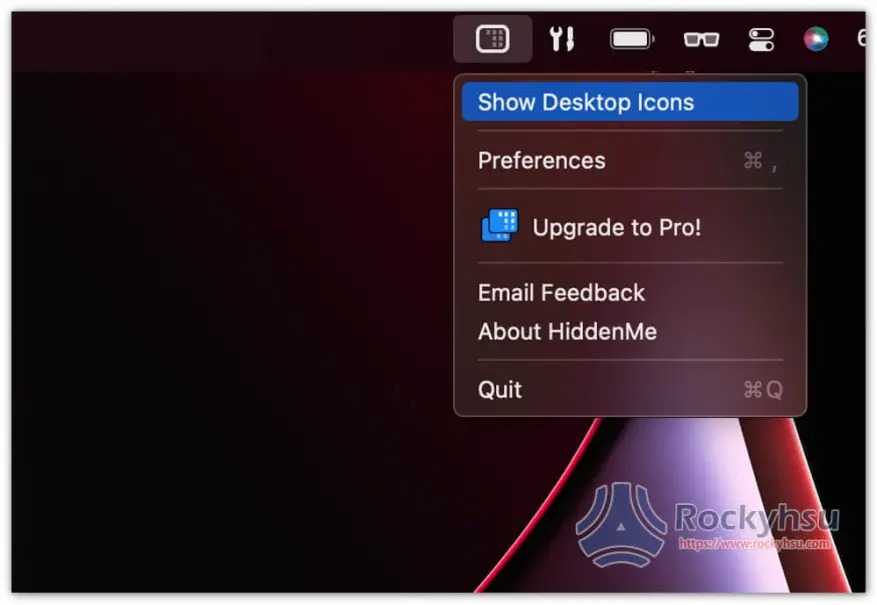
When you want to display the desktop file icon again, open the gadget in the upper right corner and click on the first Show Desktop Icons to display:
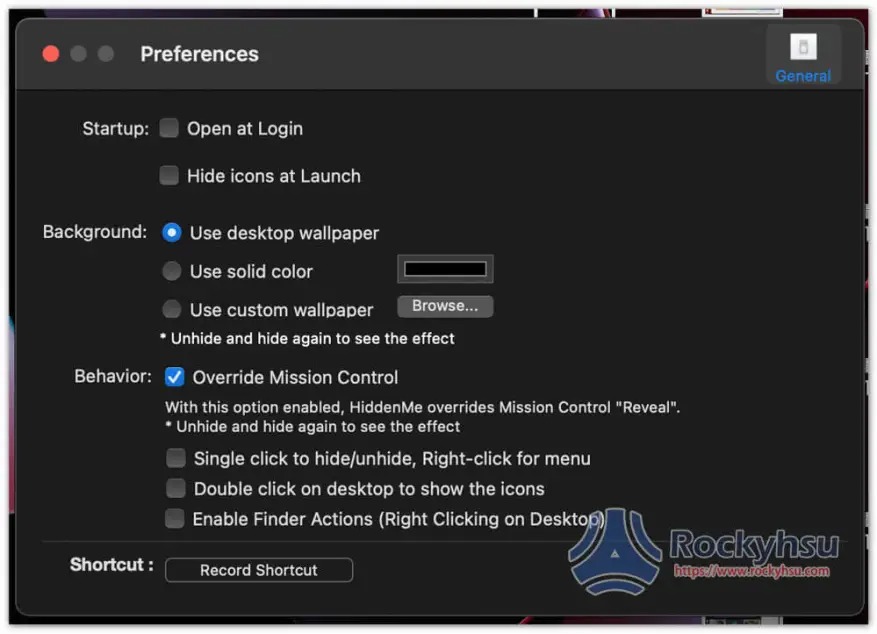
There are also some options that can be adjusted in the settings, such as automatically opening at startup, automatically hiding desktop file icons after opening, etc. See if you need it:
Summarize

For Mac users, even if they don’t use it now, I still recommend collecting this first, because usually you will encounter a situation where you need to hide all desktop icons. At this time, if your computer already has this tool, you can quickly hide it with one click, without having to spend time searching on Google.

More useful Mac software recommendations

  • Setapp Mac and iOS software recommended subscription service, one account can use more than 230 professional paid software apps
  • HazeOver is a Mac software that allows you to focus more on your current work. Only the work window is lit and the rest will be dimmed.
  • Smart Trash Free Tool, one-click removal of Mac Apps not installed from the App Store

Source: KOCPC Chinese

Tags: MACmacOS

Recent Posts

  • The Xiaomi Pad 8S Pro has passed network access certification and will debut with the self-developed XRING O3 chip.
  • The entire Google Pixel 11 lineup has been leaked! Official promotional renders of the Pixel 11 Pro XL have also surfaced
  • Are Chinese phone battery capacities falsely labeled? A brief look at the “capacity locking” phenomenon in Chinese silicon-carbon batteries.
  • NCC is leaderless, recklessly sending out national-level alert messages!?
  • What does “QR” in QR Code mean?

Recent Comments

No comments to show.
  • About Us

We welcome partnership inquiries and product review opportunities from smartphone manufacturers, iPhone accessory brands, and app developers.koc kocpc.com.tw|Privacy Policy |Hosting & Maintenance: Fast Line Taiwan, A-Chang Digital Technology

No Result
View All Result
  • Home
  • Tech News
  • AI News
  • Apps & Tutorials
  • Mobile & Telecom
  • Lifestyle
  • About Us

We welcome partnership inquiries and product review opportunities from smartphone manufacturers, iPhone accessory brands, and app developers.koc kocpc.com.tw|Privacy Policy |Hosting & Maintenance: Fast Line Taiwan, A-Chang Digital Technology