


Yesterday, when we introduced Google’s new generative AI image generation experimental project Whisk, we shared how you can make use of the images Whisk generates. At that time, we only briefly covered how to create videos, so some of you might be curious about the actual steps. That’s why today we’re going to show you how to use Whisk and Kling AI to generate videos with pretty impressive results. If you’re interested, keep reading!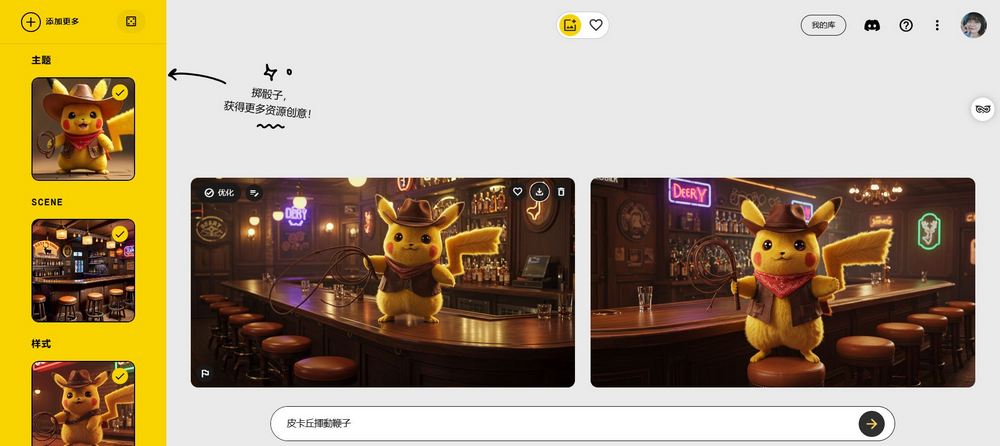
How to use Google’s latest AI image generation service Whisk
Introduction Google’s new experimental generative AI image generation project, Whisk As mentioned, by simply uploading three images covering subject, background, and style, Whisk can generate impressively good images. But in fact, besides uploading images, Whisk itself can also generate images. Today, our editor used a VPN to connect to the US to show everyone the results of generating images with Whisk. If you can also use a VPN to connect to the US, you can try generating images with Whisk too! Finally, we’ll also teach you how to combine Whisk with Kling AI to create vivid videos.
Go try Whisk (requires switching to the US region)
After switching region to the US, click the URL above and you’ll see the Whisk ALPHA page. Log in with your Google account to start experiencing it! Scroll down and click Start from scratch to generate images with Whisk.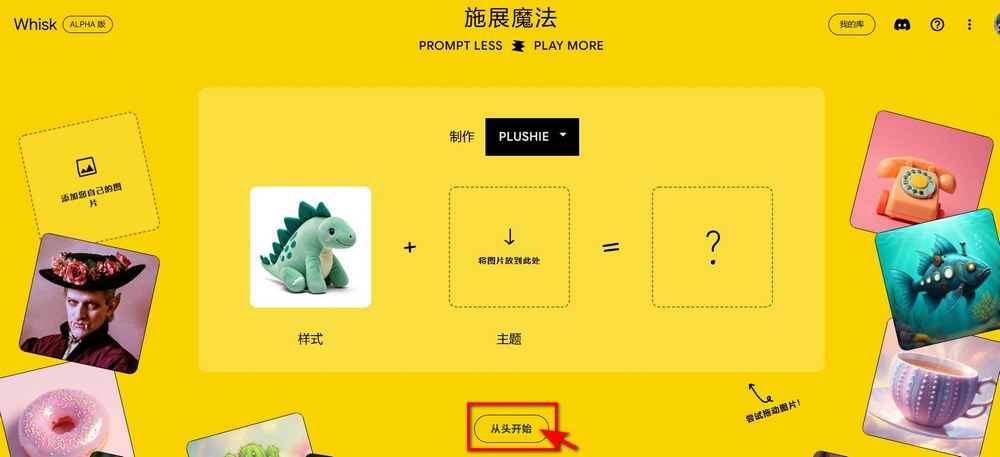
On the left side of the screen, you’ll see three options: Theme, Background, and Style. Each option lets you upload or generate an image. Hovering over the box will show two options: brush and image. If you already have an image prepared, just upload it directly. If you have no ideas, you can click “brush” and enter text to let Whisk generate an image for you.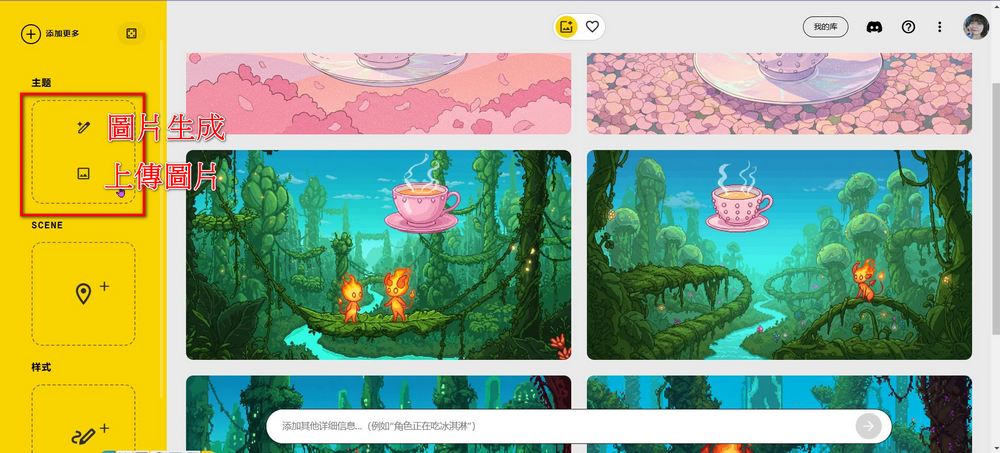
If you have no ideas at all, you can also click the dice, and Whisk will randomly generate images with themes, backgrounds, and styles for you to choose from. 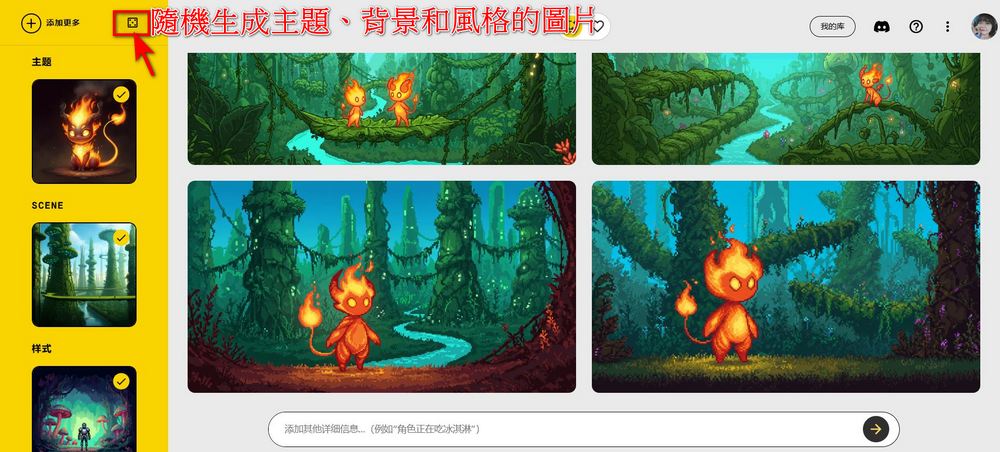
As described above, after uploading an image or letting Whisk generate one, describe the desired effect in the description field, then click the arrow to generate the image. Whisk generates two photos at a time; if you’re not satisfied, click the arrow to regenerate. From testing so far, Whisk doesn’t limit how many times or how many photos users can generate, and it works quite well.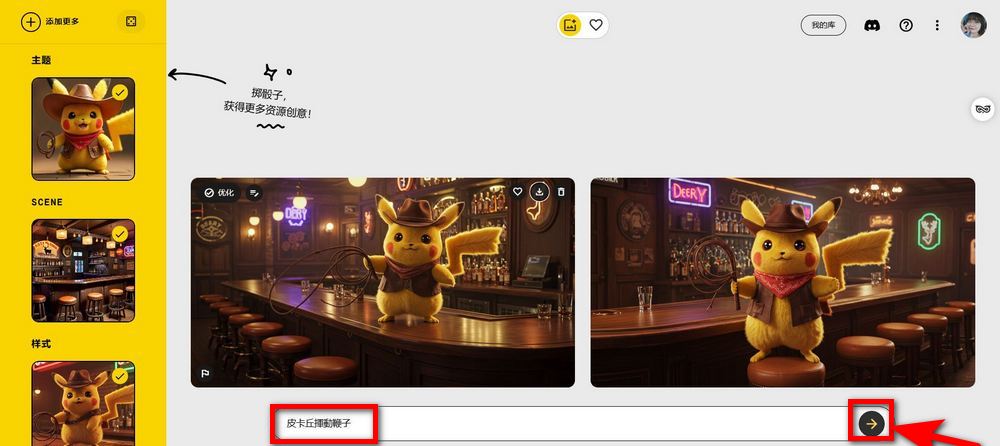
Whisk + Kling AI
When introducing Whisk, it was also mentioned that simply generating images can be boring. After using Whisk to generate an image, you can use Kling to convert the image into a video. Kling AI currently requires a considerable amount of waiting time to generate videos. However, after the editor tested Kling AI, Vidu, and Hailuo AI, the editor subjectively believes that Kling AI produces better video effects and quality. The downside is that generating a video takes about 10 to 20 minutes.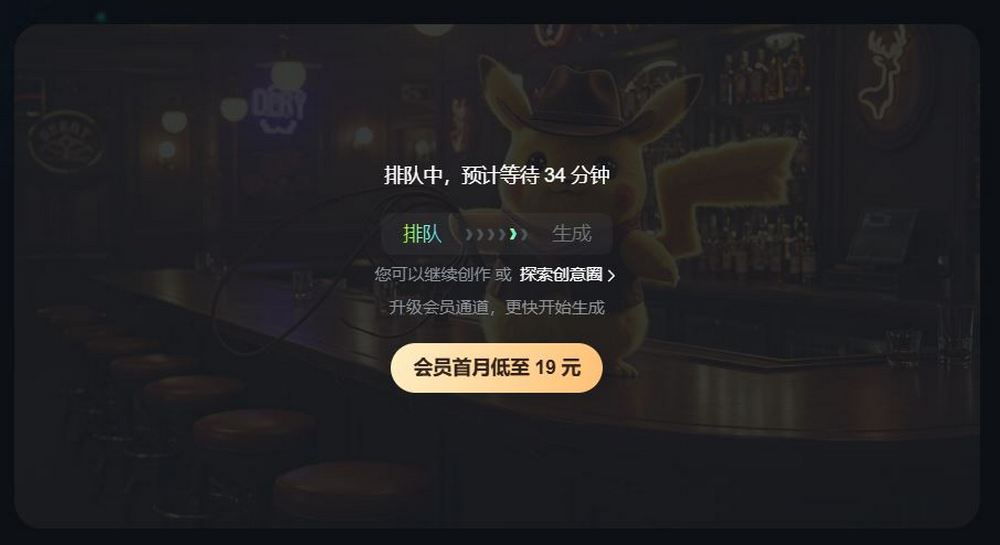
Here’s an example: an image of Pikachu in a cowboy hat holding a whip, with a bar in the background, generated using Whisk. The video effect produced by Kling AI is as follows:
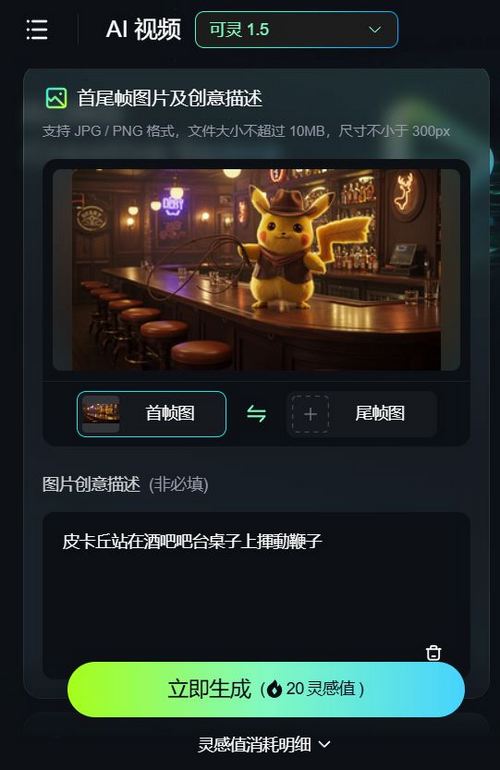
For those interested in learning how to use Kling AI, click the link below to read the Kling AI tutorial:
Source: KOCPC Chinese