


The operation method of copying files on Mac is different from that on Windows. In addition, I use MacBook Pro and the screen is very small. Opening two folder windows will take up most of the screen. Therefore, I am very accustomed to using Dropzone to temporarily store the files to be moved or copied in the window. However, this is a paid software, and some friends may not have the budget. I recently discovered this free DropPoint tool that can achieve similar effects, and I recommend it to everyone.
- Featured articles:Setapp Mac and iOS software recommended subscription service, one account can use more than 230 professional paid software apps

DropPoint operation tutorial and introduction
DropPoint is a set of free tools that supports Windows, Mac, and Linux. The operation methods are similar. This article uses Mac as an example.
Step 1 – If it pops up and cannot be verified, please force open it.
This tool is not available on the App Store, so after you download and install it and open it, you may get a prompt that the developer cannot be verified. Please click “Cancel”:

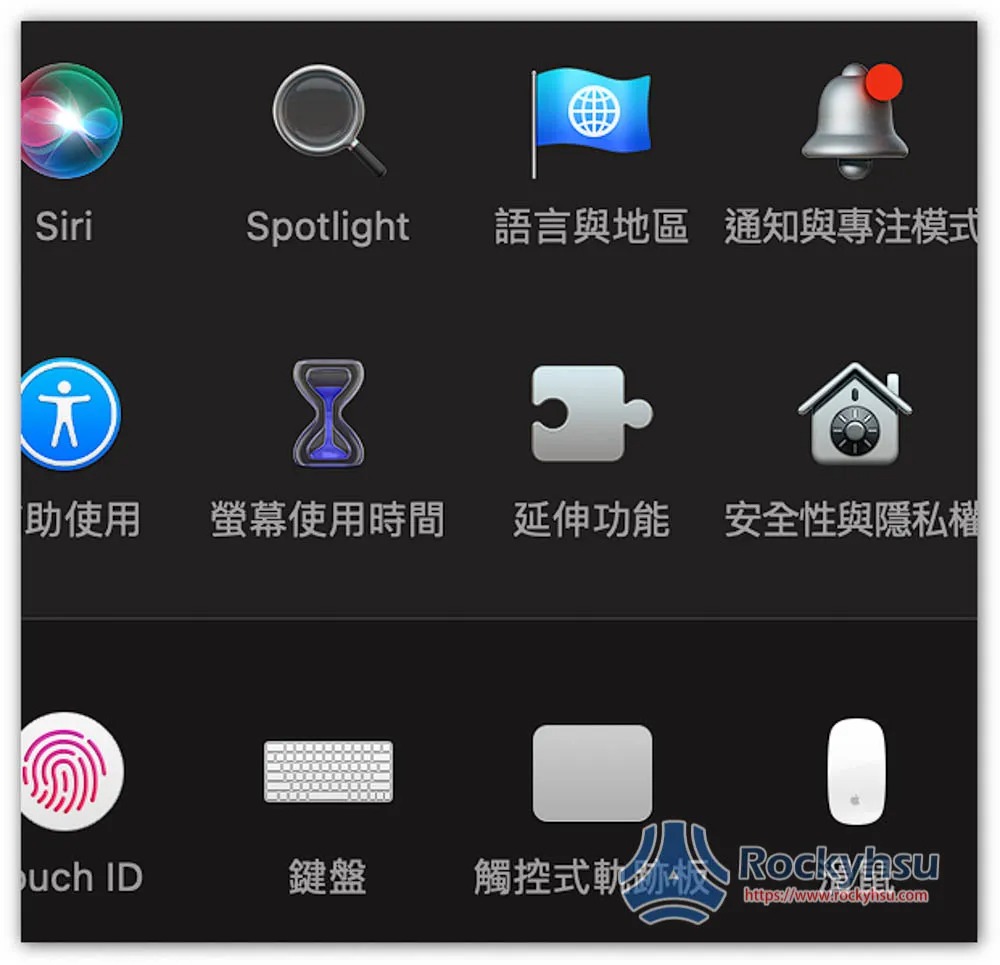
Open Settings and go to “Security & Privacy”:
Open the general menu, and you will see a warning that it is blocked and cannot be used. Click “Force Open” on the right:
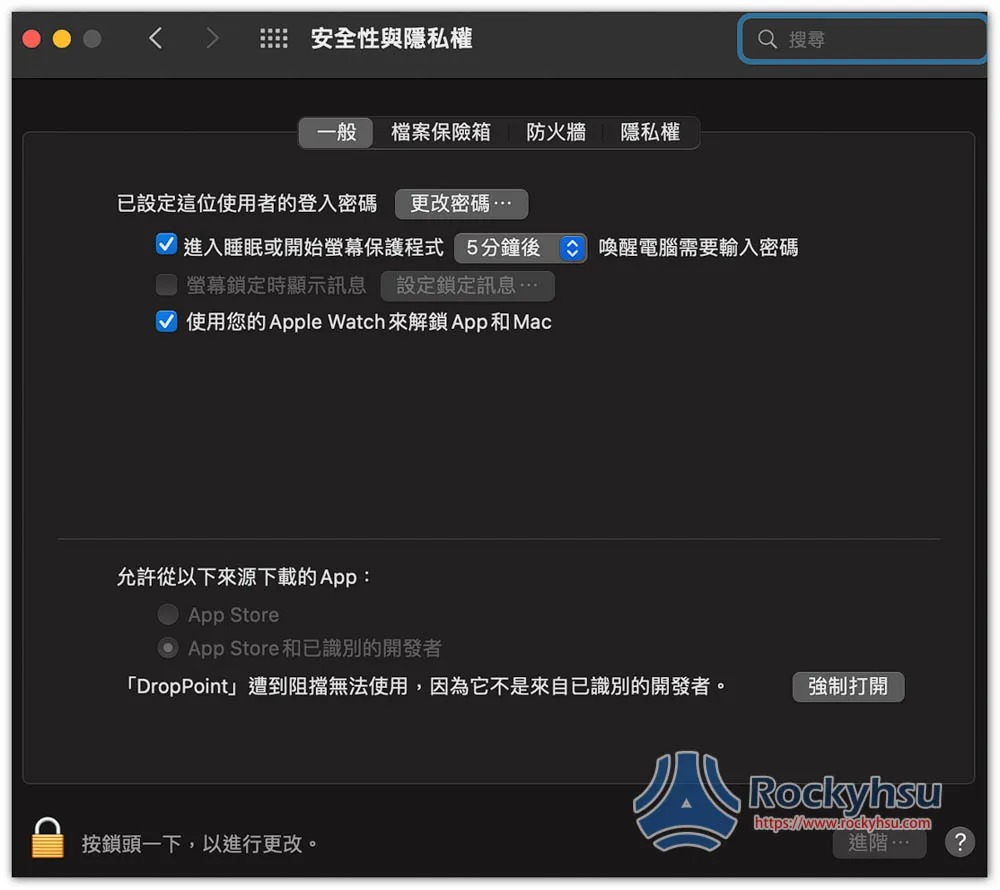
Then it can be “opened” normally:

Step 2 – Drag the file you want to copy into the window
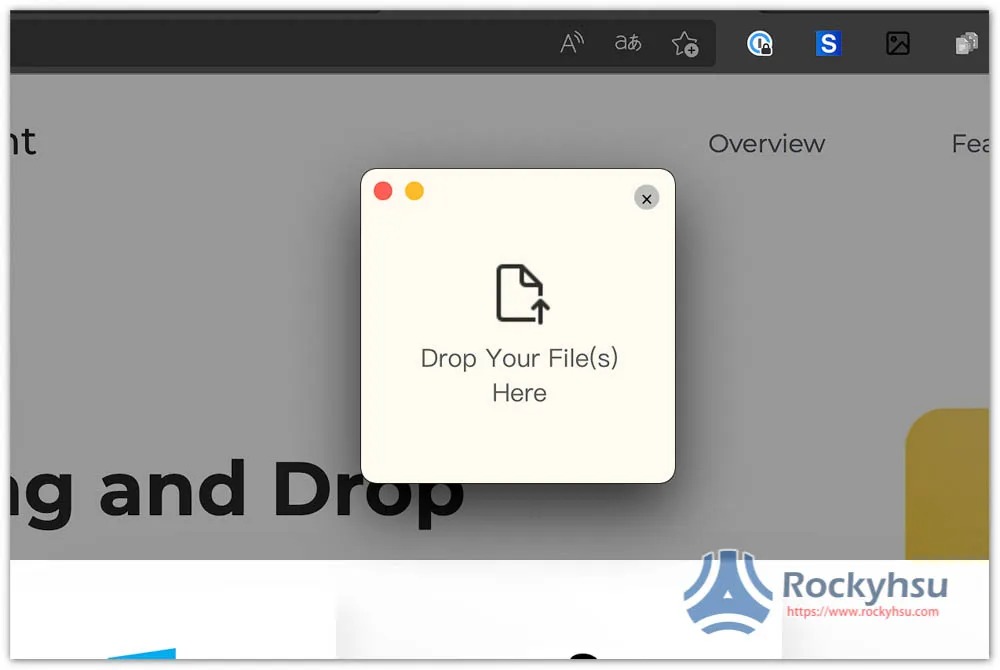
This small window will appear on the screen, drag in the files you want to copy to other folder locations:
Like this, you can drag multiple files at once:
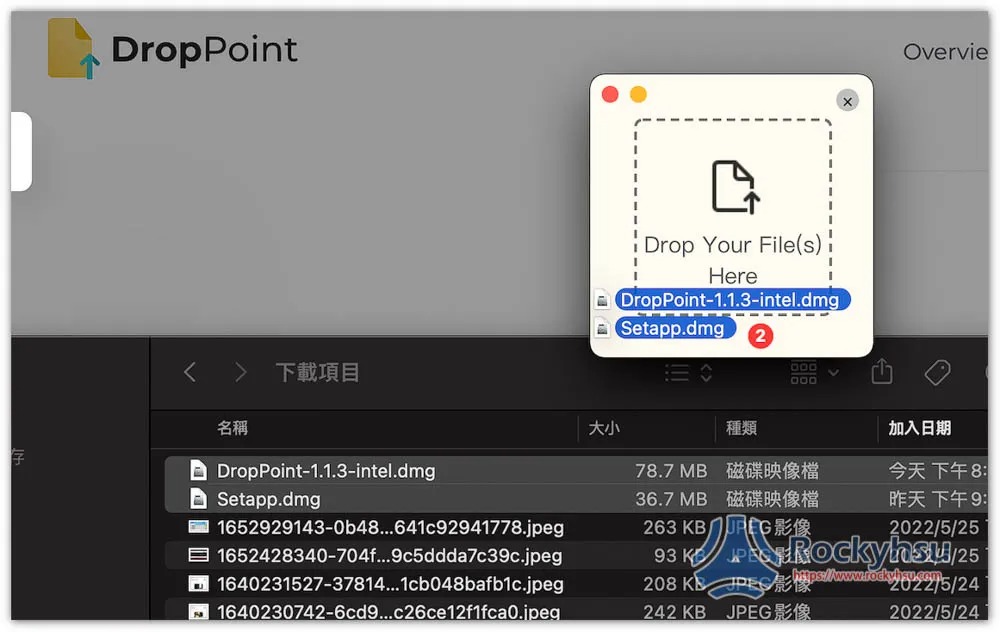
The window will also indicate how many files you have placed:
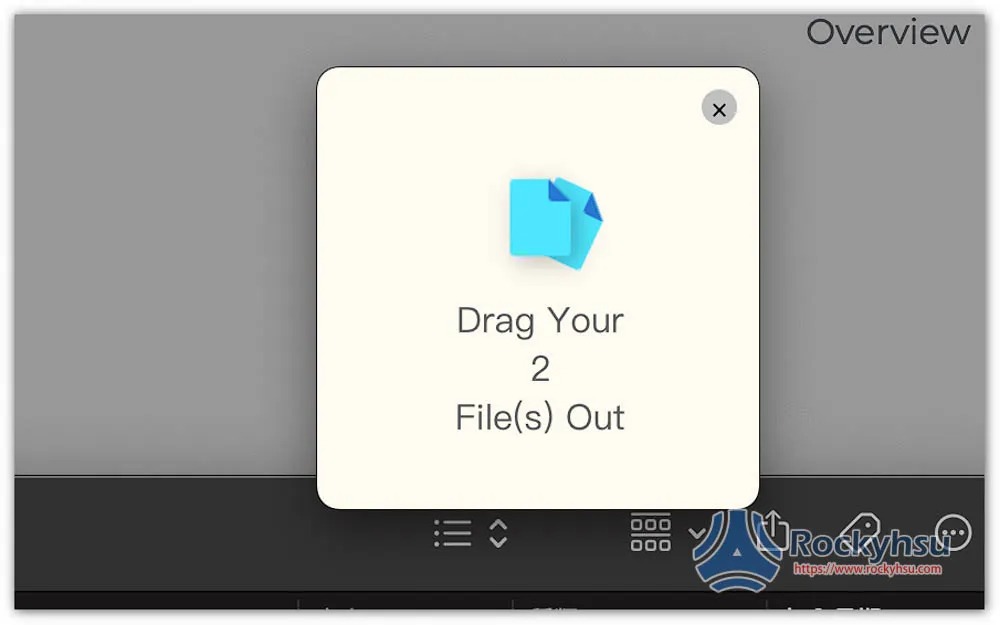
Step 3 – Drag the file to the folder where you want to save it
After opening the folder you want to save, drag the file temporarily in the window:
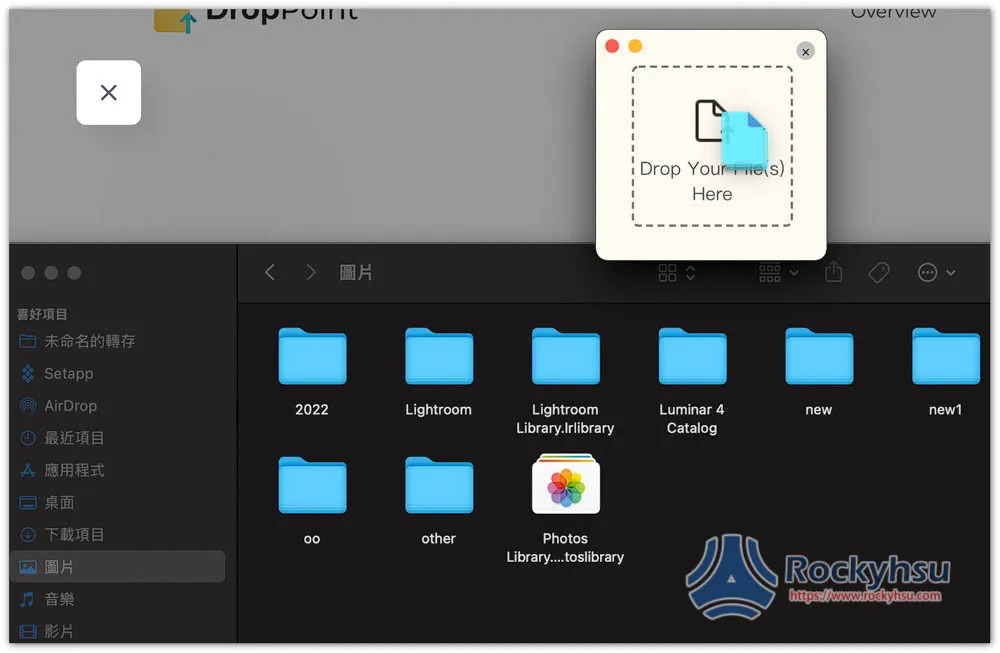
This is done:
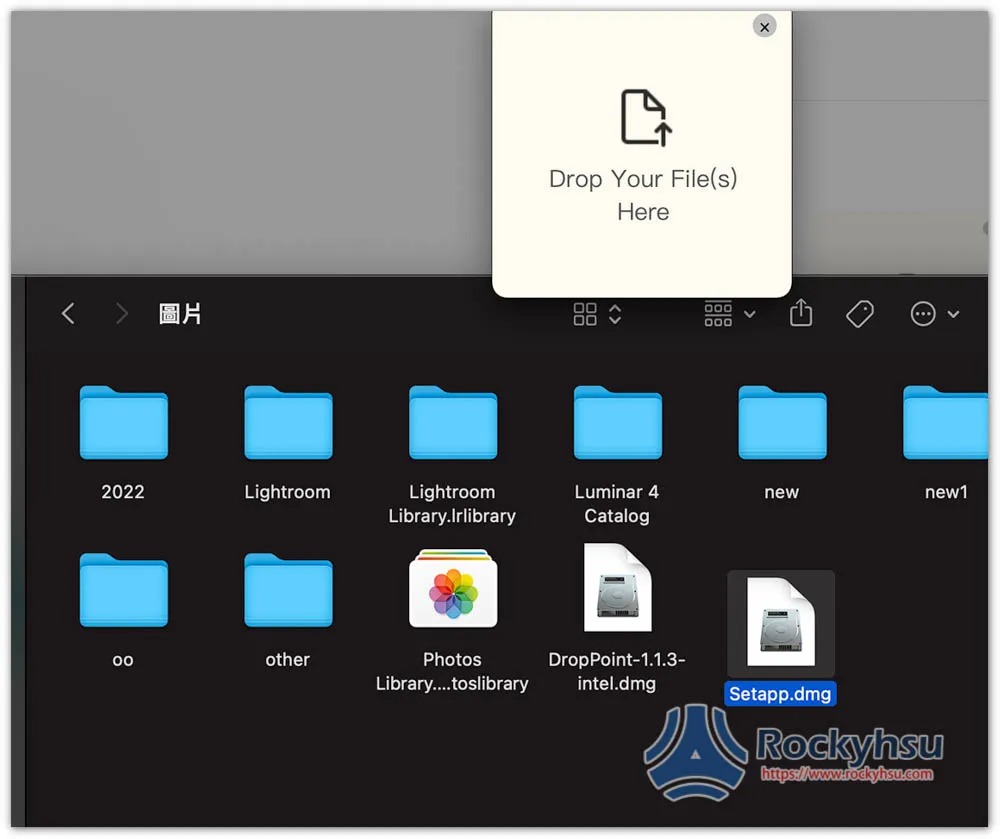
As a reminder, this currently only supports copy mode, so the original files will still be there. You need to delete them manually if you don’t want them.
Summarize
Overall, compared with Dropzone, Dropzone is easier to use and more flexible in operation. However, it is free after all. It depends on whether developers will add more features in the future. People who have no budget can still use it.
Recommended articles:
- Smart Trash Free Tool, one-click removal of Mac Apps not installed from the App Store
- myTuner Radio Taiwan, a free Mac app that contains more than 40,000 popular radio stations from 200 countries
Source: KOCPC Chinese