


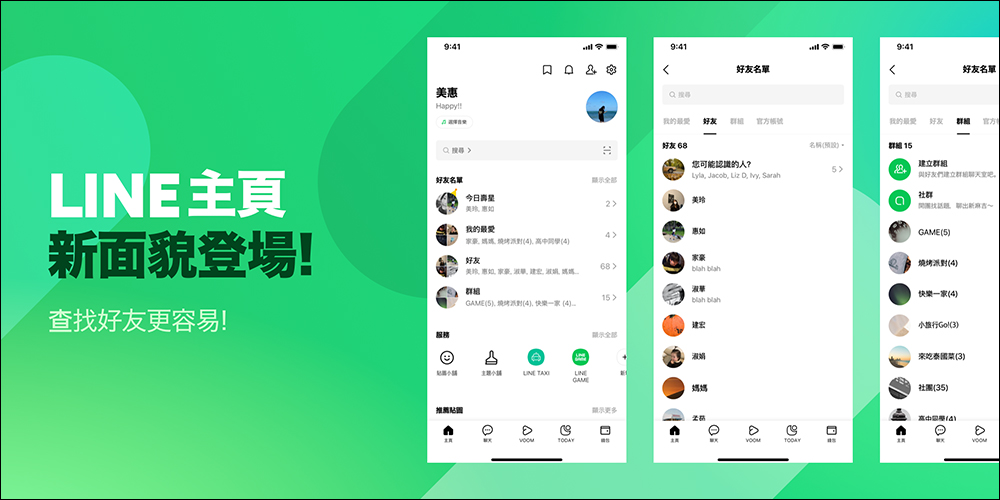
In order to provide LINE users with a better experience, the LINE team continues to collect user suggestions and feedback to adjust and optimize the interface and functions in version updates. About two years ago, LINE launched a new homepage to provide users with a more personalized interface. Recently, the LINE homepage has been revamped again, which not only makes the friend list more clearly categorized and makes it easier to find friends, but also adds special effects for birthdays and other updates.
▲Picture source:LINE Taiwan official BLOG
LINE homepage interface update: It’s easier to find friends, new birthday effects are added, and more user experience optimizations
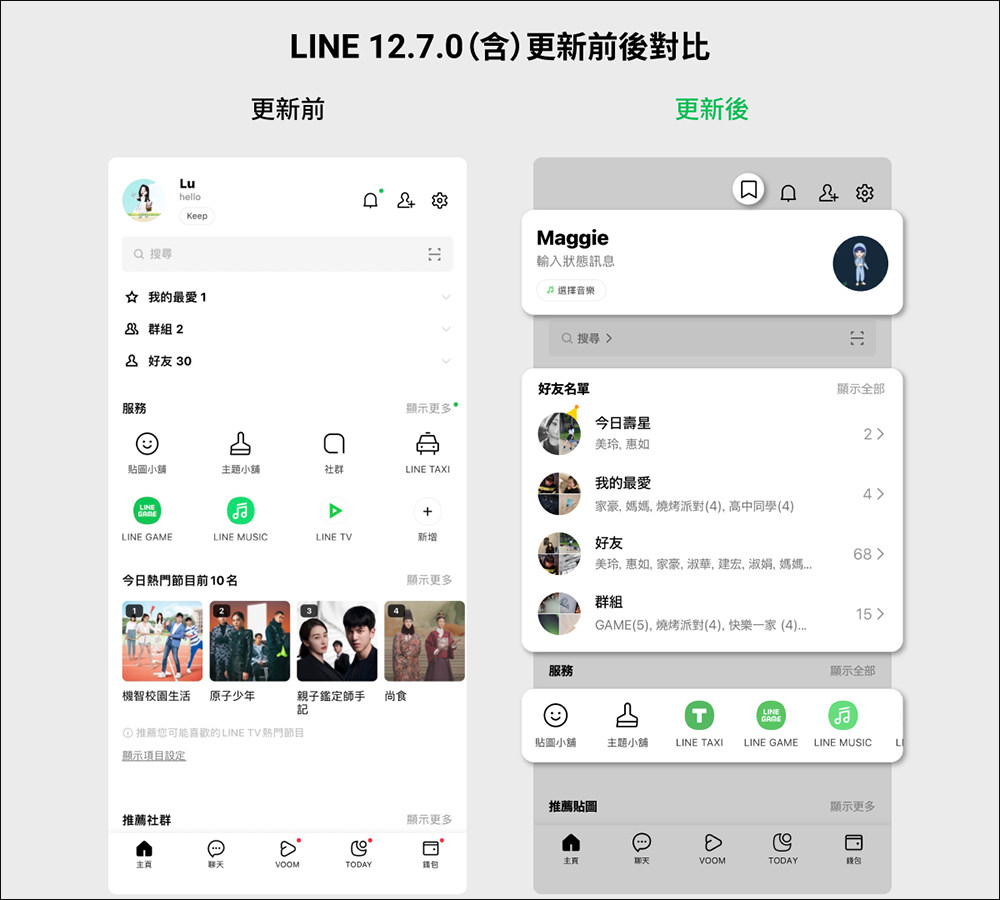
If you have noticed some small differences in the LINE interface recently, the sharp-eyed among you may have discovered the content of this update! Because LINE has recently quietly upgraded the “LINE Home” interface in LINE 12.7.0 (inclusive) and above, including adding “birthday effects” to the personal profile interface, optimizing the friend list, and supporting pinning services in the “Services” list, making use more intuitive and convenient.
Currently, the LINE 12.7.0 version update has been released on the Android version today (18th). iOS users can wait a little longer because it will be updated in the near future.
Optimized the personal file interface and added birthday effects
First of all, on the new LINE homepage, the interface is adjusted for the “Personal File” at the top of the screen. The “Keep” button originally under the profile status is adjusted to an independent icon in the upper right corner. In addition, LINE MUSIC background music will also be displayed under the profile. At the same time, the interface and position of the photo sticker, display name and status have been adjusted to make the display effect easier to read.
▲Picture source:LINE Taiwan official BLOG
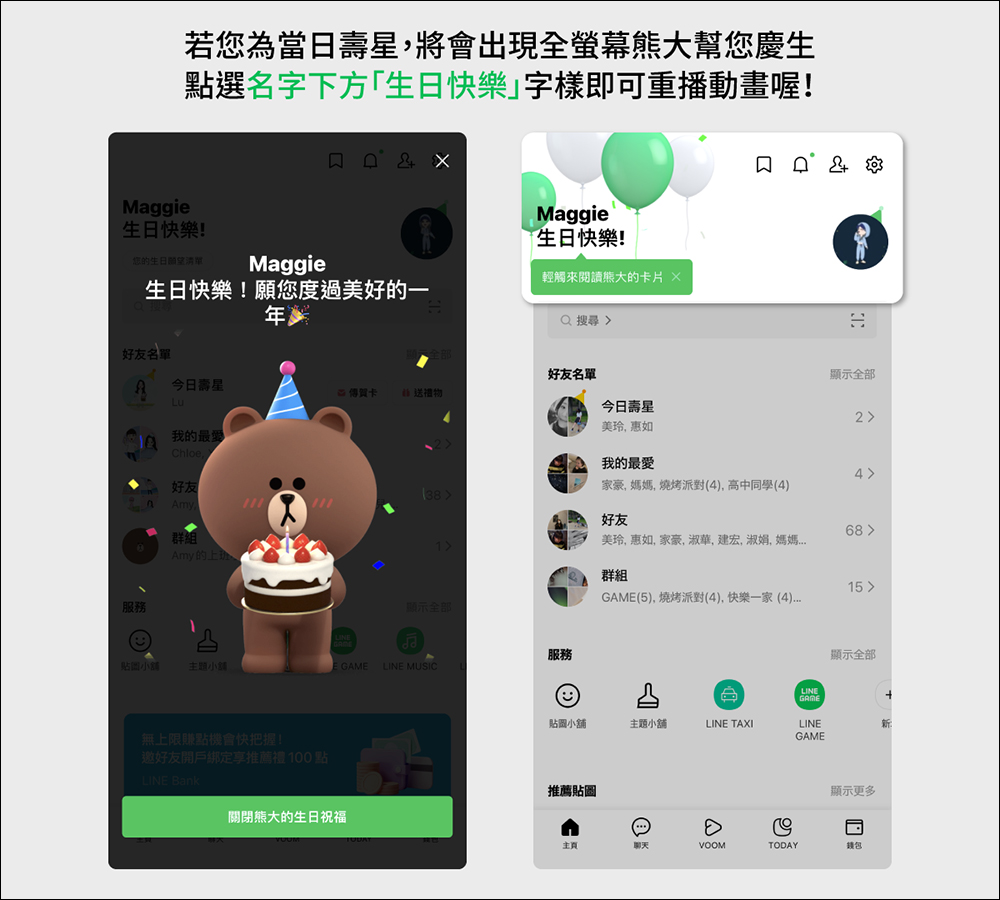
In the past, the LINE system would give advance reminders based on the birthday of a user’s friend’s recent birthday, and would also add a “birthday hat” to the friend’s photo post on the birthday. From now on, if you are the birthday boy on that day, a full-screen bear will appear on the screen to celebrate your birthday! Just click on the “Happy Birthday” text below the name to replay the exclusive celebration animation.
▲Picture source:LINE Taiwan official BLOG
Optimize the friend list to make querying friends more convenient
For the “Friends List” section, this LINE update also optimizes the sorting interface, such as dividing the friend list into “Today’s Birthday”, “My Favorites”, “Good People” and “Group” lists. At the same time, after this LINE homepage update, the friend list also has exclusive avatars! If it is a group avatar, it will be composed based on the friends or group avatars in the list (see the picture above).
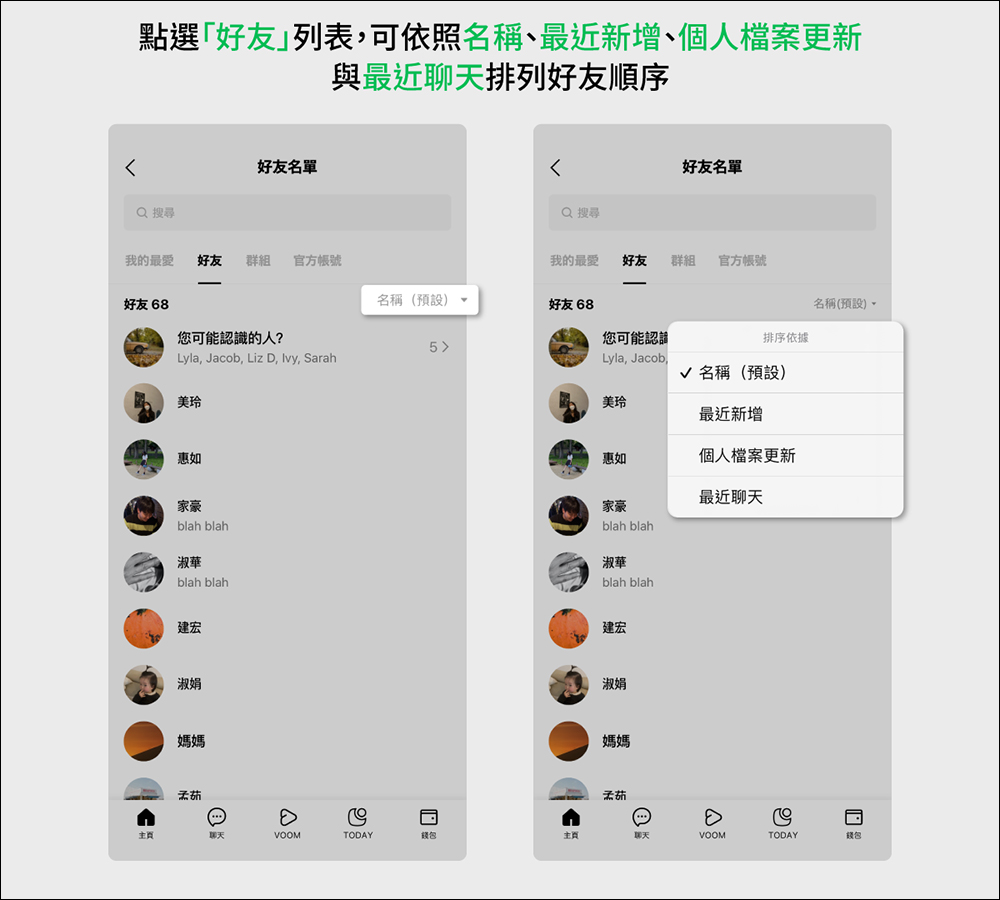
In terms of sorting the friend list, after the update, users only need to click on the “Friends” list from the LINE homepage, and then four sorting options will be provided, namely “Name (Default)”, “Recently Added”, “Profile Updates” and “Recent Chats”. You can choose according to your personal circumstances.
I would also like to add here that “personal profile updates” refer to friends who have recently updated their profile pictures, personal status messages, background music, background photos or decorations.
▲Picture source:LINE Taiwan official BLOG
Optimize the “Services” list and add nailing services
After LINE’s homepage update this time, the pinning service function has been adjusted to a column that slides left and right for presentation. Not only can stickers and theme shops be pinned, but users can also edit them through the most convenient “Add” or “Show All” in the upper right corner of the screen. Users can customize up to 8 commonly used services.
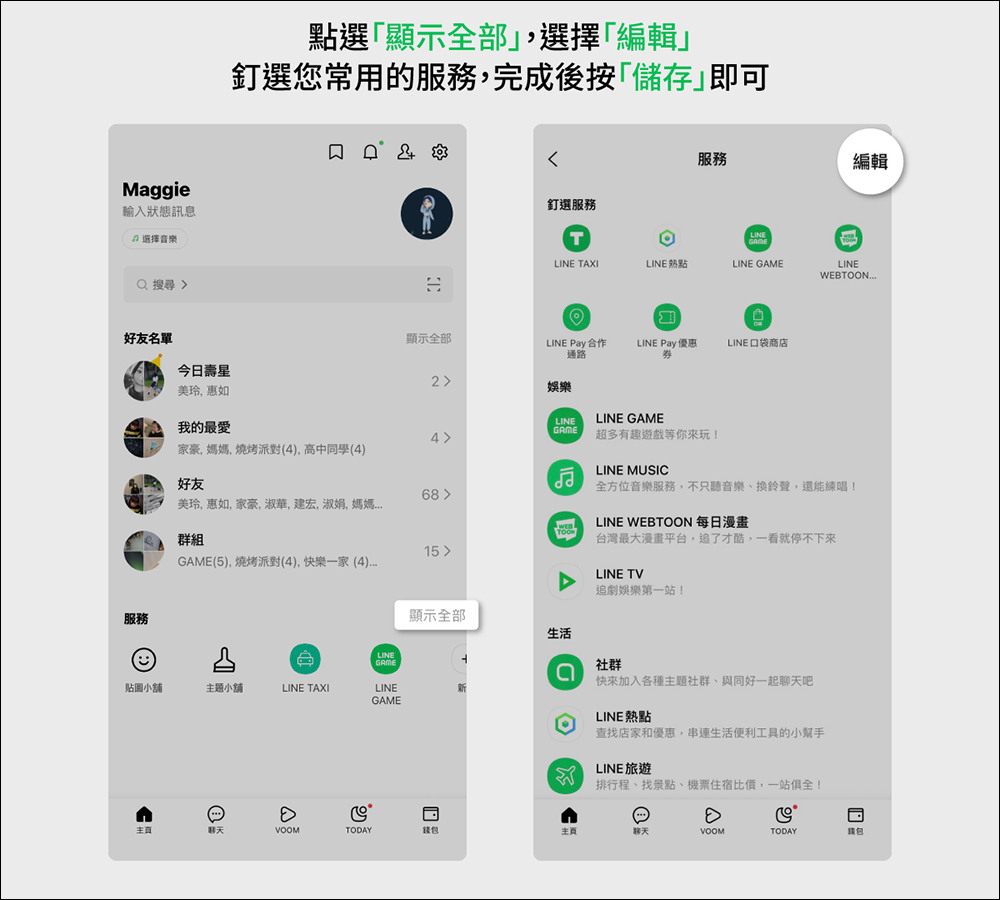
▲Picture source:LINE Taiwan official BLOG
Source: KOCPC Chinese