


I’m not sure if you remember Suno—we previously introduced it as a free AI music generation website where you can write your own lyrics. All you need to do is input your lyrics and the style you want, and Suno can create a song for you. Even beginners can make their own tracks. Suno launched its mobile app in July this year, but it was only available in the US at the time, so we didn’t introduce it to everyone. However, I recently noticed that users in Taiwan can also use the Suno app, so today I’ll share how to use it to generate music.
Free AI music generation tool Suno launches an app, available to both Apple and Android users!
In July of this year, Suno officially launched its mobile app on the Apple App Store, but it was initially only available to Apple users in the US. However, we recently noticed that Suno can now also be found on the App Store in Taiwan, so users in Taiwan can now download and use Suno as well! Not only that, Suno is now also available for download on the Google Play Store! If you’re interested, click the link below to download the Suno mobile app.
After downloading, you’ll need to create a Suno account. You can register using your Apple, Google, Microsoft, or Discord account. Once you’re registered, just set your name and username, and you’re ready to start using Suno!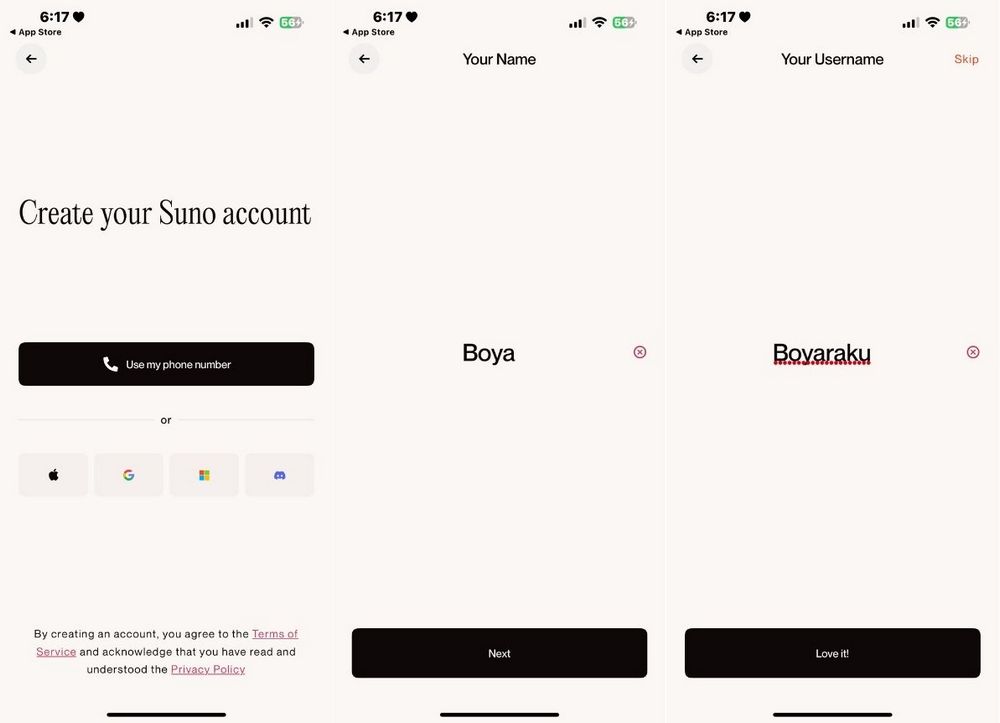
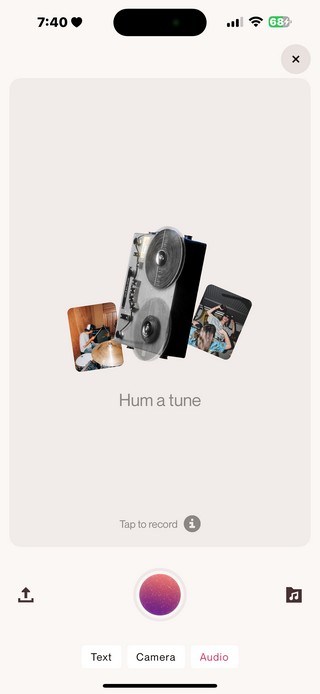
Click Create at the bottom of the screen to generate music. There are three creation methods: Text, Camera, and Audio.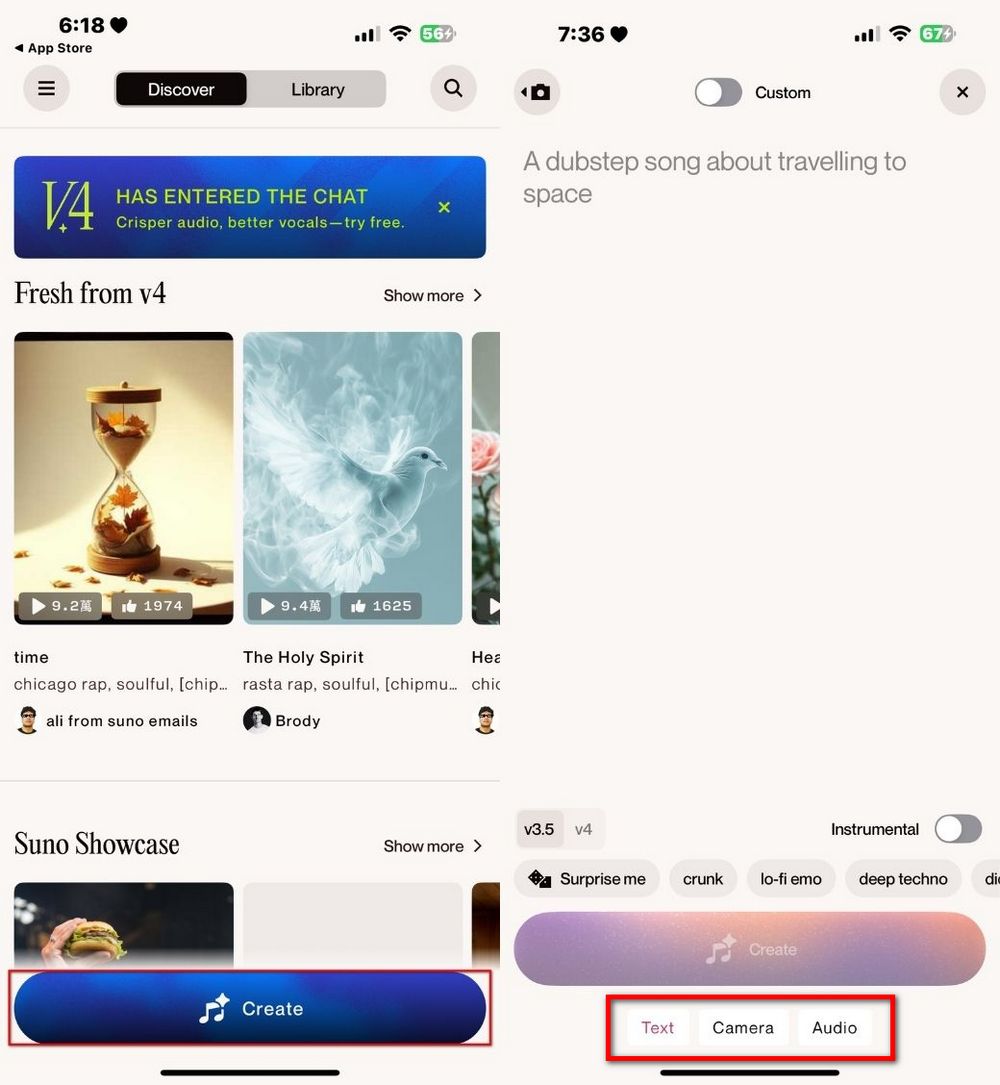
Taking Text as an example, you can enter the desired music style in the box or click Surprise me to let Suno do its own thing. You can also click ‘Custom’, so that in addition to entering the style, you can also enter your own lyrics. After entering both the style and lyrics, you can click Create to generate the song.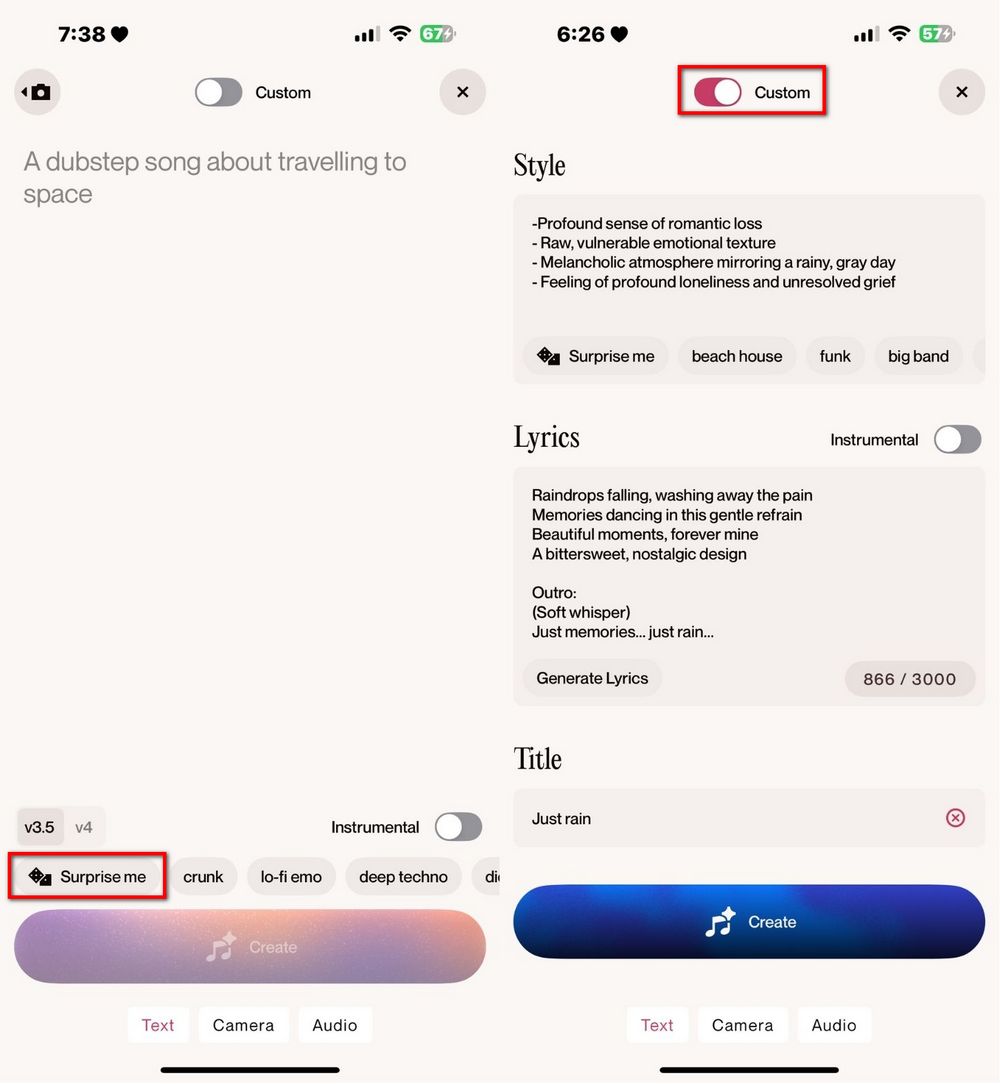
Just like the web version, Suno will provide two songs for you to choose from. You can click the share button to share the songs you create with Suno with your friends. Here’s a cat song the editor generated using Text:
In addition to Text, Suno also offers Camera and Audio as creation tools. For example, Audio is live recording, and Suno uses the recorded content as inspiration to create songs. Here’s a sample made by our editor:
With the launch of the Suno mobile app, creating music has become easier for everyone. Now both Android and Apple users can use Suno. If you’re interested, you can download it and try it yourself.
Source: KOCPC Chinese