


If you find that your AirPods are experiencing connection problems and cannot charge, or you purchased second-hand AirPods and found that the Apple ID was locked by the previous owner, today I will teach you how to reset AirPods and AirPods Pro and how to delete the Apple ID of AirPods.

How to reset AirPods and AirPods Pro and remove Apple ID from AirPods? (teaching)
It is expected that Apple will have the opportunity to launch new AirPods Pro (2nd generation) in the second half of this year, but until then, the current AirPods and AirPods Pro are still quite sufficient. If you find that your AirPods often encounter charging or connection problems after using them for a period of time, or you want to change your AirPods to new ones and want to give your AirPods to relatives and friends or sell them to others, today I will share how to reset or delete them.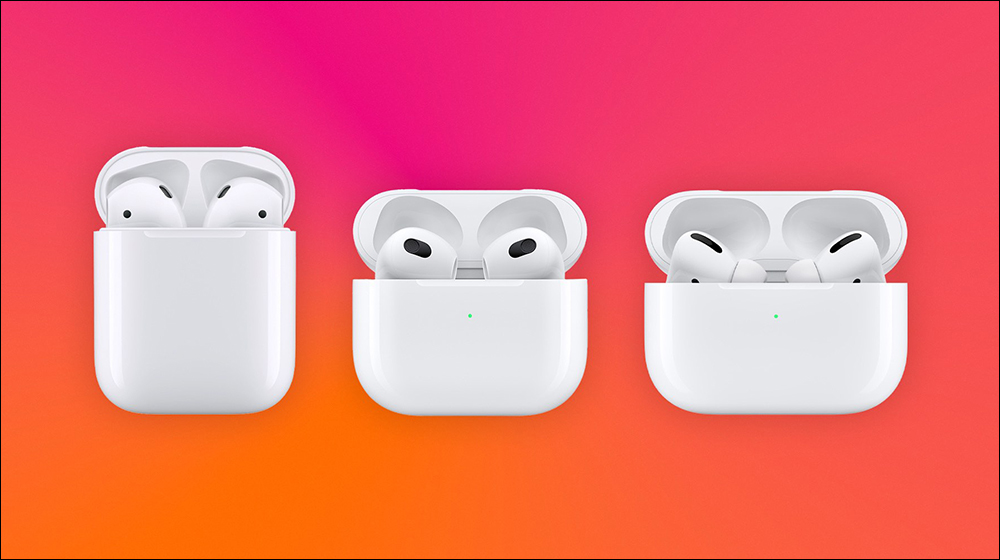
▲Picture source:9to5Mac
The relay function of AirPods and the convenience of automatically pairing with Apple devices also make many iPhone, iPad or Mac users buy AirPods to listen to music or make calls. However, if you find that your AirPods are not functioning properly or cannot be charged, you may have to spend time trying to reset your AirPods to resolve the current issue. However, a security feature in AirPods (3rd generation) and AirPods Pro and AirPods Max may cause problems with refurbished or used AirPods. If the standard reset process does not delete the Apple ID originally bound to AirPods, what should you do if you encounter such a thing?
How to factory reset AirPods and AirPods Pro?
If you want to try to restore AirPods and AirPods Pro to factory settings, please try following the steps below:
- Put the AirPods headphones into the charging case
- Close the lid of the AirPods charging case and wait at least 30 seconds
- Open the lid of the charging box and go to “Settings” on the iPhone or iPad system
- Select “Bluetooth” and click “i” next to the connected AirPods device
- Click “Forget this device settings” at the bottom of the AirPods page and click again to confirm
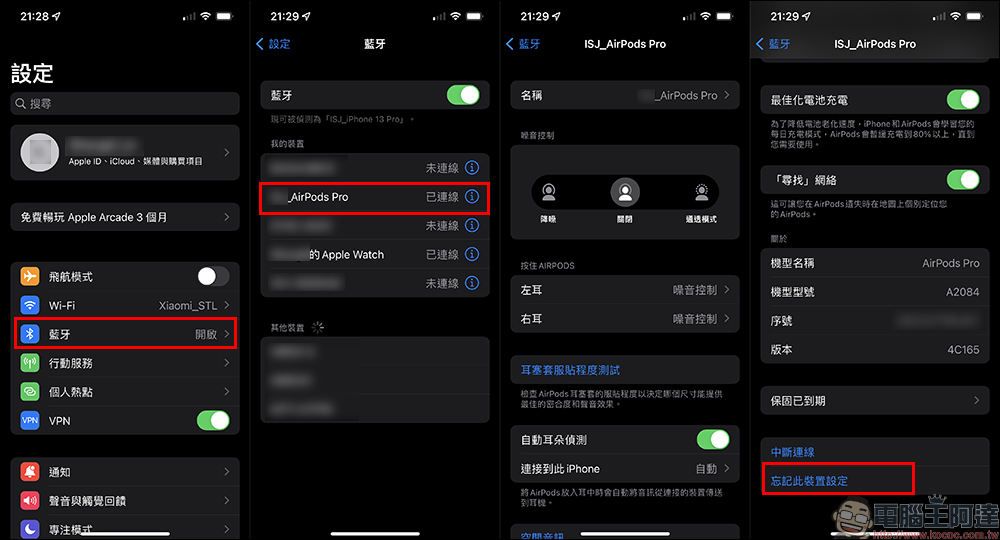
Then, in addition to keeping the AirPods charging case turned on, press and hold the setting button on the back of the charging case until the light flashes amber and then white.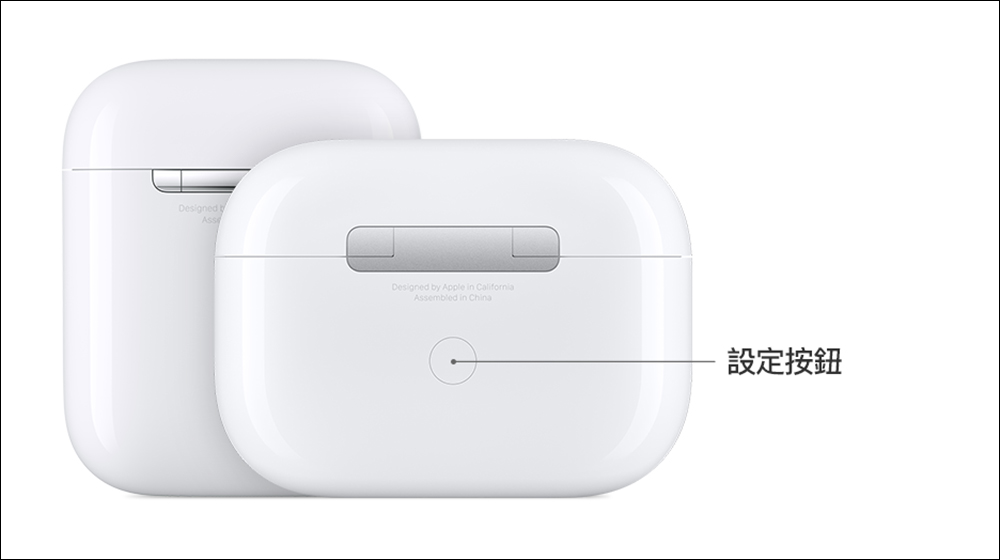
▲Picture source:Apple
How to delete Apple ID from AirPods?
If you try to set up your AirPods and see a message that says AirPods are connected to another Apple ID, you can set up the following:
- Open the Find app from the original owner (the iPhone or iPad bound to the AirPods)
- Then select AirPods and scroll to the bottom of the page and click “Remove this device”
- If the original owner performs this setting outside of Bluetooth range, the AirPods will need to be reset first.
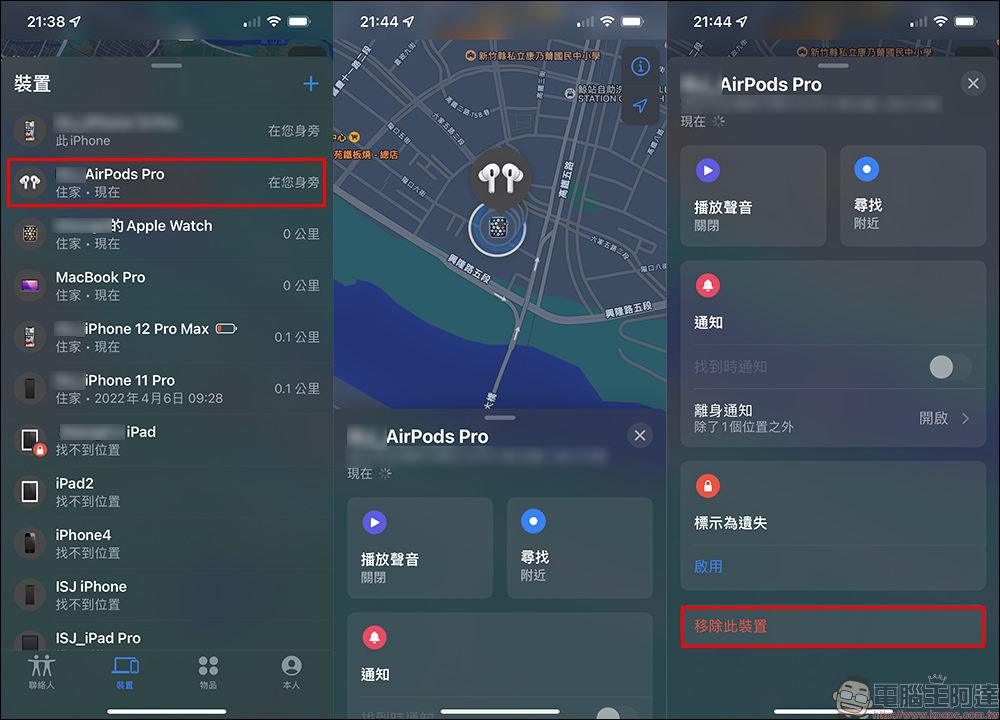
It’s important to note that Apple says these steps are the only way to remove it from your Apple ID, so if the second-hand AirPods you just purchased show up to be connected to someone else’s Apple ID and you don’t know them, you’ll have to return them. This is also to prevent someone from stealing someone else’s lost AirPods and then resetting them and using them as their own.
Source: KOCPC Chinese