


Previously,A blog post on TumblrCausing a wave of panic on internet forums, the article claimed that Microsoft uses connected experiences to scrape user Word and Excel data for AI training. In response, Microsoft denied claims that it uses Microsoft 365 (including Word, Excel, and PowerPoint) for AI training.

Microsoft clarifies it will not use your Word and Excel data for AI training.
A Microsoft spokesperson, in an interview with foreign media Bleeping Computer In its communication, it stated that it will not use customer data from Microsoft 365 consumer and commercial applications to train large language models. Additionally, the connected experiences setting has no relationship to how Microsoft trains large language models. The company also said that since its launch in April 2019, this optional setting has been turned on by default.
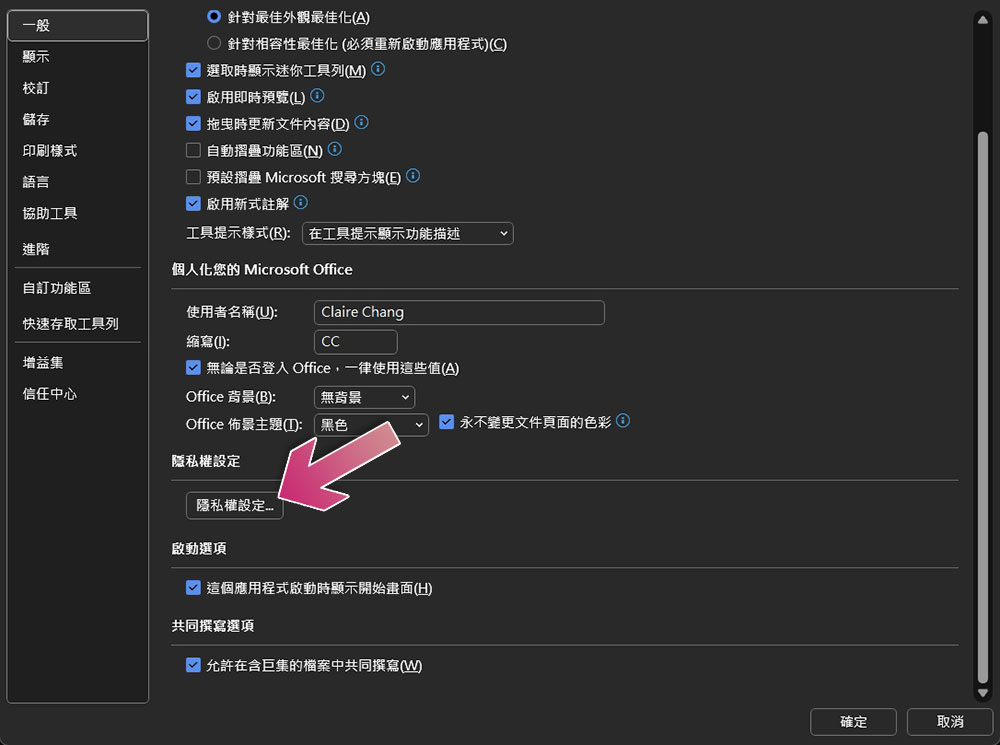
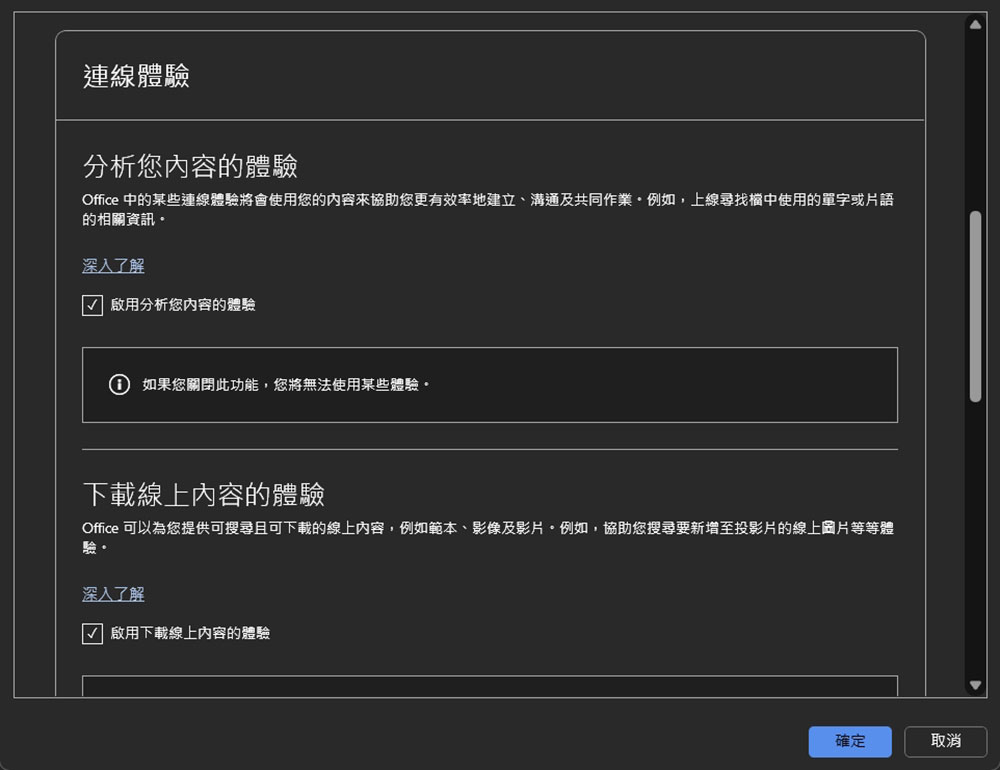
BleepingComputer has learned that the connected experiences feature supports capabilities such as co-authoring, real-time grammar suggestions, and web-based resources. These features are enabled by default because they are what people naturally expect to use in cloud-connected productivity tools. However, users always have control and can adjust their connected settings at any time. As Microsoft explains on its support website, this feature is used to provide design suggestions, editing suggestions, or data insights based on Office content through features like PowerPoint Designer or Translator, or to download online content templates, images, 3D models, videos, and reference materials, including but not limited to Office templates or PowerPoint QuickStarter. To turn this feature on or off, Microsoft 365 users must open their Office app, such as Word or Excel, and then, under “Options,” in the “General” tab, select whether to enable or disable downloading online content and analysis in “Privacy Settings.”
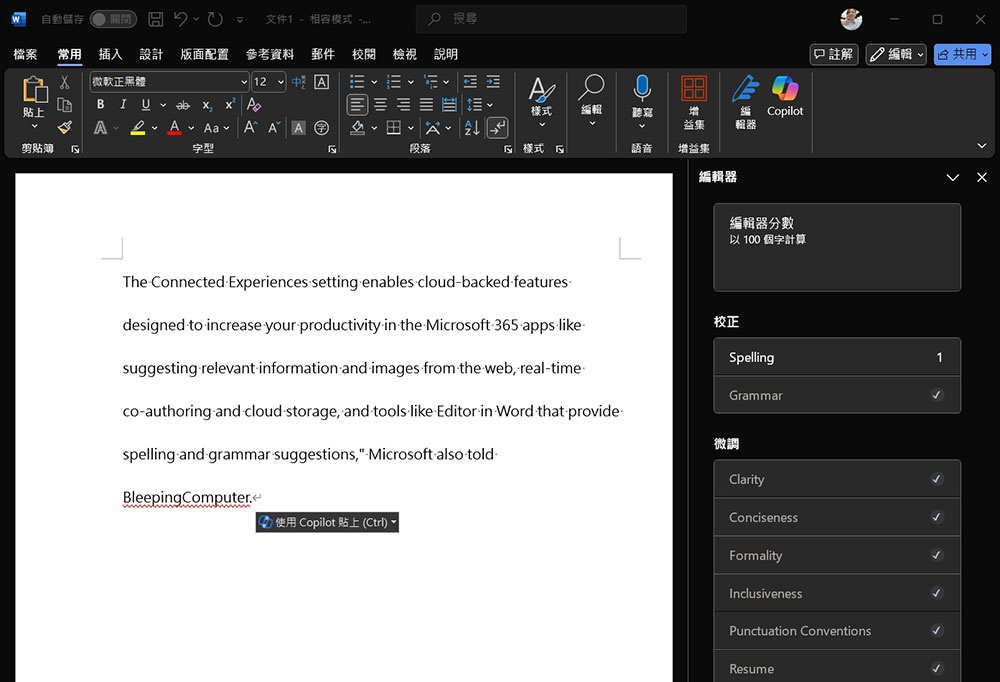
Meanwhile, Microsoft also told Bleeping Computer that the connected experiences settings support cloud capabilities aimed at improving productivity in Microsoft 365 apps, such as suggesting relevant information and images from the web, real-time co-authoring and cloud storage, and tools like Word Editor with spelling and grammar suggestions. Over the years, Microsoft has used AI in Microsoft 365, providing productivity and creativity through features like Designer in PowerPoint, which helps create visually engaging slides, and Editor in Word, which offers grammar and writing suggestions.
Microsoft added that the setting has been available since April 2019, and enterprise administrators can choose to use multiple policy settings to decide whether users in their organization can use connected experiences. These policy settings are designed to manage privacy controls for Microsoft 365 apps and Office on Mac, iOS, and Android devices.
Source: KOCPC Chinese