


We introduced a free AI face-swapping online tool called “FaceSwapper” back in 2022. At that time, FaceSwapper only had face-swapping capabilities, but when I recently revisited it, I found that FaceSwapper now has many new features. So today I’m here to reintroduce the updated FaceSwapper and what it has to offer. FaceSwapper is still free to use, and the interface is now clearer and easier to operate. As long as you have two photos, you can use FaceSwapper to have AI swap faces for you. It also adds multi-person face swapping and clothes-changing features. If you’re interested, come take a look.
Free AI face-swapping tool “FaceSwapper” adds multi-person face swap and outfit change features, with a simple interface that’s easy to pick up.
The one-click face swap website “FaceSwapper” offers a simple interface, so users can quickly understand how to use FaceSwapper to perform a one-click face swap. You can enjoy FaceSwapper’s services for free without logging in, with features like face swapping and clothes swapping to choose from. Click the Product option at the top of the page to select the feature you want. Below, we’ll introduce the features FaceSwapper offers.
Go to the one-click face-swap website “FaceSwapper”
- Single-person face swap
Once you go to the FaceSwapper website, you’ll see this interface. Put the image you want to swap the face from in the top box, and the image to be swapped onto in the bottom box. After both are uploaded, click “Upload&Start” and FaceSwapper will start generating the image for you.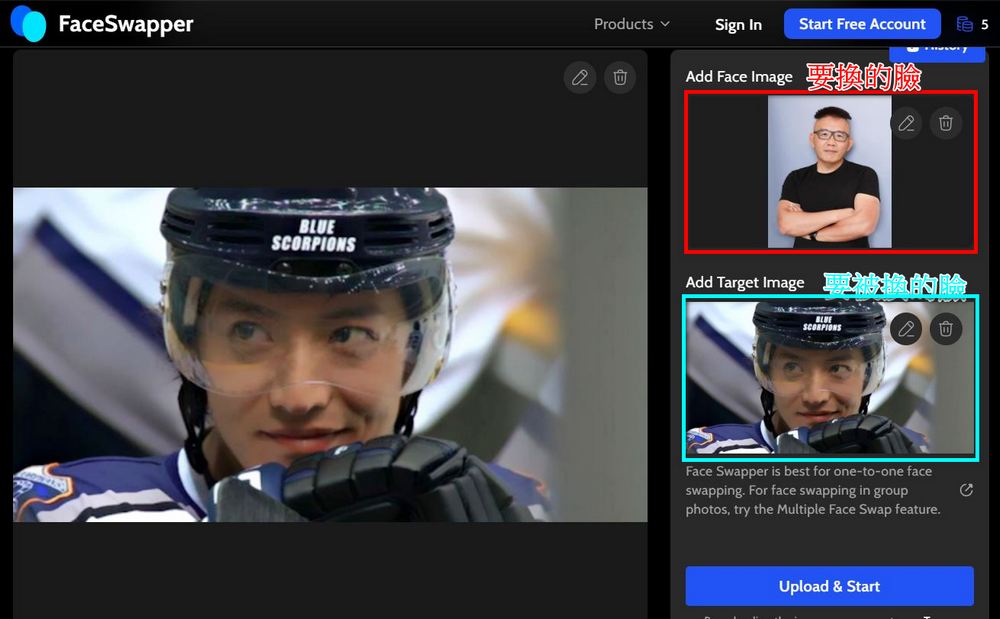
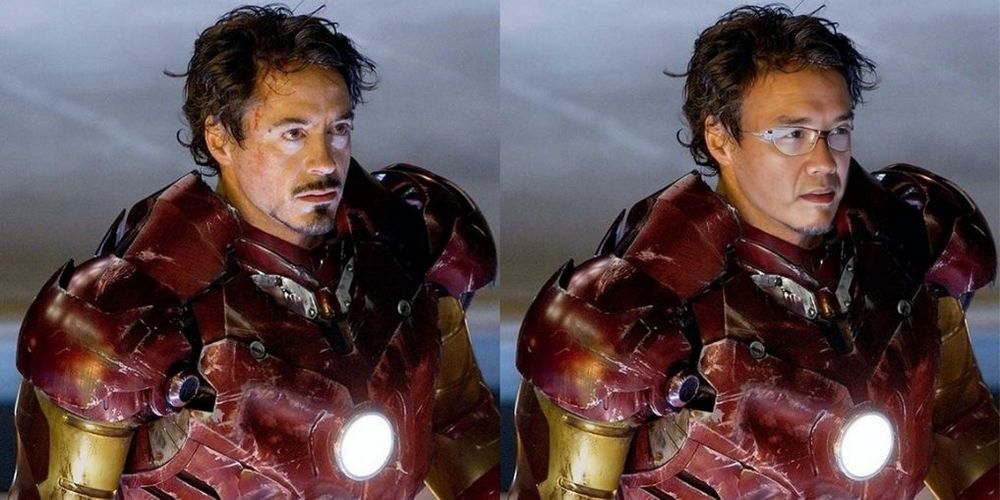
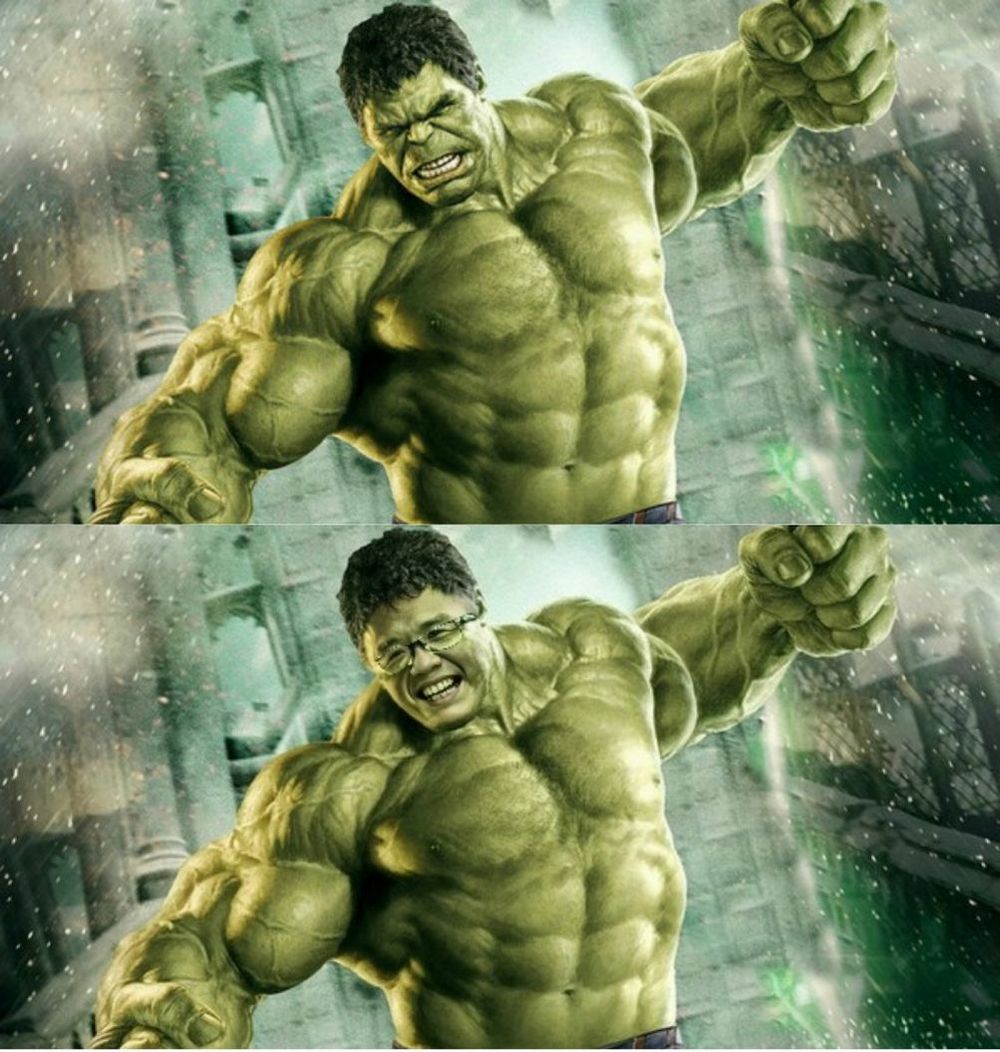
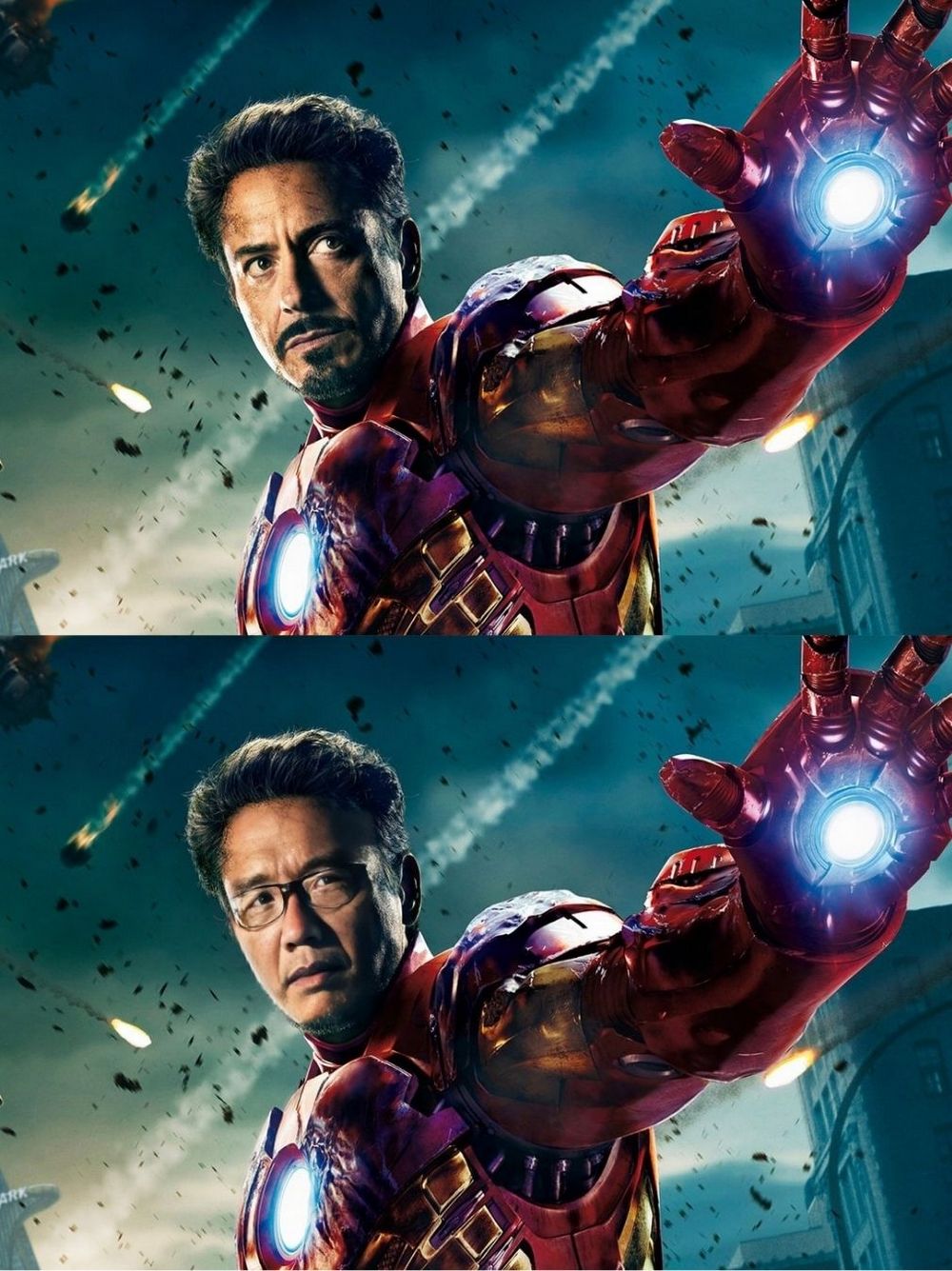
Here are some face-swapped images made with FaceSwapper for your reference. I feel that the image quality generated by FaceSwapper is better than the one previously introduced. DeepSwapper A little better.


- FaceSwapper Multi-Face Swap
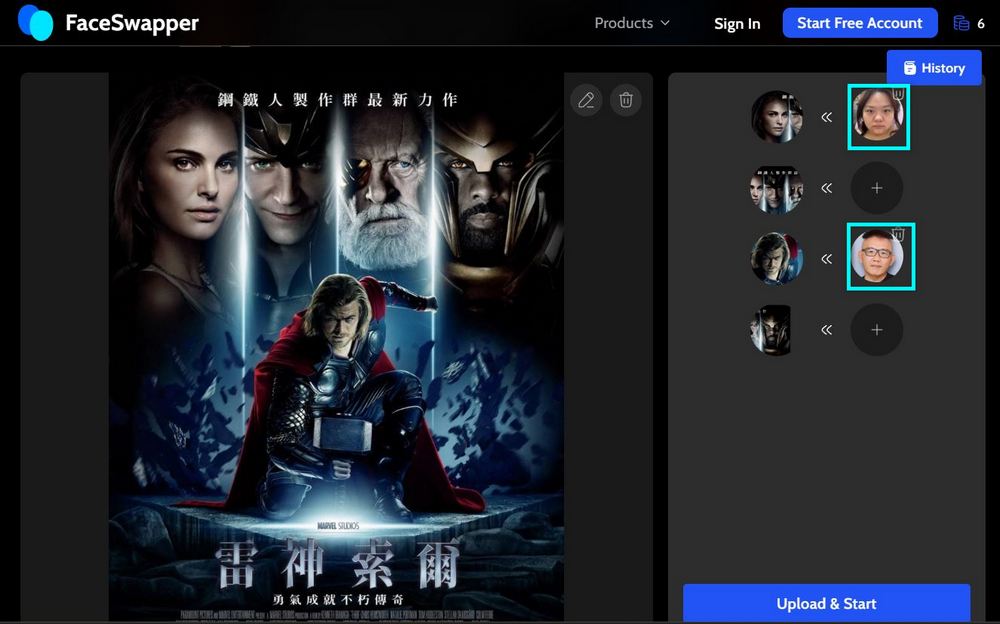
Besides single face swapping, FaceSwapper also offers a multi-face swap feature that lets you swap the faces of multiple people in the same image at once. Click Product and select Multiple Face Swap to reach this screen. Upload the group photo you want to swap faces in — here, the editor is using the Thor movie poster as an example.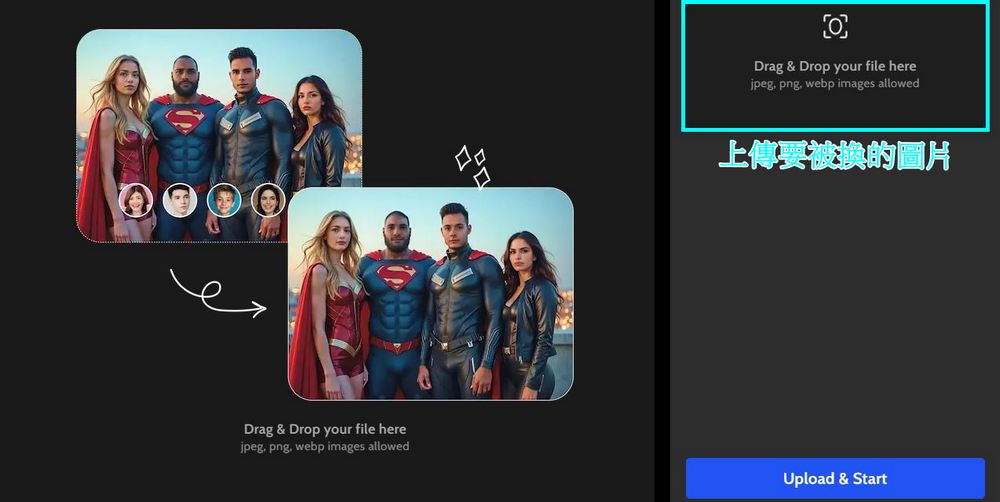
After uploading, FaceSwapper will automatically extract the faces from your image. You just need to upload the image you want to swap faces with in the corresponding box, and leave the boxes for people you don’t want to swap empty. Once everything is uploaded, click “Upload&Start” and FaceSwapper will start generating your image.

- FaceSwapper Clothes Changer
FaceSwapper’s clothes-changing feature lets you provide an image and write a prompt, and FaceSwapper will generate clothes for the person in the image. As shown below, upload an image in the box, enter your prompt in the box below, then click “Upload&Start” and FaceSwapper will start generating your image.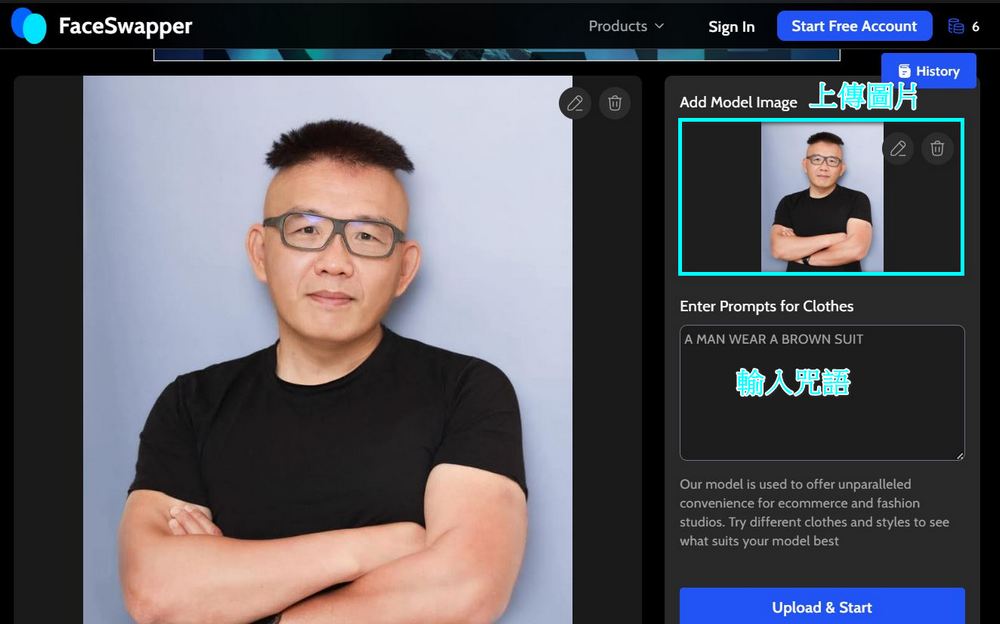
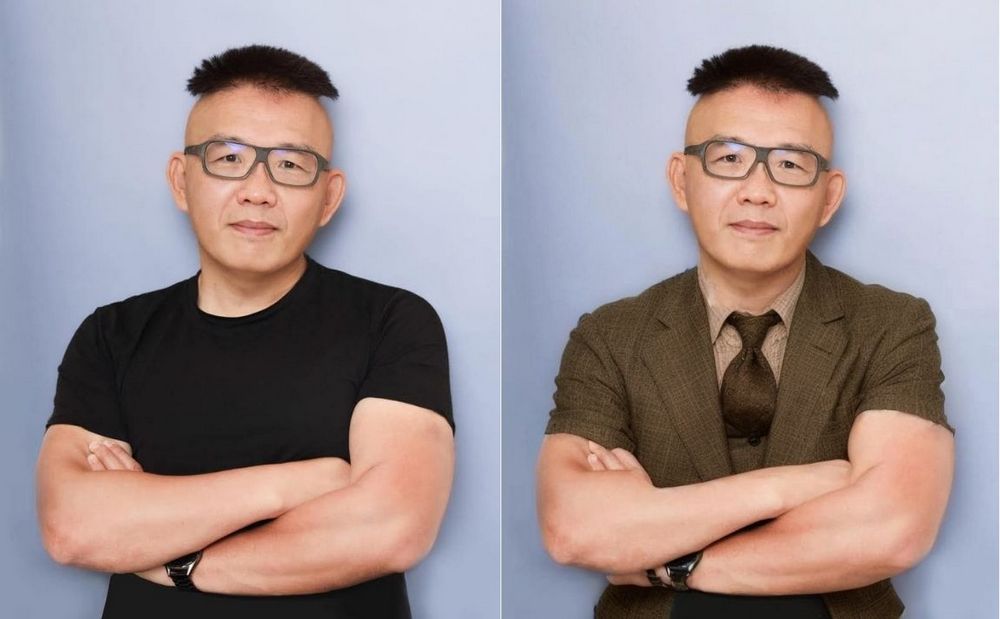
In addition to the features mentioned above, FaceSwapper also has other functions. If you’re interested, you can click the link below to try it out yourself. However, please be sure not to use it for illegal activities, to avoid unnecessary misunderstandings or trouble! If you’d also like to try other one-click face-swapping websites or tools, you can check out the related articles below to learn more:
Source: KOCPC Chinese