


Many people are used to taking multiple photos at a time when taking photos, and then select their favorite photos for editing and uploading to social platforms. However, if this habit accumulates over a long period of time, it is easy for the iPhone’s capacity to be full quickly. Today I will introduce a super cleanup master app that allows you to quickly find similar and duplicate photos and videos on your iPhone and quickly delete them with one click!
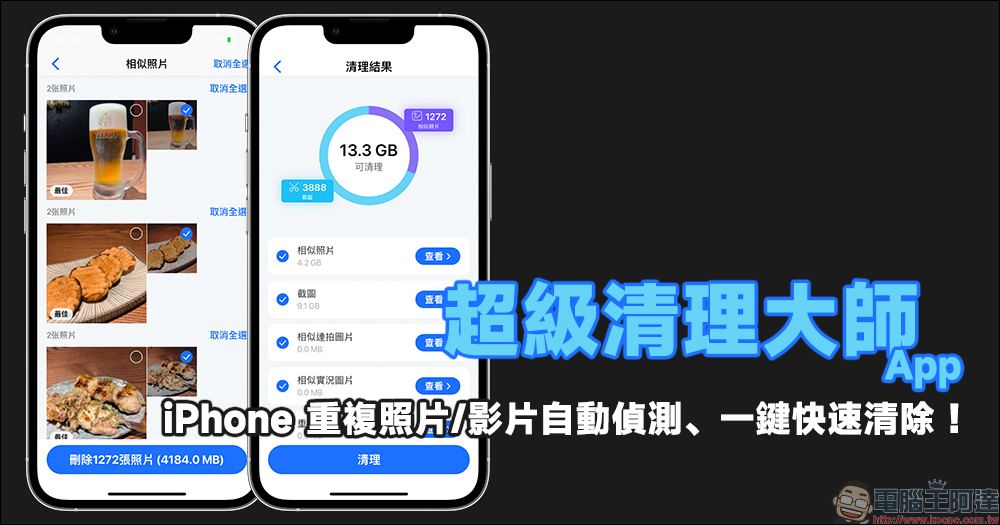
Super Clean Master App: Automatically detect duplicate photos/videos on iPhone and quickly clear them with one click!
When capturing life records such as dinner parties and travels with iPhone, many people feel a sense of security because they are always used to taking a few more photos. However, after taking the photos, it takes time to select the best photos/videos to keep, and the rest can be deleted to allow the iPhone to retain more storage space. However, after the event, most people are reluctant and too lazy to delete them. Over a long period of time, a large number of duplicate or similar photos and videos are silently stored in the iPhone.
Today I will share a “Super Clean Master” iOS App that can automatically detect and select similar and duplicate content for users, and then quickly clear excess photos/videos with just one click!
Since the Super Clean Master App can be subscribed to the paid ad-free full version through in-app purchases, in fact, the free version can already solve our need to organize iPhone photo albums for a long time! Don’t worry when subscription ads appear when you open the app. Just click the “X” at the top of the screen to close it and continue using it. The free version will have ads in some operations, but since it is free, it is still understandable!
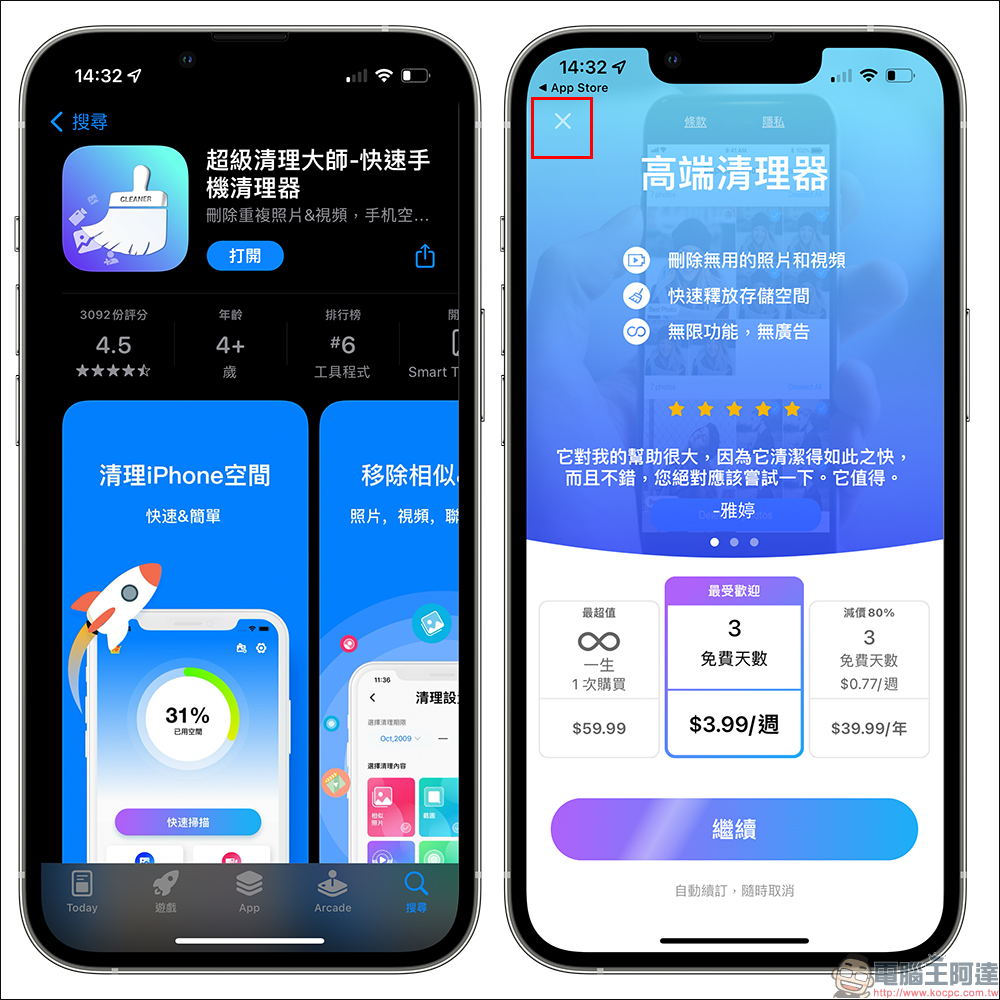
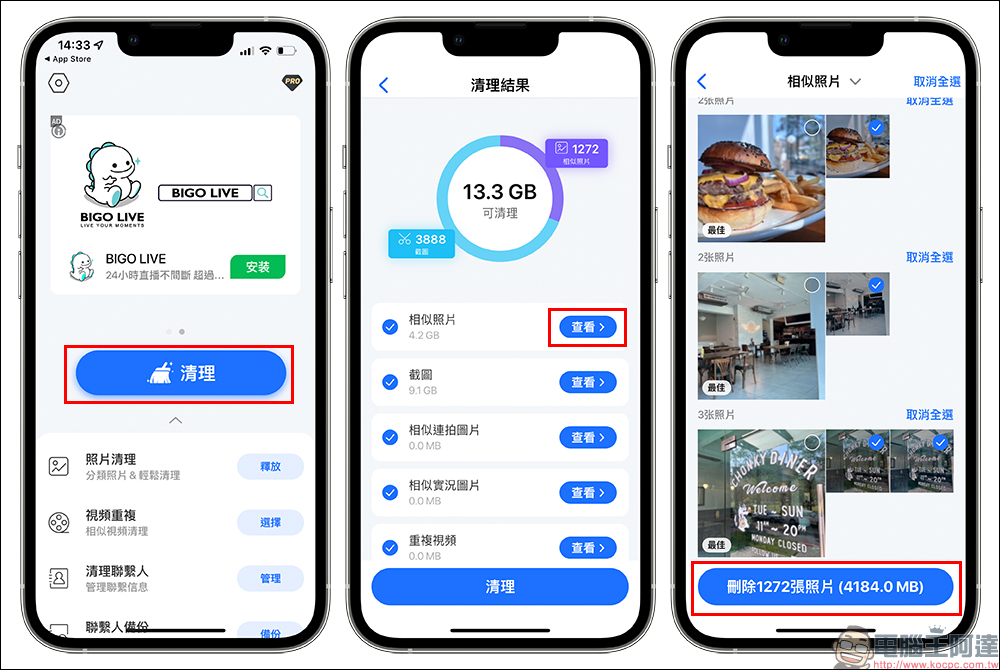
On the homepage of the Super Clean Master App, click the “Clean” button first and it will immediately detect similar photos, screenshots, duplicate videos and other content in the iPhone Photo App. Among them, the author’s iPhone always introduces various introductions. As a result, the iPhone 13 Pro currently used has accumulated as much as 9.1GB of screenshots in less than five months. At the same time, the “similar” photos alone are as much as 4.2GB. It is no wonder that the 256GB iPhone More than half of the storage space has been used.
Take cleaning “similar photos” as an example. After clicking “View” on the right side of similar photos, you can see that the app has thoughtfully organized multiple groups of similar photos and automatically selected the best photos that will not be deleted, allowing users to boldly press the “Delete xxx photos” button after confirming the content!
In addition to the above methods, you can also just click the release button on the right side of “Photo Cleanup” and let the Super Clean Master App automatically filter out all duplicate photos, similar photos, screenshots, similar original photos, first-level similar burst photos, and other duplicate content in your iPhone.
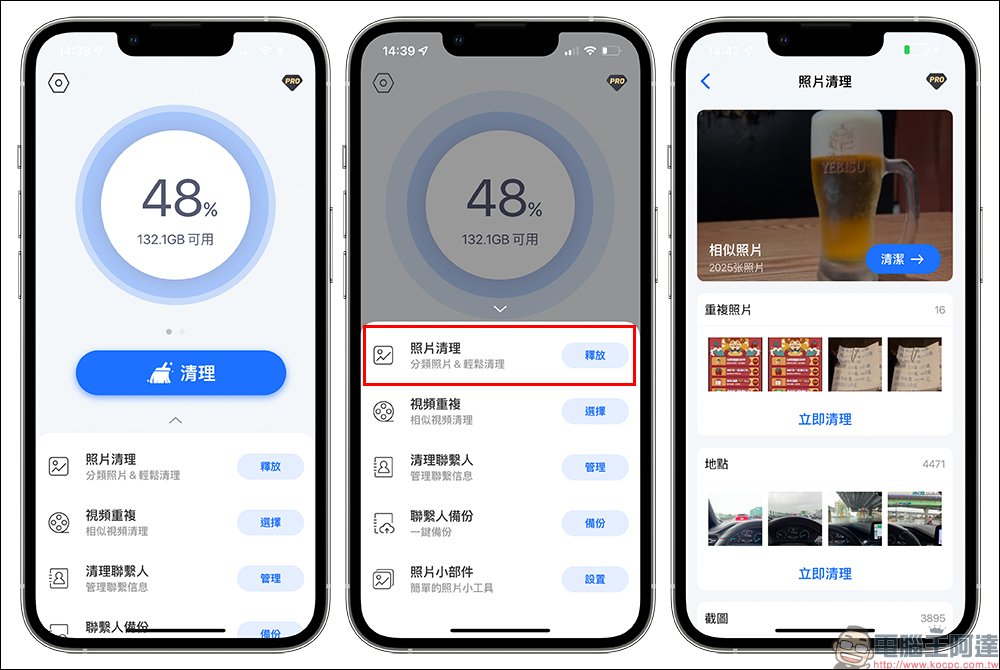
As a simple demonstration, when you want to clean up “similar photos”, you can click on it and further confirm the similar photos you want to delete. If you find that the photos suggested by the app to be deleted are not the ones you want to delete, be sure to remember to manually uncheck them.
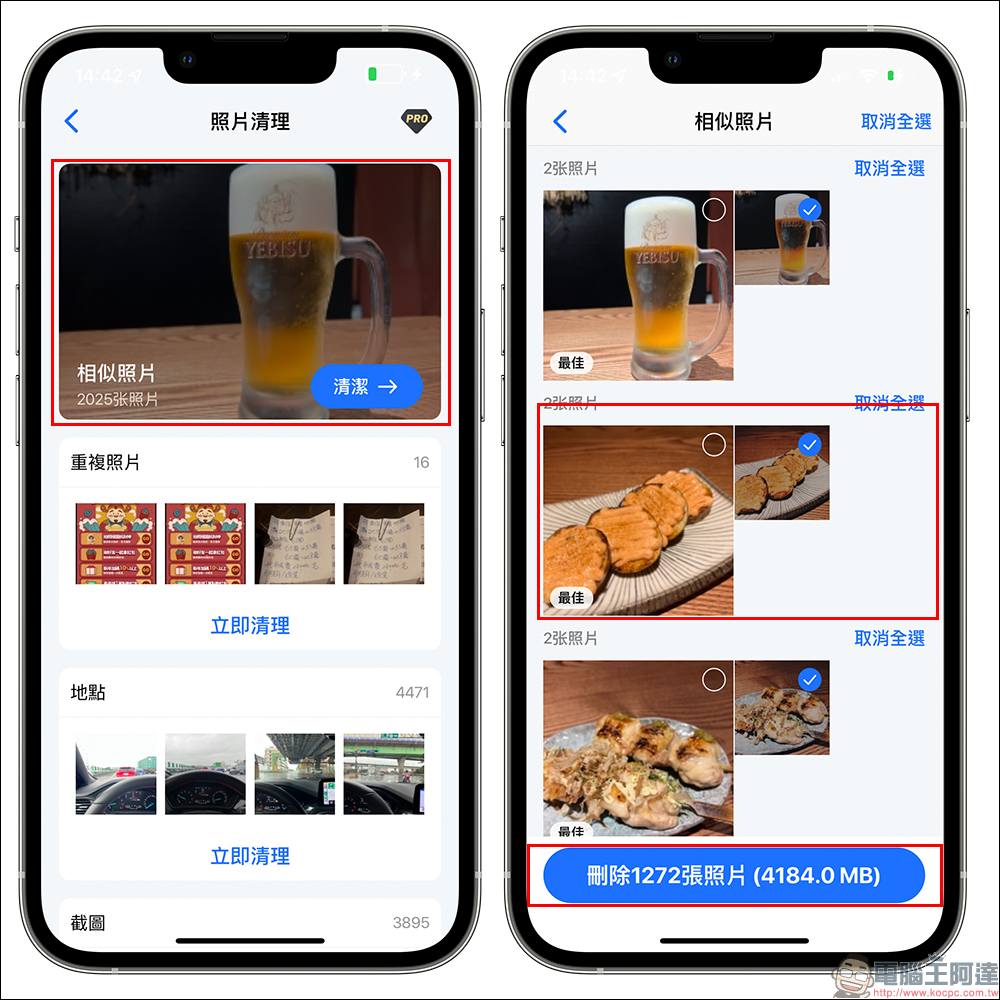
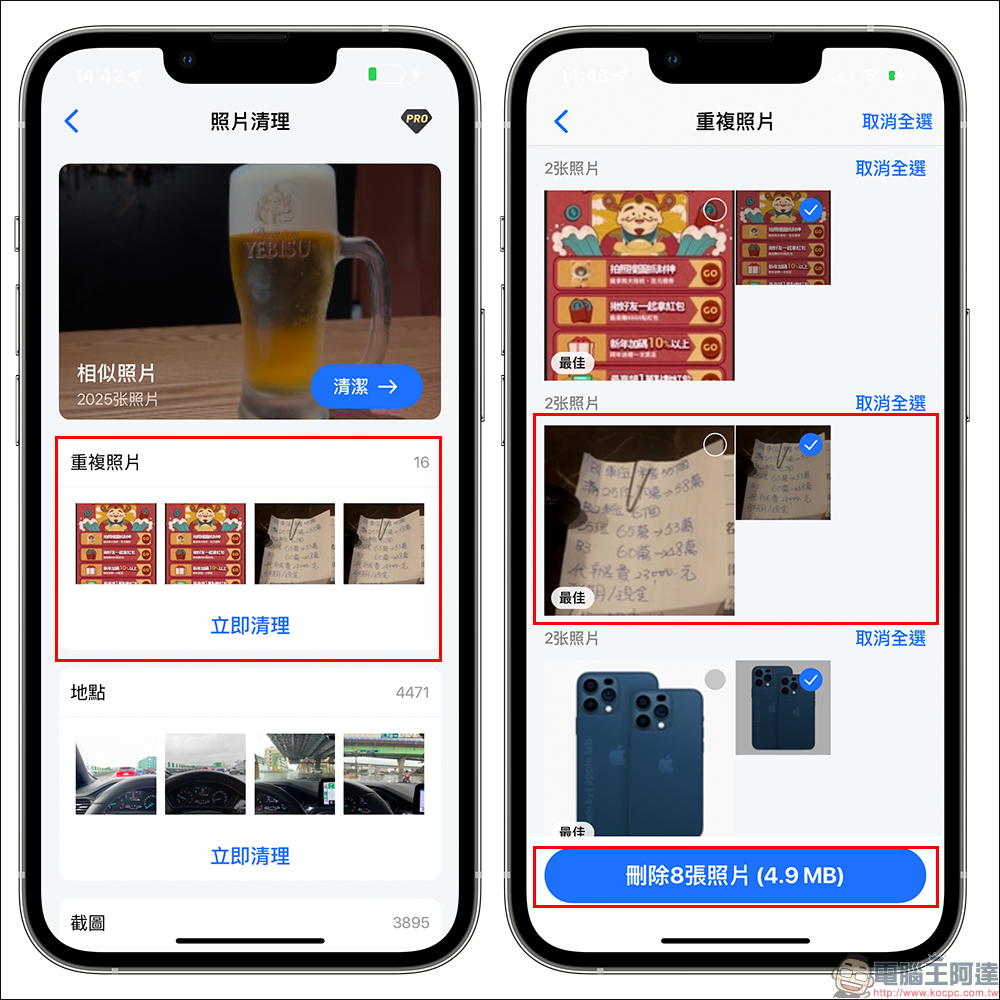
Then when you encounter “duplicate photos”, it means that these photos are exactly the same photos. Therefore, if you encounter duplicate photos, you can boldly press the “Delete x photos” button to clean up other duplicate photos at once.
Super Clean Master App Download:Click here to go to (App Store)
Source: KOCPC Chinese