


I wonder if everyone has tried what was shared before.Text-to-image model FLUX.1 orKrea, the AI image generation website that has no bottom line. What about that? The text-to-image model FLUX.1, developed by the former founders of Stable Diffusion, went live on Krea this August. With the help of FLUX.1, Krea can offer users more styles and better generation results. Recently, Krea announced the addition of the Flux 1.1 Pro Ultra model, which can generate more detailed and higher-quality images in just a few seconds. However, using Flux 1.1 Pro Ultra on krea.ai currently requires a paid subscription, so today we’ll first introduce images generated using Krea’s most basic Flux model. Those interested in using the higher-tier version can upgrade their subscription on their own.

Images are more realistic now! Krea AI image generation website upgraded to the new Flux 1.1 Pro Ultra model.
In early August this year, after FLUX.1, the text-to-image model developed by the former founders of Stable Diffusion, was officially released, Musk’s Grok adopted FLUX.1 as the model for its own text-to-image generation feature. At the time, testing Grok’s text-to-image generation capability showed pretty good results. For those who are interested,Go read the report。
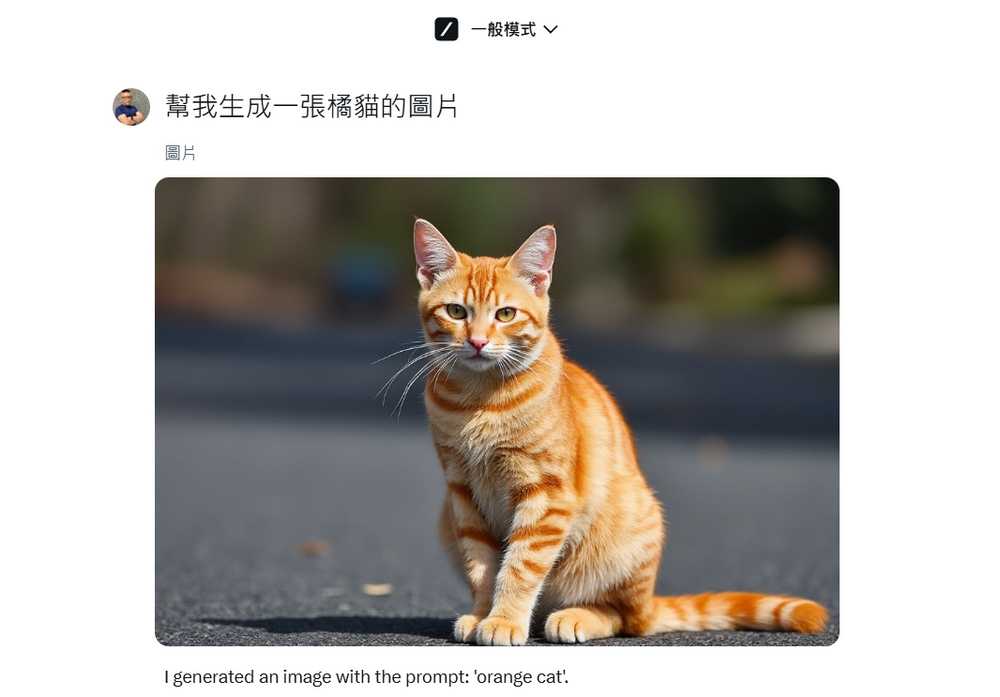
Besides Grok, the AI image generation website Krea, which we introduced earlier, also uses FLUX.1 as its image generation model. In August this year, Krea announced that FLUX.1 had officially launched, and users can use the FLUX.1 model on Krea to generate images.
Flux has arrived to Krea.
this new model comes with many styles, image variations, and multiple aspect ratios.
free for everyone. pic.twitter.com/CNwkC1nAn1
— KREA AI (@krea_ai) August 22, 2024
Go to Krea to generate images using the FLUX.1 model.
Recently, Krea also announced that the new Flux 1.1 Pro Ultra is now available. Using the Flux 1.1 Pro Ultra model, you can generate images with excellent detail and quality in just a few seconds. However, since the Flux 1.1 Pro Ultra model is currently only open to Krea subscribers, today we’ll first introduce the most basic Flux model. You can take a look at the results generated by the basic Flux and then decide whether to pay for a subscription to experience the Flux 1.1 Pro Ultra model.
Flux 1.1 Pro Ultra available now in Krea.
this new model can generate images with superior detail and quality in just a few seconds.
try it now! https://t.co/kTIUZ48fOV pic.twitter.com/4yljLBQNCg
— KREA AI (@krea_ai) November 6, 2024
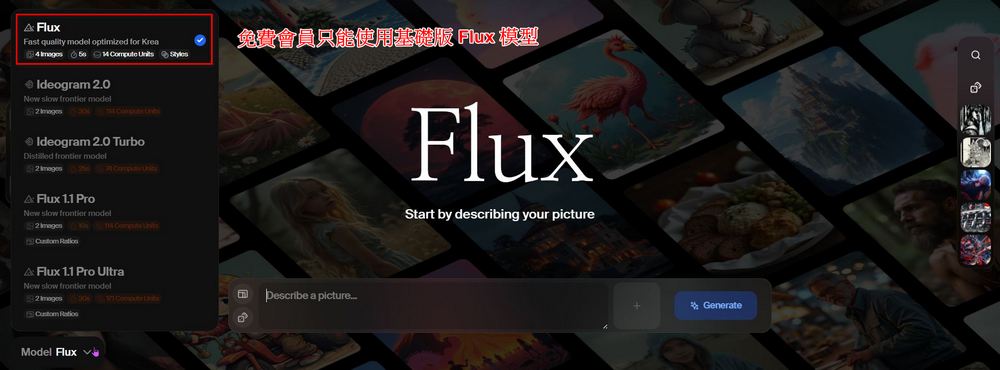
The current Krea interface is quite different from when it was introduced last year—it’s now much more intuitive to use. After logging into your Krea account, you can start generating images. Enter your prompt in the box, press Generate, and Krea will begin generating.

Currently, free users can only use the most basic Flux model; others, like the newly launched Flux 1.1 Pro Ultra, require subscribing to a higher-tier Krea membership.
Because the newly launched model requires a membership subscription, we’ll first show everyone the image quality produced by the base Flux model. Let’s take a look at the quality gap between using Krea to generate the same prompt in August last year versus now. Personally, I think the difference is quite significant—it’s clear that images generated with the base Flux model now have much better detail than before.

Additionally, I compared the base Flux model on the Krea website with the FLUX.1 schnell model using the same prompt for reference. Feel free to take a look and see which one you think is better. (Left image generated by Krea website, right image generated by FLUX.1 schnell model)



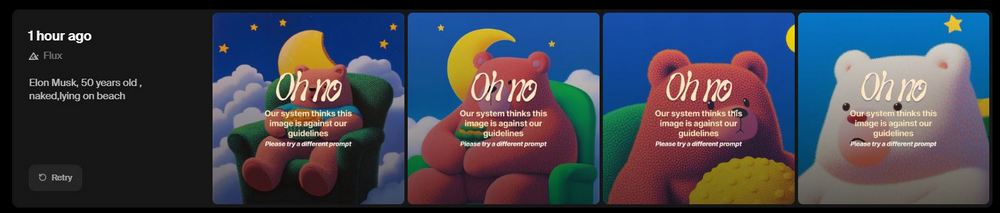
After testing, it turns out that Krea can no longer generate unrestricted images like it used to. When I introduced Krea before, it didn’t have the same limitations as other image generation websites, so having no restrictions was one of Krea’s strengths at the time. However, now Krea can’t generate sensitive content anymore—for example, full nudity, which was possible before, is no longer allowed. But this isn’t necessarily a bad thing, because it can prevent many people from using Krea to do bad things.
The above is my sharing of testing Krea again after almost a year. I wonder what everyone thinks of the image quality generated by Krea using the base Flux model. Personally, I feel that even without spending money to upgrade to a Krea membership, just using the base model already produces pretty good results. If there are friends who want to pursue higher-quality generation effects, you can also visit the Krea website to consider whether to upgrade to a paid membership.
Friends who want to understand the previous Krea generation effects can also read the article below:
Source: KOCPC Chinese