


In April this year, Google announced Google VidsEssentially an AI-assisted video generator, this productivity tool integrates tools like Google Docs, Sheets, and Slides to help users create professional videos without the hassle of learning video editing software or developing the necessary skills. Google released the tool to some Workspace Labs and Gemini Alpha users as early as June, and now Google Workspace is starting to roll it out more broadly to the public.
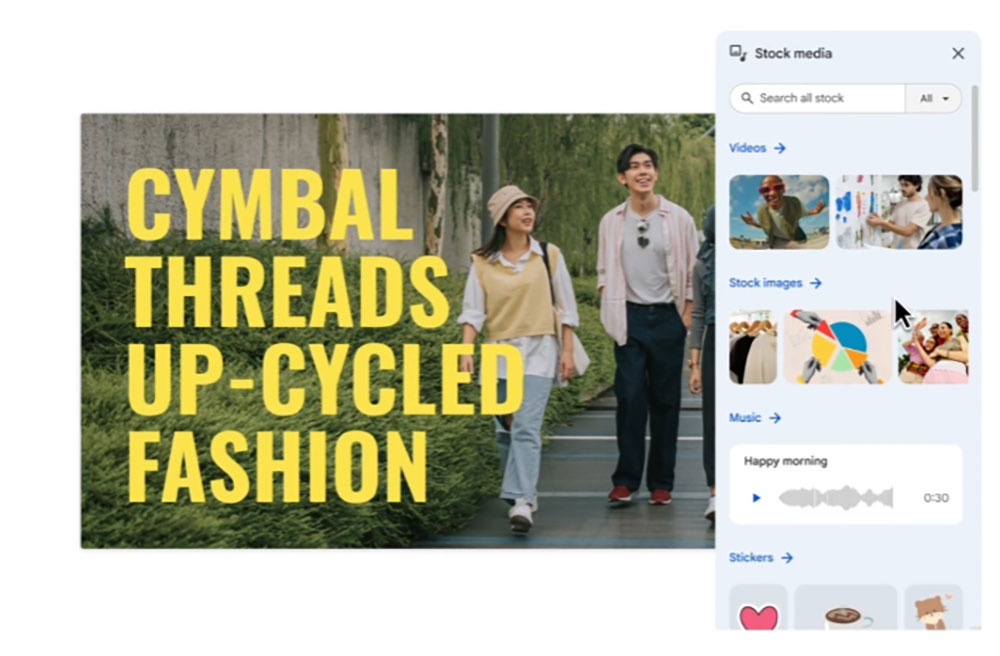
Google Vids is now available, making it easy for Workspace users to create videos.
Just as Workspace Blog ArticleAs emphasized, although anyone can use the tool, it is especially a boon for customer service, learning and development, project operations, and marketing teams, who can use its features to craft more engaging stories. Google lists some of the best examples of these tools:
- The customer service team uses it to supplement help center articles with videos.
- For company leaders to create and share company-wide updates and announcements in video format.
- Create employee training tutorials for the learning and development team.
- Establish an activity review within the marketing organization.
- Used for creating meeting recaps and the “Business Updates and Report Sharing” within a project management team.

As expected, this tool leverages Gemini’s capabilities to understand context and help you generate videos based on your data and the rough ideas you share with it. With Google’s Help me create, it can generate a fully editable initial storyboard for you using your instructions, files, and the necessary video data, after which you can freely choose the video style.

Essentially, the storyboard lists the subtopics that the AI-generated video will discuss, and you can freely adjust their order, or add or delete subtopics. “After choosing a style, Gemini combines your video draft with suggested scenes, including recommended stock media, text, scripts for each scene, and even background music tracks,” as shown in the video below.
Elsewhere, users will be able to access pre-made templates for specific use cases, which can be customized based on their data. Google Vids also offers the option to add AI-generated voiceovers, but if you’re comfortable, you can use your own voice to narrate clips, including your own video recordings, screen recordings with narration, narration-only screen recordings, video recordings, and audio-only recordings.
It’s worth noting that the AI features in Google Vids, including helping me create, generating voiceovers, removing image backgrounds, generating images, and studio teleprompter features, are free for all users until December 31. Google Vids has now launched, and it may take up to 15 days for it to become widely available across Google Workspace Business Standard, Business Plus, Enterprise Standard, Enterprise Plus, Essentials, Enterprise Essentials, Enterprise Essentials Plus, and Education Plus accounts. Google recommends that you update your browser to the latest version before using Google Vids. Supported browsers include Chrome, Firefox, and Edge (Windows devices only). Other browsers may also work, but support for these features may vary.
Source: KOCPC Chinese