


Capturing the screen is a common thing for passers-by. You can use the system’s “print screen” button to capture the screen of the Windows system. Of course, you can also usePicPickSimilar screenshot software, but occasionally use image editing tools, Adobe photoshop is professional enough, but expensive and complicated to operate. The author is not good at art, let alone post-production skills, even though it is easy to learn, easy to use and practicalPhotoDirectorImaging software is also easy to use. However, the advent of AI wisdom is about making photos perfect. Luminar 4 smart photo retouching tool can easily and automatically adjust color, exposure compensation, beautification, noise reduction, and light correction. You can become a photo retouching expert without post-production skills!

用 Telegram 訂閱【挨踢路人甲】最新文章:https://t.me/itwshare
Luminar 4 supports many functions, such as one-click automatic repair, one-click object removal, smart portrait post-production, sky replacement, etc. If you are interested, you cancome hereSee description:
Luminar 4 download and installation
This limited free event is for the Luminar 4 version, enter directlyOfficial website event pageYou can see the description of the limited exemption, but just enter your name and email account, then check to agree to the terms and press the green [Submit] button.

Then tell you to check your email inbox to obtain the download and activation serial number.

I received a letter from the skylum.com mail server. When I opened the letter, I saw “Yes, subscribe me to this list.” and click to confirm.

At this time, you will receive a letter. Open it and you will see the download points for Windows and macOS. In addition, you should also note down the startup serial number at the bottom.

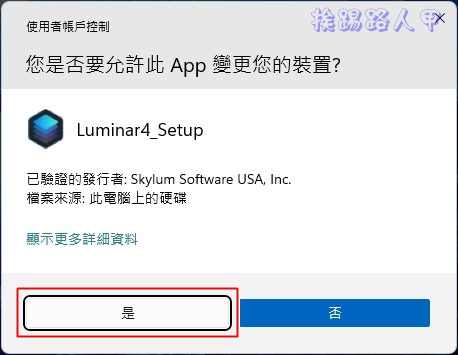
In the Windows 10/11 environment, a window for using this account will appear during execution. This is because a security warning window of “User Account Control” will appear due to security issues. Mainly when the user performs some actions that will affect the system, a confirmation screen will often appear, so it is better to press [Yes] to continue (if you want to remove this warning, please refer to “How to turn off User Account Control (UAC) in Windows 11″article).
The first screen of the installation is the license agreement. Press [Accept] to continue.

When selecting the installation directory and plug-ins, the default path is generally used. Click to continue.

Then the screen to start Luminar 4 will appear. Please enter the email account you just logged in on the event page. However, there is only a seven-day trial period.

When executing for the first time, a screen showing the startup serial number will appear. Press [Activate] to start.

Enter the previous email account and the obtained activation serial number, and finally press [Activate].

Luminar 4 supports Traditional Chinese, and the way of processing photos is quite flexible. You can find a lot of tutorials on the Internet. Although it is not the latest Luminar 4, it is more than enough for general photo editing.

Further reading:
- PhoneRescue – an indispensable data rescue tool on iOS devices
- Limited time free EaseUS Todo PCTrans PRO, a powerful tool for transferring computer data
- Download Shazam and turn it on to get a 5-month free trial of Apple Music, or 2 months for existing subscribers
Source: KOCPC Chinese