


ElevenLabs, well-known in the AI voice-over market, recently launched a new feature called “Voice Design.” Users only need to use a text prompt, and ElevenLabs can use Voice Design to generate unique voices. As shown in the video below, the Voice Design feature is now available on ElevenLabs. If you’re interested, come check out how to use it!
Introducing Voice Design.
Generate a unique voice from a text prompt alone.
Is our library missing a voice you need? Prompt your own. pic.twitter.com/ZR21fMb7q7
— ElevenLabs (@elevenlabsio) October 23, 2024
ElevenLabs’ New Feature “Voice Design”: Generate Custom Voices with Text
ElevenLabs today announced its latest feature, Voice Design. ElevenLabs stated that although its voice database currently contains over 3,000 high-quality voices, users may still find themselves unable to locate the specific voice they need for certain special situations. To address this, ElevenLabs has launched the new Voice Design feature, which helps users design the voice they have in mind within a minute. The generation process is extremely simple—all you need to do is enter a text description of the voice, and Voice Design will generate the voice you want.

Go to ElevenLabs to experience the new Voice Design feature.
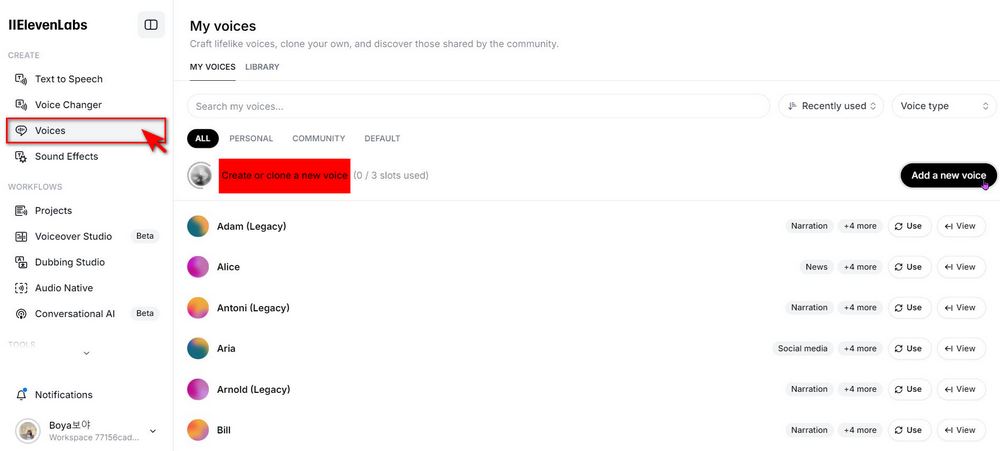
If you’re using ElevenLabs for the first time, you’ll need to register an ElevenLabs account first — you can sign up with Google, Facebook, or GitHub. After logging in, click “Voices” on the left side of the screen, then find “Create or clone a new voice.”
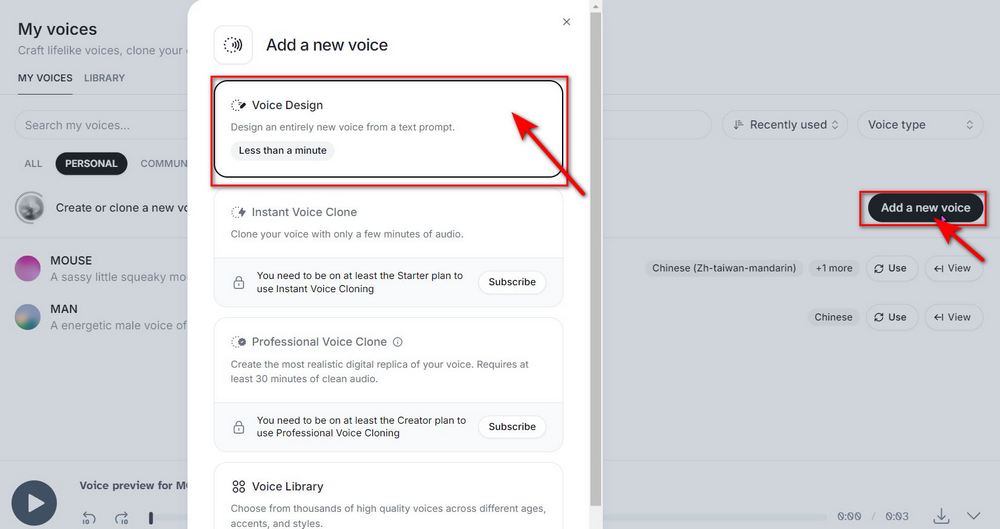
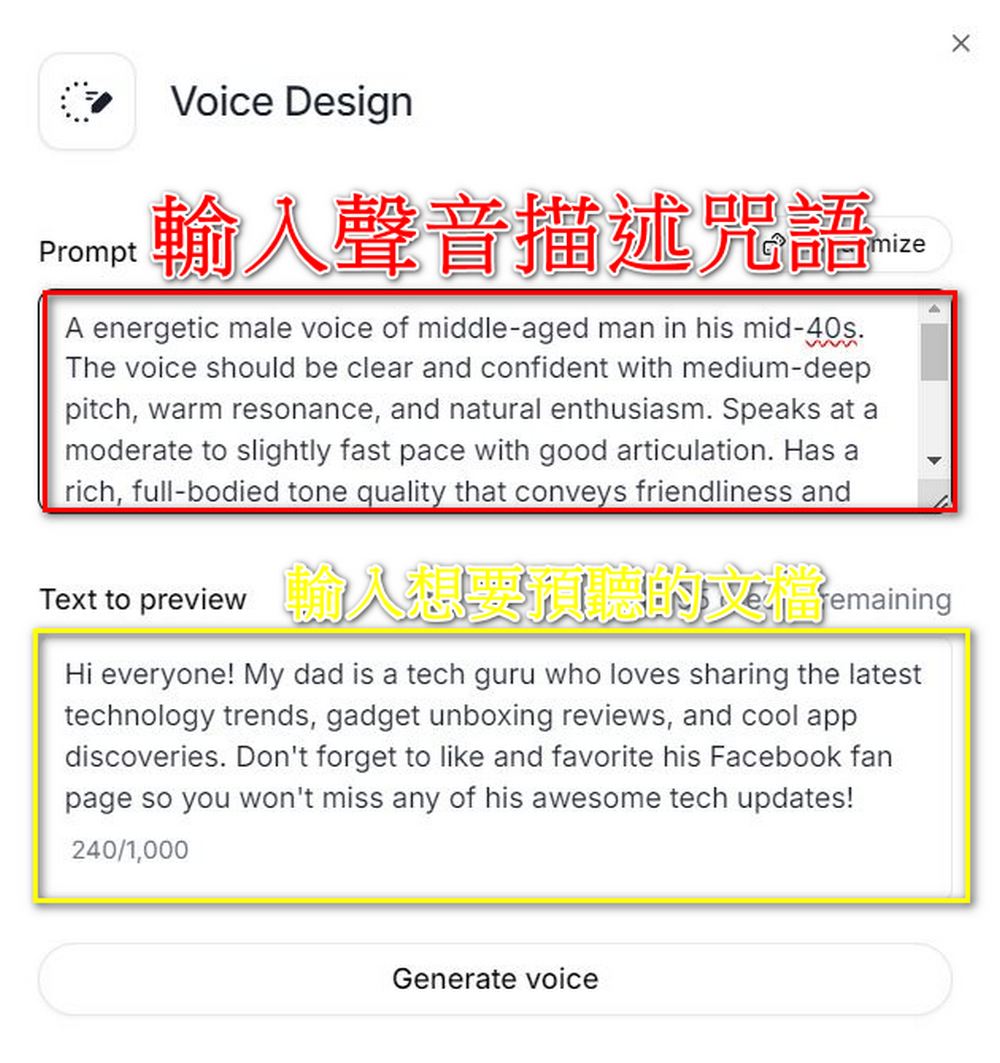
Click Add a new voice → Voice Design, then in the Prompt box, enter the voice prompt description you want to generate, and in the Text to preview box, enter the lines you want to preview. After entering both, click “Generate voice” to start generating a voice that matches your needs.
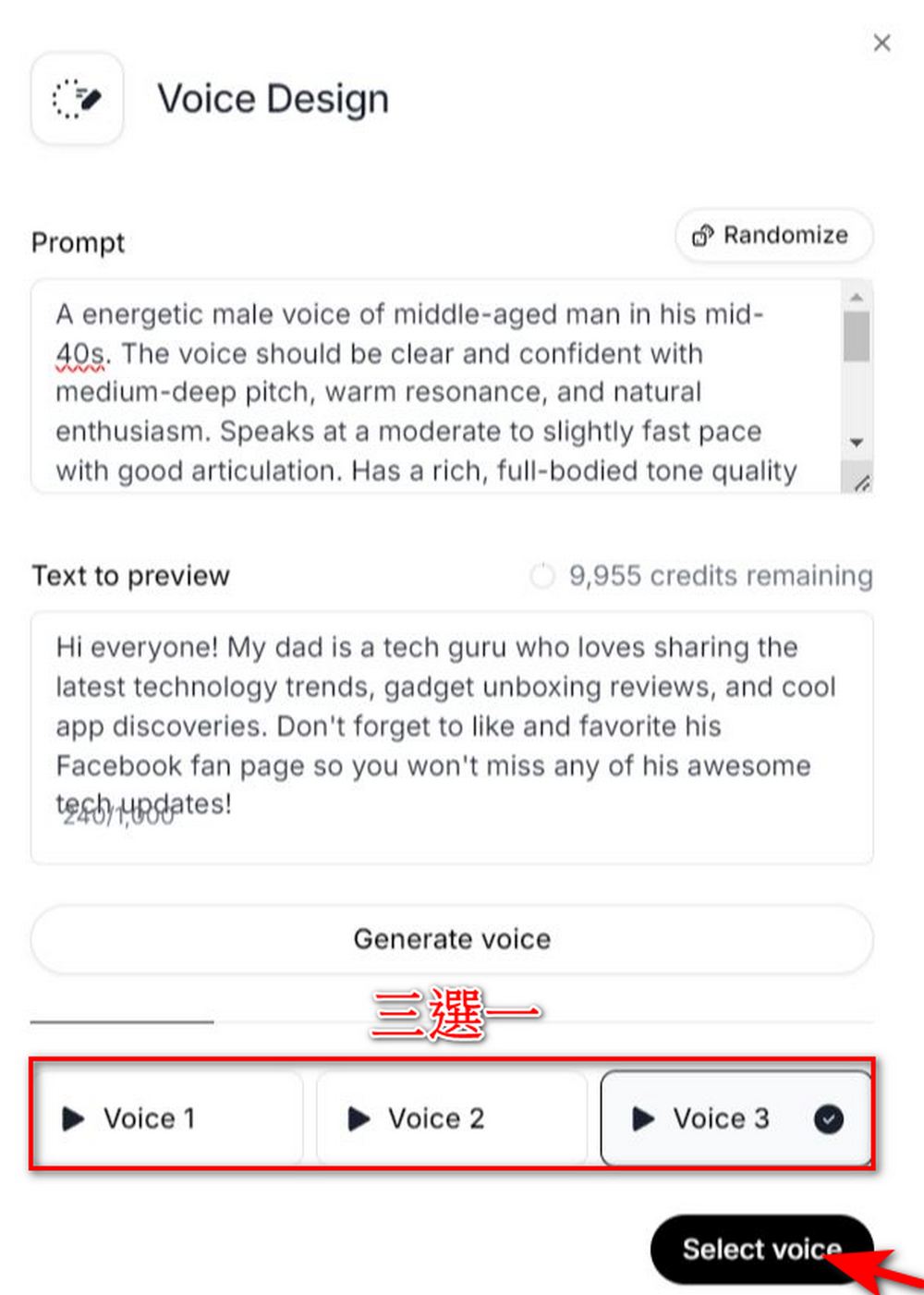
The system will provide three voices that match your requirements for you to choose from. After listening to all three, just pick the one you like, then click “Select voice”.
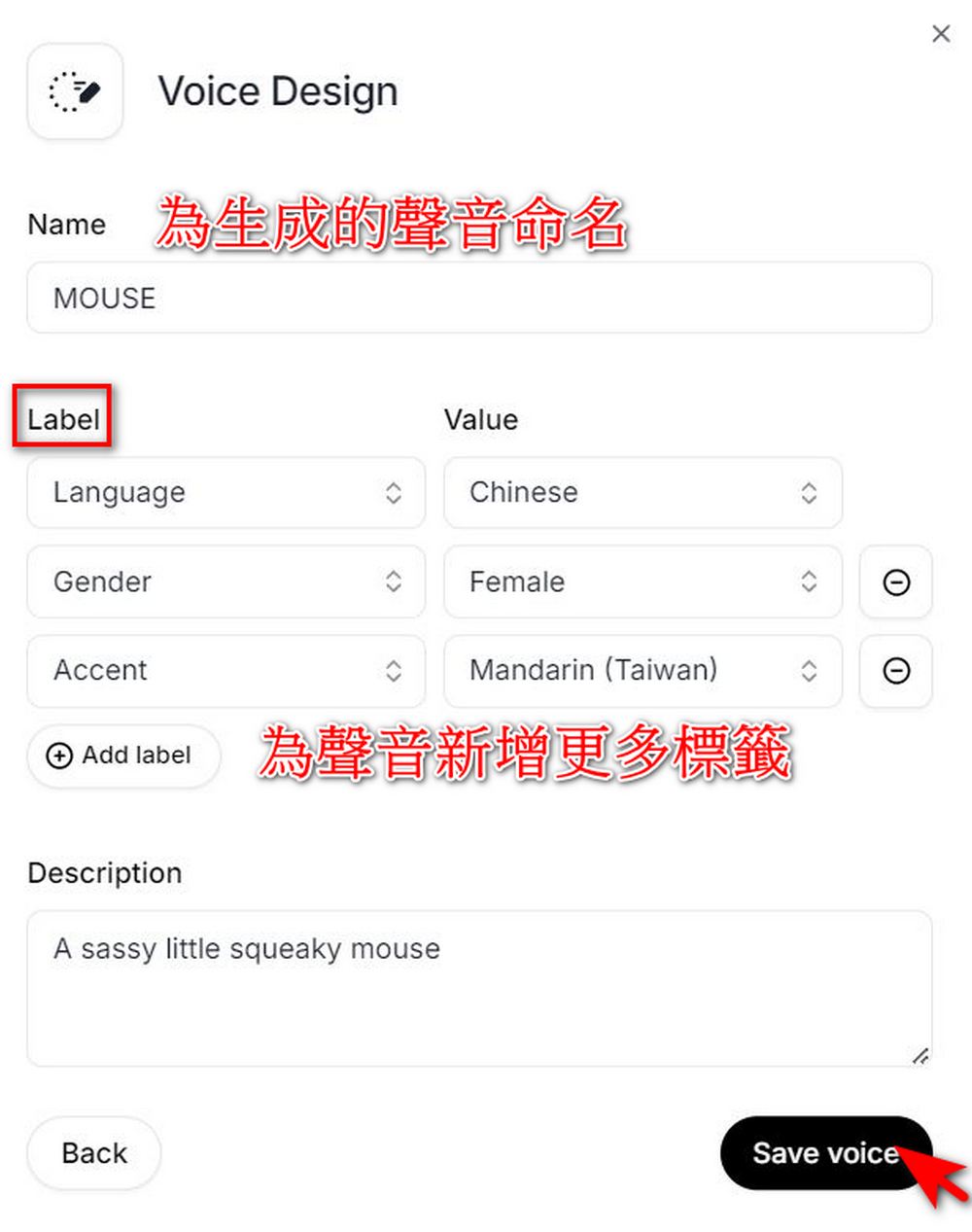
After selecting the voice you want to use, give your generated voice a name. You can also add tags to the generated voice, such as the language used, gender, accent, and more, to make the output voice better match your needs. Once everything is set, click “Save Voice” and you’ve completed a Voice Design.
How should the generated Voice Design be used?
Go to Text to Speech, enter your document, set your own generated voice in the voice selection, click Generate speech, and you’ll hear the voice that best matches your requirements reading your document content.
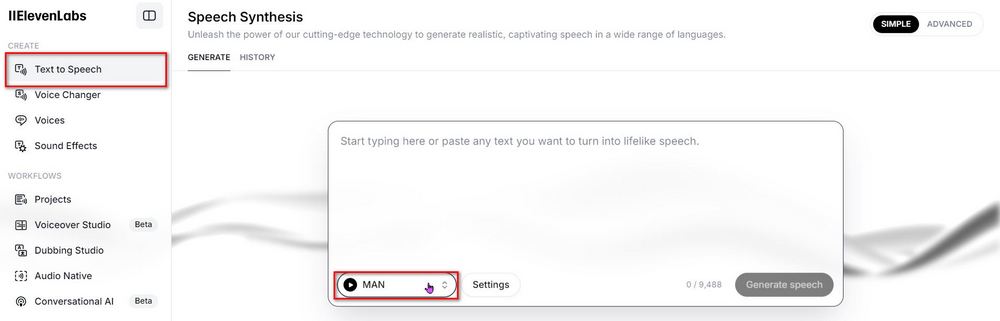
Here are two voices I generated myself. The first one: A energetic male voice of middle-aged man in his mid-40s. The voice should be clear and confident with medium-deep pitch, warm resonance, and natural enthusiasm. Speaks at a moderate to slightly fast pace with good articulation. Has a rich, full-bodied tone quality that conveys friendliness and experience. The voice maintains steady volume with dynamic expression and occasional cheerful inflections. Speech pattern includes natural emphasis on key words and engaging variations in intonation.
Second style: A sassy little squeaky mouse
Besides the examples provided by the editor, everyone can also check out the content officially shared by ElevenLabs. If you’re having trouble writing descriptions, ElevenLabs has also provided description guidance that you canGo to Reading:
Voice Prompt: “A large yeti with a deep rumbling voice” pic.twitter.com/dfu4GEQdMi
— ElevenLabs (@elevenlabsio) October 23, 2024
Voice Prompt: “A scary witch with a hushed voice” pic.twitter.com/Di36I5Vk49
— ElevenLabs (@elevenlabsio) October 23, 2024
Voice Prompt: “Old British male with a raspy, deep voice. Professional, relaxed and assertive” pic.twitter.com/pdcSWJSPbO
— ElevenLabs (@elevenlabsio) October 23, 2024
That concludes this tutorial on ElevenLabs’ new “Voice Design” feature. If you’re interested, you can head over to ElevenLabs and try it yourself. Just a reminder: ElevenLabs currently allows each person to generate up to three voices, so think carefully before you hit Save voice!

Visit ElevenLabs to experience the new Voice Design feature.
If you’re interested in our previous tutorials on other ElevenLabs features, you can also visit the link below to read more related coverage:
Source: KOCPC Chinese