


Last December, we wrote a tutorial on the amazing AI tool Pika.art. At that time, video generation models weren’t as popular as they are now, and the tools available were only Runway And Pika, and at the time, since text-to-video generation technology had just launched, the quality and results of the generated videos weren’t all that great. However, when Pika launched last year, it already demonstrated quite impressive capabilities, leading many people to experience the appeal of text-to-video generation firsthand. Recently, Pika released the PIKA 1.5 version. In addition to more realistic motion effects, PIKA 1.5 also introduced the Pikaffects special effects that break the laws of physics, allowing everyone to use Pika to generate more effect-rich videos. Today, I’ll introduce the newly launched Pikaffects special effects in the PIKA 1.5 version. Using Pikaffects effects, you can create results like the videos below. If you’re interested, come take a look!
Video generation model Pika updates to PIKA 1.5, bringing 10 Pikaffects effects.
Pika released a new version, PIKA 1.5, on October 1, highlighting that PIKA 1.5 brings more realistic motion effects to videos and that characters generated with PIKA 1.5 will look more lifelike. Beyond these common updates seen in most video generation models today, we’re even more curious about PIKA 1.5’s new feature, “Pikaffects effects.”
Go use PIKA 1.5’s new feature “Pikaffects Effects”
PIKA 1.5 first announced six Pikaffects effects on 10/1: Crush it, Melt it, Cake-ify it, Explode it, Squish it, and Inflate it. The effects are demonstrated in the video below:
Crush it. Melt it. Cake-ify it. Explode it. Squish it. Inflate it. Pikaffect it. PIKA 1.5 IS HERE. Try it on https://t.co/nqzjGy8AB5
— Pika (@pika_labs) October 1, 2024
Then on 10/16, Pika added four new Pikaffects effects: Crumble it, Dissolve it, Deflate it, and Ta-Da it. The effect demonstrations are shown in the video below:
🚨 NEW PIKAFFECT ALERT 🚨
Now you can Crumble, Dissolve, Deflate and Ta-Da stuff.
Like, right now.
Try it at https://t.co/nqzjGy8AB5 pic.twitter.com/rUlKdYsR81
— Pika (@pika_labs) October 15, 2024
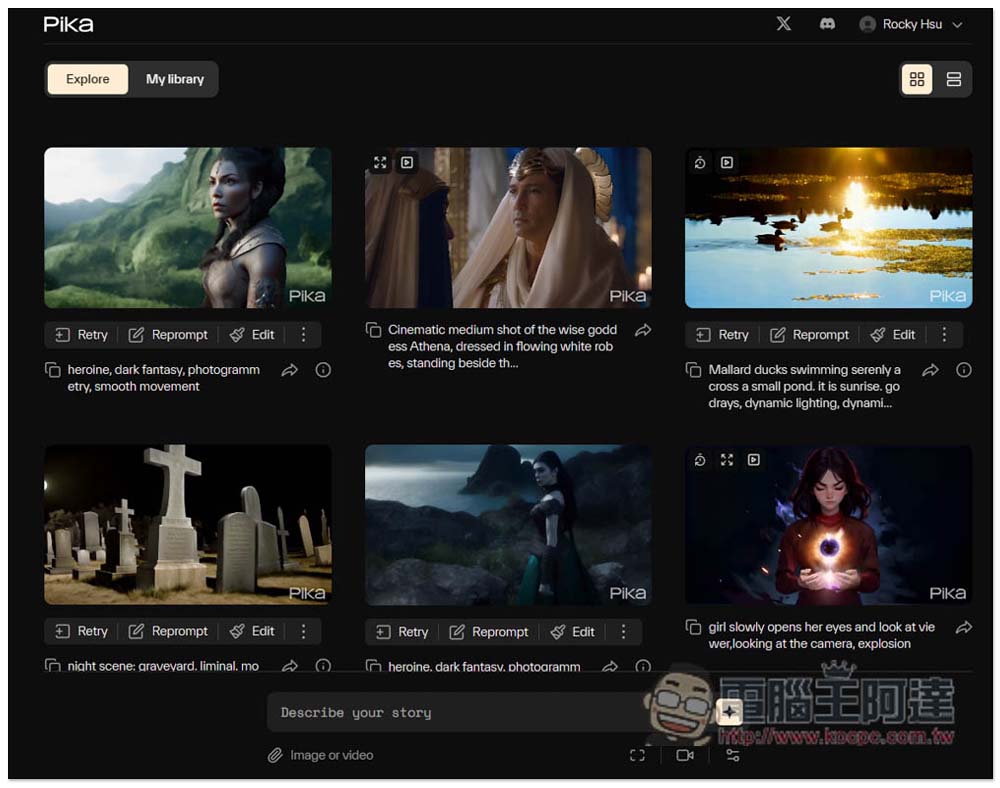
Besides the demonstration video above, today the editor will also teach you how to use Pika’s Pikaffects effects. For those of you using Pika for the first time, you can firstGo read the getting started guide.Once you understand that, we’ll continue with today’s advanced lesson.
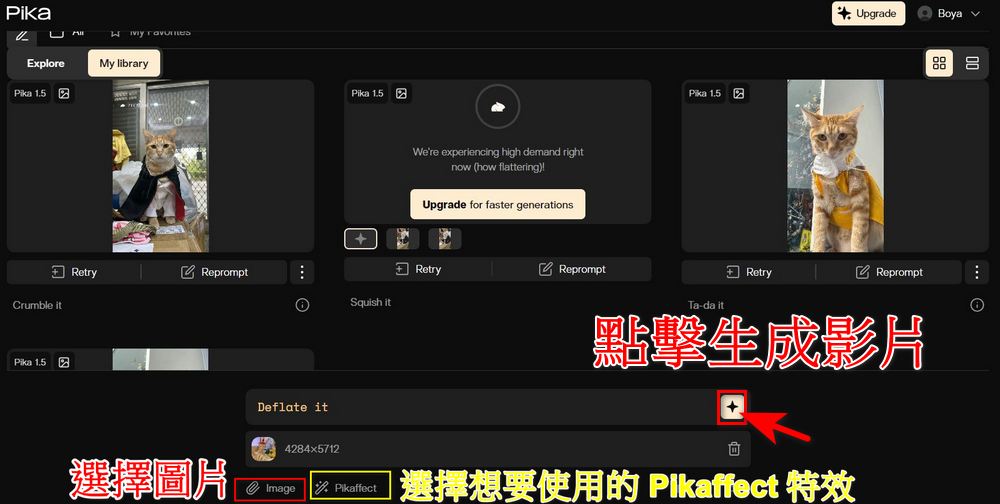
Actually, using Pikaffects effects is very simple. If you click the URL provided above, after opening it and logging in as a member, you’ll see this screen. First, select a photo you like, then choose your preferred Pikaffects effect. Once you’ve made your selections, click the red box to start generating the video. You can create a great-looking video without entering any prompts!
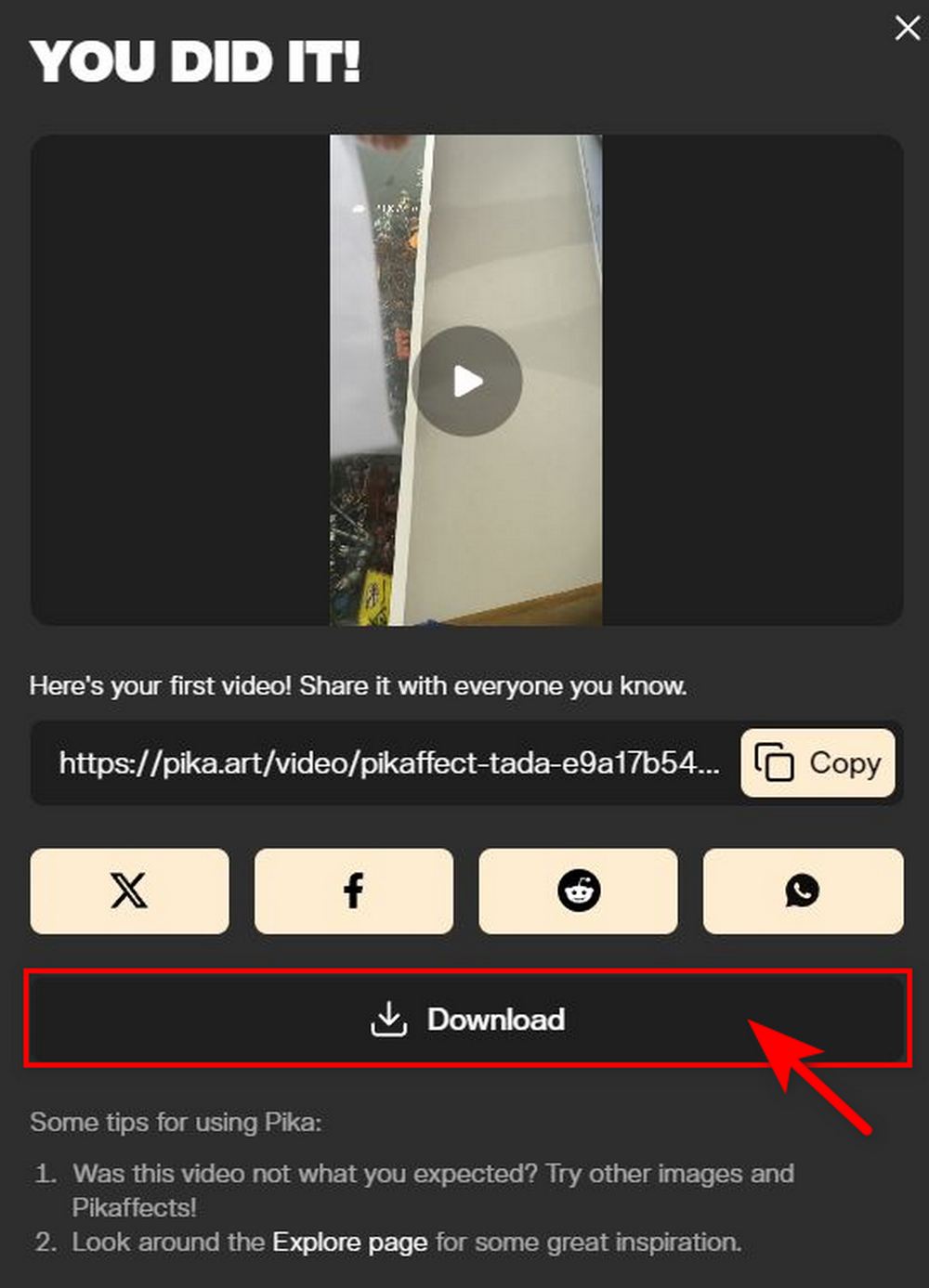
After generation is complete, this screen will appear. You can choose to copy the video link to share with friends, or directly click X, Facebook, reddit to share the video link. Of course, you can also directly click Download to download the video.
Here, our editor has posted videos generated using Pikaffects effects: Ta-Da it (magic trick), Squish it (squish flat), and Crumble it (collapse):
Go use the new Pikaffects feature in PIKA 1.5.
That concludes the tutorial sharing on PIKA 1.5’s new “Pikaffects” feature. If you’re interested, you can go generate your own videos. If you’d like to learn more about Pika’s text-to-video tutorial, you can also check out the link below.
Source: KOCPC Chinese