


On October 1, Microsoft brought more AI updates to Copilot+ PCs and Windows 11. In May this year, Microsoft announced the launch of Copilot+ PC, bringing AI-capable computers to Windows users. Starting from October 1, Copilot+ PC and Windows 11 users can use more new features that make computers smarter, more useful, and more secure. This update brings new features related to Copilot+ PC and Windows 11, such as Recall, Click to Do, and Paint. Let’s take a look!
Microsoft Copilot+ PCs and Windows 11 AI feature updates: Improved Recall security, easier file searching
On October 1, Microsoft announced more AI updates for Copilot+ PCs and Windows 11, starting with the new Recall feature, which went through a high-profile launch, much controversy, a delay announcement, and finally a confirmed release date. Recall was controversial from the moment it was announced, with security experts saying it could bring users…A huge privacy riskTherefore, people are not too keen on this new Recall feature. In this update, Microsoft stated that they have made Recall more secure by default. Those interested can go to find out more.Content regarding the security and privacy of the Recall feature。
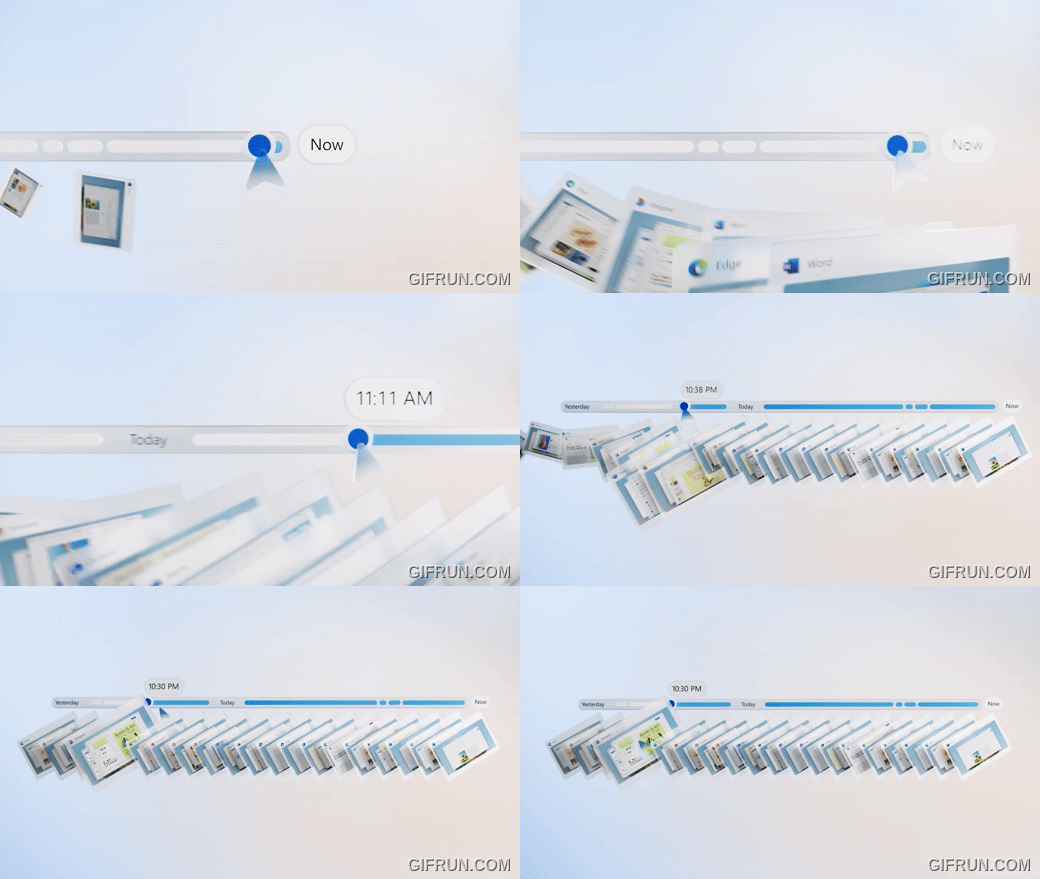
Click to Do
Click to Do lets you quickly use the tools you want, streamlining your workflow. For example, a right-click can open Bing’s visual search feature, blur the background of a photo, or erase objects.

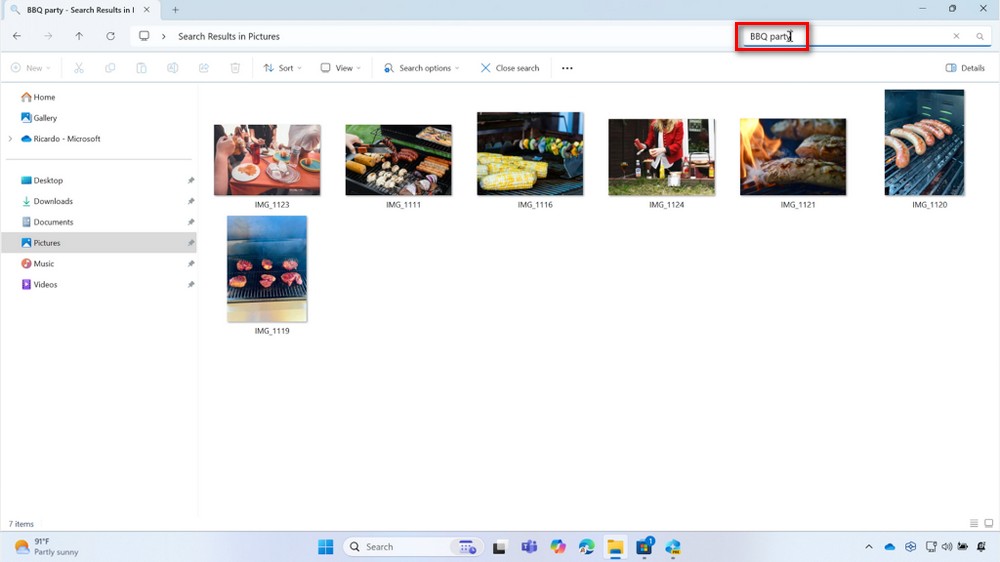
Windows Search
This update also brings improved Windows Search functionality. Now, to find files, all you need to do is type what’s on your mind, and Windows Search will help you find what you’re looking for. There’s no need to remember file names or storage locations—just enter a keyword and you’ll instantly find what you need.
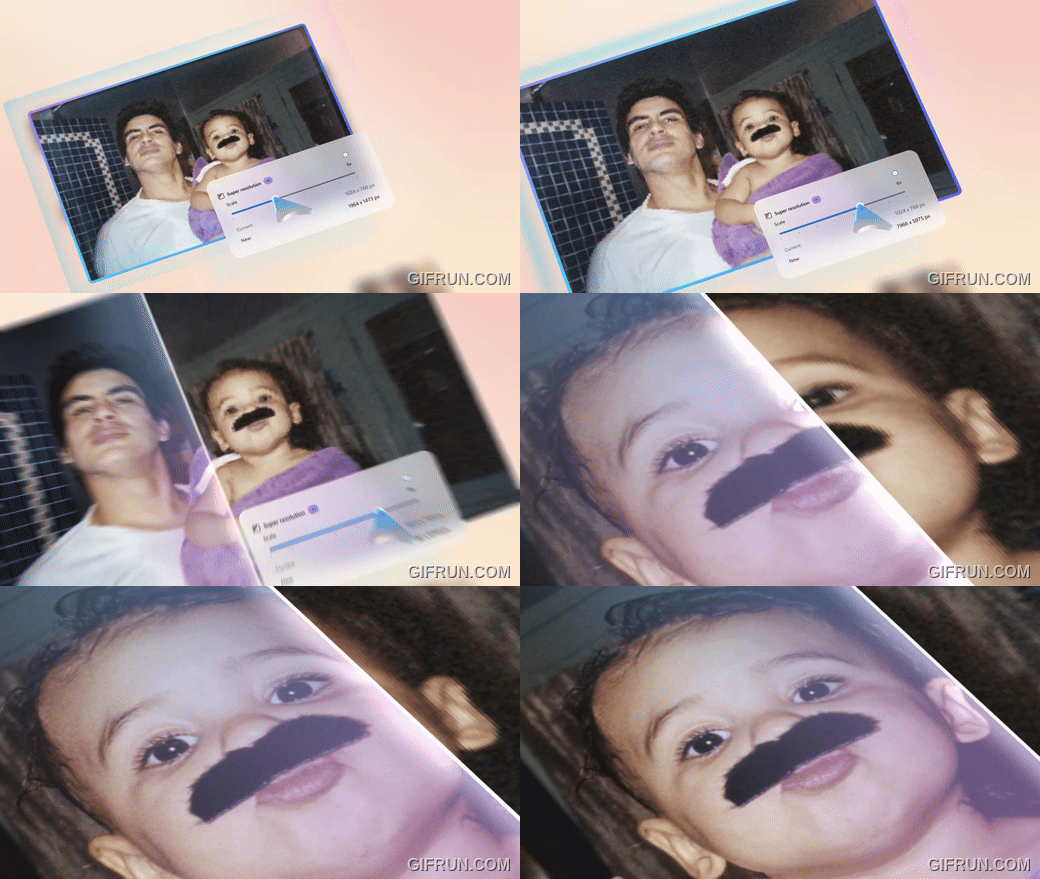
Super resolution in Photos
In the future, you can use the Super resolution feature in Photos to turn your low-resolution or old photos into high-quality images, so you won’t have to worry about blurry, low-quality pictures anymore.
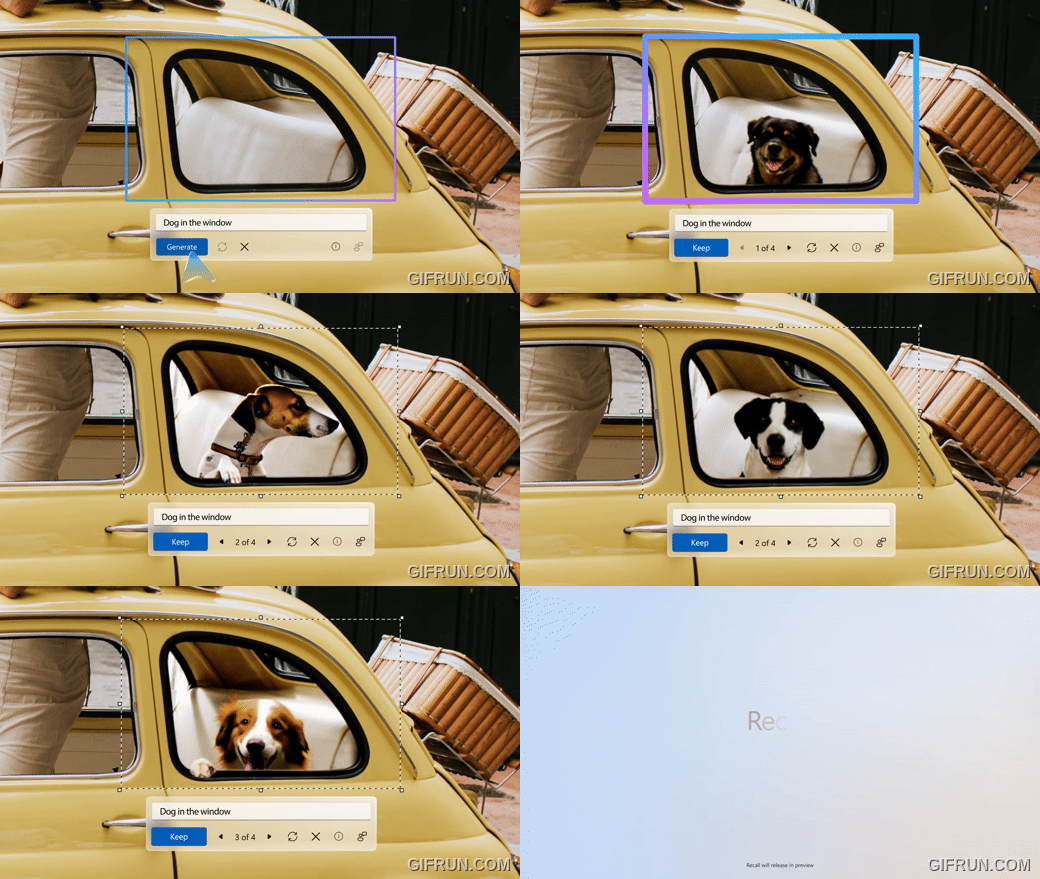
Generative fill and erase in Paint
You can use the fill and erase functions in drawing to bring your ideas to life. You can use fill to add new elements, and use erase to remove the parts you don’t need from the image.

That concludes the introduction to the AI features Microsoft is bringing to Copilot+ PCs and Windows 11. These features will first be rolled out to the Windows Insider community, then gradually released to select devices and markets starting in November. For more details on this update, check out the video below orGo to Windows Blog Learn more:
Source: KOCPC Chinese