


With many LINE friends, it is inevitable that a friend with the same name will misidentify the messenger. Earlier, LINE also released the LINE 11.18.0 version update for the iOS version. After this update, all users of iOS 15 (inclusive) and above can display the personal icon of the messenger in the reminder message! For people who are busy with work and life, they can directly identify which friend’s message is through the photo post. Continue reading this article to find out how to set it up!
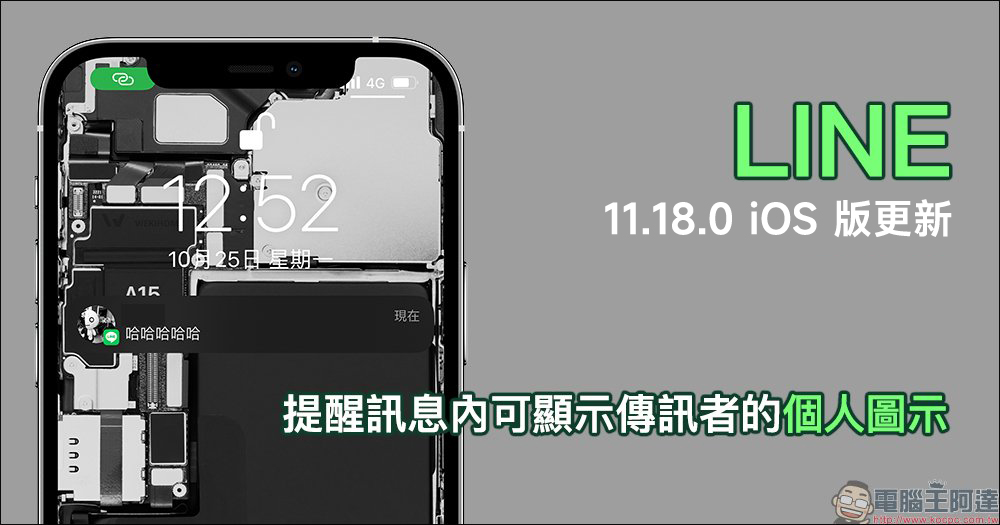
LINE 11.18.0 iOS version update released: Reminder messages can display the personal icon of the sender (setting tutorial)
Earlier today (25th), LINE officially released the LINE 11.18.0 iOS version update. In addition to optimizing the interface, this update also allows new message prompts to display the personal icon of the messenger.
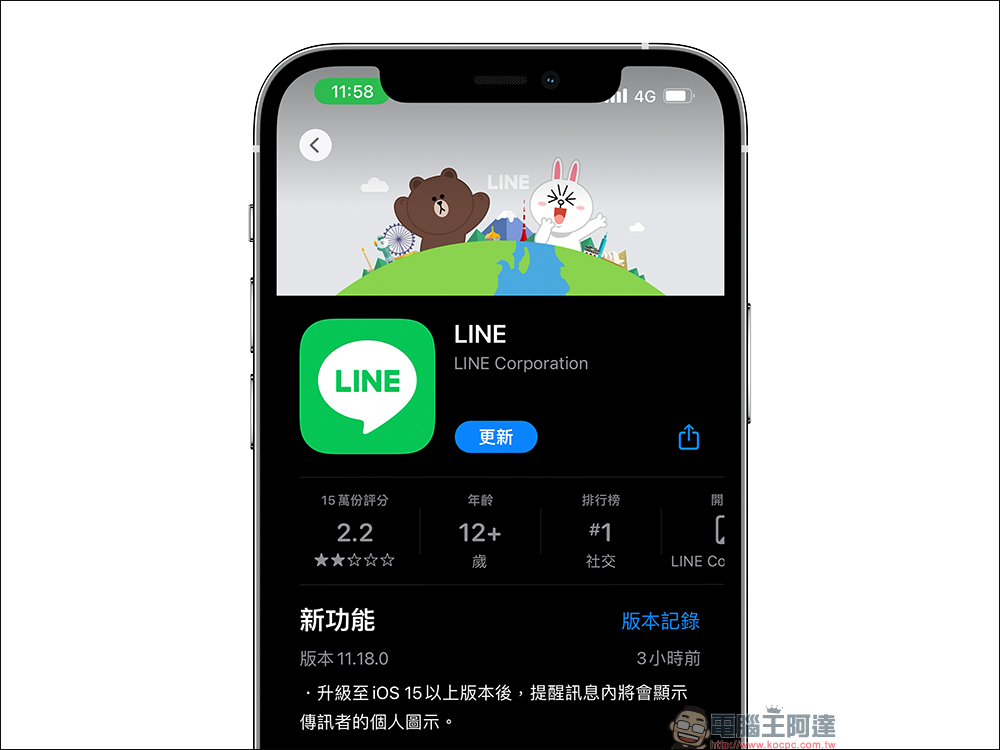
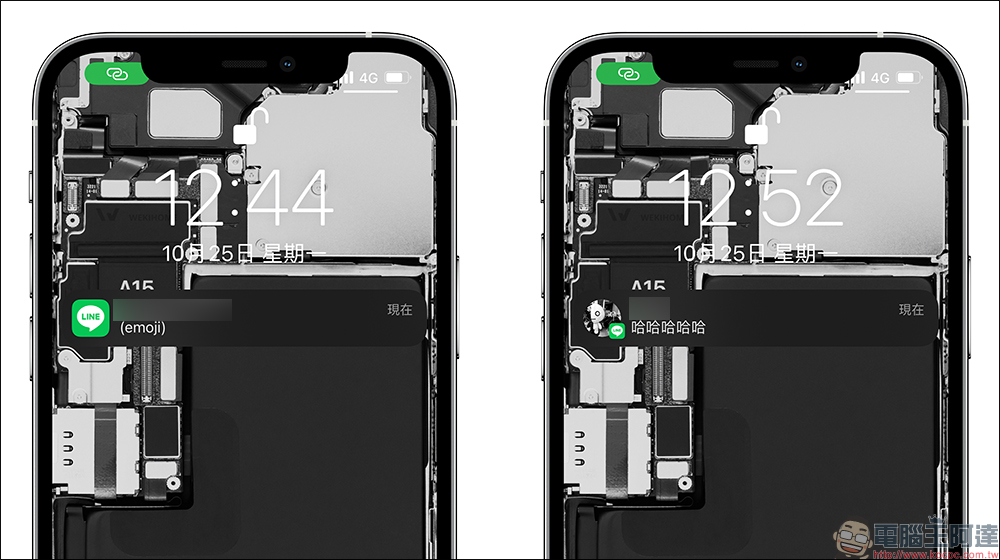
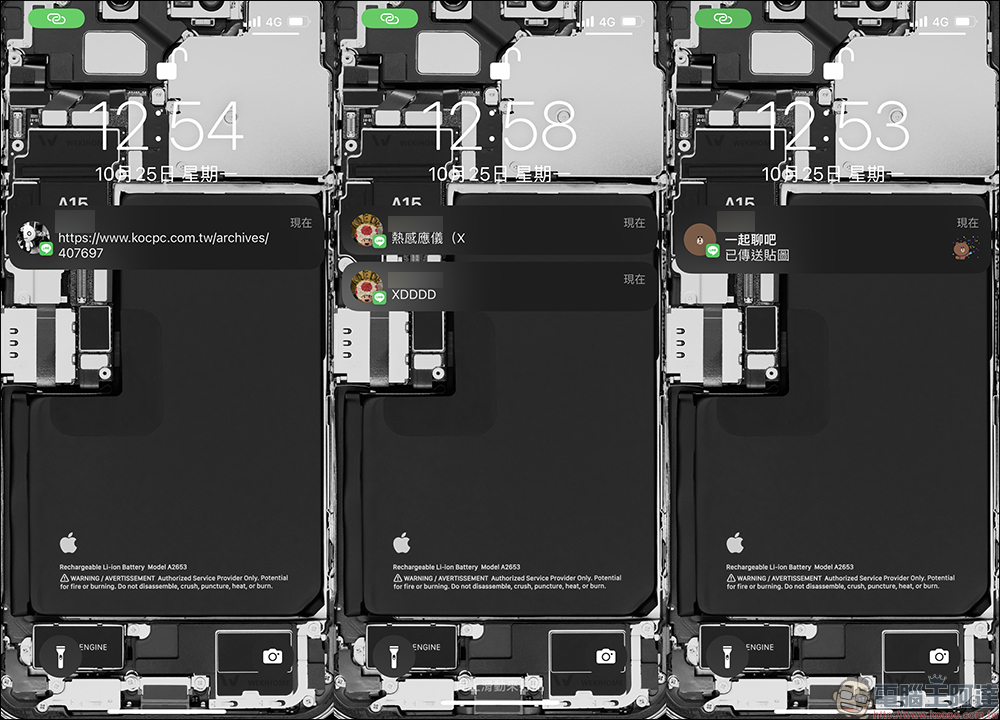
Comparing the difference in new message notifications before and after the update, the icon before the update can only display the LINE icon, but after the LINE 11.18.0 iOS version update, the messenger’s photo can be displayed. However, it is also important to note that this update requires the iOS system to be upgraded to iOS 15 (inclusive) or above to be supported.
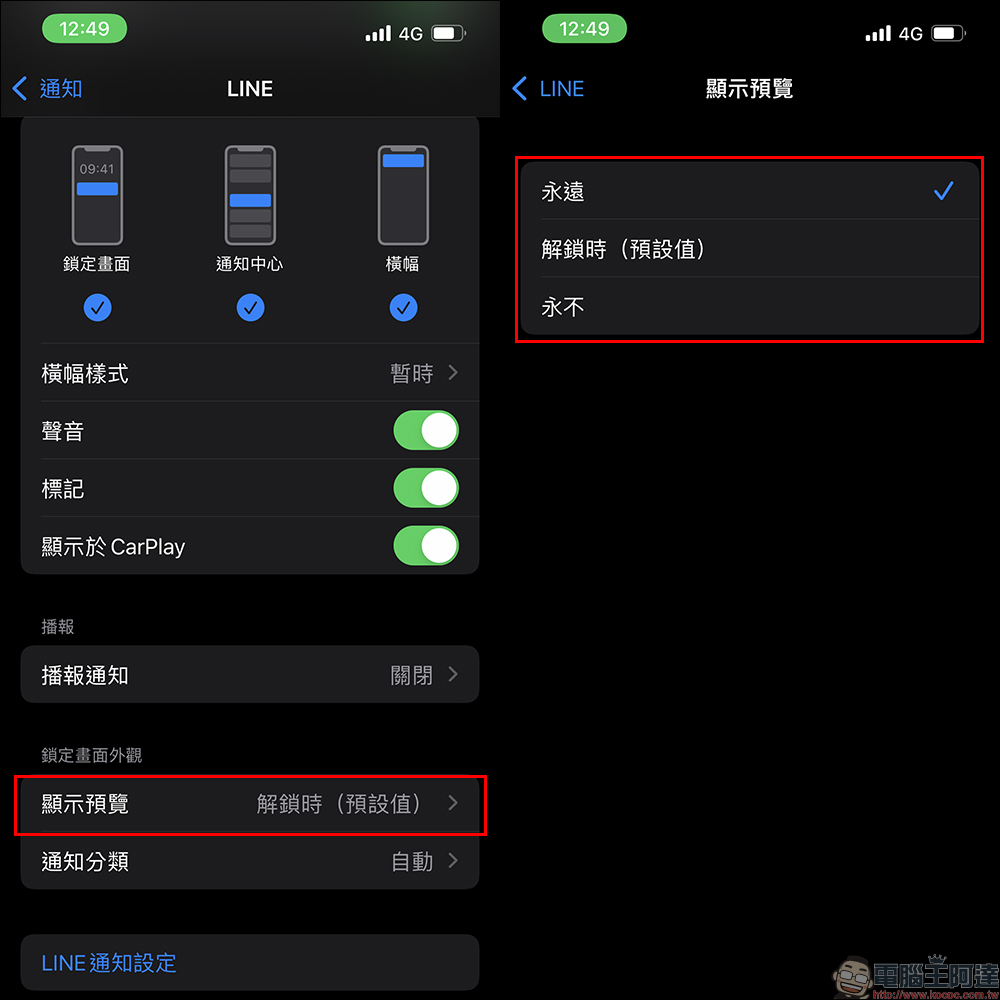
It is recommended that you go to the “Settings” of the iOS system, select “Notifications” > “LINE” and confirm that the allow notification setting is turned on.
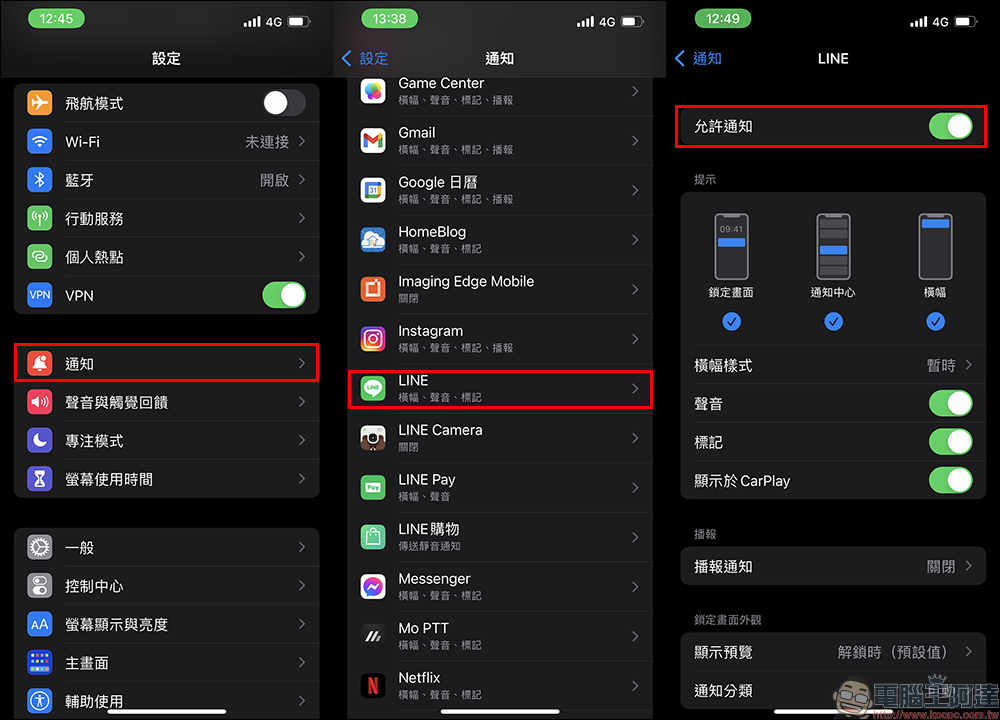
By default, iOS 15 will set the preview message content to be opened “when unlocked”. If users want to view the message content directly without unlocking, they can change the setting to “Always”. You can also click “LINE Notification Settings” in the system notification settings to jump directly to the LINE App reminder settings page.
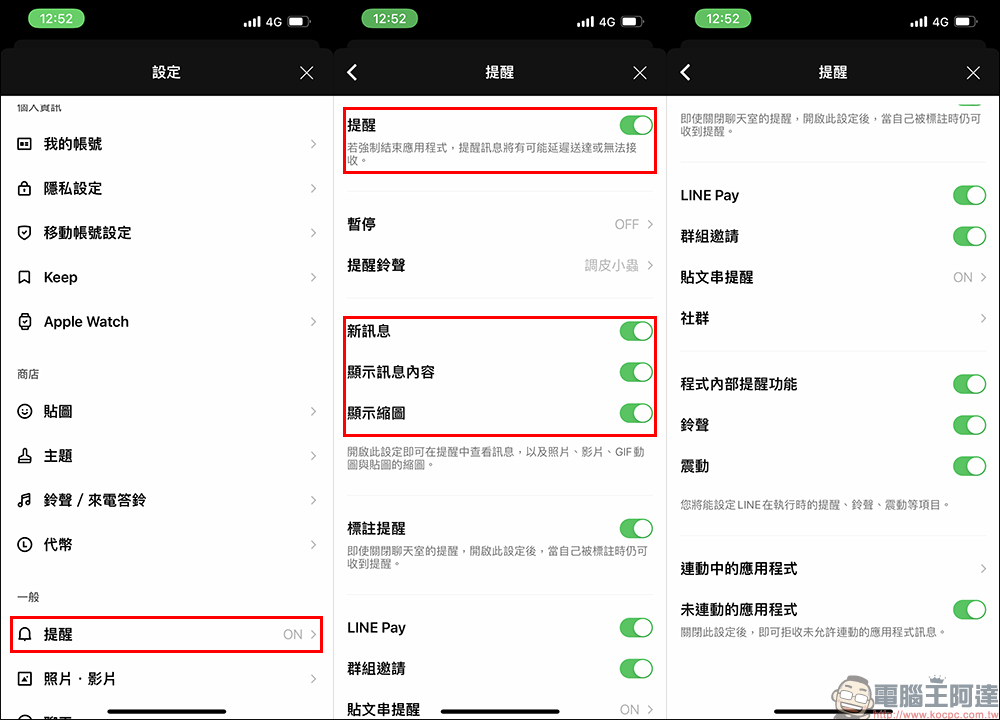
Confirm again that “Reminder” is turned on in LINE’s reminder settings, and also confirm whether you want to display message content in reminders and other settings.
In the past, when LINE users received messages from different friends and groups, they were likely to misidentify the users because their nicknames were similar, but now it is easier to distinguish them after the update!
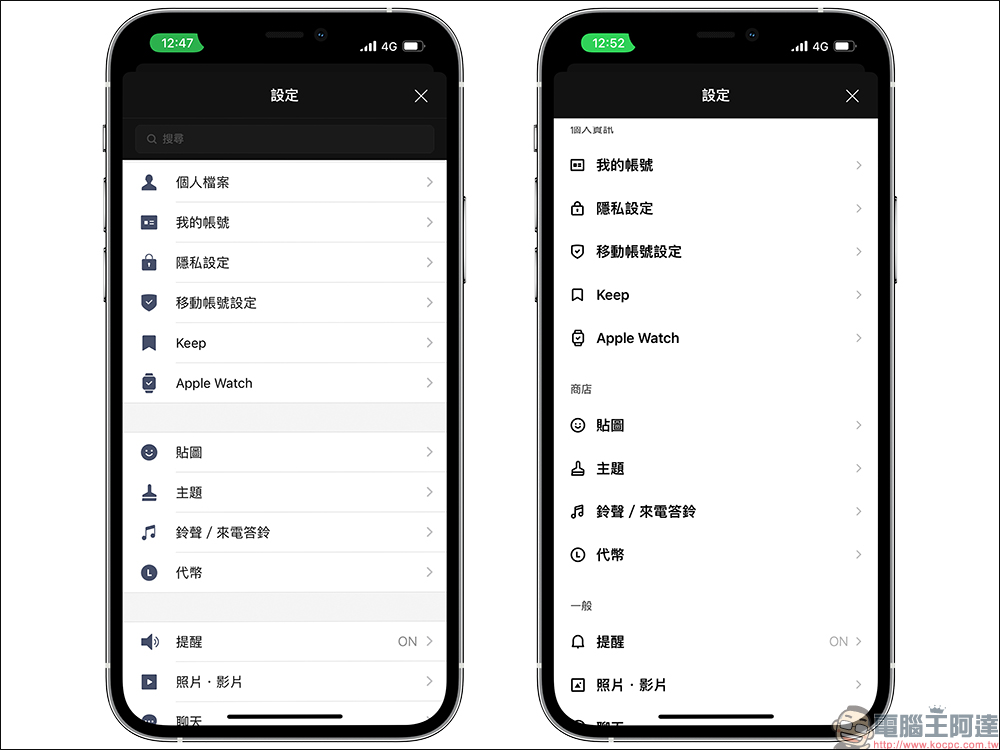
In addition to being able to display the personal icon of the messenger, LINE also took advantage of this update to optimize the user interface. For example, the icons and options of the settings menu have been changed to a new design, which is also clearer for reading.
Further reading:
Apple quietly launches original “wiping cloth”: claimed to be safe and effective in cleaning any Apple display, priced at 590 yuan
Source: KOCPC Chinese