


Apple’s new 14-inch and 16-inch MacBook Pro released this week are equipped with powerful Apple M1 Pro/M1 Max processors. In terms of screen, the new MacBook Pro is equipped with a Liquid Retina XDR display for the first time, which Apple also hails as “the best notebook display in the world.” However, compared to the specifications of the display, what consumers are most discussing is the “bangs” at the top of the screen, which were adopted in the iPhone back then and now also appear in the MacBook Pro. Recently, some foreign netizens have created a simple app that allows users to simulate the new MacBook Pro’s bangs screen with bangs on their Mac computers.
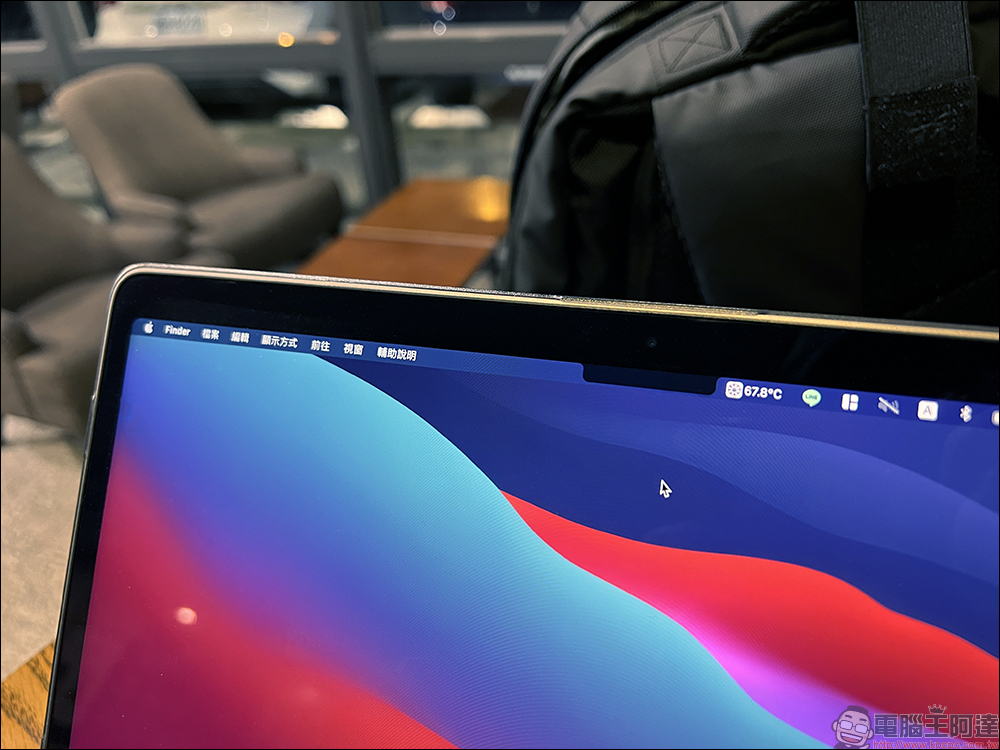
MacBook Pro bangs screen simulation tool allows users of older Mac computers to “experience” the bangs screen display effect in advance
Apple’s new MacBook Pro is powered by Apple M1 Pro or M1 Max processors, and both 14- and 16-inch models feature three Thunderbolt 4 ports for connecting high-speed external devices, an SDXC card slot for fast media access, HDMI ports for easy connection to monitors and TVs, an evolved 3.5mm headphone jack that supports high-impedance headphones, and MagSafe returns to MacBook with MagSafe 3 Pro makes connecting charging cables faster and easier.
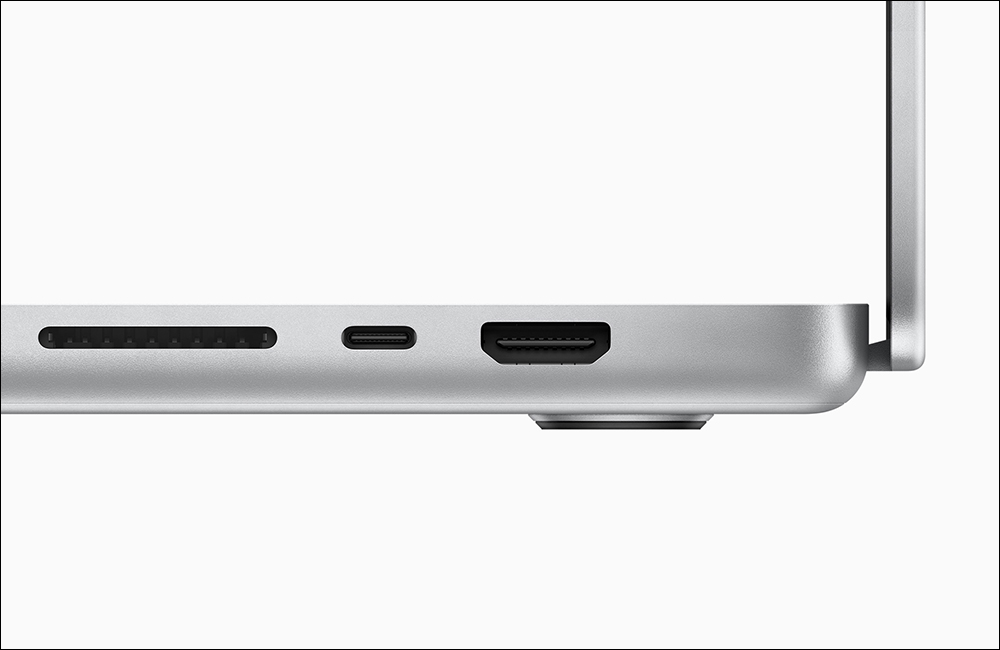
▲Picture source:Apple
Although the performance of the new MacBook Pro is quite powerful, and the screen uses a Liquid Retina XDR display, which is also known as the best notebook display in the world. However, in order to make the viewing range of the screen larger, Apple pushed the edges of the MacBook Pro screen 3.5mm outward, and reduced the thickness of the border above the screen by 40%. However, the central FaceTime video lens and light source sensor are still in their original positions, making the MacBook Pro The bangs shape also appears on the screen, which will take some time for long-term Mac computer users to adapt to.
Although Apple stated that programmers can choose whether to use the upper toolbar to hide bangs when developing program interfaces, the bangs-shaped screen has also caused discussion among many users. After all, the new MacBook Pro has just been released, and we are not sure how the actual machine will perform.
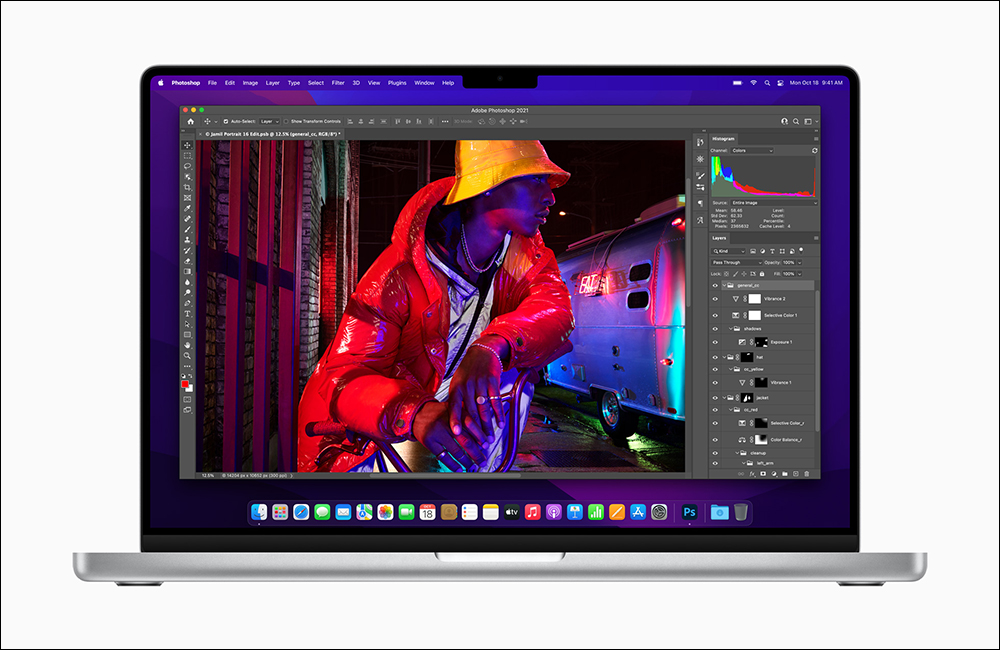
▲Picture source:Apple
Fortunately, the MacBook Pro is not yet on sale in Taiwan, so everyone still has some time to evaluate whether to buy it. Recently, a foreign netizen on GitHub created a simple application “Notch Simulator”, which allows existing Mac users to add “bangs” to the screen of their Mac computers and experience in advance what it will look like if this black area appears on the screen. (Open the GitHub page and select “Download” to download):
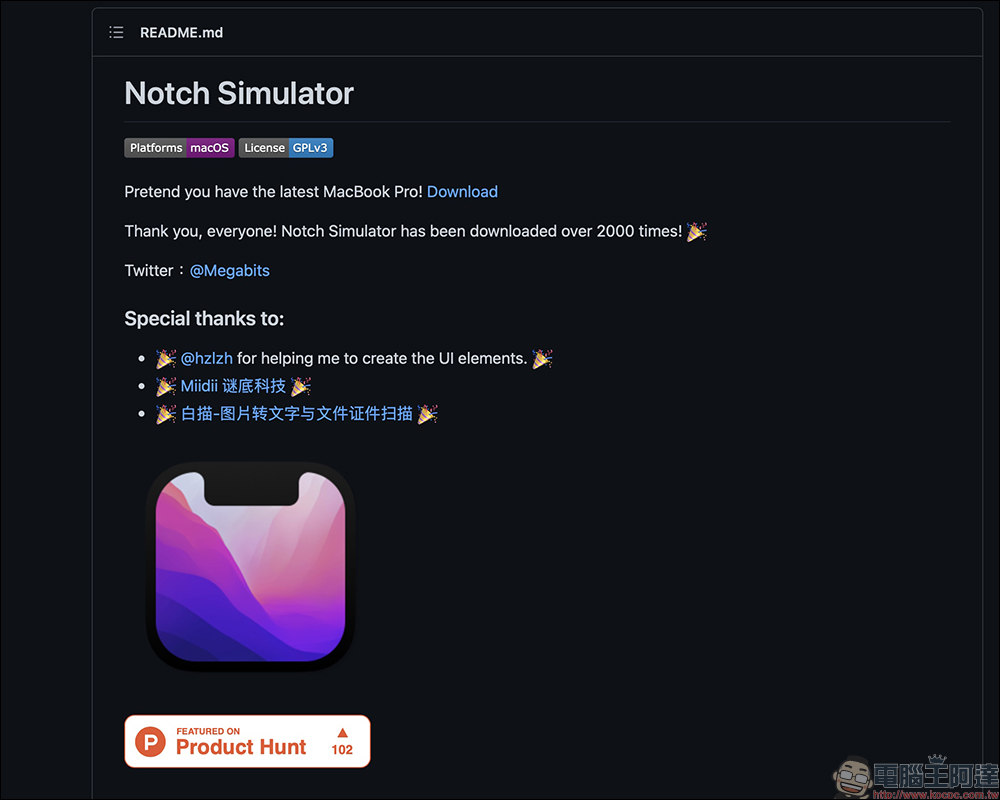
After downloading and opening Notch Simulator, you can see the simulated bangs screen. Taking the 2018 13-inch MacBook Pro as an example, after opening this tool and the screen is not turned on to full screen, there will be a black frame in the screen display area below the video lens.
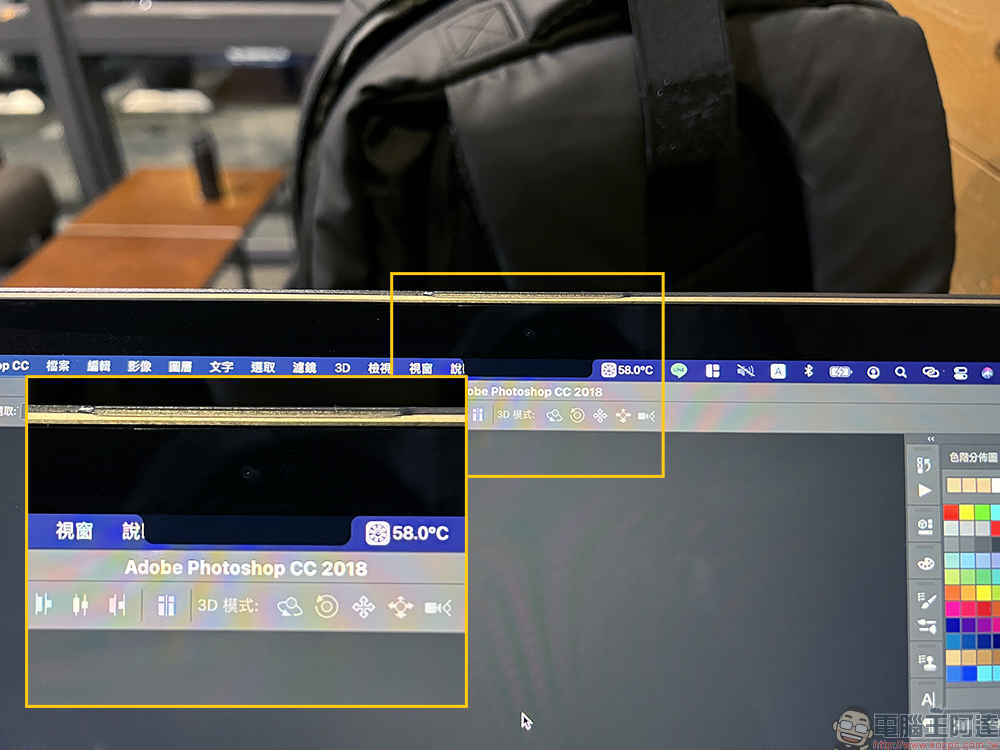
When full screen is turned on, the bangs area will not be displayed.

Users can also move the cursor to the black bang area at the top of the screen to close the gadget or set advanced display effects.
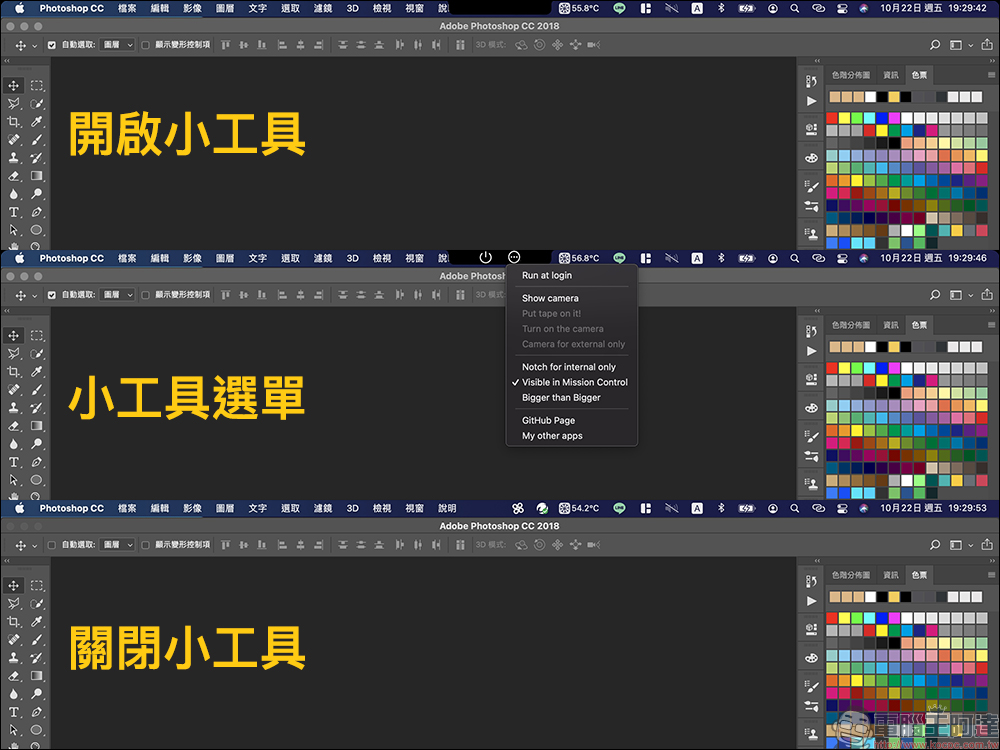
Such as displaying the video lens icon, simulating the effect of attaching tape to the screen video lens, and even displaying oversized bangs, which is very ridiculous.
Of course, this gadget is just a fun simulation, and it is not the actual bang screen effect of the new MacBook Pro.

Further reading:
Apple quietly launches original “wiping cloth”: claimed to be safe and effective in cleaning any Apple display, priced at 590 yuan
AirPods Pro has been quietly updated to the “MagSafe charging box”, but there are a few things to pay attention to when using MagSafe wireless charging
Source: KOCPC Chinese