


In addition to using LINE to communicate with friends, family, colleagues, and customers on mobile phones, we also use the computer version of LINE on many occasions to make communication more convenient. Recently, LINE also released the PC version 7.3 update, which finally added the message emoticon function to the chat room, and added LINE hotspots to the service list to allow users to better find nearby food information. In addition, the free video call function has also been optimized to make the video call process smoother and more hassle-free!

LINE PC version 7.3 update: 4 updates including chat room emoticons, LINE hotspots, and video call function optimization
The PC version of LINE has finally released the latest version 7.3 update recently! Currently, the LINE PC version 7.3 update has been launched first on Windows, and the update will be released for Mac users in the near future.
Chat room dialog box supports “emoticons”
existIn early August this year, LINE took the lead in updating the LINE iOS/Android dual-system app to support the chat room emoticon function., this feature allows users to respond individually with emoticons to text messages and pictures in specified dialog boxes. This feature is finally officially available in this LINE PC version 7.3 update!
From now on, LINE users can reply with emoticons to text messages and pictures within 7 days. Emoticons for replying to messages in the desktop version currently support one-to-one chat rooms and groups.

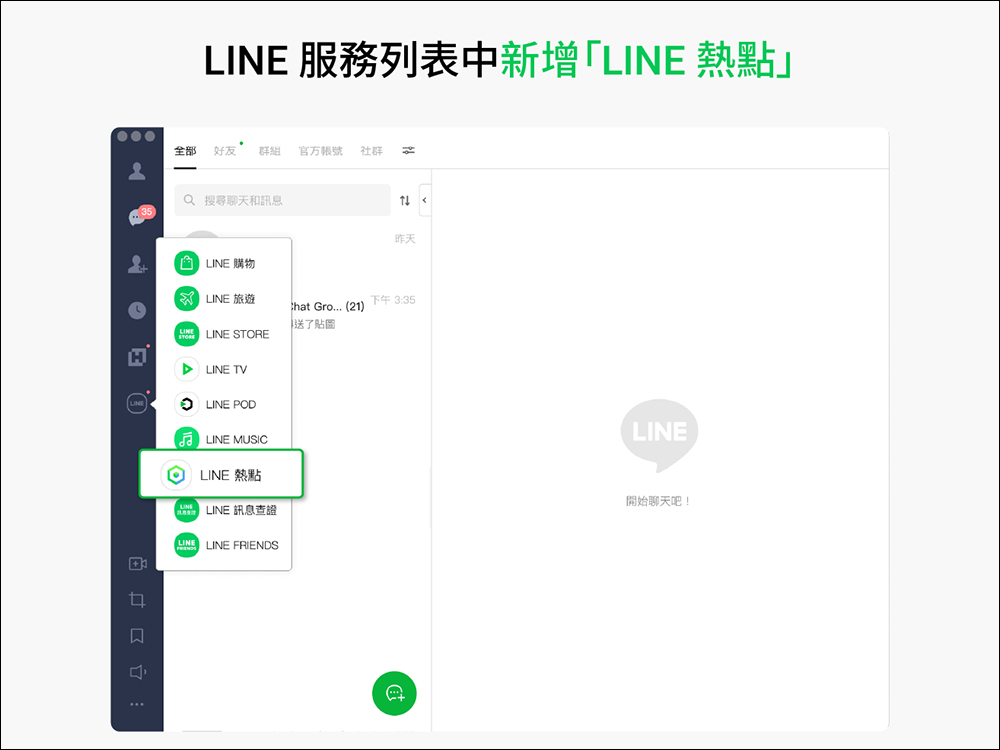
Added “LINE Hotspot” to the service list
After the LINE 7.3 version update, users can directly connect to “LINE Hotspots” in the service list on the left side of the PC version of LINE application! Whether you are looking for nearby lunch, afternoon tea or store information, you can find it all directly in LINE hotspots! In addition to the original web version of LINE hotspots, users have the option of directly connecting to the LINE app (LINE hotspot web version:https://spot.line.me)。
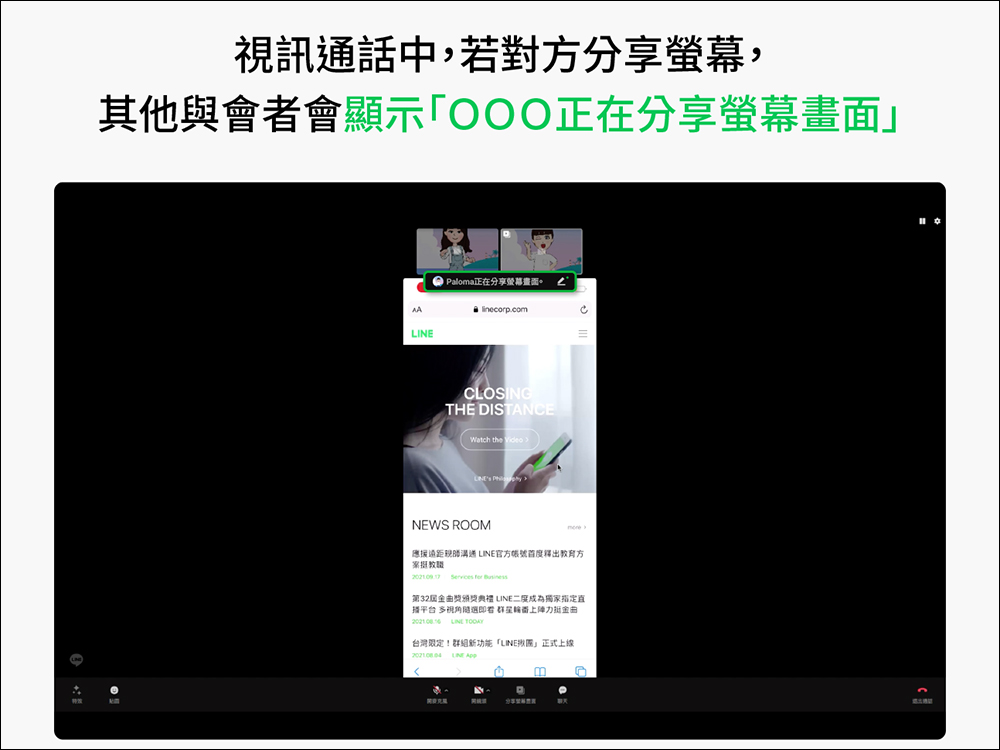
Optimization of the “Share Screen” function in video calls
Since the beginning of the epidemic, many people have begun to use LINE’s free video calling function to connect with friends and family. Since LINE’s free video calling feature fully supports screen sharing, it is also very useful for video conferencing in the workplace. Now, the LINE PC version 7.3 update has optimized the screen sharing function, so that if the other party shares the screen during a video call, other participants will be able to see a window showing “OOO is sharing the screen” on the screen. This seemingly inconspicuous optimization can also allow participants to more easily grasp the progress of the current meeting, and more quickly know which participant is sharing the current screen.
Added “Message Notification” window to video calls
If you are the person sharing the screen in a video call, or you are in a video call with a friend, if there are other new messages, the “Message Notification Window” will be directly displayed separately! For example, when you are sharing your screen with a video partner, you can directly view the message content of others’ replies through the message notification window. Make communication on video calls smooth!

Picture/Source:LINE Taiwan official BLOG
Further reading:
LINE application tips: Chat room messages are always washed and disappeared? LINE chat room sorting and sorting technique revealed!


Source: KOCPC Chinese