


Today I’m introducing inFin, a free AI voice note-taking app. inFin offers features like quick notes and real-time translation. It supports real-time simultaneous translation for Arabic, Bengali, Chinese, English, French, Hindi, Malay, Portuguese, Russian, and Spanish, making it very suitable for international students studying abroad. Let’s see whether this free AI voice note-taking app inFin, which has no time or usage limits and works offline, is actually any good.

Unlimited duration and usage, offline-capable free AI voice notes “inFin”
Chinese developer Ma Yuhan’s free AI voice note app inFin claims to be completely unrestricted with no limits whatsoever—no time limits, no usage limits, no storage limits, and it works offline too. However, it’s currently only available on iPhone/iPad/MacBook M1. If you’re interested, click the link below to download.
Go to the App Store to download the free AI voice note software inFin.
The AI voice note app inFin supports quick note-taking in Chinese and English, and can also translate English or Chinese into languages such as Chinese, English, French, Hindi, Malay, Portuguese, Russian, and Spanish in real time. After downloading and opening the inFin app, you can start using it immediately—no registration or login required.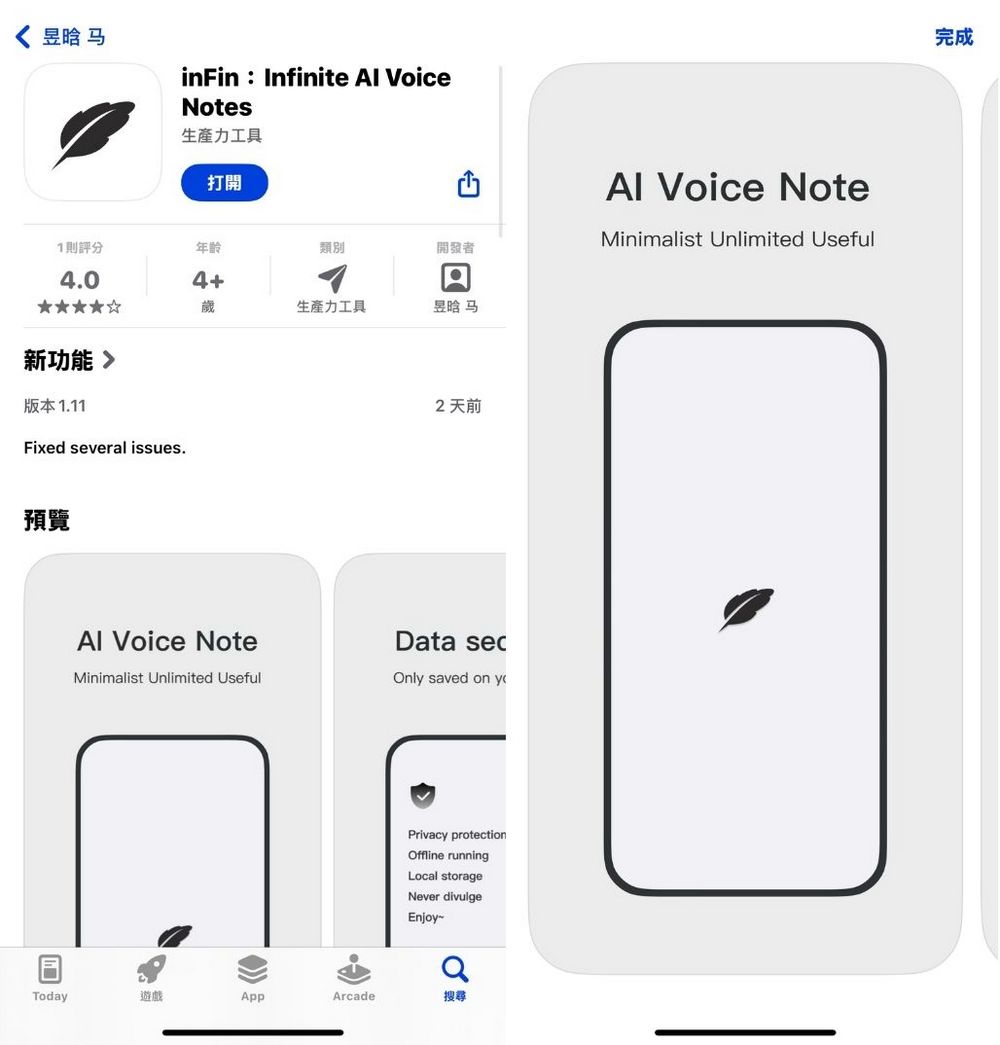
First, let me teach you how to set up inFin’s real-time translation feature. First, click on the “three lines in the upper left corner” → “Settings.” Set “Transcription language” to the language you’re hearing, whether it’s Chinese or English. Then set “Translation language” to the language you want to translate into. If you set it to “No-Translate,” it will activate shorthand mode.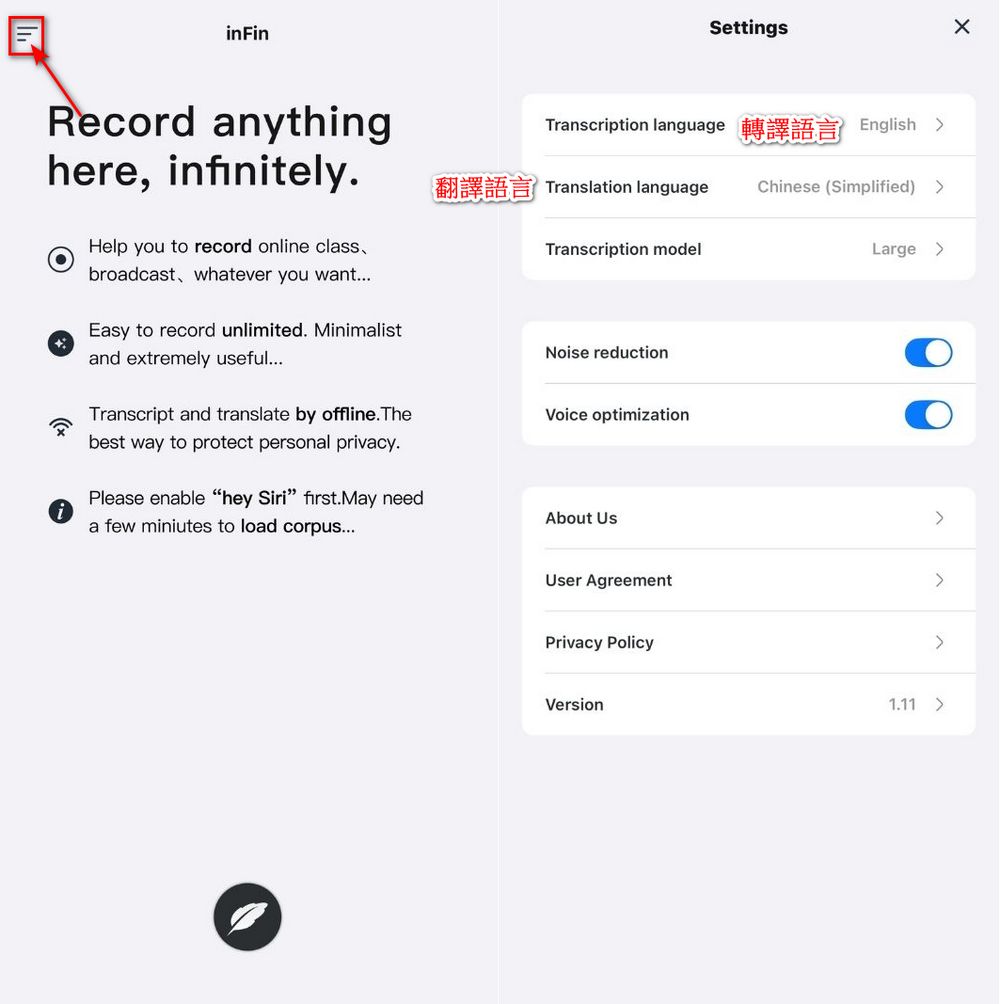
After setup, you can start using inFin! It’s simple: just tap the pen on the inFin home screen, and inFin will start recording in real time. If real-time translation is enabled, inFin will translate what it hears. Tap the square to end the recording. (It also works offline!)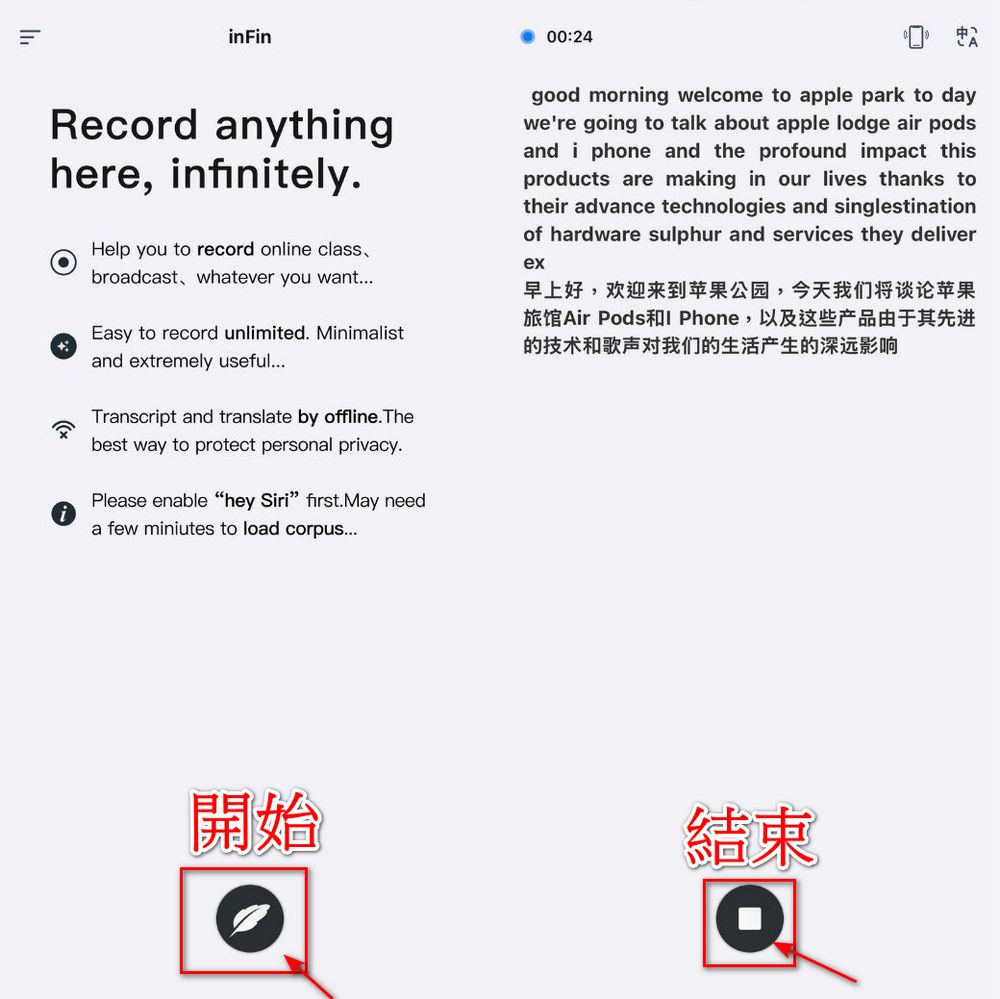

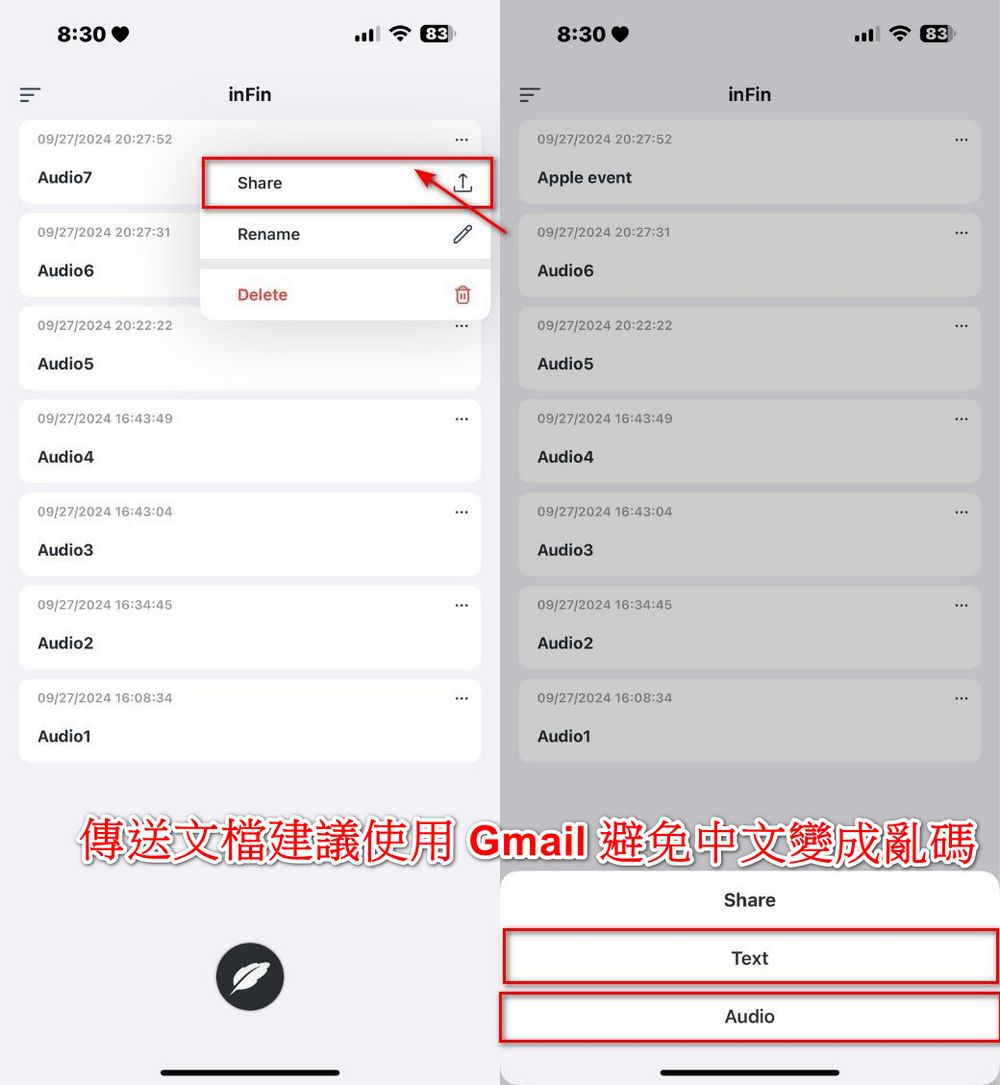
Recorded files will appear on the inFin home page. You can click the “⋅⋅⋅” to rename or delete the file. After clicking a file, you’ll see inFin’s real-time translation content, and clicking on each paragraph also lets you listen to the corresponding recorded audio.
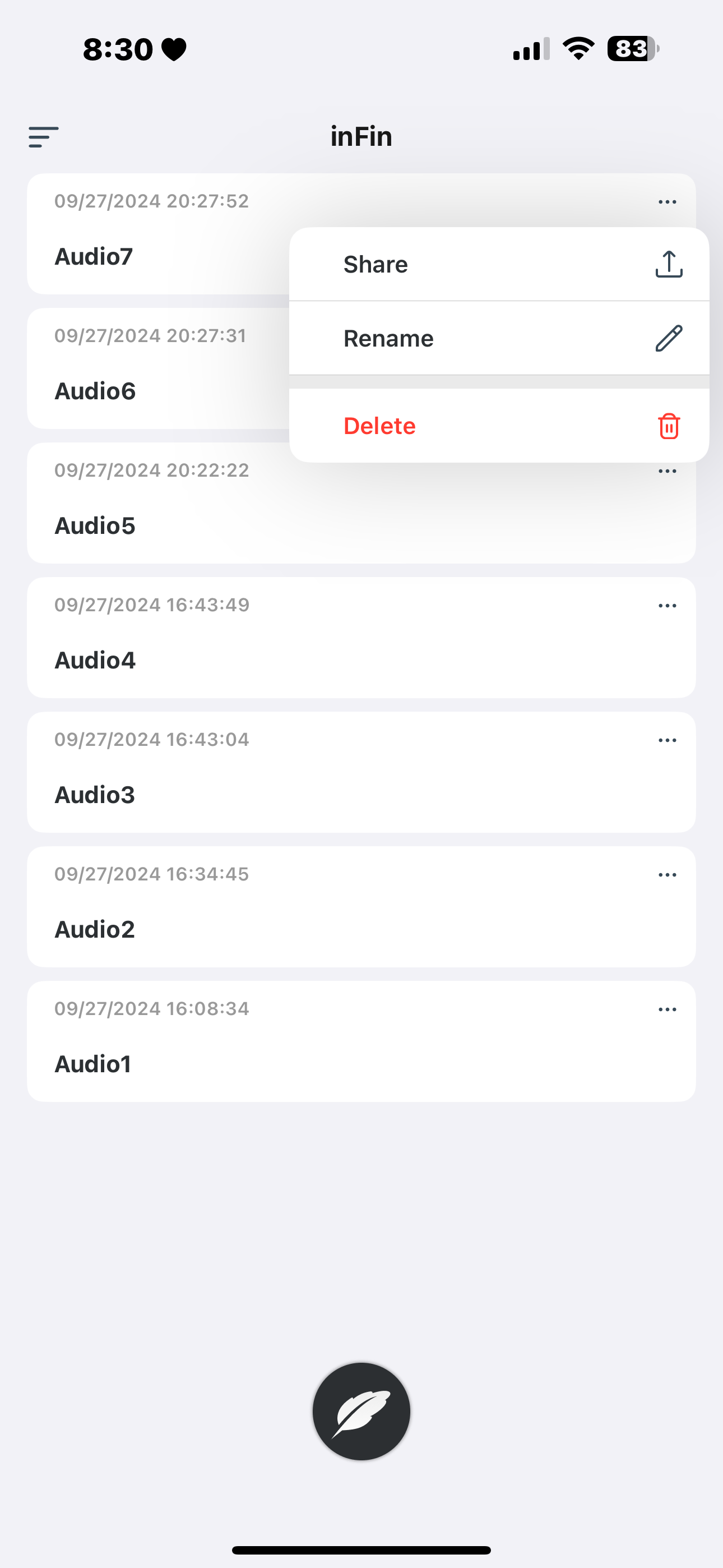
If you want to share files, also click “⋯”, then click “Share” and choose whether to share the document as Text or the audio as Audio. When sharing, try to use Gmail when sending documents to avoid the Chinese parts of the document turning into garbled characters.
After our hands-on testing, inFin’s real-time translation and note-taking accuracy aren’t really that good, but the recorded files are saved, and you can click on unclear sections to listen to the audio again, so inFin is still quite useful.


Based on my experience using it, inFin is somewhat weak in translating and recording proper nouns, so when you use it, you should still pay attention to what inFin translates. If you’re not sure whether the translation is correct, you can click on that paragraph to listen again. However, inFin is free, has no usage limit, and can be used offline, which I think is already pretty good. The inFin team has also stated that they will continue to release updates to improve its performance. Hopefully inFin keeps improving!
Go to the App Store to download inFin, the free AI voice note app.
Source: KOCPC Chinese