


Not long ago, Apple released the 4A400 firmware update for the AirPods series. In addition to bringing useful search functions such as “Precise Search” and “Absence Notification”, it also quietly opened support for the “Conversation Enhancement” function that was previously announced at WWDC 2021 to be added to AirPods Pro after this firmware update! However, the opening of “Conversation Enhancement” is hidden in the assistive usage settings. Continue reading this article to learn how to turn on the iOS 15 “Conversation Enhancement” function setting tutorial of AirPods Pro.

AirPods Pro’s iOS 15 “Conversation Enhancement” feature setting tutorial
A few months ago, Apple announced at the WWDC Global Developers Conference that iOS 15 would introduce an enhanced “Conversation Boost” feature to AirPods Pro to help the hearing-impaired, those with hearing loss, or those in noisy environments, use AirPods Pro to hear the other party speak more clearly. This feature is also officially supported after the recent 4A400 firmware update. Therefore, if you want to use this feature, it is recommended to review ourPrevious AirPods Pro firmware update tutorial。
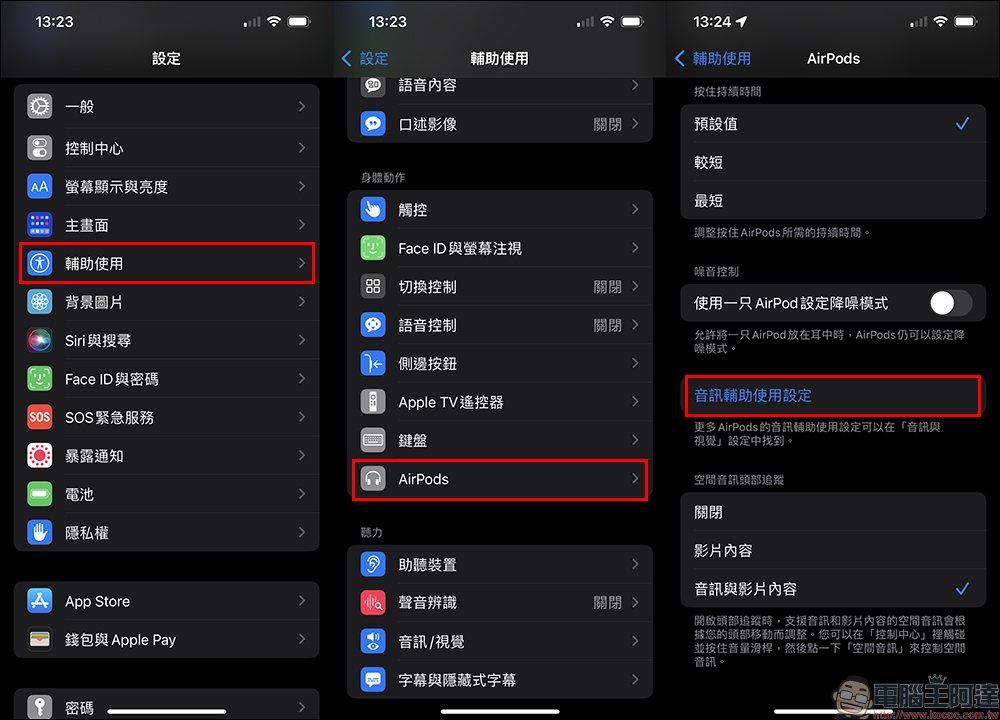
After updating the AirPods Pro firmware to version 4A400, select “Accessibility” > “AirPods” > “Audio Accessibility Settings” in iOS Settings.
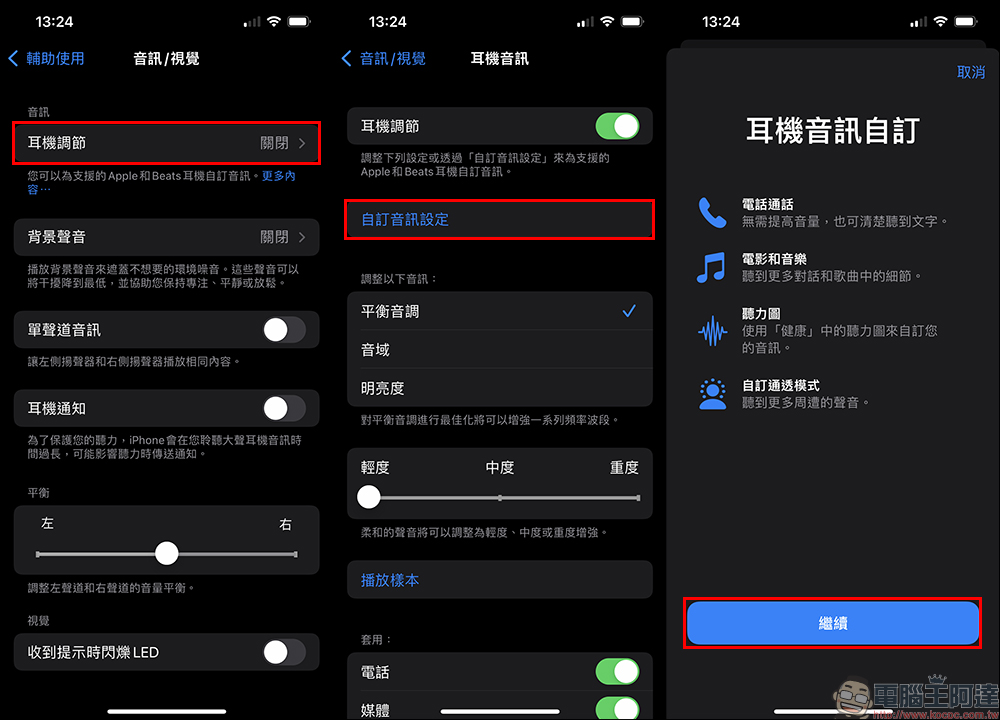
Then turn on the “Headphone Adjustment” function in the “Audio/Visual” settings, then click “Customize Audio Settings” and follow the step-by-step instructions to first adjust the headphone audio to a setting that suits your personal hearing.
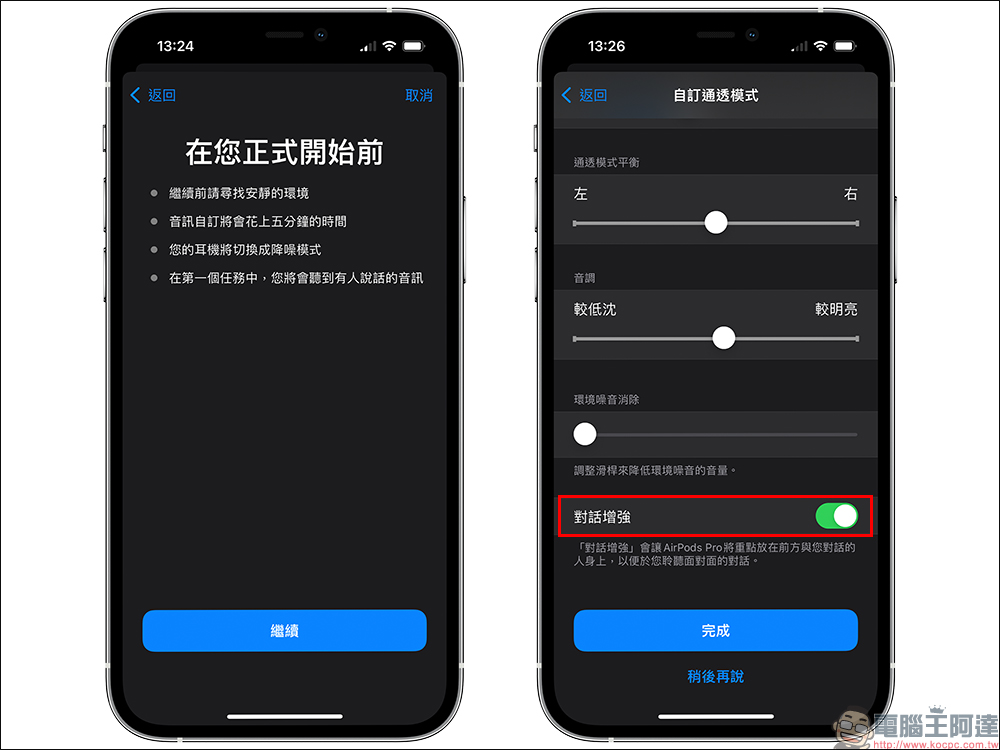
After the settings are completed, you can turn on the “Conversation Enhancement” function at the bottom of the “Customized Transparency Mode” settings.
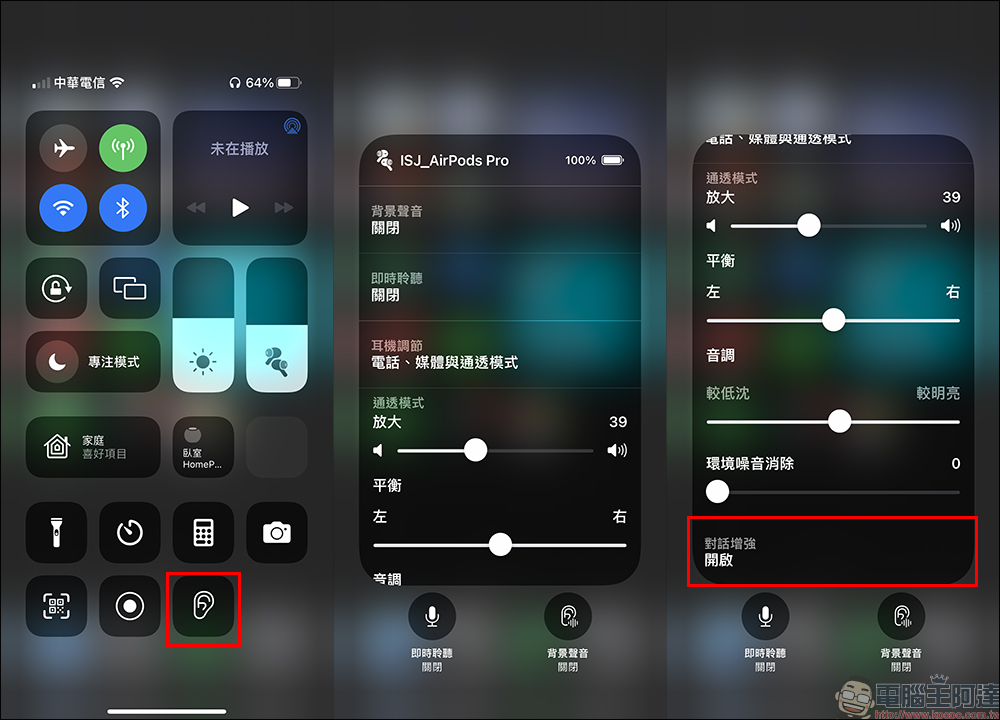
After the setting is completed, it is quite simple to switch to the “Conversation Enhancement” setting. You only need to put on AirPods Pro and open the control center to quickly switch.
Further reading:
LINE application tips: Chat room messages are always washed and disappeared? LINE chat room sorting and sorting technique revealed!


Source: KOCPC Chinese