


If you are a Windows and Android user, the “Your Phone” app can help build a bridge between your computer and your phone. In addition to allowing you to view photos and applications, it can also do many really useful things. For example, today I will introduce to you how to control music playback on your phone from your computer. This is especially useful when you are working on your computer while listening to music on your phone with headphones.
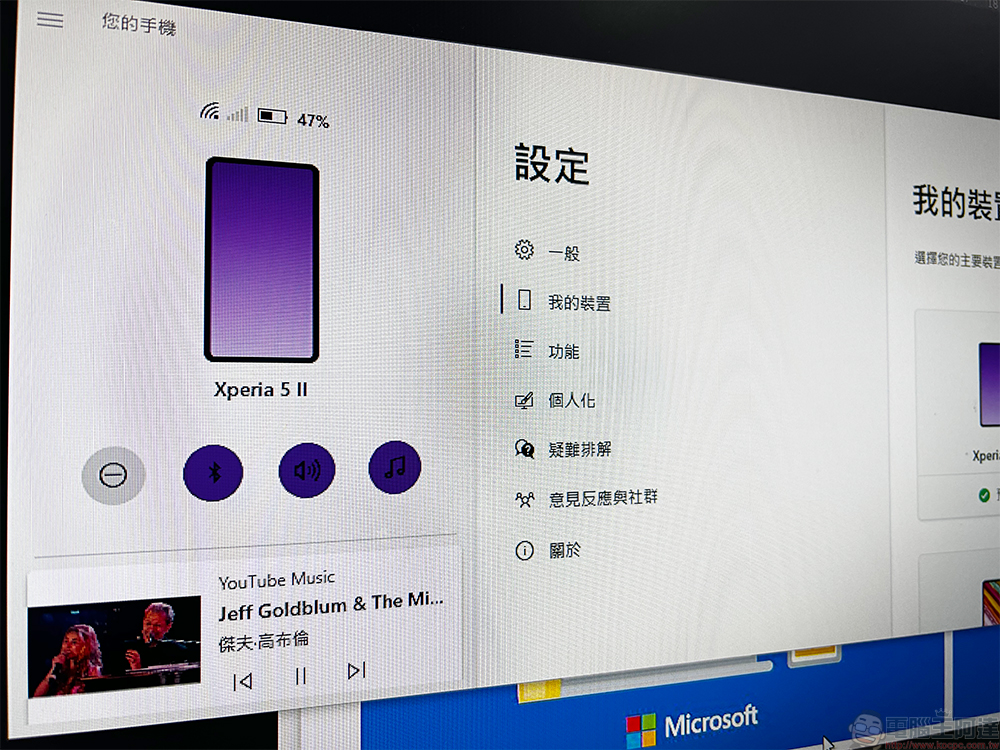
How to control the music playing on your Android phone from a Windows computer
Before you start, the first thing you have to do is to set up the “Your Phone” application on Windows 10 or Windows 11. This application is preloaded in the Windows system, and the corresponding “Your Phone Assistant” application must be installed on your phone, and the two must be paired and connected. When we are ready, let’s get down to business!
【Android mobile download click here】
Logically speaking, after setting up the pairing connection, the audio player window should appear by itself, but it doesn’t matter if it doesn’t appear. Let’s first learn how to adjust the settings to make the audio player appear.
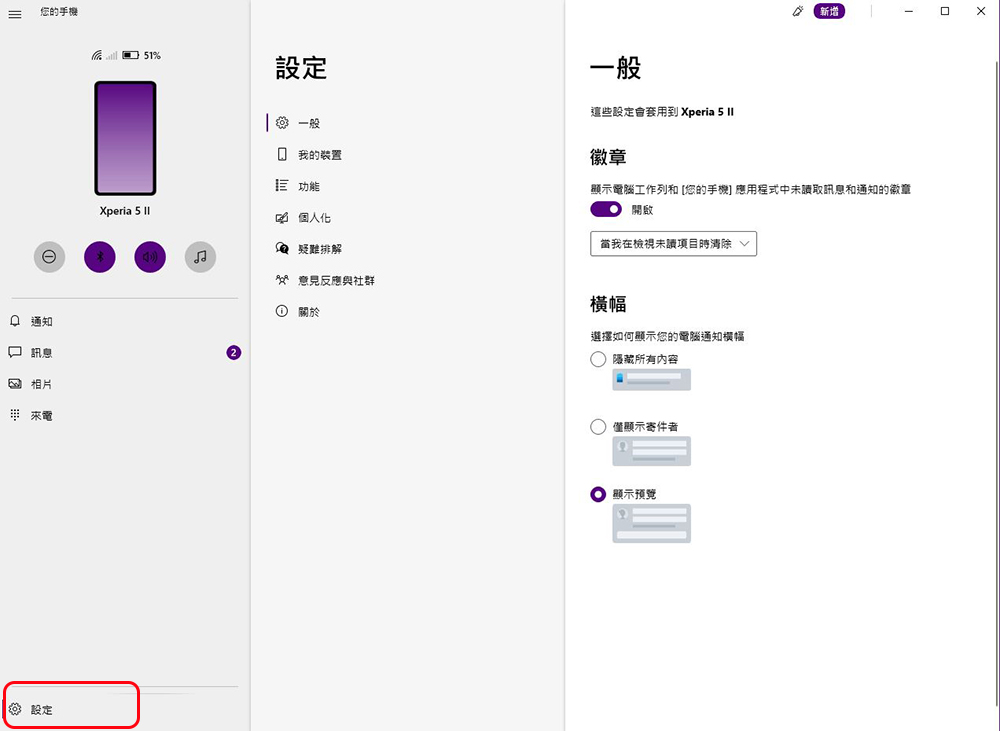
- You must also grant notification permission to “Your Phone” on your phone, then open the “Your Phone” application on your computer and click the Settings button in the lower left corner.
- In the “Personalization” section, turn on the “Show audio currently playing from Android devices” control function under the audio player.
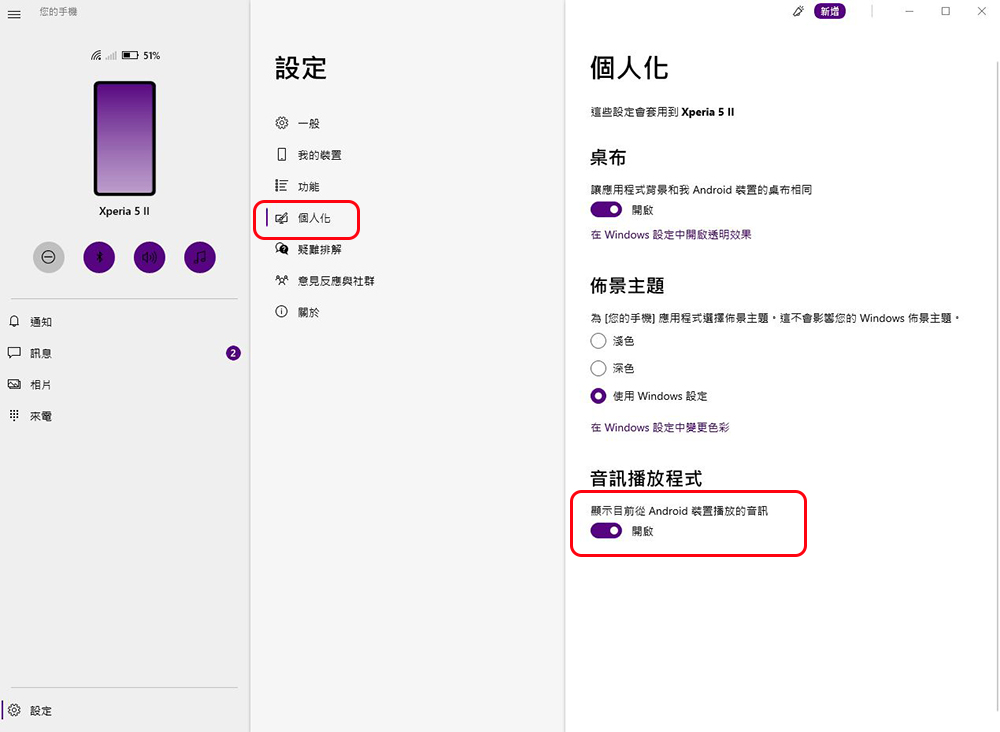
After turning on this function, it is recommended that you close and then reopen the “Your Phone” application on the computer. Then you will see a small control window for the music player in the lower left corner of your phone. It not only displays the playing tracks, musicians, album covers, etc., but in the future, if you want to control the track jump, pause and replay of the music played on your phone, you do not have to pick up your phone to operate it. It can control music, podcasts, and any other information currently playing on your phone, but videos cannot be processed.
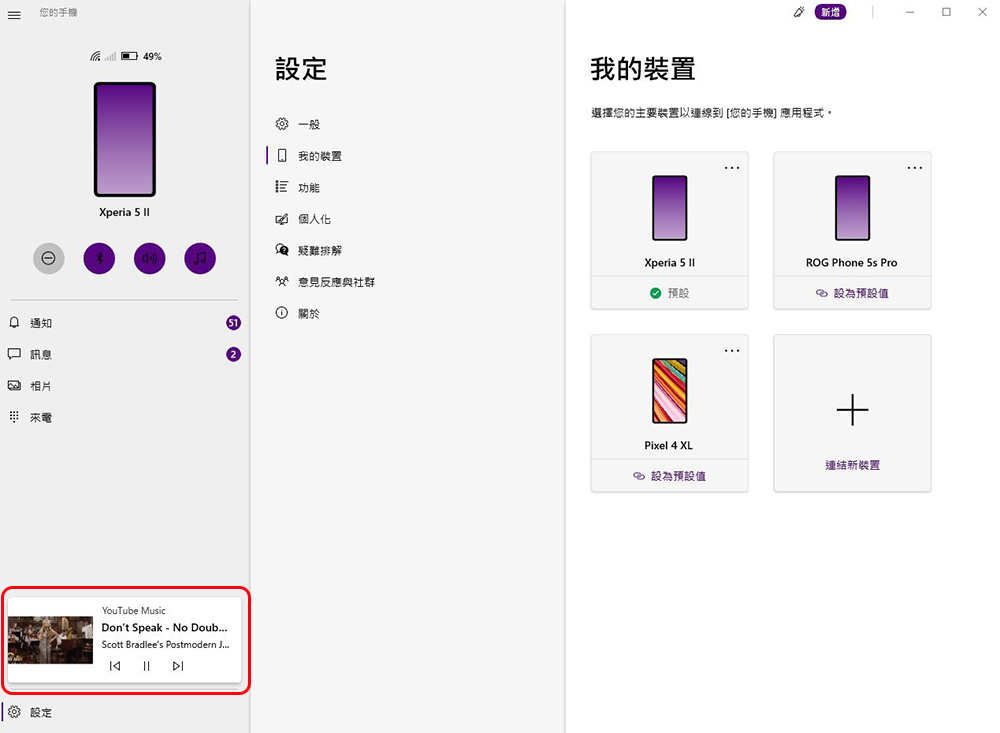
The author often plays music on my mobile phone and wears Bluetooth headphones to listen to it when I am working. After all, it is a bit troublesome to have to adjust the music playback volume on my computer every time there is a call coming in. So this little method is provided for people who are in the same situation as me.
Source: KOCPC Chinese