

• About Us
King of Computer Media
  • Home
  • Tech News
  • AI News
  • Apps & Tutorials
  • Mobile & Telecom
  • Lifestyle
  • About Us
No Result
View All Result
  • Home
  • Tech News
  • AI News
  • Apps & Tutorials
  • Mobile & Telecom
  • Lifestyle
  • About Us
No Result
View All Result
King of Computer Media
No Result
View All Result

Home - Computer Applications and Other Tutorials - Quickly remove ZapBG pictures and operate directly online without installation!

Quickly remove ZapBG pictures and operate directly online without installation!

KOCPC Editor by KOCPC Editor
October 3, 2021 - Updated on August 4, 2026
in Computer Applications and Other Tutorials, Internet and software applications, Multimedia conversion/application

This ZapBG online back removal tool is quite simple. You don’t need to operate complex Photoshop software, nor do you need to trouble professionals to remove the background. You only need to upload the photo to the ZapBG website, and the portrait and background can be automatically removed through AI calculations. The update can be completed directly without any action. Basically, it is completed after uploading. If the user still needs to manually repair the background image in detail, it can be operated directly online, and the existing template background can be directly applied.
 

How to use ZapBG to quickly remove your back

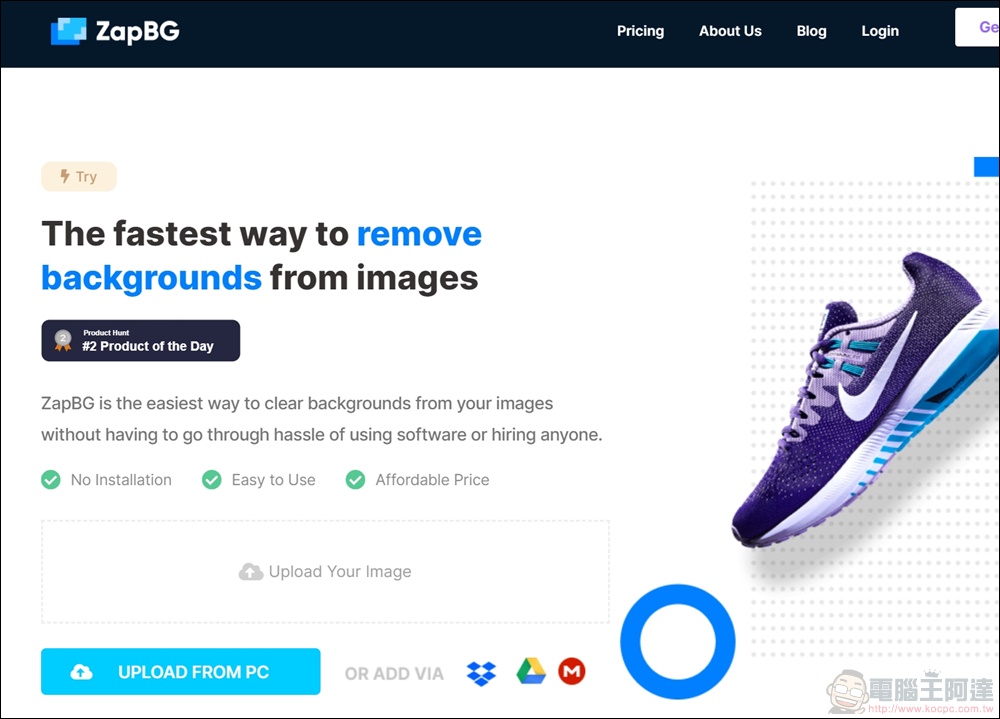
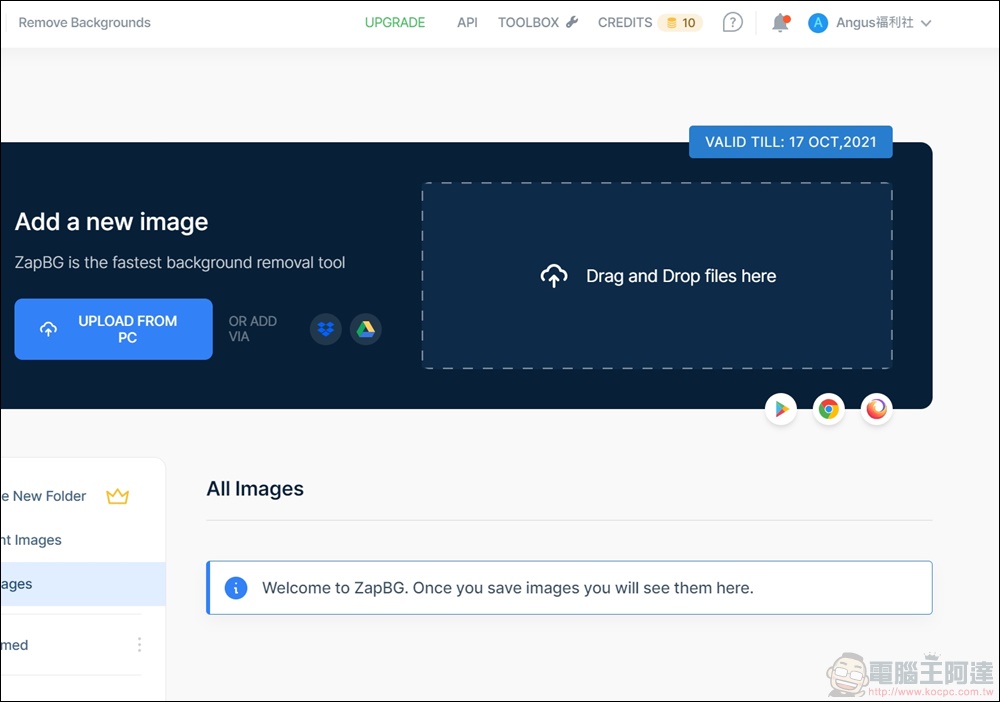
First, go to the ZapBG official website and press the “Upload Your Images” button to upload the images you want to memorize, or import image files for editing through Dropbox, Google Drive, or MEGA.


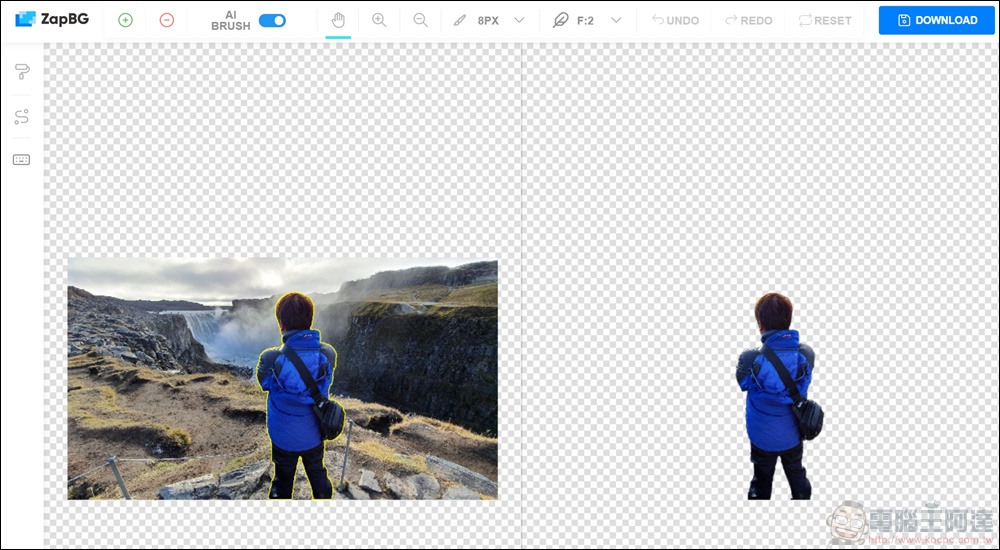
After the upload is completed, the user’s photos will be de-backed directly. After AI calculation processing, the accuracy of the photo de-backing is really super strong. The original picture is marked with a yellow line on the left, and the completed picture is on the right. The overall detailed effect of the de-backing is quite accurate, and the editor himself was shocked.

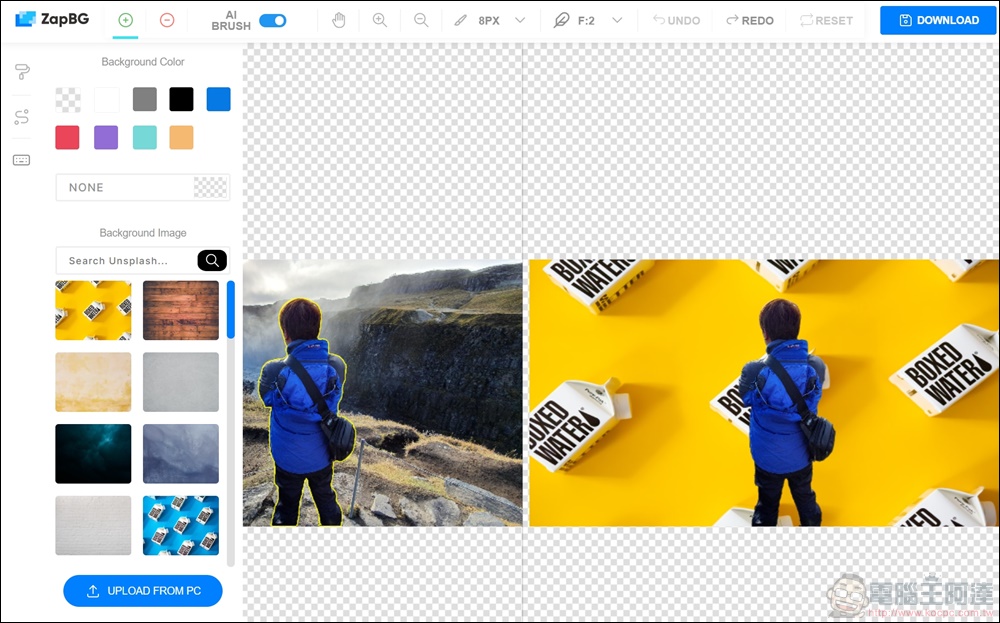
There is a brush icon on the left. You can directly apply the existing background color and picture, or you can upload the picture you want as the background.
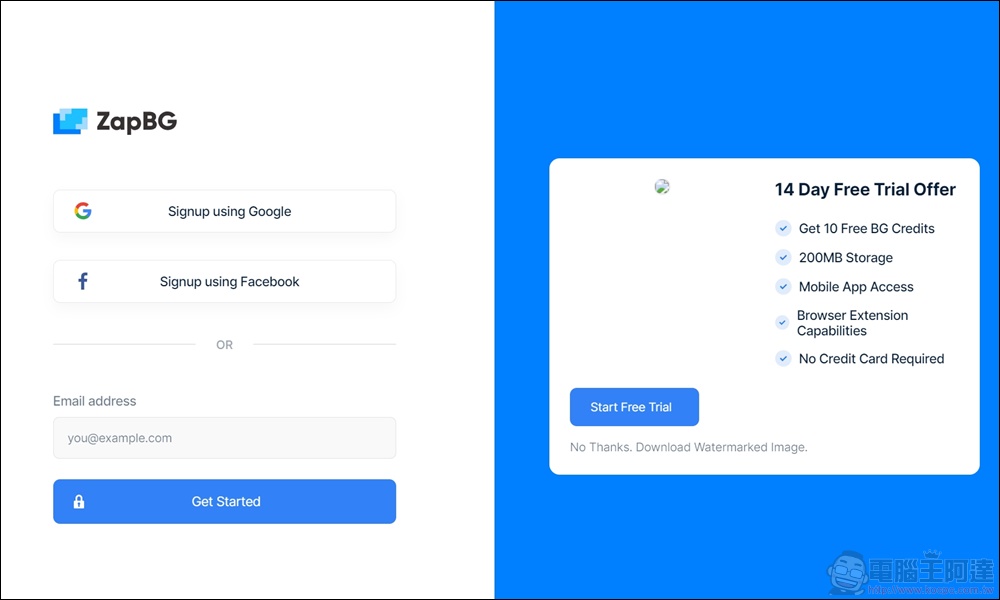
Before downloading, you must first register as a member of ZapBG. For free registration, you can log in using Google or Facebook. After registration is completed, you can download.
After registering and logging in, you can see the “Credits” balance of 10 points in the upper right corner. Users who register for free can process 10 pictures to memorize. It is a pretty good tool.
  • ZapBG Go to the official website:https://www.zapbg.com/

Source: KOCPC Chinese

Tags: Back removal toolsMemorize online

Recent Posts

  • Meta Muse Lands on Mac: Personal AI Agent Begins Operating Your Files, Messages, and Calendar (Muse for Mac)
  • First oMLX performance results for M5 Ultra Mac Studio leak: prefill speed 3-4x faster than M3 Ultra, data taken down after exposure.
  • After the iPhone 17, the frame material was changed back to aluminum alloy. Is it better than titanium?
  • The iPhone 18 Pro series, Apple Watch Series 12, Apple Watch Ultra 4, and AirPods 5 are now on sale—a first look, with warm “Burgundy Red” and striking “Glacier Blue.”
  • The battery replacement cost for the iPhone 18 Pro / Pro Max has gone up again! Compared with 5 years ago, the increase has doubled.

Recent Comments

No comments to show.
  • About Us

We welcome partnership inquiries and product review opportunities from smartphone manufacturers, iPhone accessory brands, and app developers.koc kocpc.com.tw|Privacy Policy |Hosting & Maintenance: Fast Line Taiwan, A-Chang Digital Technology

No Result
View All Result
  • Home
  • Tech News
  • AI News
  • Apps & Tutorials
  • Mobile & Telecom
  • Lifestyle
  • About Us

We welcome partnership inquiries and product review opportunities from smartphone manufacturers, iPhone accessory brands, and app developers.koc kocpc.com.tw|Privacy Policy |Hosting & Maintenance: Fast Line Taiwan, A-Chang Digital Technology