


I wonder if everyone still remembers what was introduced before. Luma AI text/image to video generation large model Dream Machine At the time, besides introducing how to use Dream Machine, we also shared funny and heartwarming videos that netizens created with Dream Machine. The text/image-to-video generation large model “KLING 可靈大模型” we introduced earlier can now be used on mobile without a Chinese phone number, and this lower barrier has led more people to try out the text/image-to-video generation effects of 可靈大模型. Today we’ve compiled a few heartwarming examples of videos generated by netizens using 可靈 AI, and we’ll also teach you how to use the mobile version of 快影 APP with 可靈大模型 to generate videos.
Create a Miracle! Make Beautiful Memory Videos Interacting with Loved Ones Across Time and Space — A Kuaishou AI Tutorial
In June this year, we introduced the video generation large model independently developed by China’s Kuaishou team, “KLING large model In June, using the Kling AI model to generate videos still required a Chinese phone number, and the high barrier to entry meant fewer people were using Kling back then. But now you don’t need a Chinese phone number anymore — you can use the Kling AI model’s AI to generate videos from text/images right in Kuaishou’s video editing app “Kuaiying.” If you want to know how to use it, just keep reading~
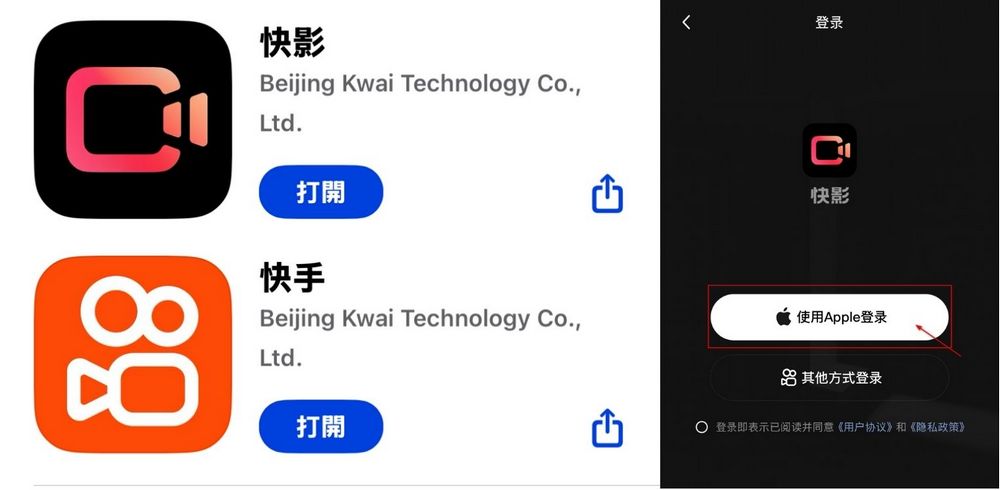
To use Kuaiying to generate videos from text/images, you first need to download the mobile apps for Kuaiying and Kuaishou. If you haven’t downloaded them yet, you can click the iOS link below to download.
After downloading both apps, first register for Kuaiying and Kuaishou memberships — you can simply use your Apple ID to sign up for both.
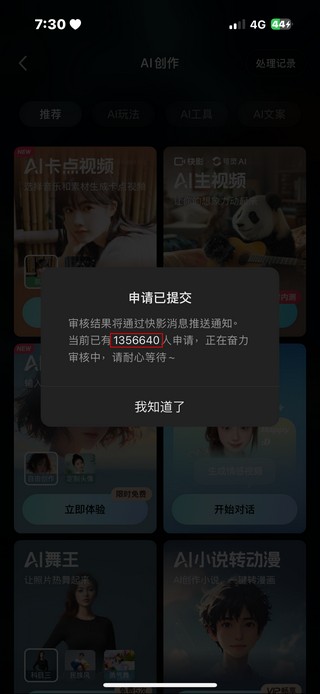
For those registering for Kuaiying for the first time, you’ll need to queue up to submit your application to use “AI video generation.” Please click Edit → AI Creation → Generate Video first.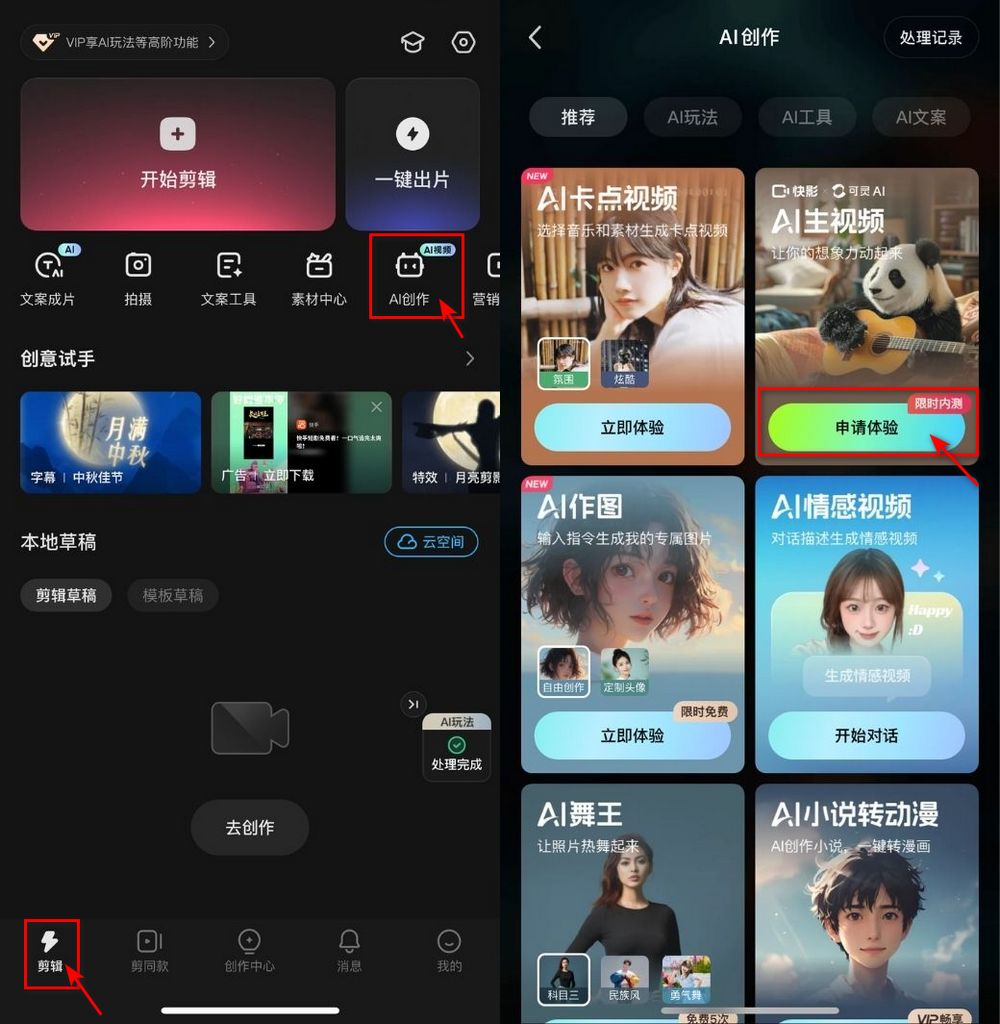
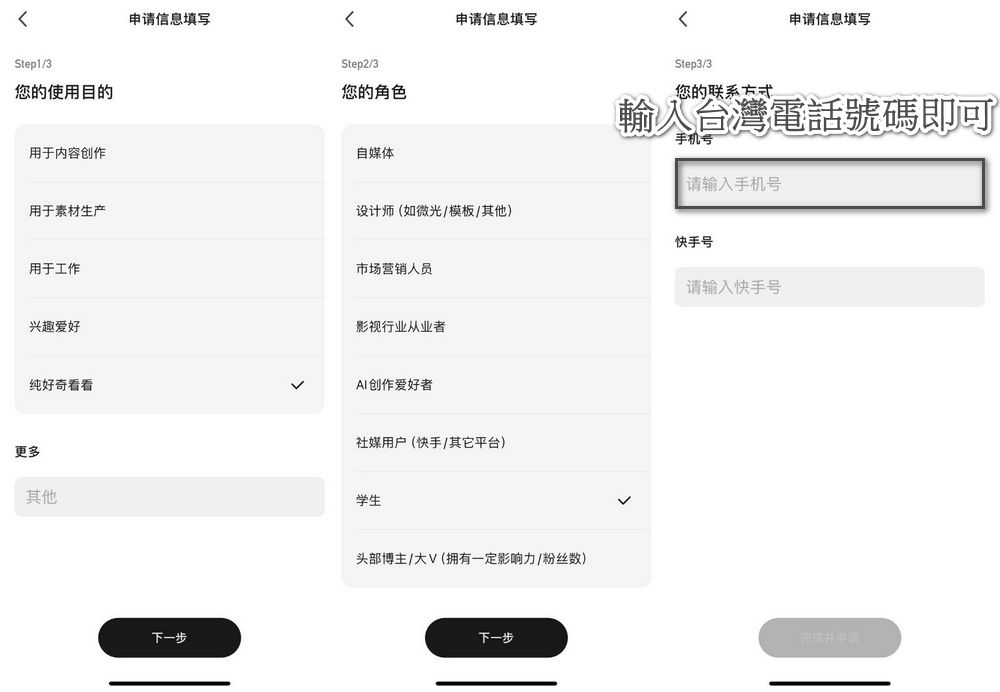
Please note that the first time you click into AI video generation, the system will ask you to fill in your purpose of use, your role, and your contact information. For the phone number field, simply enter a “Taiwan phone number.”
After completion, you’ll see a notice that your application has been submitted, and it will probably say that over a million people are currently applying. Don’t worry, your turn should come in about an hour!
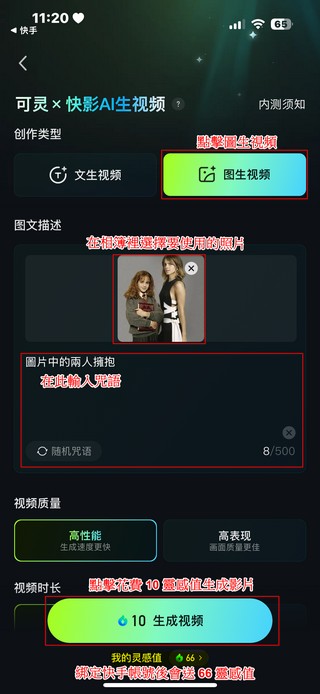
After you get approved to use “AI video generation,” you can choose the image you want to turn into a video. Image-to-video → select an image from the album → enter a simple prompt → 10 inspiration points to generate the video.
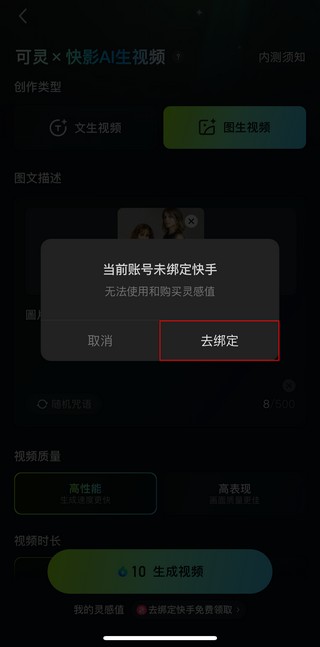
When you click “Generate video with 10 Inspiration Points,” Kuaiying will ask you to bind your Kuaishou account in order to use and purchase Inspiration Points—just follow the prompts. After binding, you’ll receive 66 Inspiration Points, and every 10 Inspiration Points can generate one video.
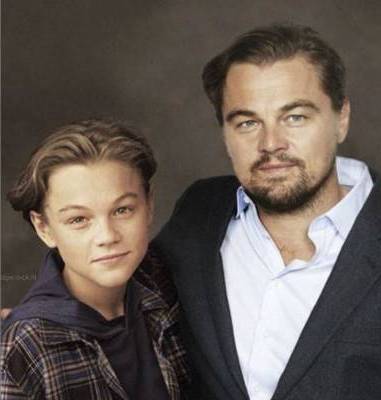
What can Kling AI’s “AI video generation” feature do? AI video generation lets you fulfill wishes across time and space, such as interacting with departed loved ones once again or hugging your younger self—these ideas can all be realized with Kling AI. Here, the editor has also included a few videos generated using Kling AI:
- Original image Leonardo DiCaprio (image sources are all from JUKSY Street Star)
- Original image Emma Watson
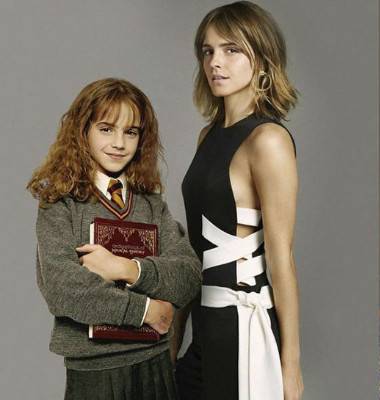
- Original image Emma Watson
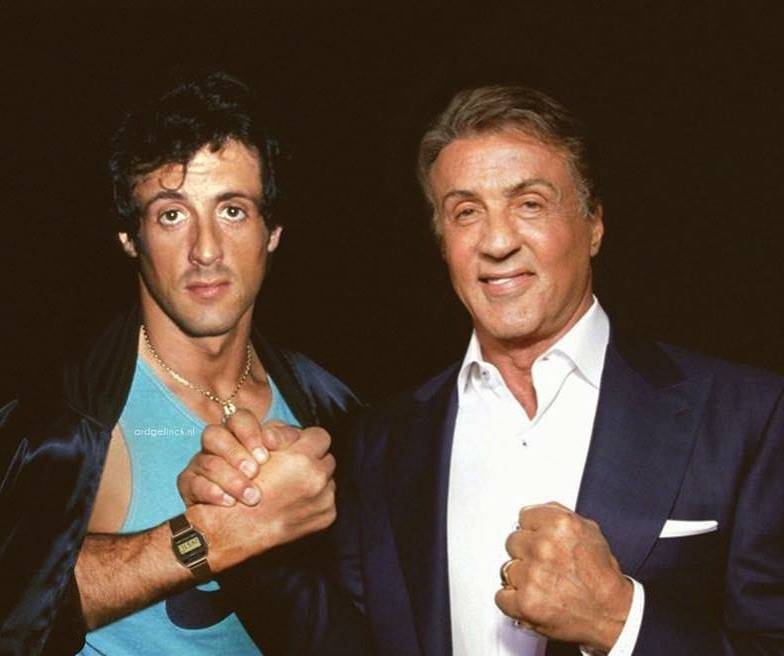
Besides using Kling AI to create a hug video between your younger and current self, like the editor did, you can also use Kling AI to relive cherished memories of deceased loved ones, just as other netizens have:
由 @u_na0112_ 發佈在 Threads 查看
由 @mark_aschon 發佈在 Threads 查看
If you’re interested in an introduction to the Kling large model or another text/image-to-video generation model, Dream Machine, you can check out the link below for related coverage.
Source: KOCPC Chinese